
CloudBurn
CloudBurn provides automatic AWS cost estimates in pull requests to help teams prevent costly infrastructure mistakes.
Visit
About CloudBurn
CloudBurn is a cutting-edge tool tailored for teams leveraging Terraform or the AWS Cloud Development Kit (CDK) to manage cloud infrastructure. It aims to eliminate costly infrastructure errors before they reach production, a critical concern in today's fast-paced cloud environment. Often, teams are surprised by unexpected AWS costs that surface weeks after deployment, leading to budget overruns and financial strain. CloudBurn mitigates this risk by integrating cost visibility directly into the code review process, allowing teams to evaluate the financial impact of their infrastructure changes in real-time. This proactive approach enables developers to engage in collaborative discussions about budget implications, ultimately leading to informed decision-making. By providing detailed cost reports during pull request reviews, CloudBurn not only enhances team collaboration but also ensures that infrastructure remains cost-effective and efficient, saving valuable time and resources.
Features of CloudBurn
Pre-Deployment Cost Estimates
CloudBurn provides precise dollar estimates for every infrastructure change made in pull requests. This feature empowers teams to visualize the financial implications before any changes are deployed, preventing unexpected costs from accumulating.
Automated Cost Analysis
With CloudBurn, teams benefit from automated financial operations (FinOps) that seamlessly integrate into their CI/CD workflows. This automation ensures that cost visibility is always present, allowing developers to focus on delivering quality code without the fear of hidden costs.
Real-Time Pricing Updates
CloudBurn ensures that teams are always working with the most up-to-date AWS pricing. By providing real-time pricing for every resource, developers can make informed decisions based on current costs, enhancing the accuracy of their estimates.
Seamless GitHub Integration
Integrating CloudBurn into existing workflows is a breeze. Teams can install CloudBurn via the GitHub Marketplace, add the necessary GitHub Action, and start receiving automated cost analyses on every pull request, streamlining their review process.
Use Cases of CloudBurn
Preventing Cost Overruns
CloudBurn is ideal for development teams that frequently modify infrastructure. By providing cost estimates during the code review process, teams can avoid unexpected budget overruns and make necessary adjustments before deployment.
Enhancing Team Collaboration
With detailed cost reports integrated into pull requests, CloudBurn fosters a collaborative environment where developers can discuss financial implications openly. This transparency helps align technical decisions with budgetary constraints.
Streamlining CI/CD Workflows
For organizations using CI/CD practices, CloudBurn automates cost analysis, saving time and resources. Teams can focus on coding and deploying features without the worry of manually estimating costs, thus enhancing overall efficiency.
Educating Teams on Cost Awareness
CloudBurn serves as an educational tool for development teams, instilling a culture of cost awareness. By making cost implications visible, it encourages developers to consider financial impacts in their design and implementation choices.
Frequently Asked Questions
How does CloudBurn integrate with GitHub?
CloudBurn integrates seamlessly with GitHub by allowing users to install it via the GitHub Marketplace. After installation, teams can add the relevant GitHub Actions to their workflows to automate cost analysis on every pull request.
What programming languages does CloudBurn support?
CloudBurn primarily supports infrastructure-as-code tools such as Terraform and the AWS Cloud Development Kit (CDK). This flexibility allows teams using these platforms to leverage CloudBurn's cost analysis features.
How quickly can I see cost estimates after a pull request?
CloudBurn analyzes the changes in a pull request and posts a detailed cost report within seconds. This immediate feedback allows teams to make informed decisions without delay.
Is there a free trial available for CloudBurn?
Yes, CloudBurn offers a 14-day Pro trial, allowing users to explore all Pro features at no cost. Users can cancel anytime or choose to continue with the Community plan indefinitely.
Explore more in this category:
Similar to CloudBurn

@fuck.it - email with attitude
Private email. Pure. Secure. Exclusive. No ads, no tracking, no data selling. GDPR compliant, EU-hosted.
VidhyaGen - Image Converter
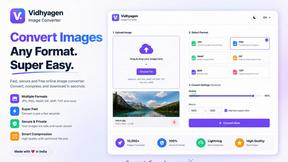
All-in-one digital toolkit for effortless image conversion, compression, resizing, and everyday file utilities in a single place.
AFFLIGO
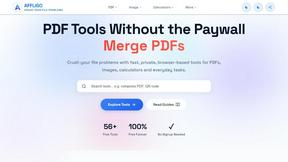
AFFLIGO makes everyday file tasks easier with free online tools to compress, convert, edit, and manage PDFs and images.

SmoothCut
Screen recorder for macOS and Windows with automatic zooms, a smoothed cursor and on-device captions. Pay once, runs on your computer.

Ecommerce Data API
Amazon research data APIs for developers, sellers and AI agents. Integrate product, keyword and market research through REST APIs and MCP.
APIKO AI API
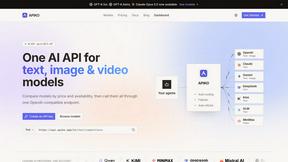
One OpenAI-compatible endpoint for text, image and video models from OpenAI, Anthropic, Google, DeepSeek and more.

Suparelay
Call landlines and mobiles in 200+ countries from your browser. The person you call needs no app. Prepaid, from about 2 cents a minute.