
ChatGPT Image 2
ChatGPT Image 2 is your all-in-one AI hub for effortless image editing and dynamic video creation, now at 50% off for a limited time.
Visit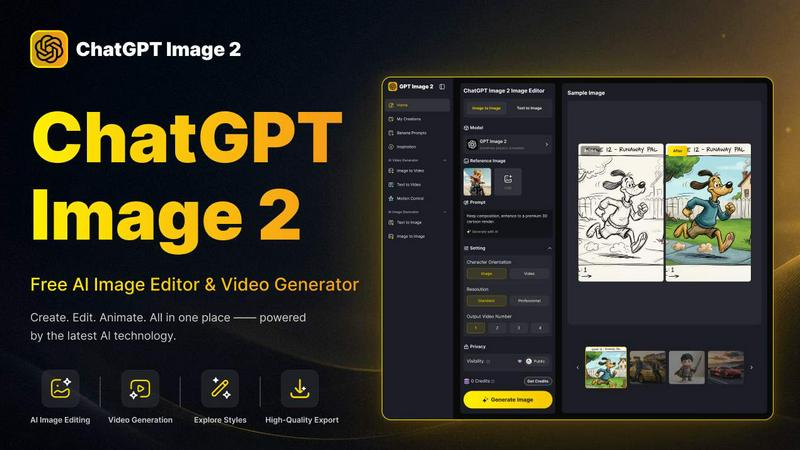
About ChatGPT Image 2
ChatGPT Image 2 is a versatile and user-friendly AI image and video generator that empowers creators, marketers, designers, and anyone in need of high-quality visuals to streamline their creative process. This innovative platform allows users to generate images from text prompts, transform existing photos, and edit visual details seamlessly. With ChatGPT Image 2, users can easily transition from text to image, image to image, and image to video, all within a single cohesive environment. This reduces the need to juggle multiple tools, making the creative workflow more efficient and productive. Whether you aim to create eye-catching artwork, social media graphics, product images, or polished marketing assets, ChatGPT Image 2 caters to diverse needs. It's designed for both quick inspiration and practical content production, allowing for exploration of various art styles, enhancement of existing visuals, and even the animation of images into dynamic videos. ChatGPT Image 2 truly stands out by offering a comprehensive suite of features that simplifies the creative process while maintaining professional quality.
Features of ChatGPT Image 2
AI Image Generation
ChatGPT Image 2 offers robust AI-powered image generation capabilities, allowing users to create stunning visuals from simple text prompts. This feature supports a variety of styles and themes, helping users quickly realize their creative visions without needing advanced design skills.
Advanced Image Editing
With powerful editing tools, users can modify existing images by changing elements, enhancing details, and applying different artistic styles. This feature provides the flexibility to fine-tune visuals, ensuring they meet specific project requirements and personal preferences.
Seamless Image to Video Conversion
The platform allows users to transform static images into engaging videos effortlessly. By utilizing a smooth workflow, users can animate their creations and add dynamic elements, making their visual content more appealing and interactive.
High-Quality Output
ChatGPT Image 2 guarantees commercial-grade output with native 4K resolution. This feature ensures that the generated visuals are crisp and professional, suitable for advertising, web design, and various commercial applications, meeting the needs of design teams and marketers.
Use Cases of ChatGPT Image 2
Social Media Marketing
Marketers can use ChatGPT Image 2 to create eye-catching visuals for social media campaigns. By generating images and videos tailored to their audience, they can enhance engagement and drive traffic to their brands effectively.
Product Visualization
E-commerce businesses benefit from ChatGPT Image 2 by generating high-quality product images and promotional videos. This helps in showcasing products in an appealing way, ultimately increasing sales and customer interest.
Creative Storytelling
Writers and content creators can utilize the platform to develop visual narratives. By generating character concepts and scene illustrations, they can enhance their storytelling efforts, making their content more immersive and engaging.
Educational Content Creation
Educators can leverage ChatGPT Image 2 to create visuals for instructional materials. Whether it's historical recreations or infographics, the tool helps in producing clear and informative visuals that aid in learning and retention.
Frequently Asked Questions
Is ChatGPT Image 2 free to use?
Yes, ChatGPT Image 2 is a free AI image and video generator, allowing users to access its features without any initial costs. Users can sign up for additional benefits or credits as needed.
What types of files can I upload?
Users can upload images in JPG, PNG, or WEBP formats, with a maximum file size of 10MB. The minimum width or height for uploaded images should be 300 pixels to ensure optimal processing.
Can I edit images after generating them?
Absolutely! ChatGPT Image 2 provides advanced editing tools, allowing users to modify and enhance generated images, ensuring they meet specific creative visions and project requirements.
What resolutions are available for output?
ChatGPT Image 2 supports native 4K resolution output, ensuring that users receive high-quality visuals suitable for various applications, including marketing and commercial use, without needing post-generation upscaling.
Explore more in this category:
Similar to ChatGPT Image 2
Leadeon
AI growth tool for X and LinkedIn: write posts in your voice, schedule at your best times, find leads on X and see what works.
ViewMax Studio
AI video generator that turns one prompt into shorts, UGC-style ads and faceless videos, with script, voiceover and captions.
ToonBee AI
ToonBee AI turns a script or a one-line idea into a narrated cartoon video, keeping the same character in every scene. 10+ styles, 16:9 or 9:16.
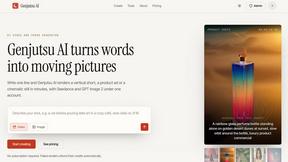
Genjutsu AI
Genjutsu AI turns your ideas into cinematic videos, product ads, social media shorts, and high-quality images in minutes. Choose a model, describe you

TrackMedia
Publish to 20 social networks from one composer and track every click in real time. Built for humans and AI agents.
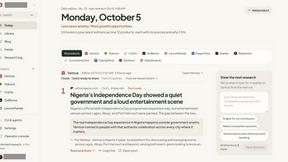
DailyHook AI
Turns industry news into sourced, product-relevant marketing hooks for founders, marketers and AI agents.
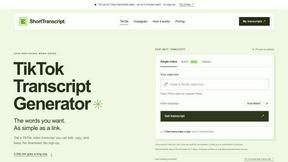
ShortTranscript
Turn public TikTok videos and Instagram Reels into editable English transcripts.