
Browsilla
Browsilla transforms your Chrome new tab into a focused dashboard for tasks, bookmarks, weather, and daily inspiration.
Visit
About Browsilla
Browsilla is a lightweight Chrome extension designed to transform your new tab into a focused, productivity-driven workspace. It eliminates the clutter of news feeds, ads, and distractions, providing you with a streamlined dashboard that prioritizes what truly matters: your tasks, quick links, bookmarks, local weather, and an unobtrusive search bar. This tool is tailored for makers, founders, and professionals who seek a simple yet effective start page that enhances their focus and productivity. With Browsilla, you can enjoy a seamless experience that runs locally within your browser, ensuring that your data remains private and secure. There is no need for accounts or tracking, making it incredibly user-friendly. Simply install the extension, and every new tab becomes a purposeful moment, setting the stage for a productive browsing session.
Features of Browsilla
Task Manager Built-In
Browsilla integrates a built-in task manager that allows you to add tasks directly within the new tab. You can organize these tasks into folders, check them off as you complete them, and keep your to-do list visible every time you open a new tab. This feature minimizes the need to switch between various applications, helping you stay organized and focused.
Quick Bookmarks
With Browsilla, you can pin your most-used websites directly on the new tab for instant access. This feature eliminates the tedious process of digging through bookmark folders, allowing you to add, organize, and launch your favorite sites without leaving the dashboard. Quick access means you can get to work faster and easier.
Local Weather Updates
Stay informed about the weather without opening another tab. Browsilla displays the current weather conditions and temperature for your location, updating automatically so you can plan your day effectively. This convenient feature ensures you are always prepared, whether at home or on the go.
Daily Inspiration
Start every browsing session with a fresh, motivational quote. This daily dose of inspiration sets a positive tone for your work ahead, encouraging productivity and a can-do attitude. With Browsilla, you not only stay organized but also uplift your spirit every time you open a new tab.
Use Cases of Browsilla
Enhance Daily Productivity
Professionals can leverage Browsilla to enhance their daily productivity by keeping tasks and bookmarks easily accessible. The clean dashboard minimizes distractions, allowing users to focus on their most important tasks right from the start of their browsing sessions.
Streamline Workflows for Makers
For makers and creators, Browsilla serves as a central hub for managing projects and resources. By pinning essential websites and integrating a task manager, users can streamline their workflows, making the creative process smoother and more efficient.
Simplify Remote Working
Remote workers can benefit from Browsilla’s organized approach to managing their tasks and quick access to essential tools. With the local weather feature, they can plan their day around external conditions, ensuring they remain productive regardless of their environment.
Foster Team Collaboration
Teams can utilize Browsilla collectively by sharing bookmarks and tasks among team members. This collaborative approach fosters synergy, ensuring everyone is aligned on priorities and can access resources quickly, leading to a more cohesive work environment.
Frequently Asked Questions
Is Browsilla really free?
Yes, Browsilla is completely free to use. There are no hidden costs or premium tiers, and you can enjoy its full functionality without any payments.
Do I need to create an account?
No, you do not need to create an account to use Browsilla. The extension is designed for immediate use, requiring no sign-up, email, or passwords.
Does Browsilla work offline?
Browsilla functions primarily within your browser and relies on your internet connection for features like weather updates and search. However, once your tasks and bookmarks are set, you can still access them without an internet connection.
Is my data private and secure?
Absolutely. Browsilla prioritizes your privacy by operating without tracking or storing your data. Your information remains anonymous, and there are no third-party trackers involved.
Explore more in this category:
Similar to Browsilla

@fuck.it - email with attitude
Private email. Pure. Secure. Exclusive. No ads, no tracking, no data selling. GDPR compliant, EU-hosted.
AFFLIGO
AFFLIGO makes everyday file tasks easier with free online tools to compress, convert, edit, and manage PDFs and images.

SmoothCut
Screen recorder for macOS and Windows with automatic zooms, a smoothed cursor and on-device captions. Pay once, runs on your computer.

Suparelay
Call landlines and mobiles in 200+ countries from your browser. The person you call needs no app. Prepaid, from about 2 cents a minute.
Novastart
Apps and files on an infinite canvas where people and AI agents work together.

PromptMafia
Real AI prompts from founders, with the result
MyGenogramMaker
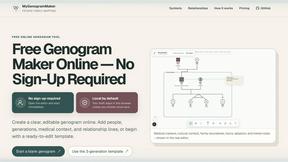
Draw genograms and family relationship diagrams in your browser with editable templates.