
Bank Statement Engine
Our free Bank Statement Engine helps your team instantly convert PDF statements to Excel, CSV, and more with no signup or limits.
Visit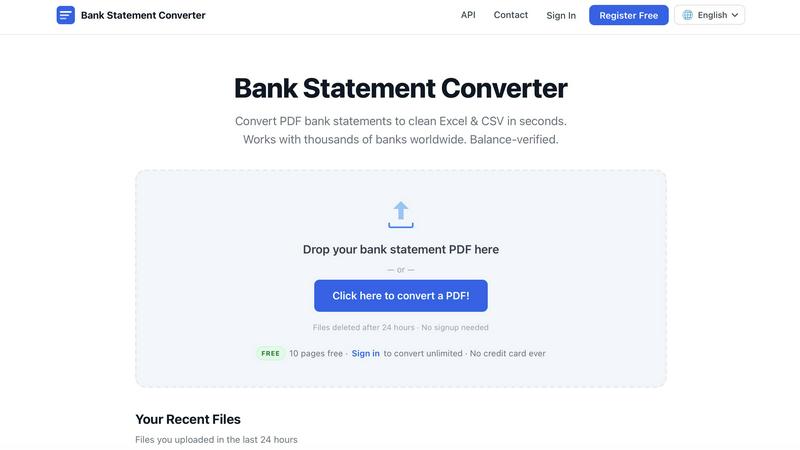
About Bank Statement Engine
Bank Statement Engine is a powerful, free online tool designed to transform PDF bank statements into clean, structured data formats like Excel, CSV, JSON, QBO, OFX, and QIF. Our team built this platform to solve a common pain point for financial professionals: the tedious, error-prone process of manually extracting transaction data from bank statements. By leveraging advanced parsing technology and built-in OCR capabilities, we enable users to convert both digital and scanned PDF statements from over 10,000 banks worldwide, including major institutions like Chase, Barclays, HDFC, SBI, and RBC. The tool handles password-protected files and requires no signup, no account creation, and no page limits for free users. We prioritize privacy and security with HTTPS encryption and automatic file deletion after 24 hours. Our mission is to provide accountants, bookkeepers, small business owners, and developers with a fast, reliable, and completely free solution for data extraction. By working together with our community, we continuously improve accuracy and expand bank support, ensuring that every conversion meets professional standards. Whether you need to import transactions into accounting software like Xero or QuickBooks, integrate data via our REST API, or simply analyze spending patterns, Bank Statement Engine delivers seamless collaboration between your workflow and our technology.
Features of Bank Statement Engine
Instant Multi-Format Export
Our engine converts PDF bank statements into seven different output formats instantly, giving your team the flexibility to work with the tools you already use. Export to Excel (XLSX) for Microsoft Excel, Google Sheets, or Numbers; CSV for importing into Xero, Zoho Books, or Sage; JSON for developers integrating via our REST API; plus QBO, OFX, and QIF for accounting software compatibility. This collaborative approach ensures that every member of your finance team can access and analyze transaction data in their preferred format without manual rekeying.
Built-in OCR for Scanned Documents
We understand that many bank statements come as scanned images rather than digital PDFs. Our integrated Optical Character Recognition technology automatically detects and extracts text from scanned documents, converting handwritten or printed numbers into clean, machine-readable data. This feature works seamlessly with statements from thousands of banks globally, ensuring that even older or poorly scanned files are processed accurately. By eliminating the need for manual data entry, we help your team save hours of tedious work and reduce human error.
Password-Protected PDF Support
Security is a top priority when handling sensitive financial documents. Bank Statement Engine supports password-protected PDF statements, allowing you to upload files directly without needing to remove security features first. Our system securely processes the file, extracts the transaction data, and then automatically deletes everything from our servers within 24 hours. This feature enables your team to work collaboratively while maintaining strict data protection standards, as no sensitive information is stored long-term or shared with third parties.
REST API for Developers
For teams that need to integrate bank statement conversion into their own applications or workflows, we provide a robust REST API. Developers can programmatically upload PDFs, specify output formats, and receive structured transaction data in JSON format. This feature enables seamless automation of data processing pipelines, batch conversions, and custom integrations with accounting software or financial analytics tools. By offering an API, we empower your development team to build scalable solutions that leverage our conversion engine without manual intervention.
Use Cases of Bank Statement Engine
Monthly Financial Reconciliation for Accountants
Accountants and bookkeepers can use Bank Statement Engine to quickly reconcile client accounts by converting monthly bank statements into Excel or CSV formats. Instead of manually typing each transaction, your team can upload PDFs, extract data in seconds, and import directly into accounting software like QuickBooks or Xero. This collaborative workflow reduces reconciliation time from hours to minutes, allowing your firm to serve more clients and focus on higher-value advisory services.
Small Business Expense Tracking and Analysis
Small business owners often struggle with tracking expenses from multiple bank accounts. With Bank Statement Engine, you can convert statements from various banks into a single Excel file, enabling you to categorize spending, identify tax-deductible items, and generate financial reports. The tool supports statements from thousands of banks worldwide, so your team can consolidate data from different accounts without worrying about compatibility issues. This streamlined approach helps you make informed business decisions faster.
Developer Data Integration Projects
Developers building financial applications or analytics dashboards can leverage our REST API to automate the extraction of transaction data from uploaded PDF statements. For example, a fintech startup might use the API to allow users to upload bank statements for automated budgeting or loan application processing. By integrating Bank Statement Engine into your backend, your development team can focus on core features while relying on our proven conversion technology to deliver accurate, structured financial data.
Bulk Processing for Large Accounting Firms
Large accounting firms handling hundreds of client statements monthly can benefit from our bulk conversion capabilities. Registered users gain access to unlimited pages and bulk upload features, enabling your team to process multiple files simultaneously. This collaborative approach ensures that even during peak tax season, your firm can maintain efficiency and accuracy without overwhelming staff. The 24-hour file history also allows team members to review and re-download converted files as needed.
Frequently Asked Questions
How do I convert a PDF bank statement to Excel?
Simply visit our website and drag and drop your PDF bank statement onto the upload area, or click to select a file from your computer. Our engine automatically processes the document and extracts all transaction data. Within seconds, you will see a preview of the converted data. Click the download button to save your file as an Excel (XLSX) spreadsheet. No signup or account is required for files up to 10 pages per day.
Which banks are supported?
Bank Statement Engine works with over 10,000 banks worldwide, including major institutions like Chase, Barclays, HDFC, SBI, RBC, and thousands more across the USA, India, UK, Europe, Australia, Middle East, and Africa. Our team continuously updates our bank database to improve accuracy and support new statement formats. If your bank is not currently supported, contact us and we will work to add it.
Is my bank statement data secure?
Yes, data security is our top priority. All files are processed on our servers using HTTPS encryption during upload and download. Files are automatically and permanently deleted from our systems after 24 hours. We never share your data with third parties, and no account or personal information is required for free conversions. Your financial privacy is fully protected.
Can I convert a scanned bank statement?
Absolutely. Our built-in OCR (Optical Character Recognition) technology can process scanned PDFs, including images of printed or handwritten bank statements. The engine automatically detects text from the scanned image and converts it into clean, structured data. This feature works with statements from thousands of banks globally, ensuring that even older or poorly scanned documents are handled accurately.
Pricing of Bank Statement Engine
Bank Statement Engine offers a simple, transparent, and completely free pricing model. No subscriptions, no credit cards, and no hidden fees ever. Anonymous users can convert up to 10 pages per day with access to CSV and Excel downloads, support for password-protected PDFs, and 24-hour file history. For users who need more, creating a free account unlocks unlimited pages, bulk conversion of multiple files, and the same features without any cost. We also provide bespoke services for clients needing custom document processing or API integration. Contact us to discuss your specific requirements.
Similar to Bank Statement Engine
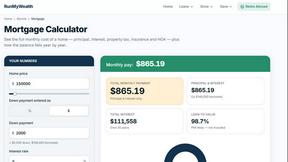
RunMyWealth
Free, private financial calculators for mortgage, FIRE, and debt. 100% free, runs locally in your browser, no signup required.
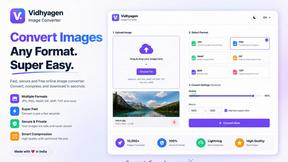
VidhyaGen - Image Converter
All-in-one digital toolkit for effortless image conversion, compression, resizing, and everyday file utilities in a single place.
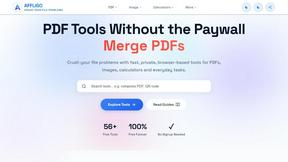
AFFLIGO
AFFLIGO makes everyday file tasks easier with free online tools to compress, convert, edit, and manage PDFs and images.
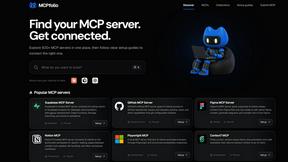
mcpfolio
Discover MCP servers, compare tools, and follow setup guides to connect AI assistants to your apps and workflows

Ecommerce Data API
Amazon research data APIs for developers, sellers and AI agents. Integrate product, keyword and market research through REST APIs and MCP.

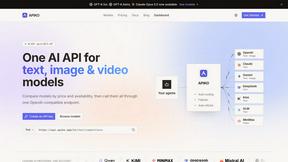
APIKO AI API
One OpenAI-compatible endpoint for text, image and video models from OpenAI, Anthropic, Google, DeepSeek and more.