
Doodle Duel vs SVG to 3D
Side-by-side comparison to help you choose the right product.

Doodle Duel
Compete in real-time drawing duels with friends as AI judges your creativity in this fun, free multiplayer game.
Last updated: February 28, 2026
SVG to 3D
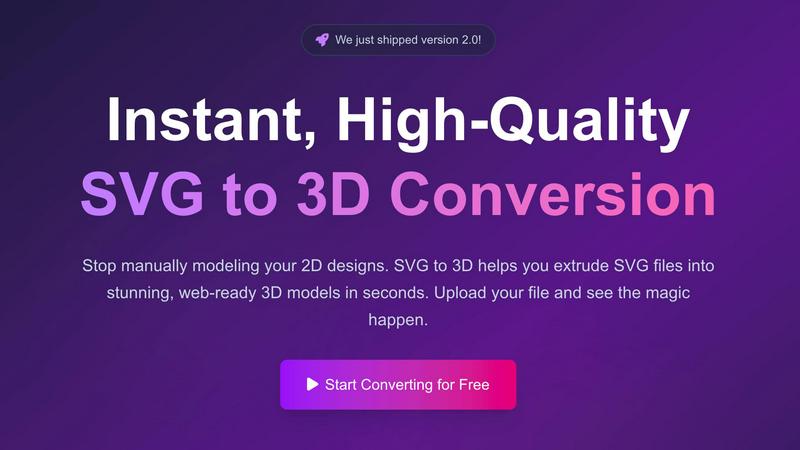
Easily transform your SVG designs into stunning, professional 3D models in seconds with SVG to 3D.
Last updated: February 28, 2026
Visual Comparison
Doodle Duel
SVG to 3D
Feature Comparison
Doodle Duel
Real-Time Drawing Battles
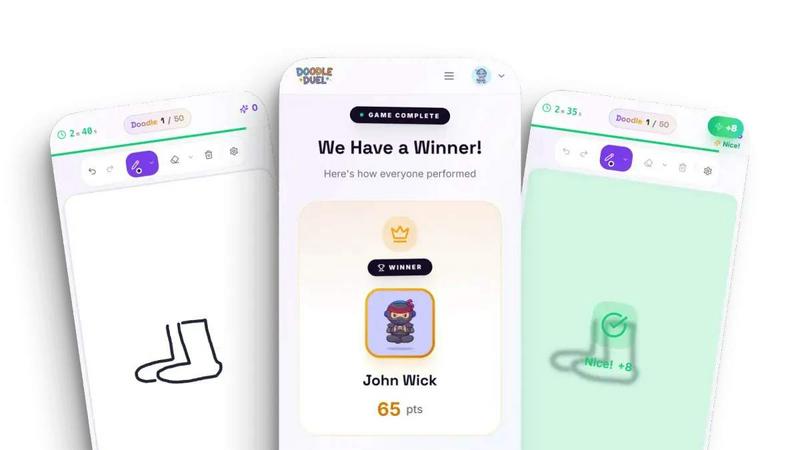
Doodle Duel enables players to engage in fast-paced, real-time drawing battles. No waiting around is necessary; everyone sketches simultaneously, adding to the excitement and competitive spirit of the game.
AI Judging
The game features an AI judge that evaluates each drawing based on accuracy, creativity, and style. This ensures that the judging process is fair and objective, providing players with valuable feedback while also keeping the atmosphere lighthearted.
Easy Access and Instant Play
With no downloads or account sign-ups required, players can create a room and start battling in under a minute. Simply share a room code with friends, and you are ready to dive into the fun without any hassle.
Versatile Game Modes
Doodle Duel offers different modes for players to choose from, including a solo arcade experience with increasing difficulty levels and multiplayer duels where friends can compete against each other. This flexibility ensures that everyone finds a mode that suits their playstyle.
SVG to 3D
One-Click to GLB for the Web
This feature enables users to export their 3D models in GLB format with just a single click. The GLB files generated are optimized for web use, making them perfect for integration into Three.js or React Three Fiber projects. This functionality ensures that developers can effortlessly add interactive 3D elements to their websites without complicated processes.
3D-Print Ready
SVG to 3D supports clean STL exports, allowing users to prepare their 3D models for 3D printing directly. This feature is especially beneficial for those who wish to take their 2D designs into the physical realm, providing a straightforward way to go from digital artwork to tangible products without needing complex CAD software.
Fine-Tune Every Detail
With advanced controls, users can go beyond simple extrusion and fine-tune every aspect of their 3D model. Adjusting thickness, adding bevels, and applying realistic PBR materials are all possible, along with a real-time preview that allows for immediate feedback. This level of customization ensures that the final output meets professional standards.
Advanced Material System
SVG to 3D includes an advanced material system that allows users to apply realistic PBR materials, custom textures, and professional lighting effects to their models. This feature enhances the visual appeal of the 3D creations, helping them stand out in various applications, from web use to presentations.
Use Cases
Doodle Duel
Host a Game Night
Doodle Duel is perfect for game nights with friends or family. Invite everyone to join in a series of fun drawing battles, creating lasting memories filled with laughter and creativity.
Icebreaker for Events
Whether at a corporate event or a casual gathering, Doodle Duel serves as an excellent icebreaker. It encourages interaction among participants, making it easier for everyone to connect and enjoy each other's creativity.
Family Bonding
Families can use Doodle Duel to bond over a shared love of drawing and competition. It provides an excellent opportunity for parents and children to collaborate and enjoy a creative experience together.
Skill Development
For those looking to improve their drawing skills, Doodle Duel offers a fun environment to practice. Players can receive AI-generated feedback on their work, which can help them refine their techniques and boost their confidence.
SVG to 3D
Create Interactive 3D Logos and Icons for Web
Web developers can easily convert SVG icons into interactive 3D models, enhancing their web projects with visual depth and engagement. This use case is particularly valuable for creating unique user interfaces that capture attention and elevate the user experience.
From Digital Design to Physical Object
Artists and designers can utilize SVG to 3D to transform their 2D designs into physical objects through 3D printing. This use case allows for the creation of custom parts, art pieces, and prototypes without the need for extensive modeling skills or software, making it accessible for all.
Enhance Your Website with Depth
By integrating 3D models into UI/UX designs, designers can present their concepts with greater depth and realism. This approach not only impresses clients but also allows stakeholders to visualize the final product more effectively, fostering better collaboration and decision-making.
Developer-Friendly Exports
SVG to 3D serves as an invaluable tool for developers looking to streamline their workflow. With the ability to export models in various formats like GLB, GLTF, OBJ, and STL, this tool ensures compatibility with popular 3D frameworks and engines, making it versatile for different project needs.
Overview
About Doodle Duel
Doodle Duel is an innovative real-time drawing game that captures the essence of creativity, competition, and camaraderie. Tailored for players of all skill levels, from seasoned artists to enthusiastic doodlers, it allows you to engage in exhilarating drawing battles with up to 29 friends. The game kicks off with a unique prompt, and participants have just 60 seconds to sketch their interpretation, fostering a sense of urgency and excitement. What sets Doodle Duel apart is its use of an AI judge, powered by advanced technologies like Google Gemini and OpenAI, which provides humorous yet fair evaluations of each submission. This blend of speed, creativity, and AI-driven feedback ensures a delightful experience that's perfect for parties, family gatherings, or casual hangouts. With flexible modes available, including solo arcade journeys and chaotic multiplayer duels, Doodle Duel guarantees a fun-filled drawing experience for everyone involved.
About SVG to 3D
SVG to 3D is a revolutionary web-based tool designed to seamlessly transform 2D SVG vector graphics into stunning, high-quality 3D models. This innovative solution addresses a common challenge faced by designers, developers, and 3D printing enthusiasts: the cumbersome and time-consuming process of using heavyweight software like Blender or C4D for simple tasks such as extruding logos or icons. By providing a streamlined platform where users can upload their SVG files and witness instantaneous conversion into 3D models, SVG to 3D simplifies workflows and enhances productivity. Its main value proposition lies in its user-friendly interface, advanced customization options, and the ability to export in multiple formats, catering to professionals who demand quality without sacrificing speed.
Frequently Asked Questions
Doodle Duel FAQ
How do I start playing Doodle Duel?
To start playing Doodle Duel, simply create a room, share the room code with friends, and you can begin sketching immediately. No account or download is necessary.
Can I play with more than four friends?
Yes! You can invite up to 29 friends to join you in Doodle Duel. The game supports multiplayer sessions that can accommodate a larger group, adding to the fun.
What happens if I need a break during the game?
Doodle Duel is designed for quick rounds, but if you need a break, you can easily pause and rejoin the game later. Just make sure to inform your friends so they can adjust accordingly.
Is Doodle Duel free to play?
Absolutely! Doodle Duel is free to play with an option to upgrade to Pro, which offers additional features, including larger rooms and more difficulty levels.
SVG to 3D FAQ
How do I get started with SVG to 3D?
To begin converting your designs, simply upload your SVG file through the intuitive interface. You can drag and drop your file or paste the SVG code directly into the editor.
What file formats can I export my 3D model in?
SVG to 3D allows you to export your 3D models in several formats, including GLB, GLTF, OBJ, and STL, catering to various applications, from web integration to 3D printing.
Is there a limit on the size of SVG files I can upload?
Yes, the maximum file size for SVG uploads is 5 MB. This limit ensures that the processing remains fast and efficient while still accommodating a wide range of designs.
Is my design secure when using SVG to 3D?
Absolutely. Your files are processed locally in your browser whenever possible, ensuring that your designs remain private and secure without being uploaded to external servers.
Alternatives
Doodle Duel Alternatives
Doodle Duel is an engaging real-time drawing game that falls under the category of creative multiplayer experiences. It invites players to compete against friends in fast-paced sketching battles, where creativity and humor intertwine. Users often seek alternatives for various reasons, such as pricing concerns, feature differences, or specific platform compatibility. As players explore their options, it’s essential to consider factors like user interface, accessibility, and the quality of AI feedback to ensure a satisfying gaming experience. When choosing an alternative, look for games that encourage collaboration and creativity while providing a fun and competitive atmosphere. The ideal option should offer similar features without the need for downloads or accounts, allowing for seamless play with friends. Prioritizing user-friendly designs and interactive elements can also enhance the overall enjoyment and synergy of the drawing experience.
SVG to 3D Alternatives
SVG to 3D is a specialized tool designed to convert 2D SVG vector graphics into high-quality 3D models, making it an invaluable asset for developers, designers, and 3D printing enthusiasts. As part of the AI Assistants category, it offers a streamlined approach that eliminates the need for heavyweight software, allowing users to quickly transform their designs with ease. However, users often find themselves seeking alternatives for various reasons, including pricing concerns, specific feature requirements, or compatibility with different platforms. When exploring alternatives, it’s essential to consider factors such as the ease of use, export formats supported, real-time editing capabilities, and overall integration with existing workflows to ensure that the chosen solution meets their unique needs.