
Crawlkit vs SERPView
Side-by-side comparison to help you choose the right product.

Crawlkit
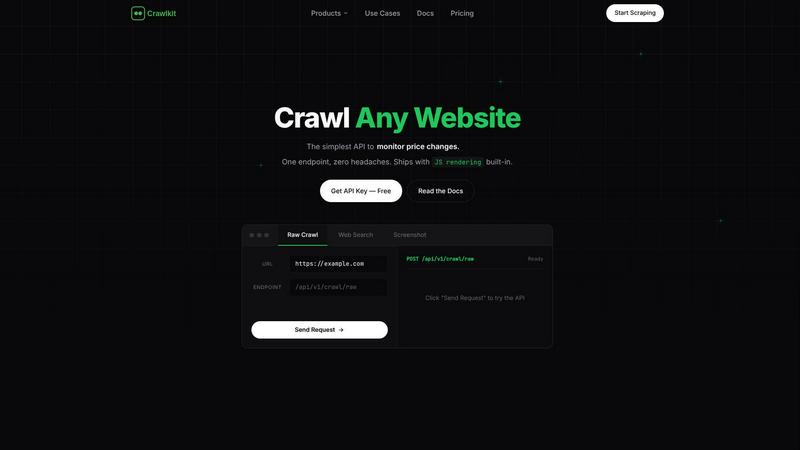
CrawlKit empowers developers to effortlessly extract structured data from any website with a single API call.
Last updated: February 28, 2026

SERPView
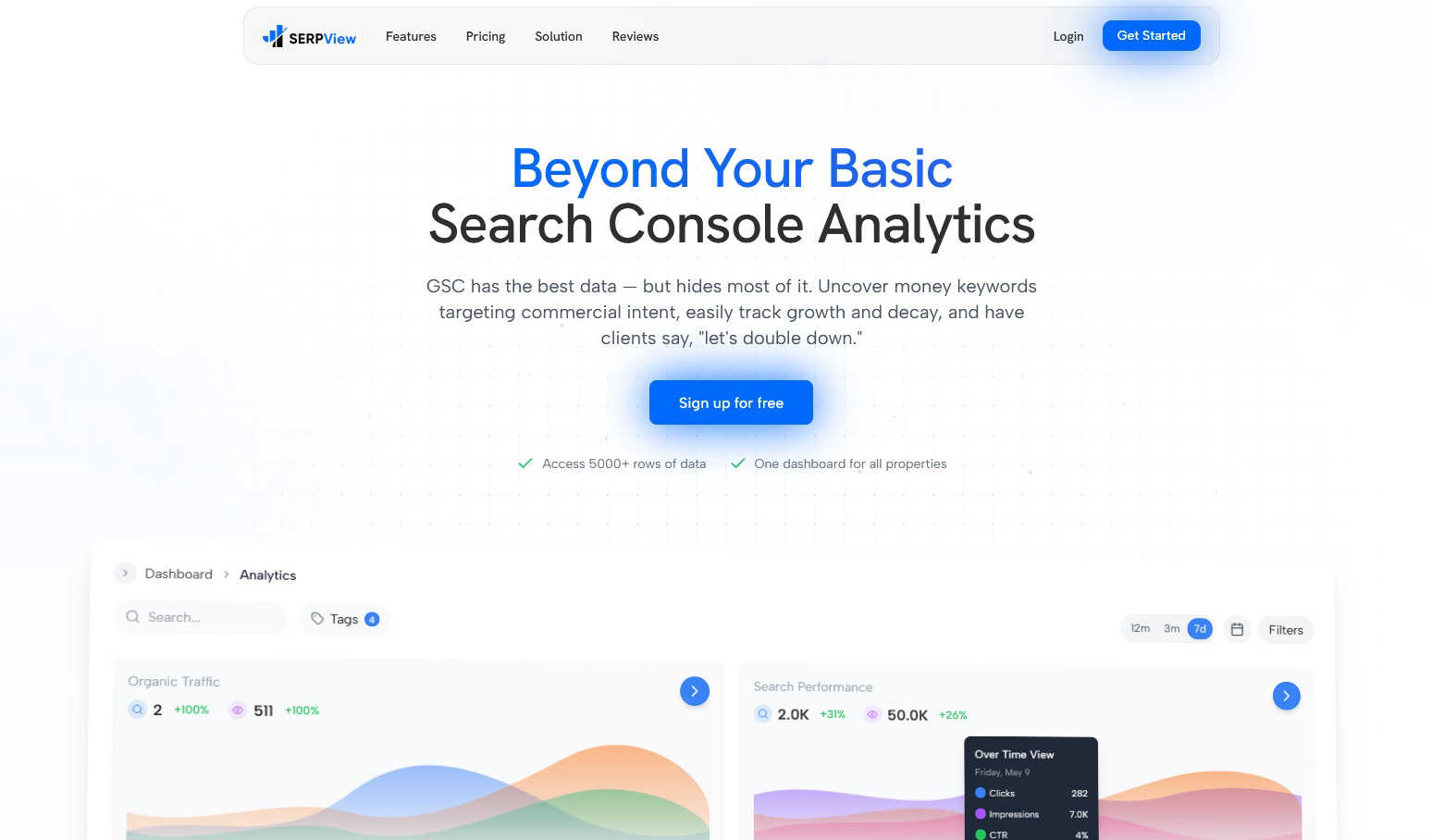
SERPView unlocks your team's shared Google Search Console data to uncover growth opportunities together.
Last updated: March 1, 2026
Visual Comparison
Crawlkit
SERPView
Feature Comparison
Crawlkit
Automated Proxy Management
CrawlKit handles proxy rotation automatically, ensuring that your requests are anonymous and reducing the risk of being blocked by target websites. This feature eliminates the need for you to manage proxies manually, allowing for a seamless scraping experience.
Headless Browser Rendering
By utilizing headless browser technology, CrawlKit can render JavaScript-heavy websites fully, allowing you to extract dynamic content that traditional scrapers might miss. This feature is crucial for obtaining complete and accurate data from modern web applications.
Comprehensive API Integration
CrawlKit offers a simple HTTP API that can be integrated with any programming language or automation tool. This flexibility ensures that your existing workflows can incorporate web data extraction without any restrictions or lock-in.
Transparent Credit-Based Pricing
CrawlKit employs a straightforward credit-based pricing model, allowing users to know exactly what they are paying for. With no hidden fees or surprise charges, you can budget effectively while scaling your data extraction needs.
SERPView
Performance Tracking Without Limits
Go beyond Google Search Console's restrictive 1,000-row data cap. SERPView provides access to a comprehensive 50,000 rows of performance data, allowing your team to track clicks, impressions, CTR, and average position in granular detail without any artificial limitations. This ensures you can analyze long-term trends and spot opportunities that would otherwise remain hidden in truncated reports.
Advanced Keyword & Page Analysis
Uncover high-intent, money-making keywords and identify your best-performing pages. This feature enables deep dives into commercial keyword opportunities, tracks position changes over time, and analyzes page-level performance to pinpoint both optimization opportunities and content that deserves further promotion, creating a clear action plan for your content and SEO teams.
Mobile vs. Desktop & International Analysis
Compare your search performance across different devices and geographical regions. Understand whether your site performs better on mobile or desktop to guide technical and content optimizations. Simultaneously, track impressions and clicks by country to refine your global SEO strategy and allocate resources effectively for international campaigns.
Collaborative Topic Clusters & Annotations
Visualize and track the performance of your entire content strategy by topic clusters, not just individual pages. This fosters alignment between content and SEO teams on strategic themes. Furthermore, the ability to track Google algorithm updates and add custom annotations helps your team correlate ranking changes with specific events, fostering shared understanding.
Use Cases
Crawlkit
CRM Enrichment
CrawlKit enables teams to enrich their CRM systems automatically by pulling detailed LinkedIn profile data. This includes job titles, company information, and contact details, helping sales teams qualify leads more effectively and streamline their outreach efforts.
Competitive Intelligence
Businesses can leverage CrawlKit to monitor competitor activities by extracting data from their websites and social profiles. This allows teams to gather insights on competitor strategies, product launches, and customer engagement, positioning them to make informed decisions.
Social Media Analytics
With CrawlKit, marketing teams can track social media performance by extracting follower counts, engagement metrics, and post details from platforms like Instagram. This data helps in analyzing trends and refining social media strategies for better results.
App Store Reviews Analysis
CrawlKit allows for the extraction of reviews and ratings from app stores such as Google Play and Apple App Store. This information can be utilized to assess user sentiment, identify common issues, and improve product offerings based on user feedback.
SERPView
SEO Team Collaboration & Reporting
Centralize search data from multiple GSC properties into one dashboard, eliminating silos. SEO managers, specialists, and analysts can work from the same dataset, create shared tags, and generate comprehensive reports that provide a unified view of performance, streamlining communication and strategic planning across the team.
Content Strategy Development & Optimization
Content teams can use page and keyword analysis to identify top-performing articles and uncover gaps. By reviewing topic cluster performance, they can prioritize content creation around winning themes and update underperforming pages based on concrete search data, ensuring their efforts align with actual search demand and team goals.
Technical SEO & Site Performance Review
Technical SEOs can leverage device comparison data to identify potential mobile usability issues impacting rankings. The extensive data access allows for deep dives into query counting and position changes, helping pinpoint technical crawl, index, or rendering problems that need to be addressed in collaboration with developers.
Agency Client Management & Reporting
Digital marketing agencies managing multiple client accounts can connect all properties to a single SERPView dashboard. This simplifies performance reviews, enables efficient cross-client benchmarking, and allows for the creation of clear, data-rich reports that demonstrate value and guide collaborative strategy sessions with clients.
Overview
About Crawlkit
CrawlKit is an advanced web data extraction platform designed specifically for developers and data teams who require reliable and scalable access to web data without the hassles of managing intricate scraping infrastructure. In an era where web scraping presents numerous challenges such as rotating proxies, headless browsers, anti-bot protections, and rate limits, CrawlKit streamlines this process by automating the complex aspects of web scraping. When users send a request to CrawlKit, the platform manages proxy rotation, browser rendering, retries, and overcoming blocking mechanisms. This enables users to focus on leveraging the extracted data rather than worrying about the collection process itself. With CrawlKit, users can extract a wide array of web data through an intuitive interface, including raw page content, search results, visual snapshots, and structured professional data from platforms like LinkedIn. By providing a one-stop solution for web data extraction, CrawlKit empowers teams to turn the web into a powerful resource for insights and decision-making.
About SERPView
SERPView is the definitive collaborative analytics platform designed to unlock the full potential of your Google Search Console data. It transforms the fragmented, limited experience of the native GSC interface into a centralized, data-rich command center built for SEO teams and digital marketers. The platform is engineered for seamless cooperation, empowering your entire team—from content creators and SEO specialists to marketing strategists—to move beyond basic reporting and uncover the actionable insights that drive strategic, unified growth. Its core value proposition lies in breaking through GSC's restrictive 1,000-row data limit, providing access to over 50,000 rows of performance data to ensure no critical trend or opportunity goes unnoticed. By consolidating all your search properties into a single, intuitive dashboard, SERPView eliminates the hassle of switching between accounts and enables unified analysis. It fosters synergy across departments by turning raw search data into a shared source of truth, complete with advanced features for in-depth keyword analysis, page performance reviews, device comparisons, and visual topic cluster tracking, making it a powerful engine for collaborative decision-making.
Frequently Asked Questions
Crawlkit FAQ
What types of data can I extract using Crawlkit?
CrawlKit enables users to extract a variety of data, including raw page content, search results, visual snapshots, and structured data from social media platforms and app stores, all through a single API call.
Is there a limit on the number of API calls I can make?
CrawlKit offers a flexible credit-based pricing model with no monthly commitments or rate limits. You can scale your usage according to your needs without worrying about hitting a cap.
How does Crawlkit ensure data accuracy?
CrawlKit waits for full page loads and validates responses to ensure that users receive complete and accurate data. This approach minimizes the chances of dealing with partial or broken outputs.
Can I integrate Crawlkit with my existing tools?
Yes, CrawlKit is designed as a simple HTTP API, making it compatible with any programming language or automation tool. This flexibility allows for easy integration into your existing workflows without any restrictions.
SERPView FAQ
How is SERPView different from Google Search Console?
While Google Search Console (GSC) is the source of the data, it has significant limitations like a 1,000-row data cap, disjointed property management, and limited historical analysis. SERPView builds upon GSC data by removing these limits, providing a unified dashboard for all properties, and adding advanced collaborative features like topic clustering, detailed device/country breakdowns, and annotation tools that GSC does not offer.
Can I connect multiple Google Search Console properties?
Yes, absolutely. A core feature of SERPView is the ability to connect and manage multiple Google Search Console properties, websites, and domains from within a single, intuitive dashboard. This eliminates the need to constantly switch between accounts and provides a consolidated view of your entire search ecosystem for streamlined team analysis.
What is the "50,000 row data limit" you mention?
Google Search Console's native interface typically limits you to viewing and exporting only 1,000 rows of performance data at a time, which can hide important long-tail keywords and trends. SERPView bypasses this restriction by aggregating data via the API, allowing you to access, analyze, and export up to 50,000 rows of data, ensuring a much more complete picture of your search performance.
Is SERPView suitable for team use?
SERPView is specifically designed for team collaboration. It transforms individual GSC data into a shared source of truth with features that foster synergy. Teams can work from a centralized dashboard, use tagging for organization, track topic strategies together, and use annotations to align on the impact of site changes or algorithm updates, making it ideal for coordinated SEO efforts.
Alternatives
Crawlkit Alternatives
CrawlKit is an API-first web data extraction platform designed for developers and data teams seeking reliable and scalable access to data from any website. It simplifies the complexities of web scraping by automating tasks like proxy rotation, browser rendering, and overcoming anti-bot mechanisms. Users often search for alternatives to CrawlKit due to various reasons, including pricing, specific feature requirements, or the need for integration with different platforms. When evaluating alternatives, it’s essential to consider factors such as ease of use, the robustness of the API, available features, pricing structures, and the level of customer support. Look for platforms that offer scalability and reliability, ensuring that you can access the data you need without managing intricate scraping infrastructures.
SERPView Alternatives
SERPView is a collaborative analytics platform designed to transform how teams use Google Search Console data. It centralizes search performance insights, breaking through data limits to foster team-wide analysis and strategic growth. Users often explore alternatives for various reasons, such as budget considerations, the need for different feature sets, or integration requirements with their existing tech stack. Finding the right tool fit is a common step in optimizing a team's workflow. When evaluating other options, prioritize solutions that enhance team synergy. Look for unrestricted data access, centralized reporting, and features that turn complex data into clear, actionable insights for your entire group.