CloneUI vs FilexHost
Side-by-side comparison to help you choose the right product.

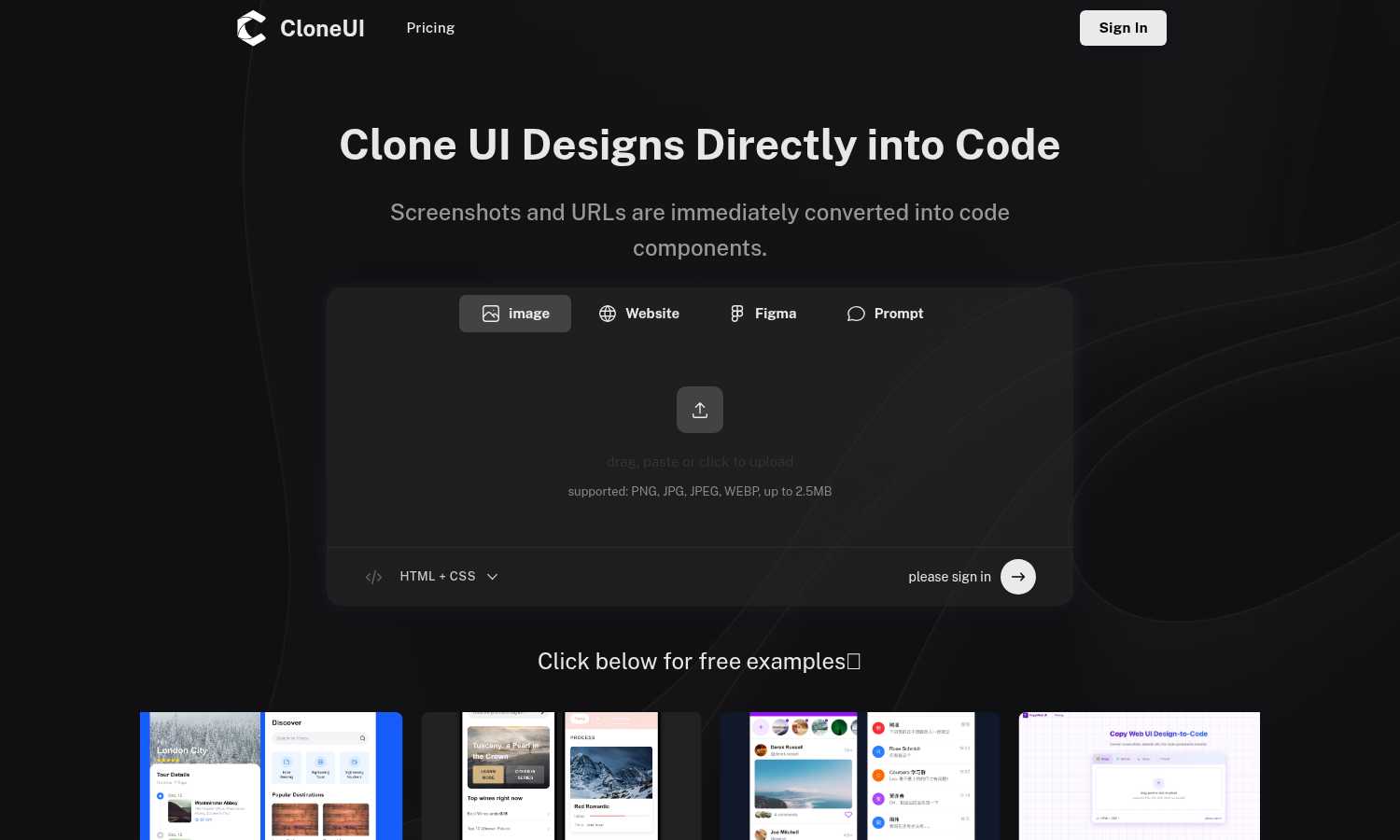
CloneUI enables your team to effortlessly transform designs into clean, responsive code from screenshots or URLs.
Last updated: March 1, 2026

Easily host and share your files in seconds with secure links and built-in viewers for seamless collaboration.
Last updated: February 28, 2026
Visual Comparison
CloneUI
FilexHost

Feature Comparison
CloneUI
Convert Screenshots to Code
With CloneUI, uploading a design screenshot generates pixel-perfect code in seconds. This feature eliminates the guesswork involved in coding, ensuring that every pixel aligns with your original vision.
Clone from URL
This innovative functionality allows users to effortlessly replicate entire website structures by simply entering a URL. You can capture the essence of existing designs and use them as a foundation for your projects.
Figma to Code Conversion
One-click conversion from Figma to code simplifies the design-to-development handoff. Designers can easily translate their Figma designs into functional code, minimizing the back-and-forth communication often required.
Intelligent Component Recognition
CloneUI features AI-powered automatic UI component identification and mapping, ensuring that each element is recognized and translated accurately into code components. This enhances collaboration, as both designers and developers can trust the output.
FilexHost
Instant Subdomains
FileXHost provides instant subdomains for every uploaded file, enabling users to share files via a clean and memorable URL format (your-file.filex.host). This feature requires zero setup, allowing for immediate sharing without any technical knowledge.
Free SSL Encryption
Every link generated through FileXHost comes with free SSL encryption, ensuring that your files are protected during transmission. This feature enhances security and builds trust with your recipients, as they can access files with peace of mind knowing their data is secure.
Smart View Modes
Users can choose between direct rendering or a download page for their files. This flexibility allows recipients to view documents, spreadsheets, and media in the way that best suits their needs, enhancing the overall user experience and engagement.
Optional Password Protection & Expiry Settings
FileXHost allows users to set expiry dates for their shared files, ranging from 24 hours to permanent hosting. Additionally, users can implement password protection for sensitive files, ensuring that only authorized individuals can access the content.
Use Cases
CloneUI
Rapid Prototyping
CloneUI is perfect for teams looking to rapidly prototype their ideas. By converting designs into code quickly, teams can iterate on functionality and user experience without the usual delays in the development process.
Freelance Development
Freelancers can significantly enhance their workflow by utilizing CloneUI. They can deliver high-quality work faster, allowing them to take on more clients and projects while maintaining the quality of their output.
Agency Projects
Agencies handling multiple projects can benefit from CloneUI's ability to streamline the design process. By generating code from designs, teams can focus on creative strategies rather than spending time on repetitive coding tasks.
Educational Purposes
For educators and students in design and development, CloneUI serves as a valuable learning tool. It provides insights into how designs are translated into code, making it easier to understand the intricacies of web development.
FilexHost
Professionals Sharing Reports
FileXHost is ideal for professionals who need to share client reports and presentations quickly and securely. With the ability to generate instant links, professionals can focus on their work rather than worrying about file delivery logistics.
Developers Hosting Landing Pages
Developers can leverage FileXHost to host landing pages or mock APIs with ease. The platform’s smart rendering capabilities ensure that their projects are displayed exactly as intended, facilitating smooth presentations and client discussions.
Creators Distributing Digital Products
For creators and digital product distributors, FileXHost serves as an effective tool for sharing files without attachment limits or access requests. It simplifies the distribution process, allowing for a seamless experience for both creators and their audiences.
Anyone Needing Friction-Free File Delivery
FileXHost is perfect for anyone looking for a hassle-free way to deliver files. Whether it's sending large media files or hosting static sites, users can rely on FileXHost for a straightforward, efficient, and aesthetically pleasing solution.
Overview
About CloneUI
CloneUI is a groundbreaking AI-powered tool that transforms the way design and development teams collaborate, enabling a seamless workflow from concept to execution. It is tailored for designers and developers looking to enhance their productivity by eliminating the tedious process of converting visual designs into code. With CloneUI, users can instantly convert static screenshots, live website URLs, or Figma design files into clean, production-ready code components. The intelligent algorithms at the core of CloneUI analyze inputs, ensuring that generated code is precise and responsive across various devices. This tool not only accelerates the development process but also allows teams to focus on more complex tasks, fostering a cooperative environment that encourages innovation. By turning design inspirations into tangible code, CloneUI becomes an essential asset for agile teams, freelance developers, and agencies aiming to deliver high-quality projects at an accelerated pace.
About FilexHost
FileXHost is an innovative platform that revolutionizes the way individuals and teams share and host files online. With its user-friendly interface and powerful features, FileXHost enables users to upload any file type—be it documents, media, spreadsheets, or website content—with remarkable ease. The value proposition lies in its "Drop & Share" approach, which eliminates complexities associated with traditional file sharing. Users can simply drag and drop files to receive a secure URL for instant sharing, without the need for cumbersome server configurations or account logins. This makes FileXHost perfect for professionals, developers, and creators who require a seamless file hosting solution that prioritizes efficiency and user experience. Whether you are sharing client reports, hosting landing pages, or distributing digital products, FileXHost empowers you to do so effortlessly while ensuring your files are beautifully presented and accessible.
Frequently Asked Questions
CloneUI FAQ
Which input formats are compatible with CloneUI?
CloneUI supports various input formats, including PNG, JPG, JPEG, and WEBP images, allowing users to upload design screenshots with ease.
How is the code generated?
The code is generated through advanced AI algorithms that analyze the uploaded designs or URLs, ensuring that the output is clean, responsive, and ready for production.
Supported frameworks?
CloneUI offers flexibility by allowing users to export generated code to their preferred frameworks, including React, Vue, or plain HTML/CSS.
Is the generated code customizable?
Yes, the generated code can be customized to fit specific project needs, allowing developers to tweak the output while maintaining the integrity of the original design.
FilexHost FAQ
What is FileXHost?
FileXHost is a file hosting and sharing platform that allows users to upload various file types effortlessly and share them via secure links. It focuses on simplifying the file sharing process while ensuring a high-quality viewing experience.
Is it really free?
Yes, FileXHost offers a free plan that allows users to host up to 1,000 files, with a maximum file size of 25 MB. This plan includes a 7-day expiry and is ad-supported, making it accessible for quick sharing needs.
What file types are supported?
FileXHost supports a wide range of file types, including documents (PDFs, Excel sheets), media files (audio, video), images (JPG, PNG), and even HTML projects. This versatility makes it suitable for various use cases and industries.
How do I update my site?
To update your hosted files, simply upload the new version of the file. FileXHost will generate a new link if necessary, ensuring that your recipients always have access to the latest version of your content without any additional steps on your part.
Alternatives
CloneUI Alternatives
CloneUI is a groundbreaking AI-powered tool that sits at the intersection of design and development, enabling teams to transform visual designs into clean, production-ready code efficiently. As organizations strive for greater collaboration between designers and developers, users often seek alternatives to CloneUI due to factors like pricing, specific feature requirements, or compatibility with existing workflows. When selecting an alternative, it's essential to consider the range of design input formats supported, the intelligence of its component recognition capabilities, and how well it integrates with your team's current processes to ensure a seamless transition and continued productivity.
FilexHost Alternatives
FilexHost is an innovative file hosting and sharing solution designed to simplify the process of file delivery. With its user-friendly drag-and-drop interface, it allows users to upload various file types and instantly generate a shareable URL, making it a valuable tool for professionals, developers, and creators alike. As a part of the productivity and management category, FilexHost addresses the growing need for efficient file sharing without the complications often associated with traditional methods. Users often seek alternatives to FilexHost for a variety of reasons, including pricing structures, specific feature sets, or compatibility with other platforms and tools. When exploring alternatives, it’s essential to consider factors such as storage limits, security features, user experience, and the ability to meet unique sharing needs. An ideal alternative should provide a seamless experience, ensuring that recipients can access files without unnecessary hurdles or technical challenges.