

Alternatives to SubcueAI
SubcueAI helps you and your team collaborate on interview prep with real-time AI answer suggestions and dual audio capture for any video call.
20 alternatives found


GigUp
GigUp helps freelancers discover relevant Upwork jobs through AI matching, automated monitoring, and instant alerts.
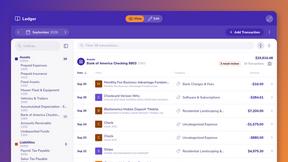
ZeraBooks
Turn PDF bank statements into finished, reconciled books. Accounting software for small businesses.


RenewRoster
Track every client's domain and SSL expiry in one list, with 60/30/14/3-day alerts, white-label client reminders and a monthly renewals report.

Safe Outreach
AI-powered platform that evaluates the safety of LinkedIn automation tools and helps reduce the risk of account restrictions.
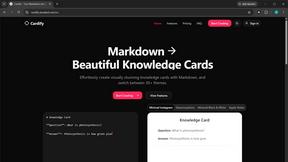
Cardify
Markdown becomes share-ready knowledge cards: 30+ themes shown side by side, live preview, PNG/SVG/PDF batch export.

NestMaxx
Free online true-shape nesting software for laser, plasma and CNC router cutting. Pack parts tightly on sheets and export DXF or SVG layouts.
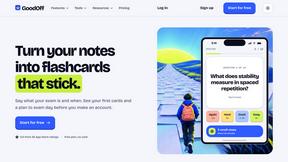
GoodOff
Upload lectures, notes, PDFs, or videos and get flashcards, quizzes, a study podcast, and a source-grounded tutor.

How Long How Many Tool
Timers and hourly checks to figure how out long until a certain time or how many days away.
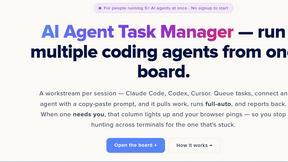
AI Agent Task Manager
Clipy is a screen recorder for coding agents. Show a bug or UI change, explain it out loud, and share agent-readable context.
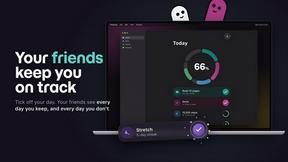
TinyFines
A habit tracker your friends can see. Skip a day and you owe a friend a tiny fine: half a pizza, a coffee, €2. Money never goes through the app.

Memorable Contact
AI-powered personal CRM that remembers where you met people and what you talked about. Save, scan, and recall contacts instantly.


Emailyy
Free email tools for signatures, subject lines, HTML previews, word counts, and email headers. Browser-based, simple to use, and no signup required.
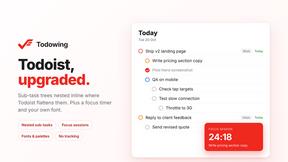
Todowing
Chrome extension that shows Todoist sub-tasks nested under their parents in Today, Upcoming, Filters, Labels, and boards.
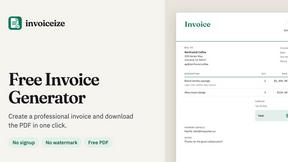

Uniclip
Clip pages, take full-page screenshots and batch-capture list data to Notion, Feishu, Obsidian, Markdown, CSV or JSON.
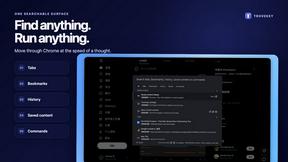
TroveKey
Search tabs, Chrome bookmarks and history, run browser commands, and save webpages and social posts locally—no account.

About SubcueAI Alternatives
SubcueAI positions itself as a productivity tool within the broader landscape of interview preparation and professional development software. It functions as an AI co-pilot that listens to live video calls and provides real-time, context-aware answer suggestions to help candidates navigate high-stakes conversations. While this capability is powerful, many users begin exploring other options due to considerations like pricing models that may not fit a tight budget, the need for cross-platform compatibility beyond macOS and Windows, or a desire for features that focus more on long-term skill building rather than real-time assistance. Others might seek tools that offer deeper integration with specific applicant tracking systems or that provide more robust privacy controls during sensitive interviews. When evaluating an alternative, it is important to prioritize a solution that aligns with your team’s specific workflow and collaboration style. Look for a platform that offers seamless integration with the video conferencing tools your team already uses, such as Zoom or Google Meet, while also supporting the operating systems your members rely on. Consider whether you need a tool that emphasizes real-time suggestions, or one that provides post-interview analytics and coaching feedback to foster collective improvement. Equally critical is the security posture of the software, especially regarding how audio data is processed and stored. A strong alternative will offer transparent data handling policies, flexible pricing tiers for teams of different sizes, and a user interface that promotes shared learning and synergy rather than isolated assistance.
FAQs about SubcueAI Alternatives
What is SubcueAI?
SubcueAI is an AI interview assistant designed for macOS and Windows that captures audio from video calls to transcribe questions and generate real-time, context-aware answer suggestions. Powered by GPT-4o, it helps users improve their performance during live interviews on platforms like Zoom, Google Meet, and Microsoft Teams. The tool supports various interview formats, including technical coding, behavioral, and case interviews, making it a versatile productivity solution for job seekers.
Who is SubcueAI for?
SubcueAI is primarily built for professionals and job seekers who want to enhance their performance during live video interviews. It is especially useful for individuals preparing for technical roles, behavioral assessments, or case study interviews where quick, articulate responses are critical. Teams within career coaching organizations or recruitment agencies can also leverage it as a collaborative tool to simulate interview scenarios and provide real-time feedback to candidates.
Is SubcueAI free?
SubcueAI is not a free tool; it operates on a paid subscription model. Pricing is structured to provide access to its real-time AI answer generation, transcription, and multi-platform support. Users should review the latest pricing tiers on the official website, as costs may vary based on the selected plan and the number of supported interview sessions.
What are the main features of SubcueAI?
The core features of SubcueAI include real-time audio capture and transcription from major video conferencing platforms, context-aware answer suggestions powered by GPT-4o, and support for multiple interview types such as coding, behavioral, and case interviews. It operates natively on macOS and Windows, providing seamless integration with Zoom, Google Meet, and Microsoft Teams. Additionally, the tool is designed to help users maintain a natural conversational flow by delivering discreet, on-screen prompts during live interviews.