

Alternatives to ProjectQty
ProjectQty helps our team and yours create order-ready estimates with 41 transparent calculators, no account needed, and inspectable formulas.
20 alternatives found

Emailyy
Free email tools for signatures, subject lines, HTML previews, word counts, and email headers. Browser-based, simple to use, and no signup required.
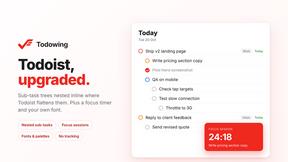
Todowing
Chrome extension that shows Todoist sub-tasks nested under their parents in Today, Upcoming, Filters, Labels, and boards.

3D House Planner
Free browser-based home design tool: draw a 2D floor plan, see it in 3D, furnish rooms and render it with AI. No install.

Engineering on Web
Free browser-based CAD, FEA simulation and engineering statistics, with an AI assistant for CAD. No install, no account.
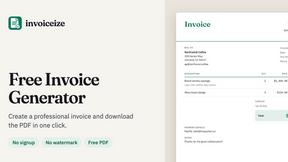

Uniclip
Clip pages, take full-page screenshots and batch-capture list data to Notion, Feishu, Obsidian, Markdown, CSV or JSON.

TroveKey
Search tabs, Chrome bookmarks and history, run browser commands, and save webpages and social posts locally—no account.


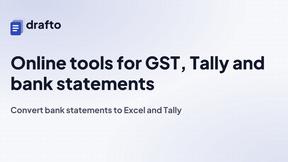
Drafto
Browser tools for Indian SMBs and CAs: GST, Tally, bank statement conversion and Meesho label crop. Free daily limit.
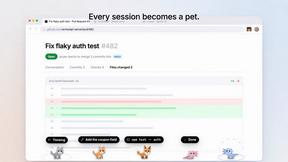
Agent Pets
Your Claude Code & Codex sessions as pets in Chrome. Approve, deny and reply to your coding agents from any tab.
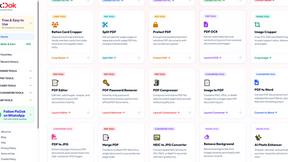
Pixdok
PixDok is your all-in-one free online toolkit for PDF editing, image conversion, background removal, passport photos, and QR codes.
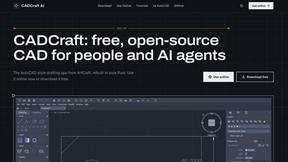
CADCraft
Free open-source 2D CAD for precise drafting, technical documentation, and AI-assisted automation.
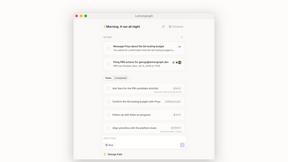

Context Board
Context Board brings your numbers, docs, clients, content and day into one workspace that Claude and Codex can read and update.

Zeptap
Zeptap lets AI use your real iPhone like you do: open apps, read the screen, tap, swipe and type. Reply to DMs, post Stories, book rides, test apps.

@fuck.it - email with attitude
Private email. Pure. Secure. Exclusive. No ads, no tracking, no data selling. GDPR compliant, EU-hosted.
About ProjectQty Alternatives
ProjectQty is a specialized software tool that falls under the Productivity & Management and Real Estate categories, designed to streamline construction material estimation for DIY planners and lightweight construction teams. It offers 41 free calculators covering concrete, gravel, roofing, flooring, landscaping, and related tasks, turning simple measurements into order-ready quantities. Users often look for alternatives due to specific platform needs, such as integration with other project management tools, a desire for more advanced reporting features, or a preference for mobile-first interfaces. When choosing an alternative, it is crucial to prioritize tools that offer transparent, inspectable formulas to ensure accuracy, as well as features like browser-local project guides and no-account-required access for frictionless collaboration. Another key factor is evaluating how well an alternative supports teamwork and synergy within your group. Look for solutions that allow multiple users to access and share project data without complex permissions, while maintaining the same level of cost transparency and formula visibility that ProjectQty provides. The best alternatives will align with your team’s workflow, whether that means seamless cloud syncing for remote collaboration or robust offline capabilities for on-site adjustments. Ultimately, the goal is to find a tool that maintains the core value of simplifying material quantity planning while adapting to your team’s unique operational rhythm.
FAQs about ProjectQty Alternatives
What is ProjectQty?
ProjectQty is a free online platform that provides 41 construction material calculators for projects involving concrete, gravel, roofing, flooring, landscaping, and related DIY planning jobs. It allows users to transform measurements into order-ready quantities with inspectable formulas and assumptions. No account is required to use any of its tools, making it highly accessible for quick planning needs.
Who is ProjectQty for?
ProjectQty is designed for DIY planners and lightweight construction teams who need to quickly convert measurements into accurate material orders. It is ideal for homeowners managing small renovation projects, hobbyists working on landscaping, or small contractor crews that require straightforward, collaborative quantity estimation. The tool’s browser-local project guides make it easy for teams to share and review calculations without needing specialized software.
Is ProjectQty free?
Yes, ProjectQty is completely free to use. It offers all 41 construction material calculators without any paywalls, subscriptions, or hidden fees. Users do not need to create an account or provide any personal information to access the calculators or generate project guides. This makes it a cost-effective solution for teams and individuals who want transparent material planning without financial commitment.
What are the main features of ProjectQty?
ProjectQty’s main features include 41 free construction material calculators for concrete, gravel, roofing, flooring, and landscaping. Each calculator has inspectable formulas and assumptions, allowing users to verify how quantities are derived. The platform also supports rounding for practical ordering and creates browser-local project guides that can be saved or shared within a team. No account is required, ensuring frictionless access and collaboration.