

Alternatives to Free GPT Image 2 Online Tool
Generate stunning 4K commercial images, perfect typography, and realistic scenes together with your team using our free online GPT Image 2 tool.
20 alternatives found
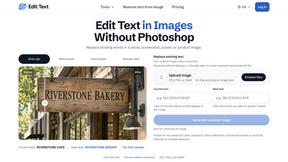
Reword Image
Replace the text already inside a photo or screenshot and keep the original layout, colors and perspective. No design file needed.
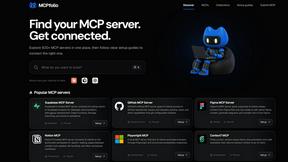
mcpfolio
Discover MCP servers, compare tools, and follow setup guides to connect AI assistants to your apps and workflows
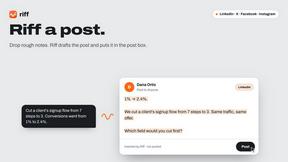
Riff
Riff writes replies, DMs and posts with Gemini Nano inside Chrome. Runs on your computer, no account or API key, and never posts for you.
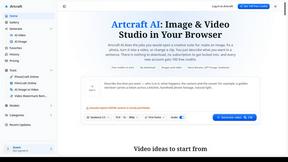
Artcraft AI
AI image and video studio in your browser: generate and edit images, turn photos into videos, edit clips by sentence.
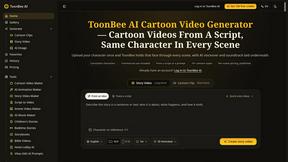
ToonBee AI
ToonBee AI turns a script or a one-line idea into a narrated cartoon video, keeping the same character in every scene. 10+ styles, 16:9 or 9:16.
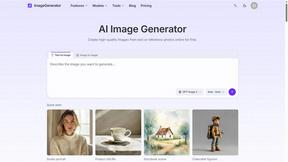
ImageGenerator
Create and edit AI images online with multiple models, text-to-image, image-to-image, background removal, and upscaling.
SightRadar
Face recognition API that is a drop-in replacement for AWS Rekognition. Index, search, compare and detect faces, billed per photo, no subscription.
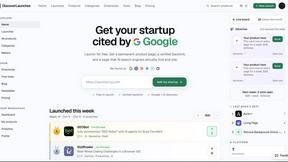
DiscoverLaunches
DiscoverLaunches is a weekly launch board for indie makers and SaaS founders. Paste your URL and AI fills in your listing. Every product gets a perman
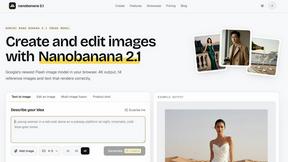
nanobanana 21
Fast, simple image creation and editing with accurate details, readable text, consistent characters, and up to 14 reference images.


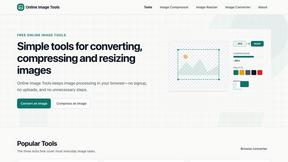
SnappyKit
40+ free image tools that run in your browser — convert, compress, resize and edit JPG, PNG, WebP, AVIF and HEIC files. No uploads, no sign-up.


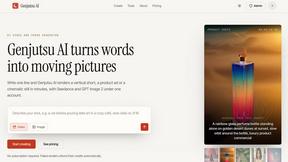
Genjutsu AI
Genjutsu AI turns your ideas into cinematic videos, product ads, social media shorts, and high-quality images in minutes. Choose a model, describe you
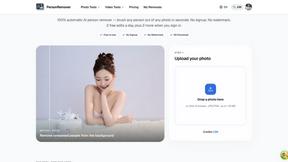
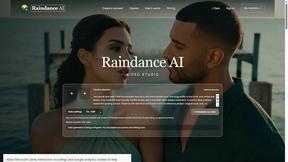
Raindance AI
Turn two authorized portraits into a seaside golden-hour video: a wooden dock, two people taking turns singing, and a slow pullback to the sunset. Pre
About Free GPT Image 2 Online Tool Alternatives
When a team is evaluating creative tools, the Free GPT Image 2 Online Tool often comes up as a strong starting point. It functions as a focused AI image generation and editing workspace, falling squarely into the Image Generation and AI Assistants categories. Its core strength is helping creators, marketers, and small businesses move from a raw idea to a polished visual asset—like a product shot or a social graphic—without needing to jump between multiple complex platforms. However, teams commonly look for alternatives when their workflows evolve beyond the tool’s current structure, perhaps needing deeper batch processing capabilities, different credit models for high-volume output, or specific integrations with existing design ecosystems that the tool doesn’t currently support. When collaborating to find the right alternative for your team, the goal is to identify a platform that aligns with your collective workflow rather than just individual preferences. Look for tools that offer clear, transparent pricing models that scale with your team’s output volume, as hidden credit costs can disrupt project budgets. Prioritize solutions that support collaborative features like shared asset libraries or team workspaces, and ensure the output quality—especially for commercial use cases like perfect typography and realistic scenes—matches the standards your projects demand. The best alternative will feel like a natural extension of your team’s process, not a foreign system everyone has to adapt to.
FAQs about Free GPT Image 2 Online Tool Alternatives
What is Free GPT Image 2 Online Tool?
Free GPT Image 2 Online Tool is an independent, web-based AI image generation and editing workspace. It is designed to help creators, marketers, and small businesses produce polished visual assets like product shots, social graphics, and UI mockups directly from text prompts or reference images. The service operates as a standalone platform and is not affiliated with any underlying AI model provider.
Who is Free GPT Image 2 Online Tool for?
This tool is built for practical creative work, catering to creators, marketers, founders, ecommerce teams, designers, and small businesses. It specifically serves users who need to move from an idea to a usable visual draft quickly without managing complex production pipelines or APIs. The platform is ideal for teams that require structured outputs for commercial use, such as product photography concepts and campaign images.
Is Free GPT Image 2 Online Tool free?
The tool is named 'Free GPT Image 2 Online Tool' and operates on a credit-based system for generating and editing images. While the platform may offer a free tier or initial credits for new users to explore its features, continued use typically requires managing a credit balance for generating commercial-grade outputs. Users should review the current pricing page for specific details on free usage limits and credit costs.
What are the main features of Free GPT Image 2 Online Tool?
The main features include generating 4K commercial images from text prompts, uploading reference images for guided edits, and reusing prompt examples for consistency. Users can also select specific output sizes for different platforms, save their results to a gallery, and manage their credits directly within the web workspace. The platform focuses on enabling speed, clarity, and repeatability for tasks like creating product photography, typography, and realistic scenes.