

Alternatives to BlueHumanizer
BlueHumanizer works alongside you to transform AI text into clear, natural writing with one click, preserving your meaning and tone.
20 alternatives found

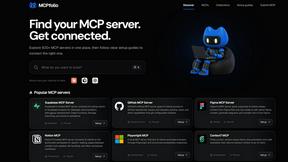
mcpfolio
Discover MCP servers, compare tools, and follow setup guides to connect AI assistants to your apps and workflows
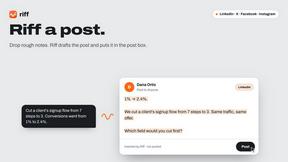
Riff
Riff writes replies, DMs and posts with Gemini Nano inside Chrome. Runs on your computer, no account or API key, and never posts for you.

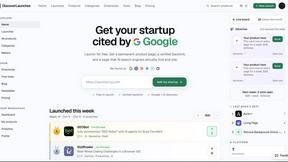
DiscoverLaunches
DiscoverLaunches is a weekly launch board for indie makers and SaaS founders. Paste your URL and AI fills in your listing. Every product gets a perman


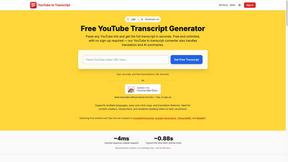
GetYouTubeTranscript
Free YouTube transcripts on the web, a Chrome extension, and an API + MCP server so AI assistants can read YouTube.




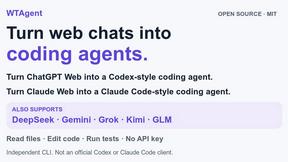
WTAgent
Turn ChatGPT Web into Codex and Claude Web into Claude Code. Open-source CLI coding agent - no model API key needed.

Motion Control AI
Create reference-driven character videos by transferring motion, timing, gestures, and camera rhythm from a video to an image.

Wan Video
Create AI videos online with Wan Video or integrate Wan models through a developer-friendly API.


X Growth Engine
The only app that uses your unique X feed to surface leads, opportunities, and customers - no searching, no manual scraping
About BlueHumanizer Alternatives
BlueHumanizer is an AI humanizer tool that falls under the AI Assistants category, designed to transform machine-generated text into clear, natural, and human-sounding prose. It works by reshaping sentence structure and restoring natural rhythm, ensuring that the original meaning, tone, and key points remain intact while quotes and citations are preserved. Users commonly look for alternatives to BlueHumanizer due to various practical needs, such as seeking different pricing models beyond its free tier, requiring integration with specific platforms or workflows, or needing additional features like bulk processing or advanced tone customization. Some users may also explore other options if they find the adjustable humanization levels or language support insufficient for their specialized use cases. When choosing an alternative to BlueHumanizer, it is essential to evaluate how well the tool maintains the integrity of your original content while producing natural-sounding output. Look for solutions that offer adjustable humanization levels to match your desired tone, from formal academic writing to casual marketing copy. Consider the breadth of language support if you work in multilingual contexts, and check whether the tool preserves citations and quotes automatically. Additionally, assess the platform's ease of use, collaboration features for team projects, and whether a free trial or transparent pricing is available to test its fit for your specific writing needs, whether for essays, research papers, marketing materials, or everyday emails.
FAQs about BlueHumanizer Alternatives
What is BlueHumanizer?
BlueHumanizer is an AI humanizer tool that transforms AI-generated text from platforms like ChatGPT, Claude, and Gemini into clear, natural-sounding writing with one click. It goes beyond basic synonym swapping by reshaping sentence structure and restoring the natural rhythm of human prose, all while keeping your original meaning, tone, and key points intact. Quotes and citations are preserved automatically, making it a reliable solution for polishing AI output without losing accuracy.
Who is BlueHumanizer for?
BlueHumanizer is built for a wide range of users who write with AI, including students refining essays, researchers polishing academic papers, marketers shipping on-brand copy, and professionals warming up everyday emails and reports. It is designed for anyone who needs AI-generated text to read clean, natural, and ready to publish, without requiring technical expertise. The tool supports over 50 languages and offers adjustable humanization levels, making it adaptable for both individual and collaborative team workflows.
Is BlueHumanizer free?
Yes, BlueHumanizer is free to start using, with no credit card required to access its core functionality. The free tier allows users to transform AI-generated text into human-sounding prose, making it accessible for students, freelancers, and small teams. While specific premium features or higher usage limits may be available in paid plans, the tool emphasizes a low-barrier entry point for anyone seeking to improve the natural flow of their AI-assisted writing.
What are the main features of BlueHumanizer?
BlueHumanizer offers several key features, including one-click humanization that reshapes sentence structure and restores natural rhythm without swapping words for synonyms. It supports over 50 languages, provides adjustable humanization levels, and includes tone controls to match specific writing contexts like academic, marketing, or casual communication. Additionally, quotes and citations remain untouched during the rewriting process, ensuring accuracy for research and professional use, and the tool works seamlessly with output from ChatGPT, Claude, Gemini, and other AI writers.