
conceptviz
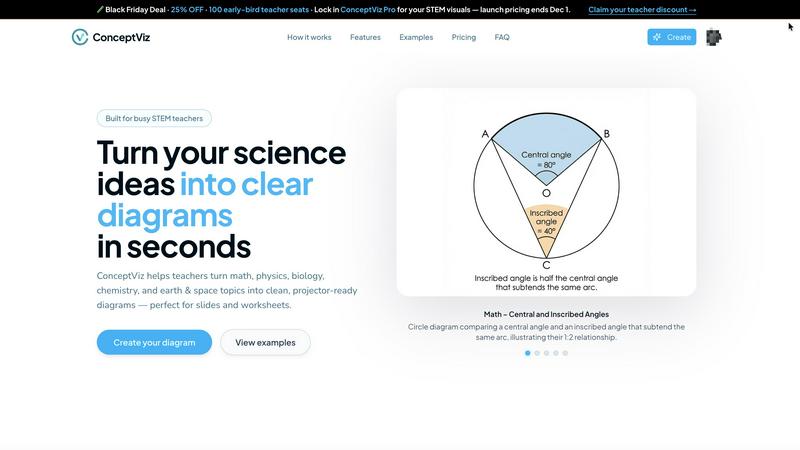
ConceptViz simplifies complex science and math concepts into clear, customizable diagrams for educators and researchers.
VisitPublished on:
December 6, 2025
Pricing:
About conceptviz
ConceptViz is an innovative and powerful tool crafted specifically for STEM educators, students, and researchers who need high-quality, classroom-ready diagrams effortlessly. This platform empowers users to create clear, accurate visuals for lesson plans, lab activities, and assessments within seconds. By streamlining the diagram creation process, ConceptViz allows educators to dedicate their time and energy to teaching rather than spending hours searching for or crafting visuals. Its user-friendly interface requires no prior design or drawing experience, making it accessible for all users, from K-12 teachers to university researchers. ConceptViz not only enhances lesson delivery but also nurtures a collaborative learning environment where complex scientific concepts can be transformed into simple, engaging visuals. Whether you need a physics ray diagram or a biology cross-section, ConceptViz provides the essential tools to visualize scientific concepts effectively and efficiently, fostering a deeper understanding of STEM subjects.
Features of conceptviz
User-Friendly Interface
ConceptViz features an intuitive, easy-to-navigate interface that allows users of all skill levels to create stunning diagrams quickly. With no design or drawing skills required, it's accessible for K-12 educators and university researchers alike.
Tailored Subject & Grade Presets
The platform offers quick presets for various subjects such as physics, biology, chemistry, earth & space, and math. These presets are designed to match U.S. grade bands, ensuring that educators can find the right resources for elementary, middle, and high school students.
High-Quality, Projector-Ready Diagrams
All diagrams created with ConceptViz are sharp and clear, making them perfect for classroom presentation. Designed with thick, legible lines and minimal visual noise, these visuals ensure that every student can see and understand the information being presented.
Efficient Diagram Generation
Users can transform their explanations into visuals in just three simple steps. By signing in, describing the desired diagram, and generating it instantly, educators can save significant preparation time and enhance their lesson plans.
Use Cases of conceptviz
Enhancing Lesson Plans
Educators can use ConceptViz to create visuals that enrich their lesson plans, making complex scientific concepts more accessible and engaging for students. This helps foster a deeper understanding of the subjects being taught.
Supporting Collaborative Learning
ConceptViz promotes teamwork and collaboration in the classroom by allowing students to create their own diagrams. This encourages peer discussions and group projects, enhancing the overall learning experience.
Facilitating Research Presentations
University researchers can utilize ConceptViz to generate high-quality diagrams for research presentations. This ensures that their findings are communicated clearly and effectively, helping to engage their audience.
Streamlining Homework Assignments
Teachers can create custom diagrams for homework assignments, allowing students to visualize concepts learned in class. This not only reinforces learning but also provides students with a valuable resource as they study.
Frequently Asked Questions
What subjects does ConceptViz cover?
ConceptViz caters to a variety of subjects including physics, biology, chemistry, earth & space, and math, making it suitable for a wide range of educational needs.
Is there any design experience required to use ConceptViz?
No, ConceptViz is designed for users of all skill levels. Its user-friendly interface allows anyone to create professional-quality diagrams without any prior design or drawing experience.
Can I use ConceptViz for both classroom and research purposes?
Absolutely! ConceptViz is versatile enough to be used in K-12 classrooms as well as in university research settings, making it a valuable tool for all educators and researchers.
How do I generate a diagram using ConceptViz?
Generating a diagram is easy. Simply sign in, choose your subject and level, describe the diagram you need in plain English, and ConceptViz will create a ready-to-use visual that you can download and insert into your materials.
Similar to conceptviz

Bloom
An adaptive AI tutor that turns topics or your materials into courses, lessons, and answers tailored to how you learn.

Agent Pets
Your Claude Code & Codex sessions as pets in Chrome. Approve, deny and reply to your coding agents from any tab.
Pixdok
PixDok is your all-in-one free online toolkit for PDF editing, image conversion, background removal, passport photos, and QR codes.
YIX
AI image and video generation, photo editing, restoration and free prompt tools in one browser studio.
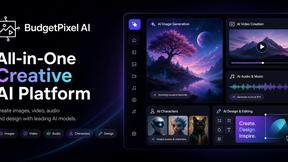
Budgetpixel AI
Create AI images, videos, music, and designs in one workspace with multiple models, powerful editing tools, and API access.
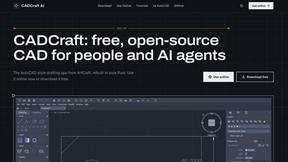
CADCraft
Free open-source 2D CAD for precise drafting, technical documentation, and AI-assisted automation.
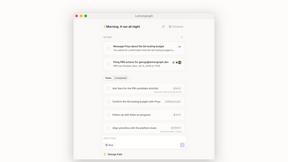
Lemongraph
Seriously proactive personal productivity app