
Melograph vs Sora2 AI Video
Side-by-side comparison to help you choose the right product.

Melograph effortlessly turns your music tracks into stunning videos with customizable templates, ready for any platform.
Last updated: February 28, 2026

Together we transform your text into stunning, cinematic AI videos in seconds.
Last updated: February 28, 2026
Visual Comparison
Melograph

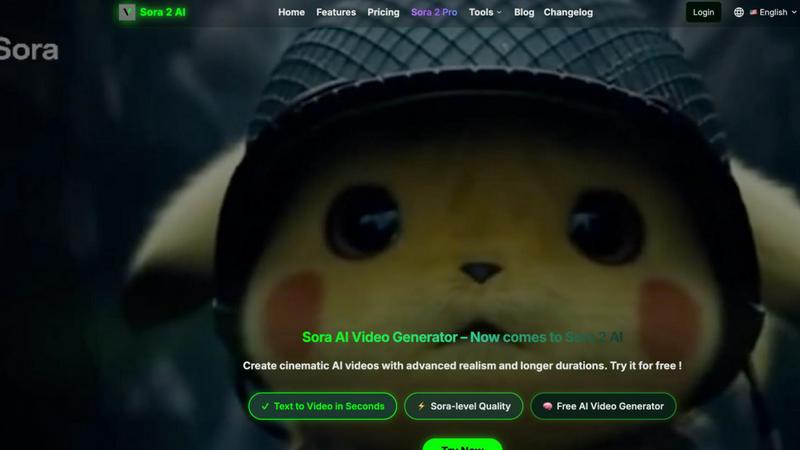
Sora2 AI Video
Feature Comparison
Melograph
Intuitive Template Selection
Melograph offers a variety of beautifully designed templates tailored for different musical vibes. Users can easily choose from minimalistic, cinematic, retro, or futuristic styles, ensuring that the visual elements harmonize perfectly with their audio tracks.
Audio-Reactive Visualization
One of the standout features of Melograph is its audio-reactive visualization technology. As users upload their music, the platform instantly generates dynamic waveforms that dance and respond to the audio, creating a mesmerizing visual experience that enhances the overall impact of the music.
Seamless Customization
Users can personalize their videos with ease. Melograph allows you to upload logos or album covers and input artist and song names, ensuring that your branding is front and center. This feature helps maintain a consistent visual identity across all released content.
Quick Export Options
Melograph simplifies the export process by generating ready-to-post videos in 1080p resolution. The platform ensures that visuals are clean, motion is smooth, and formats are optimized for all major social media platforms, making it ideal for quick sharing and promotion.
Sora2 AI Video
Text to Video in Seconds
Harness the power of the Sora 2 model to transform simple text descriptions into stunning, cinematic videos almost instantly. This feature allows teams to quickly visualize concepts and narratives, facilitating rapid iteration and collaborative feedback without the wait times associated with traditional video production, ensuring your project's momentum is never lost.
Advanced AI Video Editing
Move beyond basic generation with smart editing tools that include effects, transitions, and filters. This suite empowers collaborators to refine and polish generated videos directly within the platform, enabling a synergistic workflow where creative adjustments can be made collectively to achieve the perfect final look and feel for any project.
Sora 2 Pro Model for Ultra Quality
For projects demanding the highest fidelity, the Sora 2 Pro model offers superior video quality and advanced realism. This feature ensures that teams working on professional-grade content—from marketing campaigns to short films—can achieve breathtaking, lifelike results that meet and exceed industry standards through a cooperative creative process.
Shared Workspace & Project Management
The platform is built as a collaborative hub with features like 'My Creations' for viewing and managing all generated videos. This shared workspace allows team members to access, review, and build upon each other's work, fostering a synergistic environment where ideas are easily shared, projects are organized collectively, and the entire creative journey is transparent.
Use Cases
Melograph
Independent Artist Promotion
Indie artists can leverage Melograph to create compelling music videos that enhance their online presence. By utilizing the platform's templates and customization features, they can produce professional-looking visuals that resonate with their audience without the need for extensive video editing experience.
DJ Set Visuals
DJs can use Melograph to generate engaging visuals to accompany their live sets or promotional mixes. The audio-reactive capabilities allow the visuals to sync perfectly with the beats, creating an immersive experience for the audience and elevating their performances.
Record Label Branding
Record labels can benefit from Melograph by producing consistent and high-quality visuals for their artists' releases. The ability to maintain a uniform aesthetic across various projects helps build a strong brand identity and attracts more listeners.
Social Media Content Creation
Creatives and content creators can utilize Melograph to generate eye-catching videos for platforms like TikTok, Instagram Reels, and YouTube Shorts. With the quick export options and visually appealing templates, they can keep their social media feeds vibrant and engaging with minimal effort.
Sora2 AI Video
Marketing & Advertising Campaigns
Marketing teams can collaborate in real-time to produce high-quality promotional videos, social media clips, and ad content directly from campaign briefs and text ideas. This accelerates the creative process, allows for quick A/B testing of visual concepts, and ensures brand messaging is translated into compelling video narratives efficiently and cohesively.
Content Creation & Social Media
Content creators and influencers can rapidly generate engaging, unique video content for platforms like YouTube, TikTok, and Instagram. By working together with editors or fellow creators on the platform, they can brainstorm text prompts, apply stylistic effects, and produce a consistent stream of professional-looking content that captivates their audience.
Prototyping & Storyboarding
Film producers, game developers, and designers can use Sora2 AI Video as a collaborative storyboarding tool. Teams can quickly convert script segments or concept descriptions into visual sequences, enabling directors, writers, and artists to align on vision, experiment with scenes, and prototype narratives before committing to costly production phases.
Educational & Training Material
Educators and corporate trainers can cooperatively develop engaging instructional videos and training modules. By describing complex topics in text, multiple subject matter experts can contribute to generating clear, visual explanations and scenarios, making learning materials more effective and easier to produce as a unified team effort.
Overview
About Melograph
Melograph is a groundbreaking web-based music visualizer maker specifically designed for musicians, creators, and anyone looking to produce stunning visuals effortlessly. It offers a user-friendly interface that eliminates the need for complex video editing skills, allowing users to create captivating audio-reactive videos in mere minutes. With a diverse selection of premium templates that cater to various artistic styles—ranging from chill and cinematic to retro and futuristic—Melograph empowers users to enhance their music with visually striking content. Simply upload your audio track, enter your artist name and song title, and you are set to export high-quality videos. This tool is particularly beneficial for indie artists, producers, labels, and DJs aiming to elevate their releases with polished visuals, all while saving time and creativity. Melograph’s core value proposition lies in its ability to simplify the visual creation process, enabling users to focus on their music while generating engaging content effortlessly for social media and other platforms.
About Sora2 AI Video
Sora2 AI Video is a transformative collaborative platform designed to democratize high-quality video creation by turning imagination into cinematic reality. At its core, it leverages the advanced Sora 2 video model to serve as a shared digital workspace where creators, designers, marketers, and developers can work in synergy. The platform eliminates traditional barriers like complex software, lengthy rendering times, and the need for specialized editing skills, making professional-grade visual content accessible to all. Its primary value proposition is the ability to generate story-driven, lifelike videos from simple text prompts, enabling teams and individuals to rapidly prototype and visualize ideas together. Integrated with the ultra-fast Nano-Banana engine for image synthesis, Sora2 AI Video supports a complete, seamless creative workflow from initial concept art to final video output. Built for those who prioritize speed, quality, and seamless cooperation, it fosters an environment where collective creativity can flourish, transforming collaborative visions into stunning visual narratives with unprecedented ease and efficiency.
Frequently Asked Questions
Melograph FAQ
Do I need editing experience to use Melograph?
No, you do not need any prior editing experience. Melograph is designed for simplicity; if you can choose a template and input text, you can create stunning visuals effortlessly.
Will this work for TikTok, Instagram Reels, and YouTube Shorts?
Absolutely! Melograph produces videos in formats that are optimized for all major social media platforms, ensuring your visuals look great whether you are posting on TikTok, Instagram Reels, or YouTube Shorts.
Can I use Melograph for multiple songs?
Yes, Melograph allows users to create visuals for multiple songs. You can easily upload different audio tracks and customize each video separately, making it a versatile tool for your music projects.
What can I expect after making a payment?
After payment, you will gain access to all premium features, including the full template library. You will also receive the number of export credits corresponding to your chosen plan, allowing you to start creating right away.
Sora2 AI Video FAQ
What happens if my video generation task fails?
If a task fails, it is often due to the prompt violating content policy guidelines, such as similarity to third-party copyrighted material. In such cases, you can revise your prompt to be more original or use existing character templates within the platform. Importantly, failed tasks do not deduct any credits from your account.
Why did my video generation task timeout?
Task generation duration can vary and sometimes exceed expected timeframes, leading to a timeout. If this occurs, you can manually refresh the task status. Navigate to 'My Creations' from your avatar dropdown menu, find the task, and click the 'Refresh' button to check for and retrieve the completed results.
Does Sora2 AI Video offer higher quality video output?
Yes, for users seeking the highest possible quality, the platform offers the Sora 2 Pro model. This advanced model generates videos with enhanced realism, detail, and coherence, making it the ideal choice for professional projects where premium visual fidelity is a key requirement for the collaborative team's output.
Can I edit the videos after they are generated?
Absolutely. Sora2 AI Video includes a comprehensive suite of AI video editing tools. After generation, you and your team can collaboratively apply style transfers, add effects and transitions, perform quick enhancements, and make other edits directly within the platform to refine the video to your exact shared specifications.
Alternatives
Melograph Alternatives
Melograph is a cutting-edge web-based music visualizer designed to help musicians and creators effortlessly convert their audio tracks into visually stunning videos. As a part of the video creation category, it provides an accessible solution for those looking to enhance their music with eye-catching visuals without the complexities associated with traditional video editing software. Users often seek alternatives to Melograph for various reasons, including pricing, the need for specific features, or compatibility with different platforms. When looking for an alternative, it’s essential to consider factors such as ease of use, template variety, customization options, and the ability to produce high-quality results that align with your artistic vision. A good alternative should help you focus more on your music while offering powerful tools for creating captivating video content.
Sora2 AI Video Alternatives
Sora2 AI Video is a collaborative AI video generation platform that transforms text prompts into cinematic videos. It belongs to the rapidly evolving category of text-to-video AI tools, designed to make professional video creation accessible through teamwork and shared creative spaces. Users often explore alternatives for various reasons, such as differing budget constraints, the need for specific features not offered, or a requirement for a different platform or workflow integration. Every team has unique priorities, whether it's cost, control over the output, rendering speed, or the level of collaborative tools available. When evaluating other options, it's wise for a team to consider the core aspects of their project. Key factors include the quality and realism of the generated video, the degree of creative control and customization available, the platform's support for seamless collaboration among team members, and of course, the overall value relative to the investment.