Postproxy vs Seedream 5.0
Side-by-side comparison to help you choose the right product.

Postproxy
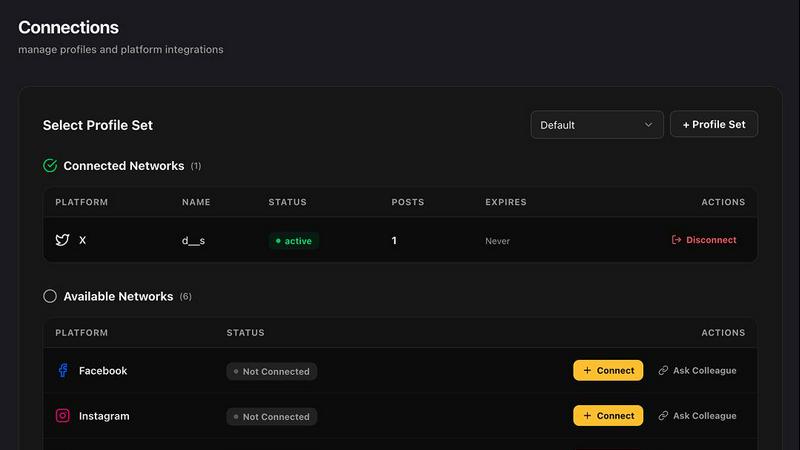
Postproxy simplifies social media publishing by unifying multiple platforms into one reliable API for seamless.
Last updated: February 28, 2026

Seedream 5.0
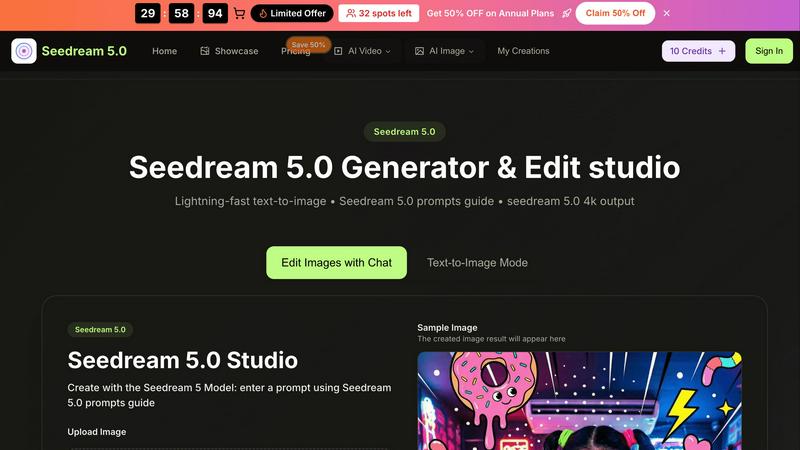
Seedream 5.0 instantly transforms text prompts into stunning 4K images, making creativity effortless and fast.
Last updated: February 28, 2026
Visual Comparison
Postproxy
Seedream 5.0
Feature Comparison
Postproxy
Unified API for Multiple Platforms
Postproxy provides a single API that replaces the need for individual integrations with various social media platforms. This unification streamlines the publishing process, allowing users to send requests to multiple networks with ease.
Automated Content Adaptation
The platform automatically transforms content to meet the unique requirements of each social media platform. This feature ensures that users do not have to manually adjust their posts for different formats, media limits, or validation rules, saving significant time and effort.
Robust Error Handling
Postproxy is designed to handle operational failures gracefully. It integrates automatic retries, rate limit management, and quota awareness, ensuring that users face fewer disruptions in their publishing workflows, thus enhancing reliability.
Explicit Publish States
With Postproxy, users can easily track the status of their publishing requests. The system provides clear feedback on what has succeeded, what has failed, and the reasons behind any failures, eliminating the need for manual checks and interventions.
Seedream 5.0
Lightning-Fast Text-to-Image Generation
Seedream 5.0 offers instant AI generation that transforms text prompts into images in as little as 2 to 5 seconds. This rapid output enables users to brainstorm and visualize ideas quickly, enhancing creativity and productivity.
Intuitive Image Editing with Natural Language
The platform allows users to edit images using natural language commands. This feature simplifies the editing process, making it accessible for users of all skill levels, from beginners to seasoned professionals.
High-Resolution Outputs
Users can generate images in native 2K resolution, with the option for one-click 4K upscaling. This capability ensures that the visuals produced are of professional quality, suitable for various applications, including print and digital media.
Multi-Image Fusion and Style Transfer
Seedream 5.0 excels in multi-image fusion and style transfer, allowing users to create complex visuals by blending multiple images or applying different artistic styles. This enhances creativity by offering diverse aesthetic options.
Use Cases
Postproxy
Streamlined Social Media Management
Businesses can use Postproxy to manage their social media presence across multiple platforms from a single interface. This capability reduces the complexity of handling various accounts and simplifies the workflow for social media teams.
Automated Content Publishing
Marketing teams can automate the posting of AI-generated content. By integrating Postproxy into their existing pipelines, they can ensure timely and consistent publishing without the need for manual oversight.
Simplified Account Management
Postproxy allows organizations with numerous social media accounts to manage permissions and access effectively. This feature is crucial for companies with multiple brands or regional accounts, streamlining account control.
Scalable Publishing Solutions
As businesses grow, their publishing needs can become more complex. Postproxy facilitates scaling operations by allowing users to publish large volumes of content without adding complexity to their processes, making it ideal for high-demand environments.
Seedream 5.0
Marketing Campaigns
Marketers can utilize Seedream 5.0 to create eye-catching visuals for promotional materials. The ability to generate high-quality images quickly allows for more dynamic and engaging campaigns that stand out in a crowded marketplace.
Content Creation for Social Media
Content creators can harness the power of Seedream 5.0 to produce unique images tailored to their brand's aesthetic. From Instagram posts to blog graphics, the tool provides a quick way to generate engaging visuals that resonate with audiences.
Storytelling and Character Development
Writers and illustrators can use Seedream 5.0 to develop consistent and lifelike characters across their projects. This feature is particularly useful for graphic novels and digital storytelling, where visual continuity is key to audience engagement.
Educational Materials
Educators can create customized images for presentations, worksheets, and online courses. With Seedream 5.0, they can easily generate visuals that enhance learning experiences and make complex concepts more accessible to students.
Overview
About Postproxy
Postproxy is an innovative solution designed to simplify and unify social media publishing across multiple platforms, such as Instagram, Facebook, YouTube, LinkedIn, and X. It provides a single API endpoint that automates the challenges associated with platform-specific publishing, including OAuth management, rate limiting, retries, content adaptation, and analytics. This product is particularly beneficial for developers and automation enthusiasts using tools like n8n, Zapier, and CI/CD pipelines. By transforming the publishing process into a predictable infrastructure, Postproxy allows users to generate AI-driven content, route it according to specific rules, and publish at scale without the burden of manual adjustments. With a free plan available, it accommodates businesses of all sizes, making it easier to scale as their needs grow. Additionally, the Managing Control Panel (MCP) offers a user-friendly interface to manage publishing activities seamlessly.
About Seedream 5.0
Seedream 5.0 is an innovative AI image generator and editing studio developed by ByteDance, designed to meet the creative needs of a broad audience. Whether you are a professional artist, a content creator, a marketer, or simply a hobbyist, Seedream 5.0 provides the tools you need to create visually stunning images in a matter of seconds. The platform excels in transforming text prompts into beautiful, high-resolution visuals, typically within just 2 to 5 seconds. Its primary value proposition lies in its lightning-fast text-to-image capabilities, which allow users to produce 4K images with intuitive editing features. The built-in Seedream 5.0 prompts guide enhances the user experience by offering suggestions for crafting effective prompts, ensuring that users can achieve their creative visions effortlessly. By combining advanced AI technology with a user-friendly design, Seedream 5.0 stands out as an essential tool for anyone looking to elevate their visual content while saving time and effort.
Frequently Asked Questions
Postproxy FAQ
What social media platforms does Postproxy support?
Postproxy currently supports major platforms including Instagram, Facebook, YouTube, LinkedIn, and X, allowing users to publish content across multiple channels effortlessly.
How does Postproxy handle platform-specific failures?
Postproxy is designed to manage operational failures by implementing automatic retries, rate limit handling, and clear reporting on publish states. This ensures a reliable publishing experience.
Is there a free plan available for Postproxy?
Yes, Postproxy offers a free plan, allowing users to get started without any financial commitment. This plan is ideal for individuals and small businesses looking to explore the platform's capabilities.
How can I integrate Postproxy into my existing workflows?
Integrating Postproxy is straightforward. Users can create an account, obtain an API key, connect their social media accounts, and start publishing content via the unified API, making it easy to include in existing automation setups.
Seedream 5.0 FAQ
What formats does Seedream 5.0 support for image uploads?
Seedream 5.0 supports various image formats, including JPG, PNG, and WEBP, with a maximum file size of 10MB. This flexibility allows users to work with different types of images seamlessly.
How does the Seedream 5.0 prompts guide work?
The prompts guide provides users with helpful suggestions for crafting effective text prompts. By recommending details related to colors, lighting, and art styles, it enhances the quality of the generated images.
Can I use Seedream 5.0 for free?
Yes, Seedream 5.0 offers a free trial option, allowing users to explore its features and capabilities before committing to a subscription. This makes it accessible for those who wish to test the platform.
Is there a limit to the number of images I can generate?
While specific limits may vary based on the chosen plan, Seedream 5.0 generally allows for a generous number of image generations. Users can create a multitude of visuals to support their projects and creative endeavors.
Alternatives
Postproxy Alternatives
Postproxy is a powerful tool designed for developers and automators, providing a unified API for seamless publishing across multiple social media platforms, including Instagram, Facebook, YouTube, LinkedIn, and X. By streamlining the complexities of social media management, Postproxy facilitates a more efficient publishing process, making it easier for users to manage their social media presence from a single endpoint. Users often seek alternatives to Postproxy for various reasons, such as exploring different pricing models, evaluating feature sets, or meeting specific platform integration requirements. When choosing an alternative, it’s essential to consider factors such as ease of use, scalability, integration capabilities, and the level of automation offered. Identifying the core needs of your publishing strategy will help ensure that the chosen solution aligns with your goals.
Seedream 5.0 Alternatives
Seedream 5.0 is an advanced AI image generator and editing studio that falls within the design tools category. Developed by ByteDance, it allows users to create high-quality 4K visuals from text prompts in just a matter of seconds. Despite its impressive capabilities, users often seek alternatives due to various reasons, such as pricing, specific feature needs, or compatibility with their preferred platforms. As the landscape of AI image generation continually evolves, it's essential for users to explore alternatives that align more closely with their unique requirements and working styles. When selecting an alternative to Seedream 5.0, users should consider several factors. These include the speed of image generation, the quality of output, and any additional features that may enhance their creative process. It's also important to evaluate user experience and the level of support provided by the tool, ensuring it meets individual or team collaboration needs effectively. By taking these aspects into account, users can find a solution that complements their artistic vision and workflow seamlessly.