Seedance 3.0 AI vs Veo 4 AI
Side-by-side comparison to help you choose the right product.

Seedance 3.0 AI transforms text and images into stunning 4K videos with realistic motion, multi-shot narratives, and synchronized audio.
Last updated: March 26, 2026

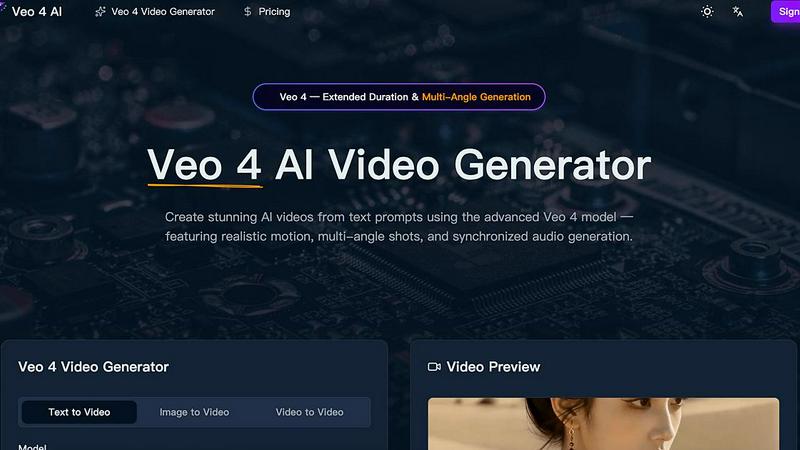
Veo 4 AI transforms text prompts into stunning, multi-angle videos with realistic motion and synchronized audio, enhancing your creative projects.
Last updated: March 26, 2026
Visual Comparison
Seedance 3.0 AI

Veo 4 AI
Feature Comparison
Seedance 3.0 AI
4K Cinematic Output
Seedance 3.0 generates videos in stunning 4K resolution, ensuring that every frame exhibits broadcast-quality textures, accurate lighting, and natural skin tones. This high level of detail elevates the overall production quality, making it ideal for cinematic storytelling.
Multi-Shot Narrative Consistency
The platform offers a unique feature that locks character faces, outfits, and proportions across different shots. This ensures visual consistency throughout narrative sequences, making it perfect for projects like series, films, and ad campaigns that require a coherent storytelling approach.
Native Audio Sync & Lip Matching
Seedance 3.0 not only focuses on visual elements but also excels in audio production. It generates stereo audio alongside video, including phoneme-level lip synchronization for dialogue, ambient sound, and foley effects, all produced in one seamless pass.
Cinematic Camera Control
Users can manipulate camera movements such as zoom, pan, tilt, and tracking through simple text prompts. This advanced camera control functionality allows creators to achieve professional-grade cinematography, enhancing the storytelling aspect of their videos.
Veo 4 AI
Text to Video Generation
Veo 4 AI enables users to convert natural language descriptions into high-fidelity videos. This advanced feature ensures that videos maintain realistic lighting, physics, and human motion, bringing text prompts to life with remarkable detail.
Multi-Angle Camera Generation
With this innovative feature, users can generate the same scene from multiple camera angles simultaneously, including front, side, overhead, and behind views. This provides a comprehensive visual experience and enhances creative storytelling.
Synchronized Audio and Voice Generation
Veo 4 produces synchronized dialogue, sound effects, and ambient audio that match the video perfectly. This feature includes multilingual lip-sync capabilities, allowing creators to reach broader audiences through diverse language options.
Extended Video Duration
This feature allows users to generate longer video clips while maintaining consistent quality throughout. It enables filmmakers and marketers to create more extensive narratives and engage their audience over a more extended period.
Use Cases
Seedance 3.0 AI
Content Creation for Social Media
Social media managers and content creators can use Seedance 3.0 to quickly generate engaging videos tailored for platforms like Instagram, TikTok, and YouTube. The ability to produce high-quality content in minutes helps brands maintain a consistent and captivating online presence.
Marketing Campaigns
Marketers can leverage Seedance 3.0 to create promotional videos that showcase products or services effectively. The platform's cinematic visuals and engaging narratives enhance brand storytelling, making marketing campaigns more impactful.
Educational Videos
Educators and trainers can utilize Seedance 3.0 to create informative video content that simplifies complex topics. The platform's ability to generate clear and engaging visuals aids in better understanding and retention among learners.
Film and Series Production
Filmmakers and series producers can benefit from Seedance 3.0's multi-shot narrative consistency and high-quality output. This tool allows them to experiment with storytelling techniques and produce visually stunning sequences with ease.
Veo 4 AI
Social Media Content Creation
Content creators can leverage Veo 4 AI to generate captivating videos for platforms like Instagram, TikTok, and YouTube. The ability to create stunning visuals quickly helps maintain an active online presence.
Marketing Campaigns
Businesses can utilize Veo 4 to create visually appealing promotional videos that communicate their brand message effectively. The platform's advanced capabilities ensure that marketing materials stand out in a crowded digital space.
Educational Videos
Educators and trainers can use Veo 4 to develop engaging instructional videos that enhance learning experiences. The combination of visuals and synchronized audio makes complex topics more accessible and interesting.
Entertainment and Film Production
Filmmakers can harness Veo 4's cinematic features to create high-quality video content for short films, trailers, or even full-length productions. The platform's capabilities facilitate the exploration of new storytelling techniques and visual styles.
Overview
About Seedance 3.0 AI
Seedance 3.0 AI is a revolutionary video generation platform that leverages advanced artificial intelligence to transform text prompts and images into high-quality video content. This platform is designed for a diverse range of users, including content creators, marketers, and businesses seeking to enhance their visual storytelling capabilities. With Seedance 3.0, anyone can produce professional-grade videos featuring stunning cinematic visuals, fluid motion, and lifelike physics without the need for extensive editing skills. The platform's intuitive interface allows users to create engaging video content quickly and effectively, making it an invaluable tool for those aiming to captivate audiences and elevate their brand presence. By combining sophisticated AI technology with user-friendly features, Seedance 3.0 offers a seamless experience that empowers creators to bring their ideas to life in vivid detail and clarity.
About Veo 4 AI
Veo 4 AI is a revolutionary video generation platform harnessing the power of artificial intelligence to transform simple text prompts into high-quality, professional videos. Designed for content creators, marketers, and businesses of all sizes, Veo 4 offers an intuitive interface that allows users to generate engaging video content quickly and efficiently. The platform boasts advanced features such as realistic motion, seamless transitions, and cinematic visual effects, ensuring that every video produced is visually stunning. With Veo 4, users can create videos suited for various applications, including social media posts, marketing campaigns, and creative projects, all without needing extensive video editing expertise. By simplifying the video creation process, Veo 4 empowers users to focus on their creative vision while the AI handles the technical complexities.
Frequently Asked Questions
Seedance 3.0 AI FAQ
What types of videos can I create with Seedance 3.0 AI?
You can create a wide variety of videos including promotional content, educational tutorials, social media clips, and cinematic storytelling pieces. The versatility of the platform allows for creative freedom in your video projects.
Do I need any video editing experience to use Seedance 3.0 AI?
No, Seedance 3.0 is designed to be user-friendly, requiring no advanced video editing skills. The intuitive interface guides you through the video generation process, making it accessible for everyone.
How long does it take to generate a video with Seedance 3.0 AI?
The platform is optimized for speed, enabling users to generate high-quality 4K videos in under a minute. This fast rendering time allows for quick iterations and creative experimentation.
Can I customize the videos generated by Seedance 3.0 AI?
Yes, you can customize various aspects of your videos, including duration, aspect ratio, and output quality. You can also provide specific prompts and upload reference images to achieve your desired visual style.
Veo 4 AI FAQ
What types of videos can I create with Veo 4 AI?
Veo 4 AI allows users to create a variety of video formats, including promotional videos, educational content, social media clips, and cinematic productions, all from text or image inputs.
Is there a learning curve associated with using Veo 4 AI?
No, Veo 4 is designed with an intuitive interface that simplifies the video creation process. Users do not need extensive video editing skills to produce high-quality videos.
Can I customize the output of the videos generated by Veo 4 AI?
Yes, Veo 4 offers extensive customization options, including multi-angle shots, audio synchronization, and the ability to specify cinematography details, allowing for tailored video outputs.
How does Veo 4 AI handle audio generation?
Veo 4 generates dialogue, ambient sound, and sound effects that are synchronized with the visual output. This ensures a seamless viewing experience, with lip-sync capabilities for multiple languages.
Alternatives
Seedance 3.0 AI Alternatives
Seedance 3.0 AI is an innovative video generation platform that leverages advanced artificial intelligence to transform text prompts into visually stunning videos. This falls within the video creation category, catering to content creators, marketers, and businesses seeking to produce high-quality video content efficiently. Users often seek alternatives to Seedance 3.0 AI for various reasons, such as pricing, the specific features they require, or compatibility with their existing platforms. When considering alternatives, it's essential to look for ease of use, the quality of output, customer support, and the flexibility of features that align with your unique content creation needs.
Veo 4 AI Alternatives
Veo 4 AI is an innovative video generation platform that utilizes advanced artificial intelligence to convert text prompts into high-quality videos. This platform belongs to the video category and is designed to cater to content creators, marketers, and businesses looking to enhance their visual storytelling capabilities. Users often seek alternatives due to various factors, including pricing, feature sets, and specific platform requirements that may better align with their needs. When searching for alternatives to Veo 4 AI, it’s essential to consider several key aspects. Look for options that offer similar quality in video production, user-friendly interfaces, and features that support your specific content goals. Additionally, evaluate the pricing models and ensure they fit your budget while providing the necessary functionality for your projects.