Redbark vs RedBison
Side-by-side comparison to help you choose the right product.

Redbark syncs your Australian bank data to tools like Google Sheets for seamless, automated financial teamwork.
Last updated: March 4, 2026

RedBison
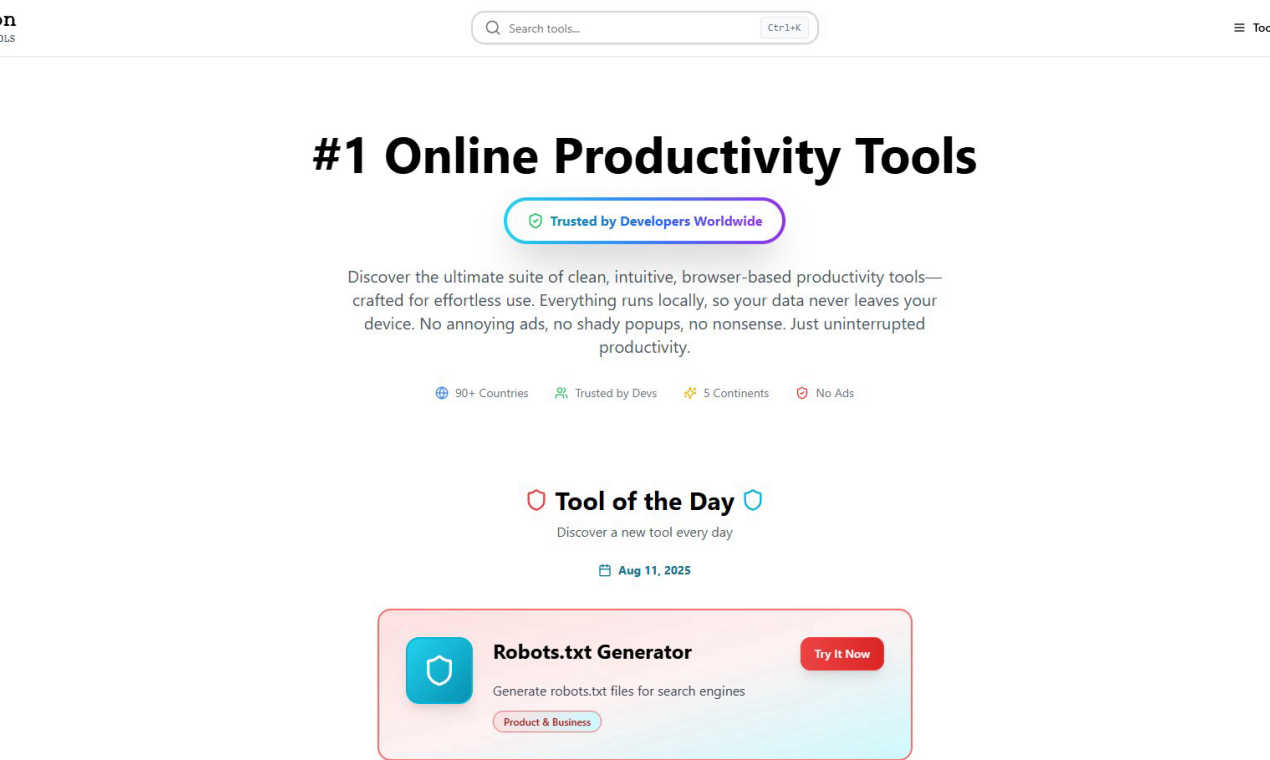
RedBison is your team's free, private suite of browser-based tools for seamless collaboration.
Last updated: March 1, 2026
Visual Comparison
Redbark

RedBison
Feature Comparison
Redbark
Secure Pass-Through Data Architecture
Redbark is built on a foundational principle of privacy and security through a pass-through architecture. Your financial data, including transactions and balances, flows directly from your bank or brokerage to your chosen destination tool like Google Sheets or YNAB. It is never stored on Redbark's servers, minimizing data footprint and risk. This design ensures your team's sensitive information moves securely without creating an unnecessary central repository, aligning with best-practice data handling for collaborative financial management.
Multi-Destination and Multi-Account Support
Foster team synergy by syncing financial data to multiple tools simultaneously. Redbark allows you to connect the same bank account to Google Sheets for analysis, YNAB for budgeting, and Notion for reporting—all at once, each with customizable formatting. Furthermore, you can sync every account separately—savings, transactions, credit cards, loans—each to its own dedicated sheet, budget, or database. This enables different team members to work with the data they need in the environment they prefer, without conflict or duplication.
Automated & Intelligent Data Synchronization
Redbark automates the entire data flow, turning a manual chore into a reliable, background process. It uses webhooks so your bank can push new transaction data, triggering instant syncs. The platform also features smart deduplication using intelligent ID-based matching with overlap buffers, which expertly catches late-posting transactions to ensure your team's spreadsheets and dashboards are never cluttered with duplicate entries, maintaining data integrity for everyone.
Regulated CDR & Open Banking Connections
Redbark prioritizes secure and official data access by connecting to Australian banks through the government-regulated Consumer Data Right (CDR) framework via an ACCC-accredited intermediary. This is a world apart from outdated and risky screen-scraping methods. It provides a transparent, consent-based, and bank-approved pipeline for your data. Your team can collaborate with confidence, knowing the financial data feed is built on a compliant, reliable, and secure foundation.
RedBison
Comprehensive, Curated Tool Suite
RedBison offers a meticulously curated collection of over 200 professional-grade tools spanning critical categories like Tech Tools, Work & Productivity, Startup Tools, and Health & Wellness. This eliminates the need for your team to scour the web for reliable utilities, providing a unified library for everything from formatting JSON and testing regex to conducting SWOT analyses and generating business canvases. Having this shared toolkit fosters a common language and workflow, enhancing team synergy and reducing onboarding time for new members.
Local Browser Execution & Maximum Security
Every tool on the RedBison platform runs entirely within your team's web browser. Your data, code, and sensitive business information are processed locally on your device and are never transmitted to or stored on external servers. This architecture provides an unmatched level of privacy and security, which is crucial for teams handling intellectual property, client data, or proprietary algorithms. You can collaborate with confidence, knowing your work remains secure and within your control.
Ad-Free, Distraction-Free Collaboration Environment
RedBison is built on the principle of focused teamwork. The platform is completely free of advertisements, pop-ups, and user tracking scripts. This creates a clean, professional workspace where teams can concentrate on the task at hand without disruptive noise or privacy concerns. This intentional design minimizes cognitive load and maximizes productive collaboration, allowing your team's collective energy to be directed toward innovation and problem-solving.
Team-Oriented Productivity & Planning Tools
Beyond individual utilities, RedBison includes powerful collaborative features designed for team synergy. Tools like the shared Kanban Board for task management, the Project Dashboard Generator for visual progress tracking, and the Decision Maker Tool for group analysis are built to facilitate seamless teamwork. These features turn RedBison from a personal toolkit into a dynamic digital workshop where plans are built, decisions are made, and projects are advanced together in real-time.
Use Cases
Redbark
Small Business Cash Flow Management
For small business teams, managing cash flow is a collaborative effort between owners, bookkeepers, and accountants. Redbark automates this by syncing all business account transactions directly into a shared Google Sheet or Airtable base. This provides the entire team with a real-time, unified view of income and expenses, eliminating the need for manual data compilation and enabling faster, more informed financial decisions together.
Freelancer and Accountant Collaboration
Freelancers can streamline their workflow with their accountant by using Redbark to automatically feed all business transaction data into a shared, organized spreadsheet. This eliminates the monthly hassle of exporting and sending CSV files, reducing errors and saving valuable time for both parties. It creates a seamless collaborative platform for tracking invoices, expenses, and preparing for tax time.
Investment Portfolio Monitoring for Teams
Investment clubs, family offices, or financial advisors managing client portfolios can use Redbark to aggregate holdings from multiple global brokerages and crypto exchanges. By syncing this data into a central dashboard in Notion or Google Sheets, all stakeholders can collaboratively monitor performance, asset allocation, and dividends in real-time, fostering transparent and aligned investment strategy discussions.
Collaborative Household Budgeting
Families or housemates budgeting together can connect their joint and personal accounts (where consent is given) to a shared budgeting tool like YNAB or Actual Budget via Redbark. This automates the transaction import process, ensuring everyone's spending is captured automatically. It turns budgeting from a manual, contentious data-entry task into a seamless collaborative process focused on planning and communication.
RedBison
Cross-Functional Product Development Teams
A product team comprising developers, a product manager, and a designer can use RedBison as their central hub. Developers format API responses with the JSON tool, the PM validates market size using the TAM Calculator and maps the business model on the Lean Canvas, while the designer creates wireframes in the Diagram Tool. All this happens in one secure, ad-free environment, streamlining communication and keeping the entire project's context in one place for seamless collaboration.
Startup Founders Validating and Planning
Co-founders can collaboratively use RedBison to validate their startup idea and build their operational plan. They can use the Idea Validation Framework together, co-create their business model on the Lean Canvas, calculate key metrics like LTV/CAC, and design user surveys. This shared workshop approach ensures alignment, secures sensitive financial projections, and allows both technical and business founders to contribute equally to the foundational planning phase.
Remote Tech Teams Maintaining Workflow Efficiency
A distributed development team can leverage RedBison to standardize their utility workflows without security concerns. They share a common reference for generating secure passwords with the Password Generator, testing regular expressions, comparing data sets, and converting units. Using these tools locally ensures no sensitive data is accidentally exposed through online services, while the consistent toolkit reduces friction and questions, keeping the team synchronized and productive.
Agencies Managing Client Projects Securely
A digital agency handling multiple client projects can use RedBison's secure, local tools for various tasks like SEO analysis with the Meta Tag Analyzer, generating structured data with the Schema Markup Generator, and planning project timelines with the Dashboard Generator. Since client URLs and data are processed locally, confidentiality is maintained. The shared Kanban boards and note-taking tools also help internal teams collaborate effectively on each client account within a protected space.
Overview
About Redbark
Redbark is a collaborative financial data bridge, designed to seamlessly connect your team's financial ecosystem with the productivity tools you already rely on. It acts as a secure, automated conduit, pulling transaction, balance, and investment data directly from your Australian bank accounts and global portfolios and delivering it live into platforms like Google Sheets, Notion, Airtable, YNAB, and Actual Budget. By eliminating the manual, error-prone tasks of data entry and CSV file management, Redbark empowers teams to work from a single, always-updated source of financial truth. Built on a foundation of privacy and security, it leverages Australia's official Consumer Data Right (CDR) framework for bank-approved data access, ensuring a regulated and safe connection. With its unique pass-through architecture, your sensitive financial information flows directly from your institution to your chosen destination without ever being stored on Redbark's servers. This makes it the perfect synergistic solution for freelancers coordinating with accountants, investors managing shared portfolios, small business teams overseeing cash flow, and any group that values a clear, automated, and unified view of their finances. Setup is a matter of minutes with no coding, fostering immediate team-wide productivity.
About RedBison
RedBison is the ultimate collaborative digital workshop, designed to bring tech professionals and teams together on a single, powerful platform. It consolidates a vast, curated collection of over 200 premium-grade tools for development, productivity, business analysis, and personal wellness into one seamless, browser-based environment. Built specifically for developers, product managers, and startup founders, RedBison eliminates the friction of context-switching between dozens of disparate websites and managing countless logins and subscriptions. Every tool, from the JSON Formatter and SQL Query Analyzer to the Lean Canvas Generator and collaborative Kanban Board, runs locally in your browser. This fundamental architecture means your sensitive data, proprietary code snippets, and confidential business information never leave your device, ensuring unparalleled privacy and security for your entire team. Committed to a distraction-free experience, the platform is completely devoid of ads, pop-ups, or user tracking, allowing teams to focus purely on synergy, streamlined workflows, and achieving their collective goals. More than just a toolkit, RedBison provides a shared, secure foundation for efficient and focused collaboration, empowering teams to build, analyze, and innovate together without compromise.
Frequently Asked Questions
Redbark FAQ
How does Redbark access my bank data securely?
Redbark accesses your Australian bank data securely through Australia's official Consumer Data Right (CDR) framework, not screen-scraping. We partner with Fiskil, an ACCC-accredited data recipient, to establish a regulated, bank-approved connection where you provide explicit consent. Your login credentials are never stored. For global brokerages, we use secure, official API connections via partners like SnapTrade.
Where is my financial data stored?
Your transactional financial data is not stored by Redbark. We employ a pass-through architecture, meaning your data flows directly from your financial institution to your chosen destination (e.g., Google Sheets). We only store minimal, encrypted connection tokens necessary to maintain the secure pipeline. Our entire infrastructure is hosted in Australia, so your data never leaves Australian jurisdiction.
Can I sync data to more than one tool?
Absolutely. Redbark's multi-destination support is designed for collaborative workflows. You can sync the same bank account to multiple tools simultaneously—for example, to Google Sheets for analysis, YNAB for budgeting, and Notion for reporting. This allows different team members to work with the live data in the tool that best suits their role.
What happens if I have a joint bank account?
Redbark can connect to joint accounts. The connection process will typically need to be initiated by one account holder who has the authority to provide consent for data sharing under the CDR rules. Once connected, the transaction data from the joint account will flow into your chosen destinations, making it ideal for couples or business partners to manage shared finances collaboratively.
RedBison FAQ
Is RedBison really free to use?
Yes, RedBison is currently free to use. The platform provides access to its full suite of over 200 browser-based tools without any cost. It is committed to a clean, user-focused experience, which is why it operates without ads or tracking, ensuring teams can collaborate and be productive without any financial barrier or disruptive monetization.
How does RedBison ensure my data is private and secure?
RedBison ensures privacy and security by executing all tools locally within your web browser. This means the code for tools like the JSON Formatter, Password Generator, or Note Taker runs on your own computer or device. Your input data, code snippets, and files are processed right there and are never sent to or stored on RedBison's servers, giving you and your team complete control over your information.
Can my team collaborate on tools in real-time?
Yes, RedBison is built for team collaboration. While the core tools run locally on each user's machine, the platform includes specific collaborative features like shared Kanban Boards, project dashboards, and planning canvases. These are designed for real-time or asynchronous teamwork, allowing multiple members to contribute, edit, and track progress together on tasks, decisions, and project plans in a unified workspace.
Do I need to create an account or install software?
No, you do not need to create an account or install any software to use the vast majority of RedBison's tools. You can simply visit the website and start using any tool immediately in your browser. This zero-friction access is ideal for quick individual tasks and spontaneous team collaboration. Some collaborative features may utilize optional, lightweight account systems for saving shared board states, but core tool functionality requires no sign-up.
Alternatives
Redbark Alternatives
Redbark is a specialized tool in the personal and business finance category, designed to automate the flow of your financial data. It securely connects your Australian bank accounts and global investment portfolios directly to productivity apps like Google Sheets, Notion, and Airtable, eliminating manual entry. Users often explore alternatives for various reasons. These can include finding a solution with a different pricing structure, needing integration with a specific platform Redbark doesn't support, or requiring a different set of core features for their unique financial workflow. When evaluating other options, it's wise to consider the security model and data access method, the range of supported banks and brokerages, the depth and reliability of integrations, and the overall value for your specific use case. The goal is to find a tool that aligns with your team's collaboration style and financial management needs.
RedBison Alternatives
RedBison is a free, private suite of browser-based productivity tools designed for seamless team collaboration. It falls into the category of collaborative business and finance platforms, offering a unified digital workshop for tech teams to work together efficiently. Teams often explore alternatives for various reasons. Some may require specific integrations or advanced features beyond the core toolkit, while others might be evaluating different deployment models or future scalability as their needs evolve. It's a natural part of finding the perfect collaborative fit for your team's unique workflow. When evaluating other platforms, focus on the core principles that make collaborative tools effective. Key considerations should include the depth and relevance of the toolset for your projects, the underlying security model for protecting shared work, and the overall design philosophy—ensuring the environment promotes focus and synergy without distractions.