QuickImg vs Seedance 3.0
Side-by-side comparison to help you choose the right product.

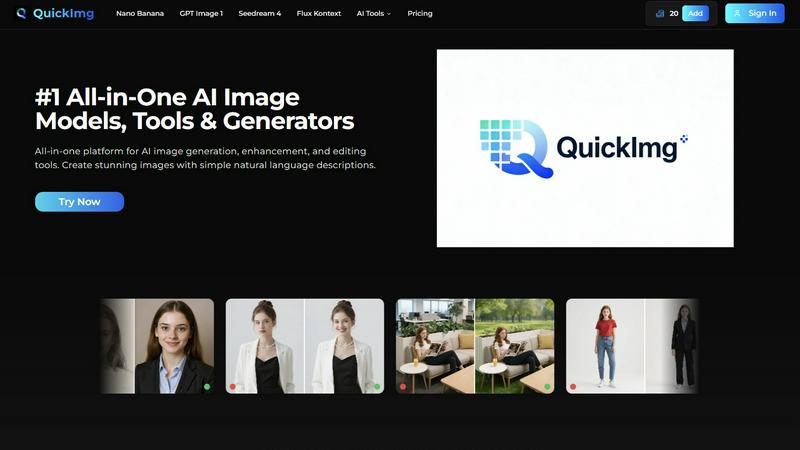
QuickImg simplifies image generation, enhancement, and editing with powerful AI tools for stunning visuals in minutes.
Last updated: February 28, 2026

Seedance 3.0
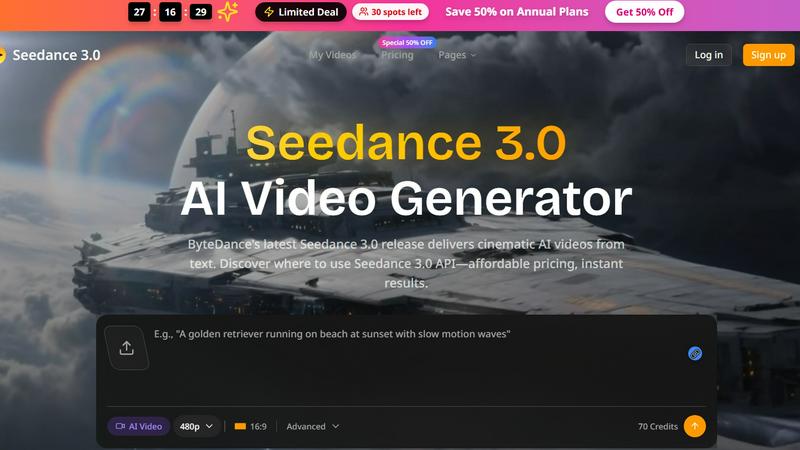
Seedance 3.0 by ByteDance transforms text prompts into stunning, broadcast-quality videos, empowering creators and sellers to elevate their visuals.
Last updated: March 11, 2026
Visual Comparison
QuickImg
Seedance 3.0
Feature Comparison
QuickImg
AI Image Generation
QuickImg utilizes advanced AI models like Nano Banana and GPT Image 1, enabling users to generate stunning images simply by describing their vision in natural language. This eliminates the need for technical expertise and allows for creative freedom.
Image Enhancement Tools
Users can enhance existing images with high-quality upscaling and precision editing capabilities. QuickImg’s AI image upscaler boosts resolution up to 4K, ensuring that every detail is preserved and enhanced for maximum impact.
Ready-to-Use Templates
QuickImg offers a wide array of professionally designed templates for various common scenarios, making it easy for users to jumpstart their projects. Whether for social media posts or product photos, these templates simplify the design process.
One-Click Editing Tools
With one-click tools, QuickImg streamlines complex editing tasks such as background removal and text elimination. This feature allows users to modify images quickly and efficiently, saving valuable time and effort in the creative process.
Seedance 3.0
AI-Powered Video Generation
Seedance 3.0 utilizes advanced artificial intelligence to generate high-quality videos directly from text prompts. This feature allows users to create engaging visuals quickly and efficiently, making it ideal for those with tight deadlines or limited resources.
Customizable Video Styles
Users can choose from a variety of customizable video styles that suit their specific branding and themes. This flexibility ensures that every video produced aligns with the creator's unique vision and messaging, enhancing the overall impact of the content.
Batch Processing Capabilities
Seedance 3.0 offers batch processing, enabling users to create multiple videos simultaneously. This feature is particularly beneficial for e-commerce sellers looking to generate product showcases and promotional materials for entire catalogs in one go.
Instant Preview and Editing
With Seedance 3.0, users can preview their videos instantly and make adjustments in real time. This feature fosters a collaborative environment, allowing teams to work together seamlessly to refine their content before finalizing the production.
Use Cases
QuickImg
Social Media Content Creation
Content creators can leverage QuickImg to generate eye-catching visuals for their social media platforms. By simply describing their desired image, they can quickly create engaging posts that capture audience attention.
Marketing and Advertising
Businesses can use QuickImg to design promotional materials and advertisements. The platform's templates and editing tools make it easy to produce high-quality graphics that effectively communicate brand messages.
Personal Projects and Hobbies
Individuals pursuing creative hobbies can explore their artistic potential with QuickImg. Whether crafting unique art pieces or enhancing personal photos, the platform provides the tools needed for artistic expression.
Professional Design Work
Graphic designers can utilize QuickImg for client projects, benefiting from its advanced AI models and editing capabilities. This allows professionals to deliver high-quality results while streamlining their workflow and enhancing productivity.
Seedance 3.0
E-commerce Product Videos
E-commerce sellers can leverage Seedance 3.0 to create professional product videos that enhance listing attractiveness. By generating visually striking content quickly, sellers can effectively showcase their products, driving higher conversion rates and customer engagement.
Social Media Content Creation
Influencers and content creators can use Seedance 3.0 to produce eye-catching videos tailored for platforms like Instagram and TikTok. This tool helps maintain a fresh and engaging feed, reducing creative burnout and allowing influencers to focus on their message.
Indie Maker Launch Support
Indie makers can benefit from Seedance 3.0 by generating promotional videos for app launches and product demos. The ability to create high-quality visuals quickly ensures that makers can launch their products without delays related to video production.
Marketing Campaigns
Seedance 3.0 is perfect for marketers looking to develop compelling visual content for campaigns. The ability to create tailored videos for seasonal promotions or A/B tests allows teams to optimize their marketing strategies efficiently.
Overview
About QuickImg
QuickImg is an innovative platform revolutionizing the way users generate, enhance, and edit images using advanced AI technology. Designed for a diverse user base that ranges from casual hobbyists to professional designers, QuickImg empowers creativity through simple natural language descriptions. By harnessing the power of state-of-the-art AI models such as Nano Banana, GPT Image 1, and Seedream 4, users can effortlessly create high-quality visuals tailored to their specific needs. The platform combines multiple functionalities, enabling users to enhance existing images, craft unique designs, and edit photos seamlessly. Its intuitive interface is user-friendly, making professional-grade image creation accessible to everyone, regardless of their technical expertise. QuickImg eliminates the complexity of traditional software, fostering collaboration and creativity among users. Additionally, with a limited-time offer that provides 50% off the first purchase using code QI50, users can experience the future of image creation at an unbeatable value.
About Seedance 3.0
Seedance 3.0 is an innovative AI video generation tool developed by ByteDance, designed to transform text prompts into high-quality cinematic videos effortlessly. Ideal for a diverse range of users, including e-commerce sellers, content creators, and indie makers, Seedance 3.0 empowers individuals and teams to produce professional-grade visuals in seconds. By leveraging advanced AI technology, it enables users to craft visually appealing content without the need for extensive video production skills or resources. The platform supports a variety of use cases, from promotional product videos to engaging social media content, ultimately streamlining the creative process and allowing users to focus on their core message. With an easy-to-use interface and instant results, Seedance 3.0 serves as a powerful ally for anyone looking to elevate their visual storytelling.
Frequently Asked Questions
QuickImg FAQ
How does QuickImg work?
QuickImg operates by allowing users to input natural language descriptions or upload images for editing. Users then select an AI model and click generate to create stunning visuals effortlessly.
What types of images can I create with QuickImg?
Users can create a wide range of images, including marketing graphics, social media content, personal artwork, and professional designs. The platform's versatility caters to diverse creative needs.
Is QuickImg suitable for beginners?
Absolutely! QuickImg is designed with an intuitive interface that makes it easy for users of all skill levels to generate and edit images without needing extensive technical knowledge.
What is the limited-time offer for new users?
New users can take advantage of a special promotion that offers 50% off their first purchase by using the code QI50. This is a great opportunity to explore the capabilities of QuickImg at a reduced price.
Seedance 3.0 FAQ
What types of videos can I create with Seedance 3.0?
Seedance 3.0 allows users to create a wide range of videos, including promotional product showcases, social media content, app demos, and marketing campaign visuals, all tailored to their specific needs.
Is Seedance 3.0 suitable for beginners?
Absolutely! Seedance 3.0 is designed to be user-friendly, making it accessible for beginners without extensive video editing experience. The intuitive interface guides users through the video creation process.
Can I collaborate with my team on Seedance 3.0?
Yes, Seedance 3.0 supports collaborative work environments. Teams can work together to create, preview, and edit videos in real time, streamlining the creative process and enhancing productivity.
How does the batch processing feature work?
The batch processing feature in Seedance 3.0 allows users to generate multiple videos at once by uploading a list of text prompts. This function is particularly useful for e-commerce sellers looking to create videos for an entire product line efficiently.
Alternatives
QuickImg Alternatives
QuickImg is an innovative AI platform designed for generating, enhancing, and editing images seamlessly. As part of the AI Assistants category, it caters to a diverse audience, from amateur creators to seasoned professionals. Users often seek alternatives to QuickImg for various reasons, including pricing considerations, specific feature sets, or compatibility with their preferred platforms. Finding the right alternative involves looking for similar functionalities, ease of use, and the ability to meet unique creative needs without sacrificing quality. When searching for alternatives, it’s essential to evaluate the user interface and the range of tools available. Assess whether the platform supports natural language descriptions for image generation, as this feature significantly enhances creativity. Additionally, consider the level of customer support and community engagement, as these factors can greatly influence your overall experience and satisfaction.
Seedance 3.0 Alternatives
Seedance 3.0 is an innovative tool developed by ByteDance that specializes in generating broadcast-quality videos directly from text prompts. Positioned within the AI Assistants category, it offers unique capabilities tailored for users looking to streamline their video production processes. The platform is particularly appealing to creators, marketers, and developers who seek to enhance their visual content without the need for extensive video editing skills. However, users often explore alternatives to Seedance 3.0 due to various reasons such as pricing structures, feature sets, and specific platform requirements. When searching for the right alternative, it is essential to evaluate factors like ease of use, integration capabilities, and overall performance. Users should also consider customer support and community engagement when making their decision, ensuring they select a solution that aligns with their collaborative goals and project needs.