
CloneUI vs PUNKU.AI
Side-by-side comparison to help you choose the right product.

CloneUI
CloneUI enables your team to effortlessly transform designs into clean, responsive code from screenshots or URLs.
Last updated: March 1, 2026

PUNKU.AI
Punku.ai partners with your team to build and manage AI automations using simple English.
Last updated: February 28, 2026
Visual Comparison
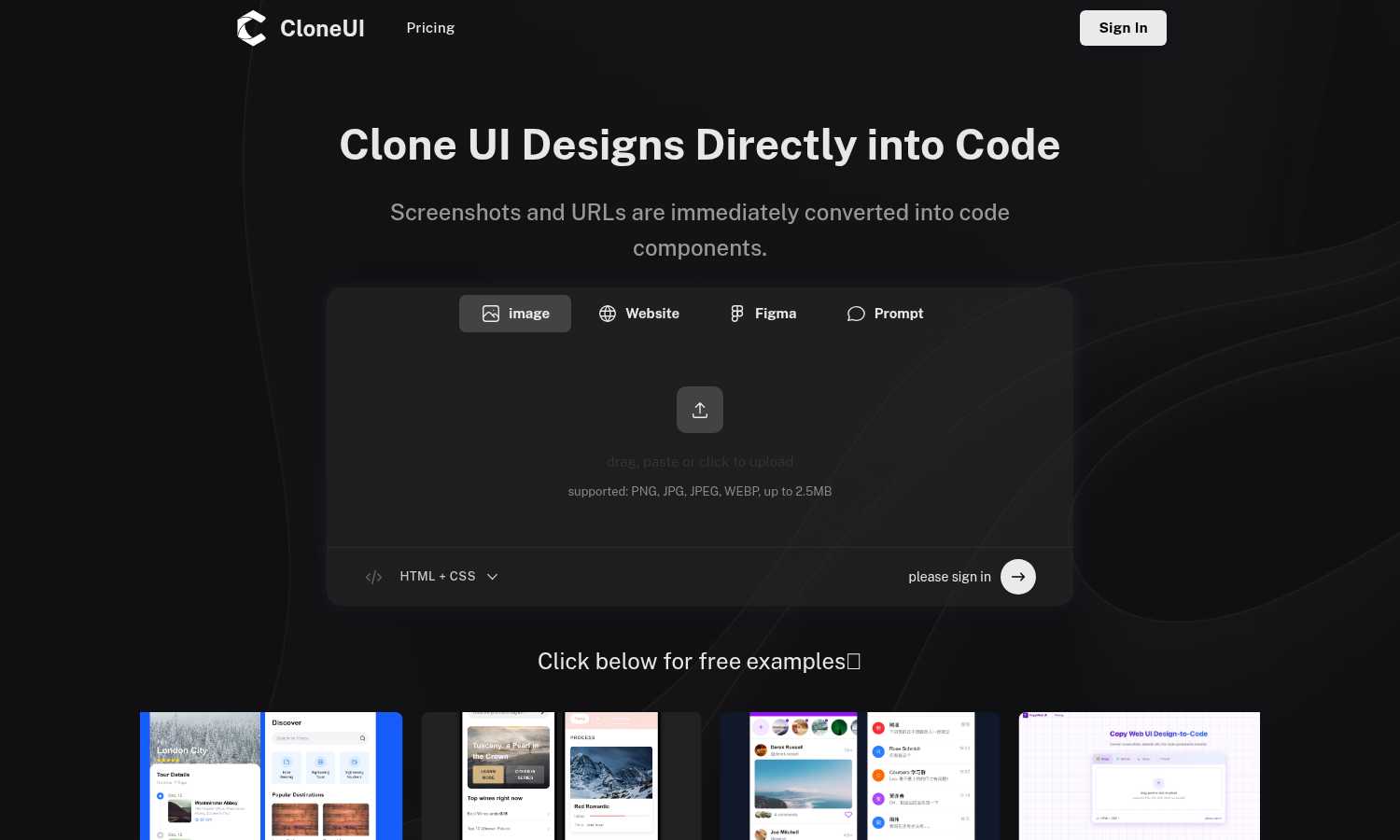
CloneUI
PUNKU.AI

Feature Comparison
CloneUI
Convert Screenshots to Code
With CloneUI, uploading a design screenshot generates pixel-perfect code in seconds. This feature eliminates the guesswork involved in coding, ensuring that every pixel aligns with your original vision.
Clone from URL
This innovative functionality allows users to effortlessly replicate entire website structures by simply entering a URL. You can capture the essence of existing designs and use them as a foundation for your projects.
Figma to Code Conversion
One-click conversion from Figma to code simplifies the design-to-development handoff. Designers can easily translate their Figma designs into functional code, minimizing the back-and-forth communication often required.
Intelligent Component Recognition
CloneUI features AI-powered automatic UI component identification and mapping, ensuring that each element is recognized and translated accurately into code components. This enhances collaboration, as both designers and developers can trust the output.
PUNKU.AI
Conversational Agent Builder
Instead of wrestling with complex nodes and wires, you simply tell PUNKU.AI what you want to automate in plain English. The platform acts as a collaborative partner, asking clarifying questions to fully understand your requirements and anticipate potential edge cases before building anything. This conversational approach ensures the final automation aligns perfectly with your team's actual needs.
Transparent Visual Automation Graphs
PUNKU.AI moves away from the opacity of "black-box" AI agents. Once your requirements are set, it constructs a clear, visual graph of the entire workflow. This transparency allows every team member to see exactly how data flows, what logic is applied, and where actions take place, fostering trust and enabling easy collaborative troubleshooting and refinement.
Proactive Monitoring & Self-Improvement
Your automations don't just run; they are actively managed. PUNKU.AI proactively monitors workflows for errors or failures, alerting your team instead of failing silently. Furthermore, it analyzes performance against your KPIs and can suggest intelligent improvements, helping your automations evolve and become more effective over time through continuous partnership.
Vast Integration Library & Pre-Built Templates
Jumpstart your team's productivity with seamless connections to over 3,000 popular tools like Slack, Zoom, and Notion. To accelerate collaboration, PUNKU.AI offers 100+ expert-designed templates for common use cases across sales, support, marketing, and operations. These templates are fully customizable, allowing your team to adapt proven workflows to your unique processes in minutes.
Use Cases
CloneUI
Rapid Prototyping
CloneUI is perfect for teams looking to rapidly prototype their ideas. By converting designs into code quickly, teams can iterate on functionality and user experience without the usual delays in the development process.
Freelance Development
Freelancers can significantly enhance their workflow by utilizing CloneUI. They can deliver high-quality work faster, allowing them to take on more clients and projects while maintaining the quality of their output.
Agency Projects
Agencies handling multiple projects can benefit from CloneUI's ability to streamline the design process. By generating code from designs, teams can focus on creative strategies rather than spending time on repetitive coding tasks.
Educational Purposes
For educators and students in design and development, CloneUI serves as a valuable learning tool. It provides insights into how designs are translated into code, making it easier to understand the intricacies of web development.
PUNKU.AI
24/7 Customer Service Chatbot
Automate your frontline support by deploying an AI chatbot that handles common customer inquiries around the clock. It can connect to your booking system, knowledge base, and email to provide instant answers, draft replies, and resolve simple issues, freeing your human team to focus on more complex and meaningful customer relationships.
Automated Sales Outreach & Follow-Up
Nurture leads efficiently with AI agents that manage outbound sequences and personalized follow-ups. From initial LinkedIn outreach to sending tailored quotes and payment reminders, PUNKU.AI can coordinate multi-touch campaigns across email and other channels, ensuring no lead falls through the cracks and your sales team can concentrate on closing deals.
Intelligent Meeting & Operations Coordinator
Streamline internal coordination by automating post-meeting workflows. An agent can transcribe recordings, sync action items to project management tools, update calendars, and notify teams on Slack. This reduces administrative overhead and ensures everyone is aligned, turning meeting discussions into immediate, tracked action.
Market Research & Feedback Analysis
Empower your marketing and product teams with automated research assistants. PUNKU.AI can be tasked with monitoring competitor data, analyzing market trends, and extracting actionable insights from volumes of customer reviews across platforms. This provides your team with a constant stream of synthesized intelligence to inform strategic decisions.
Overview
About CloneUI
CloneUI is a groundbreaking AI-powered tool that transforms the way design and development teams collaborate, enabling a seamless workflow from concept to execution. It is tailored for designers and developers looking to enhance their productivity by eliminating the tedious process of converting visual designs into code. With CloneUI, users can instantly convert static screenshots, live website URLs, or Figma design files into clean, production-ready code components. The intelligent algorithms at the core of CloneUI analyze inputs, ensuring that generated code is precise and responsive across various devices. This tool not only accelerates the development process but also allows teams to focus on more complex tasks, fostering a cooperative environment that encourages innovation. By turning design inspirations into tangible code, CloneUI becomes an essential asset for agile teams, freelance developers, and agencies aiming to deliver high-quality projects at an accelerated pace.
About PUNKU.AI
PUNKU.AI is a collaborative automation platform designed to be your team's senior engineering partner. It bridges the gap between simplicity and control, empowering teams of all technical backgrounds to build sophisticated, AI-driven workflows. The core philosophy is partnership: you describe your business needs in plain English, and PUNKU.AI intelligently interviews you to clarify requirements and anticipate edge cases. It then constructs a fully transparent, visual automation graph, ensuring you understand exactly how your processes work while being freed from the manual build. This synergy kills busywork and refocuses collective energy on strategic goals. Trusted by over 200 businesses, PUNKU.AI connects to a vast ecosystem of 3,000+ tools like Gmail, Slack, Notion, and Zoom. Once deployed, it proactively monitors for errors and suggests improvements based on your KPIs, ensuring your automations evolve and don't silently fail. With 100+ pre-built templates and a true no-code approach, teams can set up powerful AI agents for customer support, sales, marketing, and operations in minutes.
Frequently Asked Questions
CloneUI FAQ
Which input formats are compatible with CloneUI?
CloneUI supports various input formats, including PNG, JPG, JPEG, and WEBP images, allowing users to upload design screenshots with ease.
How is the code generated?
The code is generated through advanced AI algorithms that analyze the uploaded designs or URLs, ensuring that the output is clean, responsive, and ready for production.
Supported frameworks?
CloneUI offers flexibility by allowing users to export generated code to their preferred frameworks, including React, Vue, or plain HTML/CSS.
Is the generated code customizable?
Yes, the generated code can be customized to fit specific project needs, allowing developers to tweak the output while maintaining the integrity of the original design.
PUNKU.AI FAQ
Do I need technical knowledge to use PUNKU.AI?
No technical knowledge is required. That's the core of PUNKU.AI's collaborative design. You simply describe what you want to automate in plain English (e.g., 'When a form is submitted, send a confirmation and add to calendar'). The platform's AI acts as your technical partner, handling the complex setup and build process for you and your team.
How long does it take to get started?
You and your team can get started in just minutes. Thanks to the intuitive conversational interface and the extensive library of over 100 pre-built templates, you can have a functional AI agent up and running almost immediately. There's no lengthy setup or complex configuration, allowing for rapid collaborative deployment.
What happens if something goes wrong with my automation?
PUNKU.AI is built for reliable partnership. It includes proactive monitoring that watches for errors or failures in your workflows. Instead of failing silently, the system will alert your team, providing visibility into the issue. This allows for quick collaborative resolution and ensures your critical processes maintain integrity.
How secure is my data on PUNKU.AI?
Security is a fundamental priority. PUNKU.AI employs enterprise-grade security measures to protect your data and your customers' information. The platform is designed with robust protocols to ensure all integrations and data processing within your automations are handled securely, giving your team peace of mind.
Alternatives
CloneUI Alternatives
CloneUI is a groundbreaking AI-powered tool that sits at the intersection of design and development, enabling teams to transform visual designs into clean, production-ready code efficiently. As organizations strive for greater collaboration between designers and developers, users often seek alternatives to CloneUI due to factors like pricing, specific feature requirements, or compatibility with existing workflows. When selecting an alternative, it's essential to consider the range of design input formats supported, the intelligence of its component recognition capabilities, and how well it integrates with your team's current processes to ensure a seamless transition and continued productivity.
PUNKU.AI Alternatives
Punku.ai is a collaborative no-code automation platform that acts as a senior engineering partner for your team. It builds sophisticated, AI-driven workflows through a conversational interview process, creating transparent visual graphs that your entire team can understand and trust. Teams often explore alternatives for various reasons, such as aligning with specific budget constraints, needing integrations with a particular tech stack, or requiring a different balance between automation power and user-friendliness. The right platform should fit your team's unique operational rhythm and growth trajectory. When evaluating options, consider how a platform fosters team synergy. Look for solutions that offer clarity in how automations work, provide robust support and monitoring to prevent silent failures, and genuinely adapt to your evolving business processes. The goal is to find a partner that amplifies your collective effort, not just another tool to manage.