GenMix vs Prompt Builder
Side-by-side comparison to help you choose the right product.

GenMix empowers you to effortlessly create stunning AI videos, images, and voiceovers with just a simple text prompt.
Last updated: April 13, 2026

Prompt Builder
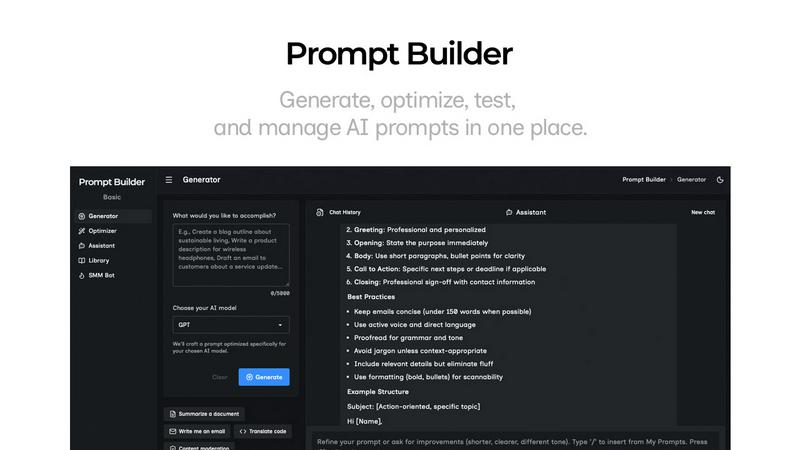
Generate, optimize, test, and manage AI prompts in one place. Turn an idea into a ready-to-use prompt in seconds.
Visual Comparison
GenMix

Prompt Builder
Overview
About GenMix
GenMix is an innovative all-in-one platform designed to revolutionize content creation by integrating the world's finest AI video and image generation models into a single, user-friendly dashboard. With GenMix, users can easily transform their ideas into visually stunning text-to-video, image-to-video, and text-to-image content. The platform supports a diverse range of models including Sora 2, Veo 3.1, Kling 3.0, Seedance 2.0, and Nano Banana, catering to various creative needs. GenMix is ideal for content creators, marketers, educators, and business owners who seek to produce professional-quality content quickly and easily, without the need for technical skills. The intuitive interface allows users to describe their vision in natural language, making the creative process accessible and efficient. By harnessing the power of advanced AI technology, GenMix transforms the way content is made, enabling users to generate high-quality materials that resonate with their target audience.
About Prompt Builder
Prompt Builder is a prompt engineering workspace for writing, testing, and saving prompts. Describe the task in plain English, and it helps you create a prompt that matches the model you choose. Start with a draft, refine it in chat, save or pin versions, then run them when you are ready. It works with GPT, Claude, Gemini, Llama, Mistral, DeepSeek, Grok, Perplexity, and more. You also get an Optimizer, an assistant for quick tests, and a library of reusable prompts and templates from the community. Turn an idea into a ready-to-use prompt in seconds. Refine it in chat, save it to your Library, and run it anytime.