Postal vs Tickari
Side-by-side comparison to help you choose the right product.

Postal's AI-powered mailbox helps your team securely manage and act on important mail together.
Last updated: February 28, 2026

The no-nonsense task manager that actually helps you get things done. No clutter. No complexity. Just you and your tasks.
Visual Comparison
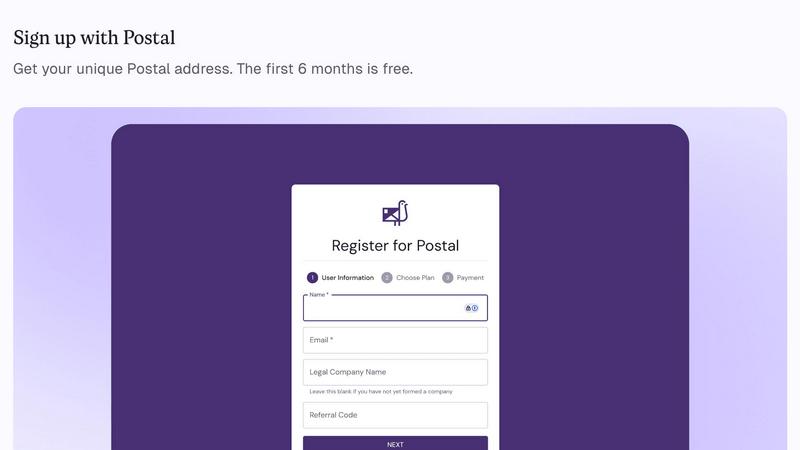
Postal
Tickari

Overview
About Postal
In today's distributed business world, maintaining a professional, secure, and efficient mail operation is a foundational team challenge. Postal steps in as a collaborative partner, offering a smarter virtual address and mailbox built specifically for businesses. It provides companies of all stages—from ambitious startups to established international firms—with a real street address that serves as a unified hub for all official correspondence. This eliminates the need for shared or residential addresses, ensuring your team projects professionalism in every interaction with government entities, vendors, and clients. At its core, Postal transforms mail from a logistical burden into a streamlined, intelligent workflow. By leveraging powerful, AI-native technology, it doesn't just scan your mail; it summarizes it instantly, flags urgent items, extracts deadlines, and recommends clear actions. This empowers teams to work together more effectively, ensuring nothing slips through the cracks and compliance is handled with confidence. Postal is more than an address; it's a synergistic platform designed to enhance operational efficiency, security, and team cohesion by putting mail management on autopilot.
About Tickari
Tickari is a deliberately minimal, no-nonsense task manager designed for people who are tired of overcomplicated productivity tools and just want to get things done. Instead of overwhelming you with features like complex boards, AI-generated suggestions, or endless customization, Tickari focuses on a simple, frictionless workflow: write a task, tick it off, and move on.
The product embraces a “less but better” philosophy—eliminating clutter, reducing cognitive overhead, and removing the need for onboarding tutorials or setup processes. There are no distractions, no unnecessary decisions, and no feature bloat—just a clean interface that works instantly the moment you open it. This makes it particularly effective for users who feel stuck organizing tasks instead of actually completing them.