PhotoFuse vs SparkPix
Side-by-side comparison to help you choose the right product.

PhotoFuse
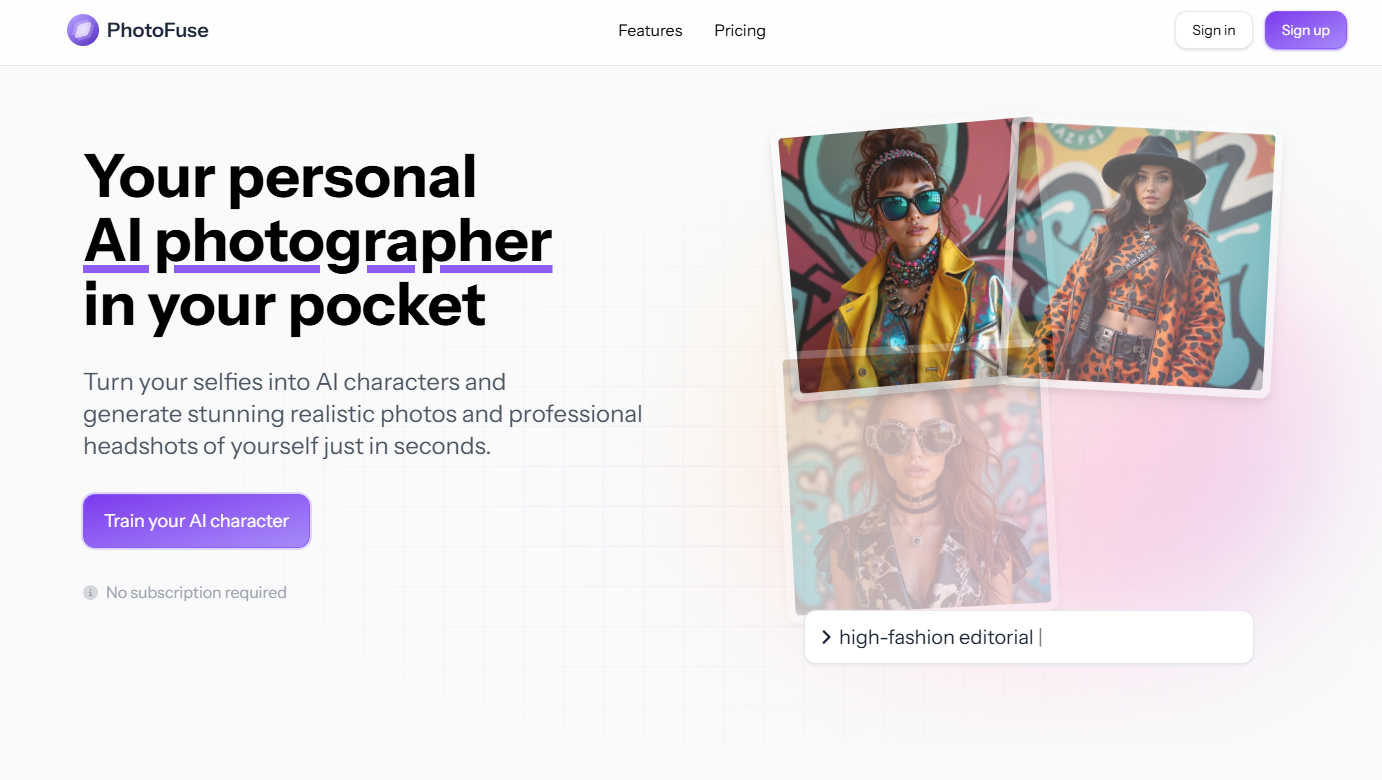
Transform your selfies into stunning AI headshots and characters in seconds, effortlessly crafted for any professional.
Last updated: March 1, 2026

SparkPix
Transform your photos effortlessly with SparkPix's AI editor—just type to enhance, restore, or change styles instantly and for free.
Last updated: March 11, 2026
Visual Comparison
PhotoFuse
SparkPix

Feature Comparison
PhotoFuse
Easy Photo Upload
PhotoFuse simplifies the creation process by allowing users to upload 10-15 photos of the individual they want to transform into an AI character. The platform provides clear guidance for optimal results, ensuring that the images are processed effectively.
Template Selection
Users can choose from a wide range of pre-made templates or manually design their scenes through an intuitive interface. This feature offers flexibility, allowing for personal expression while making the creation process seamless and enjoyable.
Multiple Variations
Once you have uploaded your photos and selected your preferences, PhotoFuse generates 1-4 variations of the images in just seconds. This quick turnaround allows users to download, share, or tweak their images, ensuring satisfaction with the final product.
Professional Headshot Creation
PhotoFuse enables users to craft headshots that genuinely reflect their personality and professional identity. With options for backgrounds, expressions, outfits, and accessories, users can create polished images that resonate with their intended audience, all without requiring technical expertise.
SparkPix
AI Photo Editor
The AI Photo Editor feature allows users to edit photos by typing specific instructions such as "remove background" or "restore this old photo." In under 30 seconds, the AI applies the requested edits, making it a quick and efficient solution for any photo-related task.
Background Remover
With the one-click background remover, SparkPix simplifies the process of isolating subjects in photos. Whether you need to enhance portraits, product images, or complex scenes, this feature ensures a clean and professional result without any hassle.
Unblur Image
The Unblur Image feature utilizes advanced AI technology to fix common issues such as motion blur, out-of-focus shots, and compression artifacts. Users can restore clarity to their images effortlessly, improving overall quality and making them more visually appealing.
Photo Restoration
Ideal for family archives, the Photo Restoration feature repairs old, faded, scratched, or damaged photographs. Users can breathe new life into cherished memories, ensuring they are preserved and appreciated for years to come.
Use Cases
PhotoFuse
Personal Branding
For professionals looking to enhance their personal brand, PhotoFuse offers a straightforward way to create standout LinkedIn profiles and CV headshots. Users can showcase their best selves with high-quality, tailored images that capture their essence.
Marketing Content Creation
Content creators and marketers can utilize PhotoFuse to generate captivating visuals quickly. The ability to produce professional-grade images in minutes streamlines the content creation process, making it easier to maintain a consistent and appealing brand image.
Team Collaboration
PhotoFuse is ideal for teams working on collaborative projects. By allowing multiple users to create and share visual content seamlessly, the platform fosters a cooperative environment where creativity can flourish without the hassle of complicated technology.
Social Media Engagement
Individuals looking to elevate their social media presence can use PhotoFuse to create eye-catching photos that stand out in feeds. With its easy-to-use features, users can experiment with styles and share unique images that enhance their online engagement.
SparkPix
Personal Photo Enhancement
Users can enhance their personal photos by removing distracting backgrounds or restoring old images. This feature is perfect for those looking to create beautiful keepsakes or share memorable moments on social media.
E-commerce Product Photography
E-commerce businesses can greatly benefit from SparkPix by using the background remover and product enhancement features. High-quality product images can attract more customers and improve conversion rates, making SparkPix an essential tool for online sellers.
Creative Projects
Artists and content creators can explore their creativity by using the Style Transfer feature to convert their photos into various artistic styles, such as anime or watercolor. This opens up new possibilities for digital art and creative expression.
Professional Headshots
With SparkPix, users can generate professional headshots instantly. This is particularly beneficial for job seekers or professionals looking to update their LinkedIn profiles, ensuring they present themselves in the best light.
Overview
About PhotoFuse
PhotoFuse is your collaborative partner in visual creation, an innovative AI tool designed to simplify and enhance the photography experience. With a focus on teamwork and user-driven creativity, PhotoFuse allows individuals and teams to transform their personal selfies into hyper-realistic AI characters or create stunning professional headshots in seconds. Its mission is to empower users, whether they are professionals looking to elevate their LinkedIn profiles or content creators needing quick and high-quality visual assets. By uploading just 10-15 photos and choosing from a variety of templates or custom designs, users can easily generate images tailored to their preferences without requiring any technical skills. This cooperative approach makes PhotoFuse an invaluable tool in personal branding and marketing, providing a powerful creative studio right at your fingertips, with flexible pricing plans that come with full commercial rights.
About SparkPix
SparkPix is an innovative AI photo editing tool that empowers users to transform their images simply by typing commands. Designed for individuals and professionals alike, it eliminates the need for advanced Photoshop skills, making high-quality photo editing accessible to everyone. With SparkPix, you can perform various editing tasks, from background removal to photo restoration, in just seconds. Its intuitive web-based platform works seamlessly across devices, including desktop, iPhone, and Android, ensuring that users can edit photos anytime, anywhere. The core value proposition lies in its simplicity and speed, allowing users to achieve professional-grade results without the steep learning curve typically associated with traditional editing software. Whether you are enhancing personal memories, creating content for social media, or preparing images for business use, SparkPix provides the tools you need to bring your creative vision to life.
Frequently Asked Questions
PhotoFuse FAQ
How does PhotoFuse work?
PhotoFuse operates by allowing users to upload 10-15 photos, select templates or customize their designs, and generate multiple image variations in seconds. The process requires no technical skills and is designed for user-friendly collaboration.
Can I use my generated images commercially?
Yes, PhotoFuse offers full commercial rights with its flexible pricing plans, allowing users to utilize their generated images for business purposes without any additional licensing fees.
What types of templates are available?
PhotoFuse features a diverse range of templates, including professional settings, casual backgrounds, and creative designs. Users can also manually design their scenes to match their personal or professional style.
Is there a limit to how many characters I can create?
No, PhotoFuse allows for unlimited AI character creations. Users can generate as many characters as they wish under their chosen subscription plan, making it easy to explore various styles and expressions.
SparkPix FAQ
How does SparkPix work?
SparkPix uses advanced AI algorithms to process user commands and apply edits to images. By simply typing what you want to change, the AI interprets the instructions and executes them quickly.
Is SparkPix free to use?
Yes, SparkPix offers a free plan that includes 5 credits to start editing. Users can access basic features without needing to provide a credit card, making it easy to try out the service.
Can I use SparkPix on my mobile device?
Absolutely! SparkPix is a web-based platform that works on desktops, iPhones, and Android devices, allowing users to edit photos on the go without needing to download any software.
What types of edits can I perform with SparkPix?
With SparkPix, you can perform a variety of edits, including background removal, photo enhancement, object removal, and style transfers. The platform is designed to handle both simple and complex editing tasks efficiently.
Alternatives
PhotoFuse Alternatives
PhotoFuse is an innovative tool designed to transform your selfies into professional AI headshots, belonging to the image and photo creation category. It simplifies the complex nature of professional photography, making it accessible and user-friendly for individuals and teams alike. Users often seek alternatives to PhotoFuse for various reasons, such as pricing, specific feature sets, or compatibility with different platforms. When searching for an alternative, it's essential to consider factors like ease of use, the quality of generated images, collaborative features, and the flexibility of pricing plans to ensure the chosen tool meets your unique needs and preferences.
SparkPix Alternatives
SparkPix is an innovative online AI photo editor that allows users to effortlessly edit images by simply typing commands. Designed for those who may not have advanced Photoshop skills, it caters to a wide range of users, from casual photographers to professionals looking to streamline their workflow. As users explore the myriad of options available for photo editing, they often seek alternatives to SparkPix for various reasons, such as differing pricing structures, feature sets, or specific platform compatibility. When considering an alternative to SparkPix, it’s essential to evaluate factors like ease of use, the range of editing tools available, and whether the platform supports the devices you work with, whether that be desktop or mobile. Users should also look at the quality of AI processing, customer support, and the flexibility of the pricing plans to ensure they select a solution that best meets their unique editing needs.