PDF Compiler vs Print Chat
Side-by-side comparison to help you choose the right product.

PDF Compiler
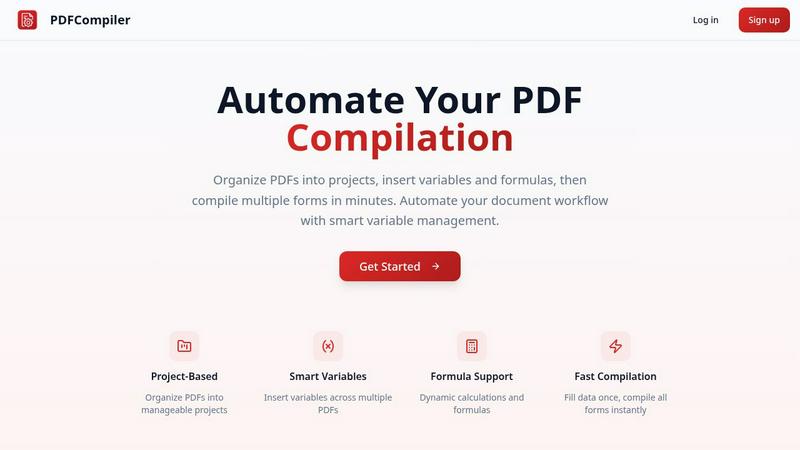
Effortlessly automate your PDF workflow by entering data once to generate multiple documents in seconds.
Last updated: February 28, 2026

Print Chat
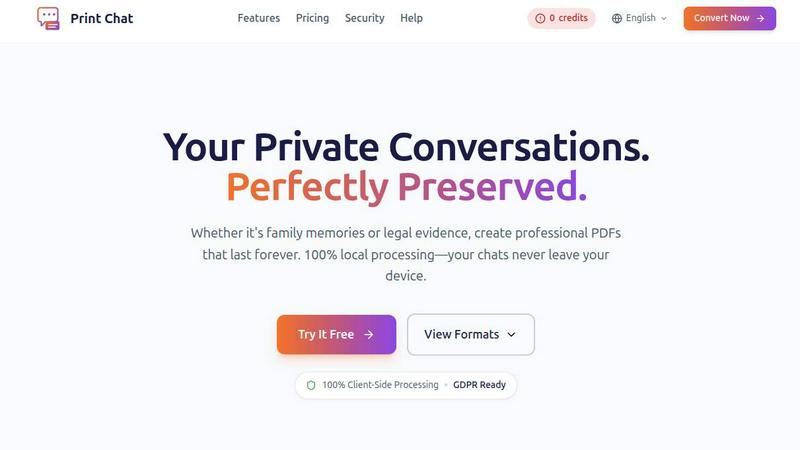
Instantly convert WhatsApp chats to professional PDFs offline, preserving privacy and perfect for any purpose.
Last updated: February 28, 2026
Visual Comparison
PDF Compiler
Print Chat
Feature Comparison
PDF Compiler
Configurable Fields
With PDF Compiler, users can define various field types such as dates, variables, and selections, as well as incorporate Excel-style formulas and account data references. This flexibility allows for tailored document creation that meets specific project needs, enhancing overall accuracy and efficiency.
Minimal Input
The software is designed for efficiency; users only need to enter core data once, and PDF Compiler automatically populates all linked documents. This feature minimizes the chances of errors and ensures that all documents maintain consistency in data entry.
Data Linking
Changes made to any input field are instantly reflected across all PDFs within a project. This data linking capability ensures that all documents are always up-to-date and reduces the risk of discrepancies, making it easier to manage and share documents effectively.
Automated Workflows
PDF Compiler enables users to generate complete document sets in just minutes. With its dynamic calculations and formatting, it transforms the way teams compile forms, allowing for rapid document generation that meets tight deadlines without sacrificing quality.
Print Chat
100% Client-Side Processing
Print Chat operates entirely within your browser, ensuring that no data is sent to external servers. This guarantees complete privacy since your files never leave your device, eliminating concerns about data breaches or unauthorized access.
Unlimited File Size
Say goodbye to limitations on file size. Print Chat allows you to process files ranging from 100MB to an impressive 50GB without freezing or crashing your browser. This feature is ideal for users needing to export extensive chat histories.
Legal & Evidence Ready
The platform preserves essential details such as exact timestamps and sender information. The output is specifically formatted for court admissibility, making it perfect for legal work and ensuring that your documents meet rigorous standards.
Voice & Video Embeds
Retain the full context of your conversations by embedding clickable links to voice messages and videos directly within the PDF. This feature ensures that all multimedia elements are accessible and functional, enhancing the document's utility.
Use Cases
PDF Compiler
Tender and Proposal Documentation
Organizations frequently require precise and consistent documentation for tenders and proposals. PDF Compiler simplifies this process by enabling teams to create comprehensive documentation quickly, ensuring that all necessary data is accurately represented across multiple documents.
Financial and Administrative Reports
Finance and administration departments often handle various reports that require repetitive data entry. PDF Compiler automates this process, allowing users to generate detailed reports efficiently, reducing time spent on manual input and increasing data accuracy.
Client Contracts
Creating and managing client contracts often involves multiple documents with shared data. PDF Compiler streamlines the contract creation process, ensuring that essential information is consistently applied across all related documents, thereby enhancing the professionalism of client interactions.
Invoice Generation
For businesses that deal with a high volume of invoices, PDF Compiler automates the repetitive entry of client information and transaction details. This leads to faster invoice processing times and fewer errors, ultimately improving cash flow management and client satisfaction.
Print Chat
Legal Document Preparation
Lawyers can utilize Print Chat to transform chat logs into court-ready documents. By maintaining the integrity of timestamps and sender details, legal professionals can create precise transcripts that meet legal requirements.
Personal Archiving
Individuals can preserve cherished family conversations or significant messages as high-quality PDFs. This is particularly valuable for users who want to keep memories intact while ensuring their privacy is protected.
Workplace Investigations
HR professionals can document conversations related to workplace issues, such as harassment or disputes. The clear formatting and page-numbering capabilities allow easy reference during investigations, facilitating better communication and resolution.
Academic Research
Researchers can use Print Chat to compile discussions from group chats or forums into a structured format, ensuring that all relevant data is available for analysis and presentation in scholarly work.
Overview
About PDF Compiler
PDF Compiler is a revolutionary tool designed to streamline the tedious process of completing PDF forms across multiple documents. By automating form completion, it significantly reduces the need for manual data entry, ensuring that your submissions are consistent and free from errors. This product is ideal for professionals in various fields such as finance, administration, and project management who regularly deal with multi-document workflows. With PDF Compiler, users enter essential information just once, and the software takes care of populating all linked documents automatically. This not only saves time but also enhances productivity by allowing teams to focus on more strategic tasks rather than repetitive data entry. The main value proposition of PDF Compiler lies in its ability to handle complex data propagation, formulas, and field references seamlessly across an entire set of documents, making it an essential tool for anyone looking to optimize their PDF workflow.
About Print Chat
Print Chat is a revolutionary tool designed for anyone needing to convert chat conversations into professional-grade PDF documents while ensuring complete privacy and security. Its primary audience includes lawyers, legal professionals, and individuals who wish to preserve personal conversations, such as family messages or critical evidence. What sets Print Chat apart is its 100% client-side processing, meaning your data remains entirely on your device. This eliminates concerns about third-party data breaches and unauthorized access. With features tailored for legal documentation, such as Bates stamping and redaction tools, Print Chat not only ensures compliance with legal standards but also maintains the integrity of your conversations. By leveraging advanced WebAssembly technology, this tool allows users to generate high-quality PDFs from chat histories without compromising on data security or document quality.
Frequently Asked Questions
PDF Compiler FAQ
What types of documents can I compile with PDF Compiler?
PDF Compiler supports a wide range of documents, including proposals, contracts, reports, and invoices. Its flexibility makes it suitable for any multi-document workflow requiring accurate data entry.
Is there a limit to the number of PDFs I can compile at once?
No, PDF Compiler is designed to handle multiple PDFs within a single project. You can upload and compile as many documents as needed, streamlining your workflow without restrictions.
Do I need technical skills to use PDF Compiler?
Not at all. PDF Compiler is user-friendly and designed for individuals without technical expertise. Its intuitive interface allows users to configure fields and generate documents with ease.
Can I test PDF Compiler before committing to a subscription?
Yes, PDF Compiler offers a demo with sample documents that allows users to experience the automated compilation process at no cost. This enables you to assess its features and capabilities before signing up for a full account.
Print Chat FAQ
Is my data safe with Print Chat?
Absolutely! Print Chat processes all data locally on your device, meaning your files never leave your control. We do not store or access your data at any point.
Can I try Print Chat for free?
Yes, Print Chat offers a free trial so you can explore its features and see how it meets your needs before making a purchase.
What formats can I export my chats in?
You can choose between two beautifully designed layouts: a clean, professional transcript format suitable for legal documentation and a bubble format that retains the original chat appearance.
Does Print Chat support multiple languages and character sets?
Yes, Print Chat is designed to support global character sets, including Emojis, Arabic, Hebrew, and various Asian scripts, ensuring every message is accurately rendered.
Alternatives
PDF Compiler Alternatives
PDF Compiler is an innovative tool designed for automating PDF form completion, making it a standout solution within the productivity and management category. It allows users to enter data once and have it populate multiple PDFs instantly, streamlining workflows and reducing manual errors. Given its unique capabilities, users often seek alternatives due to factors such as pricing, feature sets, compatibility with existing platforms, or specific functional needs that may not be fully met by PDF Compiler. When searching for an alternative, it's essential to consider the specific features that align with your workflow requirements. Look for solutions that offer robust data linking, customizable fields, and efficient automation to ensure you maintain accuracy and save time. Additionally, assessing user experience, customer support, and integration with other tools can significantly impact your decision-making process.
Print Chat Alternatives
Print Chat is an innovative tool designed to convert WhatsApp chats into PDF documents instantly, functioning entirely offline. It falls under the legal category, specifically catering to professionals like lawyers who require a secure and compliant method for handling sensitive client communications. Users often seek alternatives due to various factors such as pricing, specific feature sets, or compatibility with their existing platforms and workflows. When evaluating alternatives, it's essential to look for solutions that prioritize data privacy, offer user-friendly interfaces, and provide the necessary features tailored for your specific needs. Additionally, consider the level of security and compliance with legal standards, as these aspects are crucial for maintaining confidentiality in professional settings.