
MindMap AI vs Zovo
Side-by-side comparison to help you choose the right product.

MindMap AI
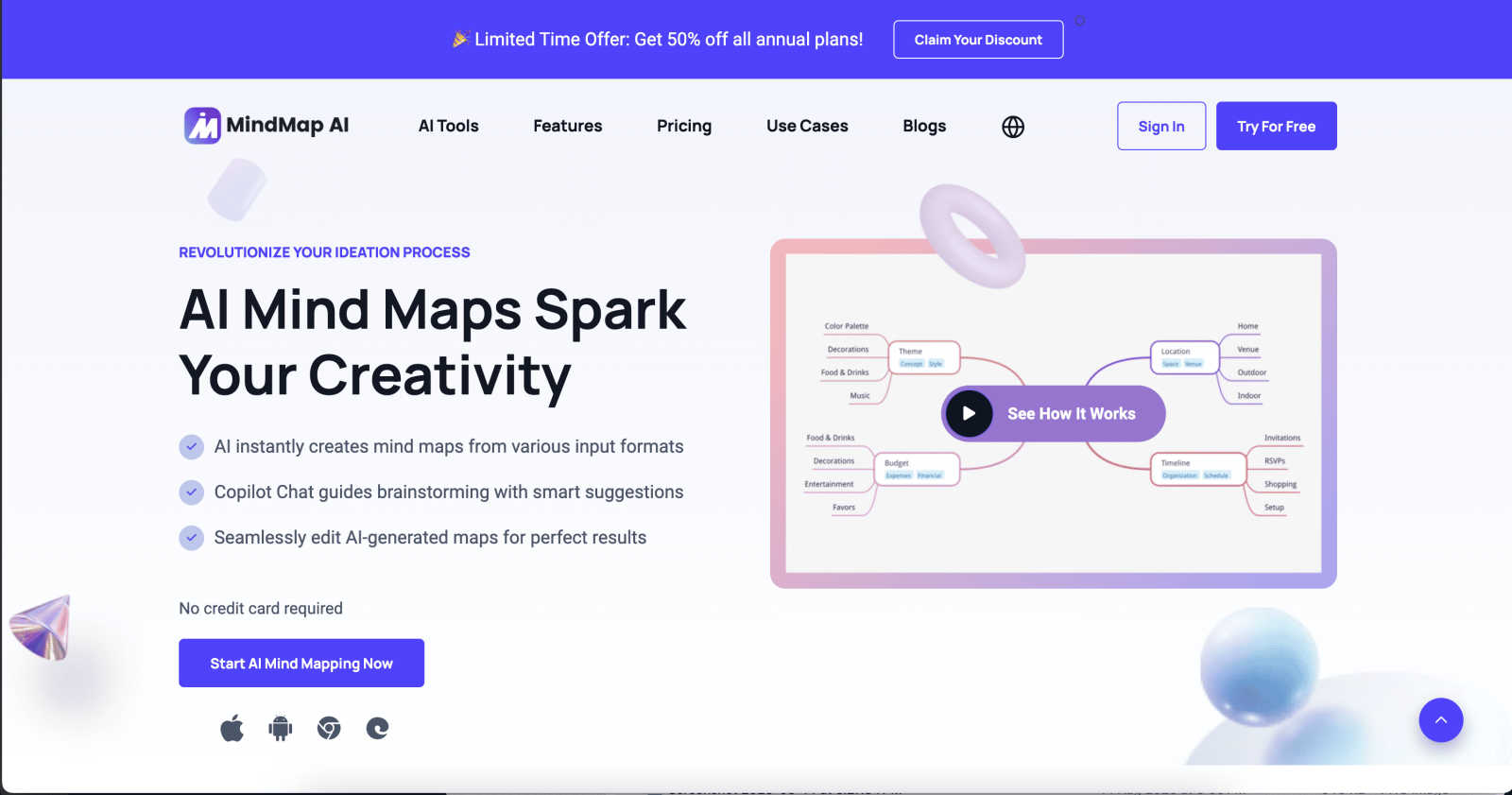
MindMap AI transforms ideas and documents into collaborative, editable mind maps that enhance teamwork and creativity.
Last updated: March 1, 2026

Zovo is your collaborative toolkit of privacy-first browser extensions built with your input.
Last updated: February 28, 2026
Visual Comparison
MindMap AI
Zovo

Feature Comparison
MindMap AI
AI Thinking Mode for Accuracy
MindMap AI employs a step-by-step reasoning engine that comprehends context, hierarchy, and relationships, ensuring every mind map is structured and meaningful from the first attempt. This feature eliminates the randomness often associated with mind mapping, resulting in coherent and organized outputs.
File-to-Map Conversion
This powerful feature enables users to convert any content—including text, PDFs, images, audio, video, Markdown, or CSV—into clean and visually appealing mind maps instantly. Users can focus on creativity and planning rather than spending time on manual formatting.
Multi-Language Support
MindMap AI supports mind mapping in over 25 languages, maintaining accuracy and structure across different languages. This ensures that teams working in diverse linguistic environments can collaborate effectively without compromising the layout or meaning of their ideas.
Continuous Editing
With MindMap AI, users can build their mind maps either manually or through AI co-editing, which respects the user's original work. This feature allows for easy expansion, summarization, and reorganization of ideas while keeping full manual control available whenever needed.
Zovo
Privacy-First, Local-Only Architecture
Every extension in the Zovo suite is engineered with a fundamental commitment to your privacy. All processing happens directly on your device; your data, browsing history, and content never leave your browser to be sent to external servers. This eliminates risks of data breaches, tracking, and monetization of your habits, giving you complete peace of mind and control over your digital workspace.
User-Driven Development Roadmap
Zovo operates on a collaborative model where your voice directly shapes the product's future. Users can submit feature requests, and every member gets to vote on what gets built next. The most-requested features are prioritized, ensuring the toolkit evolves in direct synergy with the community's actual needs and workflows, creating tools that truly matter.
Comprehensive & Growing Tool Suite
Your subscription or free access unlocks a wide array of integrated tools designed for productivity and development. From enhancing your writing with BeLikeNative and managing system resources with Tab Suspender Pro to advanced utilities for testing APIs, formatting JSON, and scraping web data, Zovo consolidates multiple needs into one cohesive, constantly expanding ecosystem.
Transparent and Accessible Support
Forget automated ticket queues and chatbot loops. Zovo is built on direct human connection. You get to communicate directly with the developer via email or community Discord for questions, feedback, or support. This open line ensures problems are solved quickly and your input is heard, reinforcing the team-oriented foundation of the project.
Use Cases
MindMap AI
Collaborative Brainstorming Sessions
MindMap AI transforms brainstorming sessions by allowing teams to visually capture ideas in real time. Each member can contribute thoughts, which are instantly organized into a coherent mind map, fostering better collaboration and creativity.
Project Planning and Management
Project managers can use MindMap AI to outline project timelines, tasks, and responsibilities. The dynamic visual maps help teams see the big picture while also drilling down into specific project components, enhancing organization and accountability.
Educational Curriculum Development
Educators can leverage MindMap AI to design and structure curricula. By converting educational materials and resources into mind maps, teachers can create engaging lesson plans and ensure alignment with learning objectives.
Research and Data Analysis
Researchers can utilize MindMap AI to organize findings from various sources. By converting documents, articles, and data into mind maps, they can synthesize information effectively, making complex data more digestible and actionable.
Zovo
For Global Professionals and Communicators
Individuals who write emails, create content, or communicate in a non-native language can use BeLikeNative to instantly refine their text with one keystroke. This tool helps over 3,300 users sound more natural and professional across 80 languages, fostering better collaboration and understanding in international teams and client interactions.
For Developers and Technical Users
Developers, engineers, and data analysts can leverage tools like JSON Formatter Pro, Regex Tester Pro, and API Testing Lite directly within their browser to streamline debugging, data validation, and API interaction. This local, integrated toolkit accelerates development cycles and enhances code quality through immediate, private testing.
For Productivity and Tab Management Power Users
Users who regularly work with dozens of browser tabs can utilize Tab Suspender Pro to dramatically reduce memory usage and prevent slowdowns. Combined with Session Manager Pro for auto-saving workspaces, this allows for seamless management of complex research projects or workflows without compromising browser performance.
For Data-Conscious Individuals and Teams
Teams and solo professionals handling sensitive information can rely on Zovo's entire suite with full confidence. Since all extensions like Clipboard History Pro and Cookie Manager operate locally without data transmission, they are ideal for lawyers, researchers, and businesses that prioritize stringent data privacy and security in their daily operations.
Overview
About MindMap AI
MindMap AI is the premier collaborative intelligence platform that revolutionizes how professionals and teams capture, organize, and develop ideas. Unlike traditional mind mapping tools, MindMap AI leverages advanced AI capabilities to instantly convert various inputs—such as meeting recordings, PDFs, documents, images, and raw text—into dynamic visual maps. This transforms complex information into clear, actionable structures within a shared interactive workspace. Designed for corporate productivity, it serves strategists, project managers, educators, researchers, and any team aiming for alignment and deeper insights. By acting as a co-pilot for collective thinking, MindMap AI helps teams shift from fragmented information and chaotic brainstorming to unified strategies in mere minutes. With seamless access across web, mobile, and browser extensions, and robust multi-format exporting, MindMap AI is essential for turning collective chaos into shared clarity, empowering over a million thinkers globally.
About Zovo
Zovo represents a powerful and principled partnership between a developer and a community, focused on creating the essential browser tools you need without compromise. It's a growing suite of over 16 Chrome extensions, built by a single developer with a proven track record, all unified by a core philosophy: your data is yours. This isn't software built by a faceless corporation; it's a collaborative project where every tool is designed to run 100% locally on your device. No data harvesting, no cloud processing, and no investor-driven agendas—just pure functionality that respects your privacy. The collection includes flagship tools like BeLikeNative for AI-powered writing assistance, Tab Suspender Pro for memory management, and utilities for developers and power users like JSON Formatter Pro and Regex Tester Pro. With a transparent, user-driven roadmap where members vote on new features and get early access, Zovo fosters a true sense of teamwork. It’s built for anyone who values efficiency, privacy, and having a direct say in the tools they use daily, offering both robust free features and a simple, one-time Pro upgrade for advanced capabilities.
Frequently Asked Questions
MindMap AI FAQ
How does MindMap AI ensure the accuracy of mind maps?
MindMap AI uses a sophisticated reasoning engine that understands context and relationships, ensuring that mind maps are structured and meaningful right from the start. This feature significantly reduces the chances of disorganized outputs.
Can I use MindMap AI for large documents?
Yes, MindMap AI is built to handle large documents efficiently. It maintains stable chart generation and reliable summaries, ensuring consistent results without excessive credit consumption, making it ideal for comprehensive projects.
Is MindMap AI suitable for non-English speakers?
Absolutely. MindMap AI supports mind mapping in over 25 languages, allowing users to create and edit mind maps accurately regardless of their language preference. This feature promotes inclusivity and global collaboration.
What makes MindMap AI different from traditional mind mapping tools?
Unlike traditional tools, MindMap AI harnesses advanced AI technology to convert various content types into mind maps instantly. It also offers collaborative features, multi-language support, and a user-friendly interface that respects individual contributions, making it a powerful ally for teamwork.
Zovo FAQ
How does Zovo protect my privacy?
Zovo is built on a "privacy by design" principle. Every extension runs 100% locally on your computer. Your data, browsing activity, or any content you process (like text for rewriting or JSON data) never leaves your device to be sent to external servers. There is no tracking, analytics, or data collection.
What is the difference between the free and Pro versions?
The free version offers full, permanent access to the core functionality of all extensions, such as basic tab suspension, clipboard history, and JSON formatting. The one-time Pro upgrade unlocks advanced power features like Focus Mode, unlimited clipboard history, cross-device sync, session snapshots, custom themes, and access to all future extensions.
How does the user-driven roadmap work?
Users can submit feature requests directly, and the developer reads every one. Members of the community then vote on these suggestions. The features with the most votes are prioritized and built next, ensuring the development process is a collaborative effort that reflects what the community genuinely wants and needs.
Can I try the tools before committing?
Absolutely. Every Zovo extension can be installed from the Chrome Web Store for free with no account required. All core features are available immediately at no cost. You can use the suite indefinitely for free and choose to upgrade to Pro at any time to unlock the advanced feature set when you're ready.
Alternatives
MindMap AI Alternatives
MindMap AI is a cutting-edge collaborative intelligence platform designed to help teams capture and organize their ideas through dynamic mind maps. This tool stands out in the productivity and management category by leveraging advanced AI technology to turn various inputs into cohesive visual structures, empowering teams to streamline their brainstorming and planning processes. Users often seek alternatives to MindMap AI for various reasons, such as budget constraints, specific feature requirements, or compatibility with existing workflows. When choosing an alternative, it's important to consider factors like ease of use, integration capabilities, and the range of formats supported for input, as these can significantly impact the effectiveness of the mind mapping experience.
Zovo Alternatives
Zovo is a comprehensive suite of privacy-first Chrome extensions designed for developers and writers, falling squarely into the productivity and management category. It bundles over twenty specialized tools, from JSON formatting to tab management, under a single subscription, aiming to streamline workflows directly within the browser. Users often explore alternatives for various reasons, such as budget constraints, the need for a specific standalone tool not available in a bundle, or a requirement for extensions on platforms other than Chrome. Some may prefer completely free solutions, even if they come with limitations, or seek a different mix of features that better matches their daily tasks. When evaluating alternatives, it's wise to consider your core needs. Prioritize the specific functionalities you use most, assess the privacy policy and data handling practices of any tool, and check for compatibility with your browser and operating system. A transparent development process and responsive support can also be key indicators of a reliable and user-focused product.