LinkedInPro vs Proofapp
Side-by-side comparison to help you choose the right product.
Quickly turn casual photos into polished LinkedIn headshots with our AI tool, no photographer required.
Last updated: February 28, 2026

Proofapp
Proofapp lets your team pin visual feedback directly on websites to collaborate faster.
Last updated: March 4, 2026
Visual Comparison
LinkedInPro
Proofapp

Feature Comparison
LinkedInPro
AI-Powered Image Enhancement
LinkedInPro leverages advanced artificial intelligence technology to analyze and enhance user photos. This feature ensures that every headshot produced is not only visually appealing but also tailored to project professionalism and confidence.
Style Selection Options
Users can choose from a variety of style templates when transforming their photos. This feature allows individuals to select a look that best represents their personal brand and the professional image they wish to convey, providing a customized experience.
Quick Turnaround Time
With LinkedInPro, users can expect to receive their polished headshots within seconds. This rapid processing time is perfect for busy professionals who need to update their online presence promptly, ensuring they can seize opportunities as they arise.
User-Friendly Interface
The platform boasts an intuitive and user-friendly interface that simplifies the process of uploading photos and selecting styles. This design encourages collaboration, making it easy for users of all technical backgrounds to navigate and utilize the tool effectively.
Proofapp
Visual Commenting
This is the heart of Proofapp's collaborative power. Instead of describing issues with words like "top left, under the nav," team members and clients can click directly on any element of the captured screenshot to leave a pinned comment. This visual context eliminates all guesswork and misinterpretation, ensuring feedback is precise and immediately understandable. Each comment initiates a thread where collaborators can reply, ask clarifying questions, and attach relevant files, creating a complete, actionable history for every piece of feedback directly where it matters.
Multi-Breakpoint Testing & Capture
Proofapp understands that modern websites must work across devices. When you provide a URL, the platform automatically captures and presents screenshots of your site at both desktop and mobile breakpoints. This allows for comprehensive review and ensures feedback is relevant to all user experiences. Teams can seamlessly switch between views to leave contextual comments on each version, guaranteeing that design and functionality issues are caught and resolved for every critical screen size in one unified review session.
Real-Time Collaboration & Notifications
Feedback loops move at the speed of your team's collaboration. Proofapp provides a real-time dashboard where all project participants can see new comments, replies, and resolutions as they happen, without needing to refresh the page. Integrated notifications keep everyone in sync, whether they are in the app or connected via Slack. This live, cooperative environment accelerates decision-making, prevents duplicate feedback, and creates a transparent record of the review process from first comment to final approval.
Secure, Client-Friendly Sharing
Collaboration extends effortlessly to clients and external stakeholders. Project owners can generate secure, shareable links to the review workspace. These links can be set to expire for added security, and crucially, reviewers do not need to create a Proofapp account to participate. This frictionless access lowers barriers for client feedback, making it easy for them to contribute visually and contextually while maintaining control and organization for the core team, all within a professionally branded environment.
Use Cases
LinkedInPro
Job Seekers
For job seekers aiming to make a strong first impression, LinkedInPro provides an easy way to create a professional headshot that showcases their personality and competence. A polished image can significantly enhance their profiles and increase their chances of landing interviews.
Entrepreneurs
Entrepreneurs looking to establish their brand identity can use LinkedInPro to create headshots that resonate with their target audience. A strong visual representation can help in building trust and credibility, essential elements for business success.
Professionals Updating Their Profiles
Many professionals frequently update their LinkedIn profiles to reflect career changes or achievements. LinkedInPro allows them to quickly refresh their images, ensuring their online representation stays current and relevant in their industry.
Networking Events
Attendees of networking events can utilize LinkedInPro to prepare professional headshots ahead of time. A high-quality image can enhance their networking efforts, making them more memorable to potential connections and collaborators.
Proofapp
Streamlining Client Feedback for Freelancers
Freelancers can present a supremely professional front to their clients while saving hours of administrative work. Instead of exchanging confusing emails with attached, annotated screenshots, they share a single Proofapp link. Clients click directly on the design to leave clear, pinned feedback. This collaborative approach reduces back-and-forth by an average of 60%, impresses clients with a modern workflow, and allows the freelancer to focus on executing revisions rather than deciphering them.
Managing Cross-Functional Website Reviews
When launching a new landing page or campaign, marketing, design, and development teams need to align quickly. Proofapp serves as the single source of truth for all visual feedback. Marketers can comment on copy and layout, designers on UI elements, and developers on technical implementation—all in one visual space with comments pinned to the exact location. This synergy breaks down departmental silos, ensures nothing is lost in translation, and accelerates the path to a polished, approved launch.
Accelerating Design-Developer Handoff
The transition from design mockup to live website is a critical phase often fraught with miscommunication. Using Proofapp, developers can review the live staging URL directly. They can pin questions or flag implementation issues visually on the actual build, and designers can respond with clarifications or approvals right on the element in question. This visual, collaborative dialogue ensures the final product matches the design intent perfectly, reducing costly post-launch fixes.
Conducting Efficient Quality Assurance (QA) Testing
QA testers and project managers can use Proofapp to document bugs and issues with unparalleled clarity. Instead of writing lengthy reports describing a bug's location and behavior, testers can capture the page state and click directly on the problematic button, image, or text to log the issue. They can attach console logs or additional screenshots to the comment thread. This creates a visual, organized bug tracker that developers can immediately understand and act upon, streamlining the entire QA process.
Overview
About LinkedInPro
LinkedInPro is a cutting-edge AI-driven tool specifically designed to revolutionize the process of creating professional headshots. In today's digital world, a compelling online presence is paramount, especially for job seekers, entrepreneurs, and professionals aiming to stand out. This innovative solution allows users to effortlessly transform everyday photos into high-quality, studio-like headshots in mere seconds. By simply uploading a clear, front-facing photo, users can select from a range of styles to receive a polished image that encapsulates their professional persona. The main value proposition of LinkedInPro lies in its accessibility and affordability, making it an ideal choice for those looking to enhance their LinkedIn profiles and overall personal branding without the need for expensive photography sessions. Whether you are updating your LinkedIn profile, crafting impactful resumes, or establishing a powerful online presence, LinkedInPro serves as an indispensable tool for achieving exceptional results with ease and efficiency.
About Proofapp
Proofapp is a visual collaboration platform designed to transform the way teams gather and manage feedback on digital projects. It eliminates the inefficiency and miscommunication of traditional methods like endless email chains and vague revision notes by providing a centralized, visual workspace. The core workflow is simple: paste any website URL, and Proofapp automatically captures screenshots at both desktop and mobile breakpoints. Reviewers, including clients who don't need an account, can then click directly on the screenshot to pin contextual comments, attach files, and engage in threaded discussions. This synergy ensures that feedback is always tied to a specific visual element, making it instantly actionable. Built for designers, developers, freelancers, and marketing teams, Proofapp fosters a cooperative environment where everyone is literally on the same page. Its value proposition is clear: save significant time, reduce revision cycles by up to 60%, and ship higher-quality work faster by keeping all visual feedback organized, clear, and collaborative.
Frequently Asked Questions
LinkedInPro FAQ
How does LinkedInPro work?
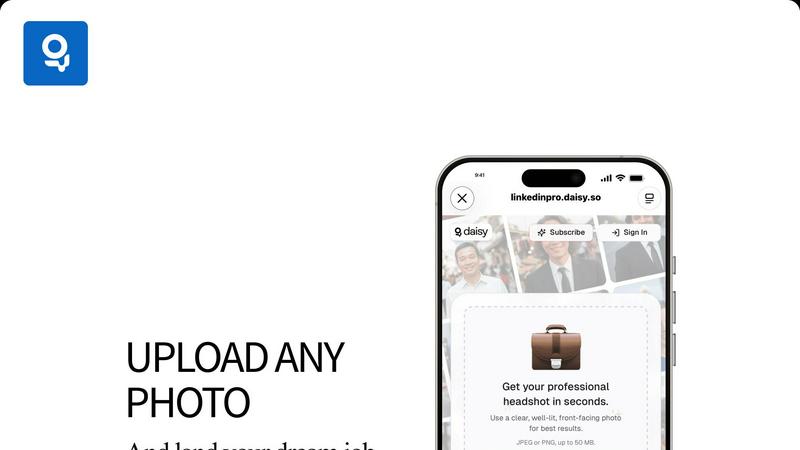
LinkedInPro works by allowing users to upload a clear, well-lit front-facing photo. The AI technology then analyzes the image and transforms it into a polished headshot based on the selected style, all within seconds.
What file formats can I upload?
Users can upload their photos in either JPEG or PNG formats. The maximum file size allowed is 50 MB, ensuring high-quality images can be processed without compromising performance.
Is LinkedInPro secure to use?
Absolutely. LinkedInPro prioritizes user security and privacy, adhering to stringent privacy policies and data protection measures to ensure that your personal images remain confidential and secure.
Can I try LinkedInPro for free?
While the exact pricing and trial options may vary, LinkedInPro typically offers various subscription plans. Users are encouraged to check the official website for any available free trials or introductory offers to explore the tool without commitment.
Proofapp FAQ
Do reviewers or my clients need an account to give feedback?
No, one of Proofapp's core collaborative features is its client-friendly access. You can share a project via a secure, expirable link. Anyone with that link can view the screenshots and leave comments, pin feedback, and participate in threads without ever needing to sign up for an account. This removes a significant barrier to entry and makes collecting external feedback incredibly simple and efficient.
How does Proofapp capture screenshots of my website?
The process is designed for team efficiency. You simply paste the public URL of your website (either a live site or a staging environment) into Proofapp. Our system then automatically visits that URL and captures full-page screenshots at pre-defined desktop and mobile breakpoints. This happens in seconds, allowing your team to move immediately into the collaborative review phase without any manual screenshotting or uploading.
Can I use Proofapp for private or localhost websites?
Proofapp is built for collaboration on publicly accessible projects. The automatic screenshot capture system requires a publicly accessible URL to function. For websites on a local development environment (localhost) or behind a secure login, the system cannot access the content to capture it. For these private projects, teams typically use a public staging server for the review and feedback phase.
How does Proofapp support real-time collaboration?
Proofapp creates a synchronized workspace for all project participants. When one person leaves a comment or replies to a thread, that activity appears instantly for everyone else who has the project open. There is no need to refresh the page. This live updating, combined with optional email and Slack notifications, ensures your team stays in perfect sync, enabling fast, cooperative decision-making and eliminating the lag of asynchronous communication.
Alternatives
LinkedInPro Alternatives
LinkedInPro is an AI-powered tool designed to elevate everyday photos into professional LinkedIn headshots, fitting seamlessly into the productivity and management category. Users often seek alternatives due to various reasons such as pricing, specific features, or preferences for different platforms. As professionals aim to enhance their online presence, they may look for solutions that offer affordability, diverse styling options, or user-friendly interfaces to ensure they can easily project their desired image. When choosing an alternative, it’s essential to consider factors like the quality of the transformation, the variety of styles available, ease of use, and the authenticity of the final product. These elements play a crucial role in helping users find a solution that aligns with their professional branding needs and enhances their visibility in competitive job markets.
Proofapp Alternatives
Proofapp is a visual feedback and website review platform in the design tools category. It streamlines collaboration by allowing teams to pin comments directly on live website screenshots, turning scattered feedback into organized, actionable tasks. This focus on visual context helps designers, developers, and clients work in sync, eliminating the confusion of long email threads. Users often explore alternatives for various reasons. A team's specific needs around pricing, advanced feature sets, or integration with a particular project management ecosystem can drive the search. The ideal platform should align with a team's workflow, budget, and the scale of their projects. When evaluating options, consider core collaboration needs. Look for tools that centralize feedback visually, support seamless communication among all stakeholders, and integrate with your existing software stack. The goal is to find a solution that enhances team synergy, making the review process clear and efficient for everyone involved.