Imgezy vs SparkPix
Side-by-side comparison to help you choose the right product.

Imgezy
Imgezy is your collaborative AI partner that effortlessly transforms photos into professional edits.
Last updated: March 2, 2026

SparkPix
Transform your photos effortlessly with SparkPix's AI editor—just type to enhance, restore, or change styles instantly and for free.
Last updated: March 11, 2026
Visual Comparison
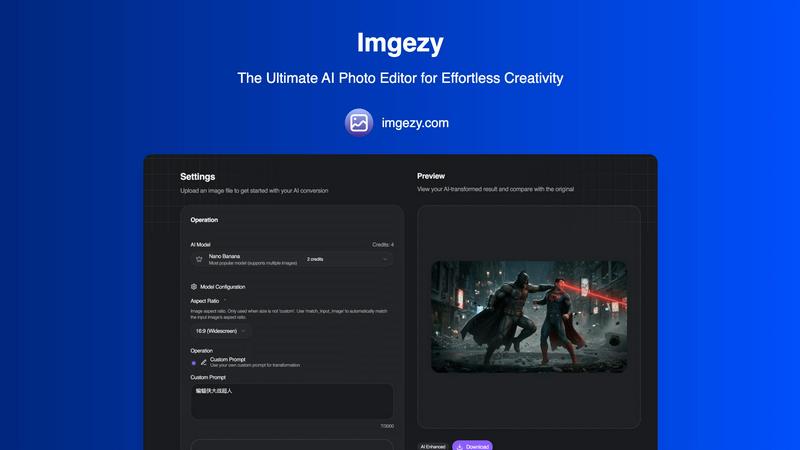
Imgezy
SparkPix

Feature Comparison
Imgezy
AI-Powered Object Removal
Work seamlessly to clean up any image. Our AI intelligently identifies and removes unwanted elements—from photobombers and distracting objects to power lines and blemishes—with pixel-perfect accuracy. It then reconstructs the background flawlessly, allowing your team to present perfect shots without any trace of unwanted content, fostering a cleaner collaborative output.
Instant Background Replacement
Transform the context of any photo as a team in an instant. Whether you need a solid color for a product shot, a bustling cityscape, or a serene beach, simply describe the new setting. This feature empowers marketing and content teams to quickly adapt visuals for different campaigns and platforms, ensuring brand consistency and creative flexibility through shared tools.
Batch Processing for Team Efficiency
Accomplish more together in less time. Imgezy's batch processing capability allows you to apply consistent edits across multiple images simultaneously. This is ideal for teams handling large projects like e-commerce catalogs, event photo sets, or social media content series, streamlining workflows and enhancing collective productivity.
Smart Photo Enhancement & Repair
Collaborate on perfecting every detail. Beyond object removal, Imgezy's AI can automatically enhance colors, lighting, and sharpness to make images pop. Its smart repair function can also restore clarity to blurry or damaged areas, ensuring that every visual asset your team produces meets a professional standard of quality with minimal manual intervention.
SparkPix
AI Photo Editor
The AI Photo Editor feature allows users to edit photos by typing specific instructions such as "remove background" or "restore this old photo." In under 30 seconds, the AI applies the requested edits, making it a quick and efficient solution for any photo-related task.
Background Remover
With the one-click background remover, SparkPix simplifies the process of isolating subjects in photos. Whether you need to enhance portraits, product images, or complex scenes, this feature ensures a clean and professional result without any hassle.
Unblur Image
The Unblur Image feature utilizes advanced AI technology to fix common issues such as motion blur, out-of-focus shots, and compression artifacts. Users can restore clarity to their images effortlessly, improving overall quality and making them more visually appealing.
Photo Restoration
Ideal for family archives, the Photo Restoration feature repairs old, faded, scratched, or damaged photographs. Users can breathe new life into cherished memories, ensuring they are preserved and appreciated for years to come.
Use Cases
Imgezy
E-Commerce Product Photography
E-commerce teams can collaborate to create pristine product images at scale. Quickly remove distracting backgrounds, eliminate dust spots or props, and ensure a consistent, clean look across an entire online catalog. This streamlines the process from photo shoot to website, enabling faster listings and a more professional storefront.
Social Media Content Creation
Content creators and social media managers can work together to produce engaging visuals daily. Easily remove unwanted elements from travel photos, change backgrounds to match campaign themes, or enhance image quality for better engagement. This allows for rapid ideation and execution, keeping social feeds fresh and visually cohesive.
Travel and Hospitality Marketing
Marketing teams in the travel sector can perfect destination imagery. Remove temporary construction, unwanted tourists from landmark shots, or replace dull skies with vibrant sunsets. This collaborative editing helps craft the ideal visual narrative for brochures, websites, and advertisements, showcasing locations in their best light.
Personal Photo Restoration and Enhancement
Individuals and families can cooperate on preserving memories. Restore old, damaged photographs by repairing tears and blurriness, or enhance recent family portraits by removing distractions and improving color. Imgezy makes advanced photo restoration a simple, shared activity rather than a technical chore.
SparkPix
Personal Photo Enhancement
Users can enhance their personal photos by removing distracting backgrounds or restoring old images. This feature is perfect for those looking to create beautiful keepsakes or share memorable moments on social media.
E-commerce Product Photography
E-commerce businesses can greatly benefit from SparkPix by using the background remover and product enhancement features. High-quality product images can attract more customers and improve conversion rates, making SparkPix an essential tool for online sellers.
Creative Projects
Artists and content creators can explore their creativity by using the Style Transfer feature to convert their photos into various artistic styles, such as anime or watercolor. This opens up new possibilities for digital art and creative expression.
Professional Headshots
With SparkPix, users can generate professional headshots instantly. This is particularly beneficial for job seekers or professionals looking to update their LinkedIn profiles, ensuring they present themselves in the best light.
Overview
About Imgezy
Imgezy is the ultimate collaborative AI photo editor, designed to empower teams and individuals to achieve professional visual results together, effortlessly. It transforms the complex world of image editing into a simple, conversational process. By leveraging advanced artificial intelligence, Imgezy allows users to make sophisticated edits—like removing unwanted objects, swapping backgrounds, or enhancing overall photo quality—simply by describing what they want. This tool is built for creators, marketers, e-commerce teams, and social media managers who value synergy and need to produce high-quality visual content quickly, without the steep learning curve of traditional software. With a user-friendly interface that fosters cooperation between human creativity and machine intelligence, Imgezy's core value proposition is delivering professional-grade edits in seconds, making exceptional visual storytelling accessible to everyone on the team.
About SparkPix
SparkPix is an innovative AI photo editing tool that empowers users to transform their images simply by typing commands. Designed for individuals and professionals alike, it eliminates the need for advanced Photoshop skills, making high-quality photo editing accessible to everyone. With SparkPix, you can perform various editing tasks, from background removal to photo restoration, in just seconds. Its intuitive web-based platform works seamlessly across devices, including desktop, iPhone, and Android, ensuring that users can edit photos anytime, anywhere. The core value proposition lies in its simplicity and speed, allowing users to achieve professional-grade results without the steep learning curve typically associated with traditional editing software. Whether you are enhancing personal memories, creating content for social media, or preparing images for business use, SparkPix provides the tools you need to bring your creative vision to life.
Frequently Asked Questions
Imgezy FAQ
How does Imgezy's AI editing work?
Imgezy uses advanced machine learning models to understand your textual instructions. When you upload an image and describe the edit you want, the AI analyzes the photo, identifies the relevant elements, and executes the change—such as object removal or background replacement—while intelligently reconstructing the image for a natural, high-quality result.
Do I need any design skills to use Imgezy?
No design skills are required. Imgezy is built for team-wide accessibility. Its core philosophy is to translate simple language commands into complex edits. Anyone on your team can describe what they envision, and the AI handles the technical execution, making professional editing a collaborative effort open to all skill levels.
What image formats does Imgezy support?
Imgezy supports all major image formats, including JPG, PNG, and WebP. You can upload these formats for editing and download your final, transformed images in high-resolution quality without any loss of detail, ensuring compatibility with various team projects and platforms.
Is there a limit to how many images I can edit?
Editing capacity is based on the credit system within your chosen plan. For instance, the Pro plan offers 800 credits per month, which approximates to 400 image edits, allowing teams to manage substantial workloads. This scalable system lets teams choose a plan that fits their collaborative output needs.
SparkPix FAQ
How does SparkPix work?
SparkPix uses advanced AI algorithms to process user commands and apply edits to images. By simply typing what you want to change, the AI interprets the instructions and executes them quickly.
Is SparkPix free to use?
Yes, SparkPix offers a free plan that includes 5 credits to start editing. Users can access basic features without needing to provide a credit card, making it easy to try out the service.
Can I use SparkPix on my mobile device?
Absolutely! SparkPix is a web-based platform that works on desktops, iPhones, and Android devices, allowing users to edit photos on the go without needing to download any software.
What types of edits can I perform with SparkPix?
With SparkPix, you can perform a variety of edits, including background removal, photo enhancement, object removal, and style transfers. The platform is designed to handle both simple and complex editing tasks efficiently.
Alternatives
Imgezy Alternatives
Imgezy is an intuitive AI photo editor in the image and photo category, designed to transform pictures with simple text commands. It brings professional-quality editing within reach for creators of all skill levels by focusing on ease of use and powerful AI capabilities like object removal and background changes. Users often explore alternatives to find a solution that aligns perfectly with their unique workflow. This search can be driven by specific budget considerations, the need for different or more advanced features, or compatibility with certain platforms and operating systems. It's a natural part of finding the right collaborative partner for your creative projects. When evaluating different tools, consider how well they integrate with your team's existing processes. Look for a balance of intuitive operation and robust output quality, ensuring the platform supports your collective goals without creating unnecessary complexity. The ideal alternative should feel like a seamless extension of your team's creative synergy.
SparkPix Alternatives
SparkPix is an innovative online AI photo editor that allows users to effortlessly edit images by simply typing commands. Designed for those who may not have advanced Photoshop skills, it caters to a wide range of users, from casual photographers to professionals looking to streamline their workflow. As users explore the myriad of options available for photo editing, they often seek alternatives to SparkPix for various reasons, such as differing pricing structures, feature sets, or specific platform compatibility. When considering an alternative to SparkPix, it’s essential to evaluate factors like ease of use, the range of editing tools available, and whether the platform supports the devices you work with, whether that be desktop or mobile. Users should also look at the quality of AI processing, customer support, and the flexibility of the pricing plans to ensure they select a solution that best meets their unique editing needs.