Cosy vs Tickari
Side-by-side comparison to help you choose the right product.

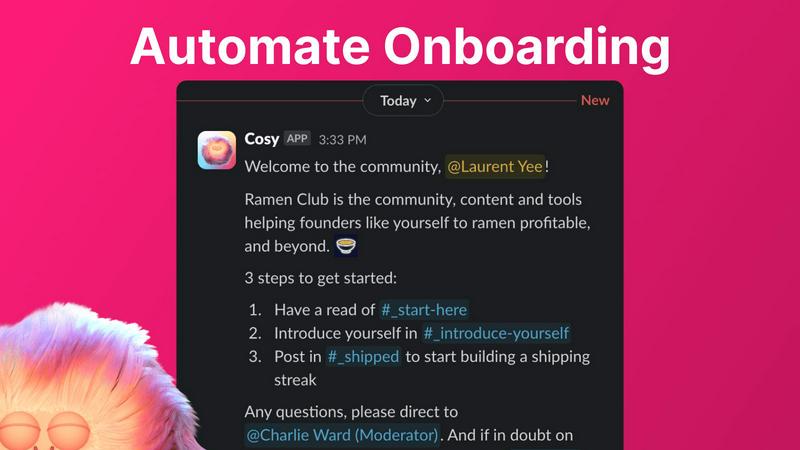
Cosy automates Slack member onboarding and introductions, fostering engagement while saving you valuable time.
Last updated: February 28, 2026

The no-nonsense task manager that actually helps you get things done. No clutter. No complexity. Just you and your tasks.
Visual Comparison
Cosy
Tickari

Overview
About Cosy
Cosy is a pioneering tool designed exclusively for Slack, tailored to meet the needs of community managers who aspire to create vibrant and engaging digital spaces. By automating time-consuming community management tasks, Cosy empowers you to focus on the core elements of community building: nurturing relationships, fostering inclusivity, and enhancing member engagement. Whether you are managing a small team or a large-scale community, Cosy offers essential features that streamline the onboarding process, facilitate member interactions, and highlight the most engaging content. Its user-friendly interface and seamless integration with Slack ensure that community leaders can manage their spaces efficiently while saving precious time and effort. Ideal for community managers, social leaders, and organizations dedicated to cultivating thriving communities, Cosy transforms Slack into a more welcoming and collaborative environment. Experience the ease of community management with Cosy, and watch your Slack workspace thrive as members connect and engage effortlessly.
About Tickari
Tickari is a deliberately minimal, no-nonsense task manager designed for people who are tired of overcomplicated productivity tools and just want to get things done. Instead of overwhelming you with features like complex boards, AI-generated suggestions, or endless customization, Tickari focuses on a simple, frictionless workflow: write a task, tick it off, and move on.
The product embraces a “less but better” philosophy—eliminating clutter, reducing cognitive overhead, and removing the need for onboarding tutorials or setup processes. There are no distractions, no unnecessary decisions, and no feature bloat—just a clean interface that works instantly the moment you open it. This makes it particularly effective for users who feel stuck organizing tasks instead of actually completing them.