
CloneUI vs Gomotion
Side-by-side comparison to help you choose the right product.

CloneUI
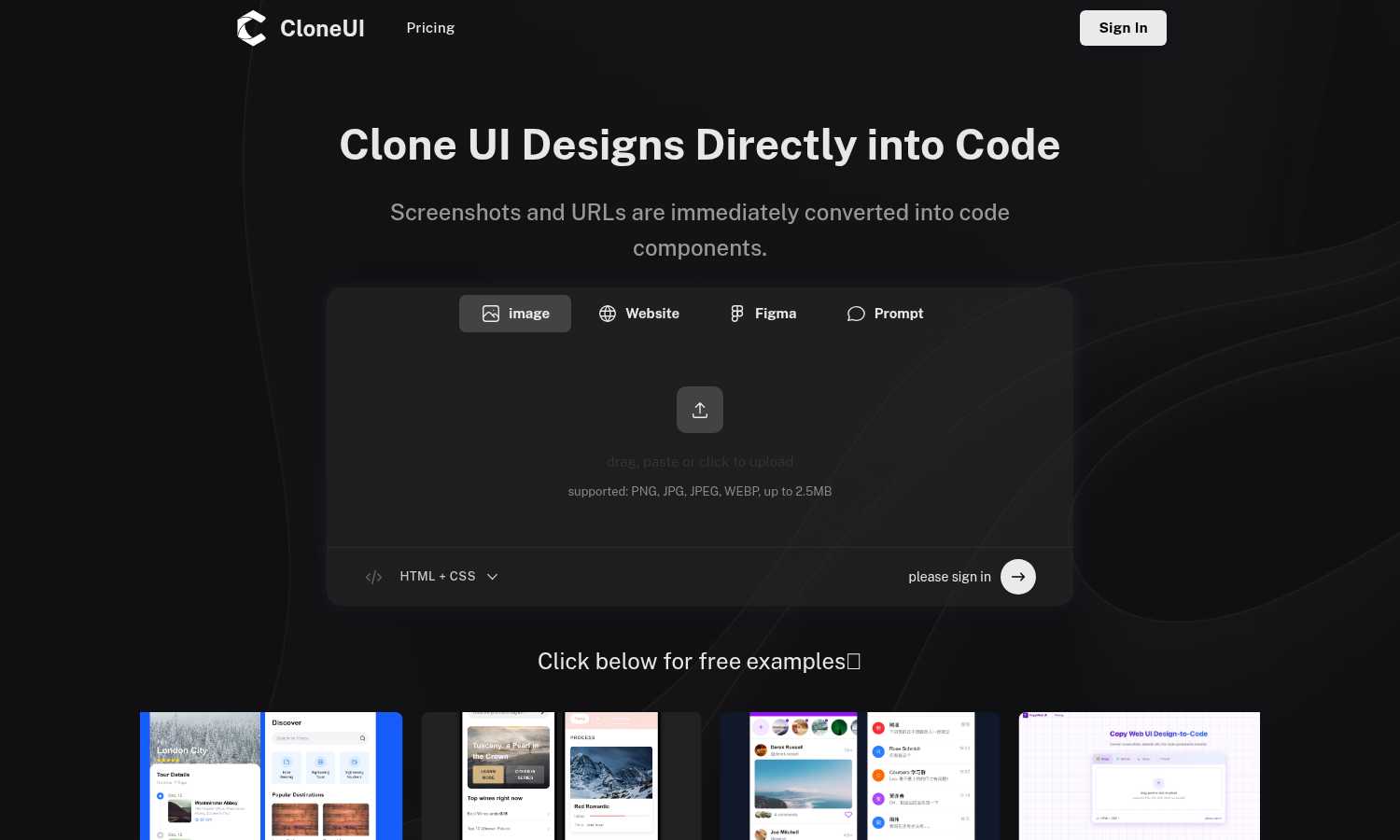
CloneUI enables your team to effortlessly transform designs into clean, responsive code from screenshots or URLs.
Last updated: March 1, 2026

Gomotion
Gomotion enables creators and marketers to easily produce stunning AI-driven motion graphics from simple text prompts.
Last updated: February 28, 2026
Visual Comparison
CloneUI
Gomotion

Feature Comparison
CloneUI
Convert Screenshots to Code
With CloneUI, uploading a design screenshot generates pixel-perfect code in seconds. This feature eliminates the guesswork involved in coding, ensuring that every pixel aligns with your original vision.
Clone from URL
This innovative functionality allows users to effortlessly replicate entire website structures by simply entering a URL. You can capture the essence of existing designs and use them as a foundation for your projects.
Figma to Code Conversion
One-click conversion from Figma to code simplifies the design-to-development handoff. Designers can easily translate their Figma designs into functional code, minimizing the back-and-forth communication often required.
Intelligent Component Recognition
CloneUI features AI-powered automatic UI component identification and mapping, ensuring that each element is recognized and translated accurately into code components. This enhances collaboration, as both designers and developers can trust the output.
Gomotion
Transform Words Into Motion
Gomotion allows users to animate text by simply describing how they want it to move. This feature eliminates the need for complex keyframes, enabling creators to produce cinematic animations for titles, captions, and logos effortlessly. It is ideal for product demos and content creators seeking professional results without the hassle.
Discover the Narrative Mode
With Gomotion's Narrative Mode, users can transform their scripts into fully animated stories complete with synchronized images and videos. This feature facilitates the creation of end-to-end ads or short videos in mere minutes, making it a powerful tool for marketers and storytellers alike.
Design for Any Screen
Gomotion is designed to accommodate all screen sizes, from mobile devices to desktop displays. This versatility ensures that users can create engaging animations for various platforms, whether they are designing product teasers for Instagram, TikTok, or any other medium, ensuring that the content looks perfectly aligned on every screen.
Complex Animations Made Easy
Gomotion empowers users to create complex animations, including animated charts and simulations, by simply inputting data. This feature is perfect for explainers, impactful presentations, and any scenario where visual data representation is essential, making it an invaluable tool for marketers and educators.
Use Cases
CloneUI
Rapid Prototyping
CloneUI is perfect for teams looking to rapidly prototype their ideas. By converting designs into code quickly, teams can iterate on functionality and user experience without the usual delays in the development process.
Freelance Development
Freelancers can significantly enhance their workflow by utilizing CloneUI. They can deliver high-quality work faster, allowing them to take on more clients and projects while maintaining the quality of their output.
Agency Projects
Agencies handling multiple projects can benefit from CloneUI's ability to streamline the design process. By generating code from designs, teams can focus on creative strategies rather than spending time on repetitive coding tasks.
Educational Purposes
For educators and students in design and development, CloneUI serves as a valuable learning tool. It provides insights into how designs are translated into code, making it easier to understand the intricacies of web development.
Gomotion
Marketing Campaigns
Marketers can utilize Gomotion to create eye-catching animated ads that attract attention and convey messages effectively. The ease of transforming scripts into engaging animations allows teams to launch campaigns quickly and efficiently, maximizing their reach.
Social Media Content Creation
Content creators can leverage Gomotion to produce dynamic animations for their social media channels. Whether it’s for Instagram stories, TikTok videos, or Facebook posts, the platform enables creators to design visually appealing content that stands out in crowded feeds.
Educational Presentations
Educators can use Gomotion to develop animated presentations that enhance learning experiences. By creating animated charts and visual aids, teachers can make complex topics more accessible and engaging for students, thereby improving information retention.
Brand Storytelling
Brands can harness Gomotion to tell their stories through compelling animations. By importing brand assets and utilizing the platform's narrative mode, companies can craft visually appealing narratives that resonate with their audience, thereby strengthening brand identity and connection.
Overview
About CloneUI
CloneUI is a groundbreaking AI-powered tool that transforms the way design and development teams collaborate, enabling a seamless workflow from concept to execution. It is tailored for designers and developers looking to enhance their productivity by eliminating the tedious process of converting visual designs into code. With CloneUI, users can instantly convert static screenshots, live website URLs, or Figma design files into clean, production-ready code components. The intelligent algorithms at the core of CloneUI analyze inputs, ensuring that generated code is precise and responsive across various devices. This tool not only accelerates the development process but also allows teams to focus on more complex tasks, fostering a cooperative environment that encourages innovation. By turning design inspirations into tangible code, CloneUI becomes an essential asset for agile teams, freelance developers, and agencies aiming to deliver high-quality projects at an accelerated pace.
About Gomotion
Gomotion is an innovative AI-powered motion design tool that transforms the way brands and individuals approach animation. By combining the sophisticated capabilities of advanced software like After Effects with user-friendly design tools, Gomotion simplifies the animation creation process. Users can effortlessly generate stunning animations through simple text or image prompts, making it accessible to a diverse audience that includes marketing professionals, content creators, small business owners, and freelancers. The main value proposition of Gomotion lies in its ability to streamline the motion design process, significantly reducing the time and effort typically required to produce high-quality animations. Furthermore, by fostering collaboration among team members, Gomotion empowers everyone—regardless of their design background—to create visually captivating animations that resonate with their target audience. This dynamic platform is not just about individual creativity; it thrives on collective storytelling and innovation, redefining the landscape of motion design.
Frequently Asked Questions
CloneUI FAQ
Which input formats are compatible with CloneUI?
CloneUI supports various input formats, including PNG, JPG, JPEG, and WEBP images, allowing users to upload design screenshots with ease.
How is the code generated?
The code is generated through advanced AI algorithms that analyze the uploaded designs or URLs, ensuring that the output is clean, responsive, and ready for production.
Supported frameworks?
CloneUI offers flexibility by allowing users to export generated code to their preferred frameworks, including React, Vue, or plain HTML/CSS.
Is the generated code customizable?
Yes, the generated code can be customized to fit specific project needs, allowing developers to tweak the output while maintaining the integrity of the original design.
Gomotion FAQ
What types of animations can I create with Gomotion?
Gomotion enables you to create a variety of animations, including text animations, animated stories, complex charts, and dynamic visuals tailored for social media and marketing campaigns. The platform allows for versatility in design to meet diverse needs.
Is Gomotion suitable for beginners?
Absolutely! Gomotion is designed to be user-friendly, making it accessible for individuals without a strong design background. The intuitive interface and AI-powered features simplify the animation process, allowing anyone to create professional-quality animations.
Can I import my brand assets into Gomotion?
Yes, Gomotion allows users to easily import their brand assets with just one click. This feature streamlines the process of creating videos that are consistent with your brand identity, making it perfect for social media, ads, and product launches.
What devices can I use Gomotion on?
Gomotion is designed to work seamlessly across all devices, including smartphones, tablets, and desktop computers. This ensures that you can create and view your animations anywhere, at any time, making it a flexible tool for creators on the go.
Alternatives
CloneUI Alternatives
CloneUI is a groundbreaking AI-powered tool that sits at the intersection of design and development, enabling teams to transform visual designs into clean, production-ready code efficiently. As organizations strive for greater collaboration between designers and developers, users often seek alternatives to CloneUI due to factors like pricing, specific feature requirements, or compatibility with existing workflows. When selecting an alternative, it's essential to consider the range of design input formats supported, the intelligence of its component recognition capabilities, and how well it integrates with your team's current processes to ensure a seamless transition and continued productivity.
Gomotion Alternatives
Gomotion is an innovative AI-powered motion design tool that enables users to create stunning animations quickly and efficiently. It falls under the category of design tools, specifically tailored for those looking to enhance their brand's visual communication through captivating motion graphics. Users often seek alternatives to Gomotion due to various reasons, including pricing constraints, specific feature requirements, or compatibility with different platforms. When exploring alternatives, it's essential to consider factors such as ease of use, available templates, collaboration features, and the overall quality of the animations produced. Finding the right alternative involves identifying a platform that not only meets your creative needs but also aligns with your budget and workflow preferences. A user-friendly interface and robust collaboration capabilities are crucial, especially for teams working together on projects. Ultimately, the ideal solution should empower creators and marketers to produce high-quality motion graphics efficiently while fostering a collaborative environment.