BRCKS vs LinkedInPro
Side-by-side comparison to help you choose the right product.

BRCKS streamlines construction projects by connecting teams through WhatsApp for effortless updates, collaboration, and project management.
Last updated: April 4, 2026
Quickly turn casual photos into polished LinkedIn headshots with our AI tool, no photographer required.
Last updated: February 28, 2026
Visual Comparison
BRCKS

LinkedInPro
Feature Comparison
BRCKS
Unified Communication Platform
BRCKS consolidates all project communications into a single platform, allowing teams to manage conversations, updates, and tasks without the need to switch between various applications. This feature reduces the time spent on communication and minimizes the risk of important messages getting lost.
Free Subcontractor Access
With BRCKS, subcontractors can be invited to join projects at no extra cost. They receive full access to essential project materials, including checklists, calendars, files, and schedules, which fosters collaboration without burdening the primary team with additional costs.
Client Portal
The Client Portal feature allows homeowners and clients to stay informed about project progress without interfering with internal team communications. Clients can view updates, photos, and milestones in a read-only format, ensuring transparency while maintaining privacy and control over sensitive project details.
BRCKS Bot Integration
The BRCKS Bot seamlessly integrates with WhatsApp, allowing users to send simple text commands to update projects, check tasks, and receive instant answers. This eliminates the need for app switching and makes it easier for team members to stay engaged and informed.
LinkedInPro
AI-Powered Image Enhancement
LinkedInPro leverages advanced artificial intelligence technology to analyze and enhance user photos. This feature ensures that every headshot produced is not only visually appealing but also tailored to project professionalism and confidence.
Style Selection Options
Users can choose from a variety of style templates when transforming their photos. This feature allows individuals to select a look that best represents their personal brand and the professional image they wish to convey, providing a customized experience.
Quick Turnaround Time
With LinkedInPro, users can expect to receive their polished headshots within seconds. This rapid processing time is perfect for busy professionals who need to update their online presence promptly, ensuring they can seize opportunities as they arise.
User-Friendly Interface
The platform boasts an intuitive and user-friendly interface that simplifies the process of uploading photos and selecting styles. This design encourages collaboration, making it easy for users of all technical backgrounds to navigate and utilize the tool effectively.
Use Cases
BRCKS
Daily Site Management
Construction teams can utilize BRCKS to manage day-to-day site activities efficiently. By organizing tasks, checklists, and schedules in one platform, team members can focus on their work rather than navigating through multiple communication channels.
Enhanced Client Communication
BRCKS enables builders to keep clients updated on project status through the Client Portal. Homeowners can view progress without being overwhelmed by internal communications, leading to improved client satisfaction and trust.
Streamlined Task Assignment
Project managers can create and assign tasks directly within BRCKS, ensuring that team members know exactly what needs to be done and by when. This feature helps prevent miscommunication and ensures accountability across the team.
Documentation and Record Keeping
BRCKS allows teams to maintain all project documentation, including meeting notes, project files, and checklists, in one place. This central repository not only improves accessibility but also simplifies compliance and auditing processes.
LinkedInPro
Job Seekers
For job seekers aiming to make a strong first impression, LinkedInPro provides an easy way to create a professional headshot that showcases their personality and competence. A polished image can significantly enhance their profiles and increase their chances of landing interviews.
Entrepreneurs
Entrepreneurs looking to establish their brand identity can use LinkedInPro to create headshots that resonate with their target audience. A strong visual representation can help in building trust and credibility, essential elements for business success.
Professionals Updating Their Profiles
Many professionals frequently update their LinkedIn profiles to reflect career changes or achievements. LinkedInPro allows them to quickly refresh their images, ensuring their online representation stays current and relevant in their industry.
Networking Events
Attendees of networking events can utilize LinkedInPro to prepare professional headshots ahead of time. A high-quality image can enhance their networking efforts, making them more memorable to potential connections and collaborators.
Overview
About BRCKS
BRCKS is an innovative construction project management and communication software tailored specifically for residential builders, trades, and homeowners. Designed to centralize all project-related conversations, checklists, tasks, files, photos, and meeting notes, it alleviates the chaos often associated with managing projects across multiple platforms like WhatsApp and email. With BRCKS, teams can streamline daily site communication, effortlessly track actions, share updates with clients, and maintain a clear record of decisions throughout the project lifecycle. This user-friendly platform ensures that all team members, from directors to subcontractors, have access to essential information without overwhelming complexity. BRCKS empowers construction teams to save time, improve productivity, and enhance collaboration, making it an indispensable tool for modern construction management.
About LinkedInPro
LinkedInPro is a cutting-edge AI-driven tool specifically designed to revolutionize the process of creating professional headshots. In today's digital world, a compelling online presence is paramount, especially for job seekers, entrepreneurs, and professionals aiming to stand out. This innovative solution allows users to effortlessly transform everyday photos into high-quality, studio-like headshots in mere seconds. By simply uploading a clear, front-facing photo, users can select from a range of styles to receive a polished image that encapsulates their professional persona. The main value proposition of LinkedInPro lies in its accessibility and affordability, making it an ideal choice for those looking to enhance their LinkedIn profiles and overall personal branding without the need for expensive photography sessions. Whether you are updating your LinkedIn profile, crafting impactful resumes, or establishing a powerful online presence, LinkedInPro serves as an indispensable tool for achieving exceptional results with ease and efficiency.
Frequently Asked Questions
BRCKS FAQ
What types of teams can benefit from using BRCKS?
BRCKS is designed for residential builders, tradespeople, and homeowners. Its collaborative features make it suitable for any team involved in construction projects, regardless of size.
How does BRCKS improve communication within a project team?
BRCKS centralizes all communication within one platform, reducing the reliance on fragmented tools like WhatsApp and email. This leads to clearer communication, quicker decision-making, and fewer missed messages.
Is there a trial period available for new users?
Yes, BRCKS offers a free 14-day trial period for new users, allowing teams to explore the platform and its features without any commitment.
Do subcontractors incur additional costs when using BRCKS?
No, subcontractors can access BRCKS for free. The platform allows for unlimited invitations to trades without incurring extra charges, making it a cost-effective solution for project teams.
LinkedInPro FAQ
How does LinkedInPro work?
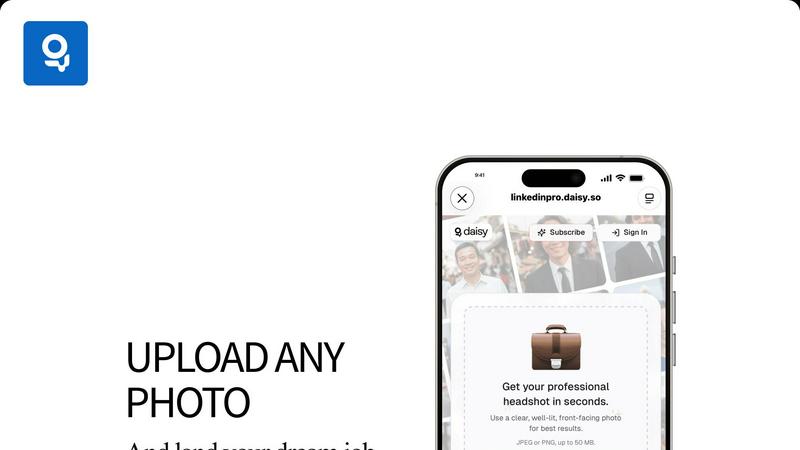
LinkedInPro works by allowing users to upload a clear, well-lit front-facing photo. The AI technology then analyzes the image and transforms it into a polished headshot based on the selected style, all within seconds.
What file formats can I upload?
Users can upload their photos in either JPEG or PNG formats. The maximum file size allowed is 50 MB, ensuring high-quality images can be processed without compromising performance.
Is LinkedInPro secure to use?
Absolutely. LinkedInPro prioritizes user security and privacy, adhering to stringent privacy policies and data protection measures to ensure that your personal images remain confidential and secure.
Can I try LinkedInPro for free?
While the exact pricing and trial options may vary, LinkedInPro typically offers various subscription plans. Users are encouraged to check the official website for any available free trials or introductory offers to explore the tool without commitment.
Alternatives
BRCKS Alternatives
BRCKS is a construction project management and communication software tailored for residential builders, trades, and homeowners. It serves to streamline project conversations, tasks, checklists, files, and meeting notes, ensuring that vital information isn't lost across various communication platforms like WhatsApp or email. As a productivity and management tool, BRCKS is designed to be simple and effective, enabling real construction teams to stay organized and connected throughout their projects. Users often seek alternatives to BRCKS for various reasons, such as pricing, specific feature sets, or compatibility with existing workflows. When exploring options, it’s essential to consider factors like ease of use, scalability, integration capabilities, and customer support. A well-chosen alternative can enhance collaboration and efficiency, making it easier for teams to achieve their project goals together.
LinkedInPro Alternatives
LinkedInPro is an AI-powered tool designed to elevate everyday photos into professional LinkedIn headshots, fitting seamlessly into the productivity and management category. Users often seek alternatives due to various reasons such as pricing, specific features, or preferences for different platforms. As professionals aim to enhance their online presence, they may look for solutions that offer affordability, diverse styling options, or user-friendly interfaces to ensure they can easily project their desired image. When choosing an alternative, it’s essential to consider factors like the quality of the transformation, the variety of styles available, ease of use, and the authenticity of the final product. These elements play a crucial role in helping users find a solution that aligns with their professional branding needs and enhances their visibility in competitive job markets.