BlitzCut vs ZeroEdit
Side-by-side comparison to help you choose the right product.

BlitzCut
Blitzcut is your AI editing partner that removes silence and adds captions so you can post videos faster together.
Last updated: February 28, 2026

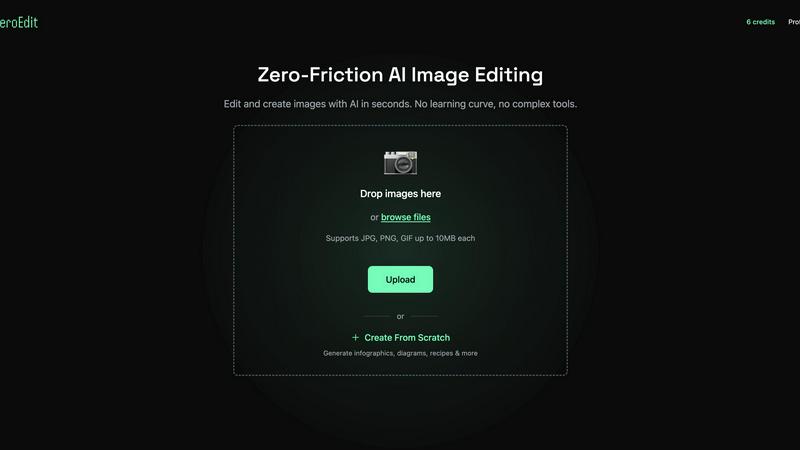
ZeroEdit is your collaborative AI image editor that transforms photos instantly using simple text prompts.
Last updated: February 28, 2026
Visual Comparison
BlitzCut

ZeroEdit
Feature Comparison
BlitzCut
Automatic Silence Removal
BlitzCut's AI instantly detects and removes all pauses and dead air from your talking-head videos. This on-device processing means no waiting for uploads; the AI cleans up your audio in seconds, cutting out typically 30-60% of silence. This feature alone saves creators 15-20 minutes of manual cutting per video, dramatically accelerating the editing workflow and improving viewer retention by delivering a tighter, more engaging pace directly from your phone.
AI-Powered Styled Captions
The editor automatically generates accurate captions with over 95% recognition accuracy and applies viral, stylish formatting to them. This eliminates the separate, lengthy process of manually transcribing, correcting, and styling subtitles, which can take another 15-20 minutes. By automating caption creation, BlitzCut ensures your content is accessible, engaging, and platform-optimized with just one tap, fostering better synergy between your message and your audience.
Text-Based Video Editing
BlitzCut allows you to edit your video by simply editing its transcript. You can delete sentences or phrases directly from the text, and the corresponding video sections are removed automatically. This intuitive, collaborative approach between your script and the visual timeline makes refining content incredibly fast and straightforward, perfect for trimming mistakes or tightening narratives without ever needing to manually splice a video clip.
Mobile-First, One-Tap Export Workflow
Built exclusively for the Apple ecosystem (iPhone, iPad, Mac), BlitzCut offers a streamlined, three-step process. After importing your clip, one tap triggers both silence removal and caption styling. Within minutes, you can export in full HDR quality and share directly to social platforms like TikTok, Instagram, or YouTube. This seamless, integrated workflow embodies the team-oriented goal of minimizing friction and maximizing efficiency for creators on the go.
ZeroEdit
Natural Language Editing
This foundational feature allows your entire team to collaborate using simple English prompts. Instead of navigating complex toolbars, team members can articulate the desired edit—like "add dramatic sunset lighting" or "remove the background and place on a beach"—and the AI executes it precisely. This creates a unified, intuitive language for creative collaboration, ensuring everyone from marketers to managers can contribute directly to the visual process without specialized training.
AI-Powered Complex Transforms
ZeroEdit moves beyond basic filters to understand and execute sophisticated creative requests collaboratively. Whether it's generating cinematic movie posters, applying specific artistic styles (like GTA aesthetics), creating product ad mockups, or performing sky replacement, the AI acts as a shared creative partner. This allows teams to rapidly prototype ideas, test different visual concepts, and achieve complex artistic visions together that would normally require multiple specialists or extensive manual labor.
Multi-Image Editing & Combination
Built for team projects and campaigns, this feature enables users to work with multiple images simultaneously. You can combine elements from different photos, create cohesive collages, or apply consistent edits across a batch of images based on a single descriptive prompt. This is essential for teams creating a series of social media posts, product galleries, or marketing materials that require a uniform look and feel, ensuring brand consistency through collaborative efficiency.
Rapid Object & Background Manipulation
The platform excels at precise, context-aware edits like removing unwanted objects, people, or backgrounds, and intelligently adding new elements. This capability streamlines collaborative revision rounds; for instance, a product team can quickly remove a distracting element from a shoot or a content team can seamlessly swap backgrounds to match a campaign theme, all through simple descriptive collaboration, drastically reducing feedback loops and production time.
Use Cases
BlitzCut
Daily Social Media Content Creators
For influencers, educators, and entrepreneurs committed to daily posting on TikTok, Reels, or Shorts, BlitzCut is indispensable. It turns the unsustainable burden of hour-long edits into a manageable 2-minute task. This synergy between creator and tool makes consistent, high-quality output possible, allowing them to maintain audience engagement and growth without being bogged down by complex editing software.
Podcasters and Interviewers Repurposing Content
Creators who record long-form conversations can use BlitzCut to quickly extract compelling highlights for social promotion. The automatic silence removal tightens the pacing, while AI captions make the snippets accessible and shareable. This collaborative repurposing workflow efficiently extends the reach of their primary content, working in tandem with their overall content strategy.
Small Business Marketing Teams
Small business owners and solo marketers can produce professional-looking promotional videos without a dedicated video editor. BlitzCut's simple, fast process allows them to create testimonials, product explainers, and announcement clips quickly. This empowers the entire team to collaborate on content creation, ensuring a steady stream of authentic marketing material that resonates with their community.
Beginner Video Editors
Individuals new to video editing who are intimidated by professional desktop software find a perfect partner in BlitzCut. Its intuitive, mobile-first design and automated features lower the barrier to entry. Beginners can achieve polished results quickly, building confidence and skill through a cooperative process where the AI handles technical complexities, letting them focus on storytelling.
ZeroEdit
E-commerce Team Product Staging
E-commerce teams can collaborate to produce professional product imagery at scale. A member can upload a simple photo and prompt the AI to "place this vase on a marble countertop with soft studio lighting." This allows the entire team—from product managers to social media coordinators—to quickly generate and approve consistent, high-quality visuals for websites and marketplaces without relying on lengthy photo shoots or external editors, speeding up time-to-market.
Content Creator & Social Media Team
Content creators and their collaborators can maintain a strong, consistent visual brand across platforms. A team can effortlessly generate engaging YouTube thumbnails, apply trending visual styles to Instagram posts, or transform casual photos into cinematic pieces for TikTok using descriptive prompts. This collaborative tool ensures all visual content aligns with the brand's identity, enabling the team to produce more engaging content faster and in unison.
Marketing & Advertising Campaigns
Marketing teams can rapidly ideate, create, and A/B test campaign visuals in a collaborative environment. By describing different concepts—"make a vibrant, energetic ad for the summer sale" versus "a sophisticated, minimalist version"—the team can generate multiple visual variants in minutes. This synergy allows for quick iteration based on collective feedback, enabling data-driven design decisions and significantly accelerating campaign launch cycles.
Photography Workflow Enhancement
Photographers collaborating with clients or assistants can streamline their post-production workflow. They can use ZeroEdit to quickly perform time-consuming edits like enhancing lighting ("add dramatic golden hour glow"), rescuing photos by removing photobombers, or applying artistic effects. This facilitates a more cooperative review process with clients, allowing for quick previews and adjustments based on descriptive feedback, ultimately delivering final products faster.
Overview
About BlitzCut
BlitzCut is a revolutionary AI-powered video editor built from the ground up for the modern content creator. It's designed to transform the tedious, time-consuming process of video editing into a swift and seamless experience, empowering creators to focus on what they do best: creating. At its core, BlitzCut is the fastest AI video editor for social media content, specifically engineered for TikTok, Instagram Reels, and YouTube Shorts. It serves a vital mission: to make professional video editing accessible to every creator by automating the most tedious tasks. The app champions a mobile-first philosophy, recognizing that the future of content creation is on iPhone, iPad, and Mac. BlitzCut operates on the principle that AI should be a collaborative partner, handling the repetitive work like silence removal and captioning, freeing up human creativity rather than replacing it. Its ultimate value proposition is enabling a sustainable daily posting schedule by reducing total editing time to just two minutes per video, turning raw clips into polished, post-ready content in a fraction of the time traditional editing requires.
About ZeroEdit
ZeroEdit is a collaborative, AI-powered image editing platform that redefines visual creation by making professional-grade editing accessible to everyone through the power of natural language. It transforms individual effort into a seamless, synergistic process where ideas become stunning visuals in seconds. By simply describing edits in plain English, teams and creators can bypass the complex interfaces and steep learning curves of traditional software. This tool is built for a diverse, cooperative ecosystem, including e-commerce teams streamlining product imagery, content creators and marketing departments producing rapid campaign assets, and photographers enhancing their workflow. ZeroEdit's core value proposition lies in its ability to democratize high-quality visual editing, fostering a cooperative environment where technical skill is no longer a barrier to creative execution. It empowers groups to work together more efficiently, aligning on a vision and seeing it materialize instantly, thus accelerating project timelines and enhancing collective creative output.
Frequently Asked Questions
BlitzCut FAQ
Is BlitzCut really free to use?
Yes, BlitzCut is free to download and use. The app operates on a transparent model where you can access its core AI editing features, including silence removal and caption generation, without needing to create an account or enter a credit card. This aligns with our mission to make professional editing truly accessible through a cooperative and open approach.
How does BlitzCut compare to editors like CapCut or InShot?
While CapCut and InShot are full-featured traditional editors, BlitzCut is a specialized AI tool focused on unparalleled speed for a specific workflow: polishing talking-head videos for social media. We collaborate with creators to solve the slowest parts of editing (silence and captions) automatically. Think of BlitzCut as your fast, AI-powered teammate for quick turnarounds, while other apps are broader toolkits.
Does BlitzCut work offline?
The core silence removal feature uses on-device AI processing, meaning it works completely offline without needing to upload your video. This collaborative design between your device's power and our software ensures speed and privacy. Some features, like initial caption generation, may require an internet connection.
What video formats and lengths does BlitzCut support?
BlitzCut is designed to be a flexible partner in your workflow. You can import raw clips of any standard length and format directly from your iPhone, iPad, or Mac camera roll. The AI tools are built to handle typical social media video projects, efficiently processing them to get you from import to export in just a couple of minutes.
ZeroEdit FAQ
How does the natural language editing work?
ZeroEdit uses advanced AI and natural language processing models trained on vast datasets of images and descriptive text. When you type a prompt, the AI interprets your request, understands the context and objects in your image, and applies the corresponding visual transformations. It's designed to comprehend creative intent, making collaborative editing as simple as having a conversation about the desired outcome with your team.
Is there a free way to try ZeroEdit?
Yes, ZeroEdit offers a completely free tier to experience its collaborative power. You can sign up and perform your first edit without any credit card required. This allows entire teams to test the platform's core functionality, understand how natural language prompts can streamline their workflow, and see the quality of the results before committing to a paid plan.
What kind of image quality does ZeroEdit produce?
ZeroEdit delivers high-quality outputs suitable for professional use. Paid plans offer "Pro" quality at 2K resolution, ensuring images are crisp and detailed for web, social media, and even print materials. The standard quality (1K) available on lower tiers is still highly effective for digital platforms, allowing teams to choose the right balance of quality and volume for their collaborative projects.
Can I use ZeroEdit for commercial projects?
Absolutely. ZeroEdit is designed to support commercial use for individuals, freelancers, and teams. Whether you're creating product images for an online store, marketing assets for a client campaign, or visual content for a monetized social channel, you have full rights to use the images you create on the platform. It's built to be a reliable, collaborative partner in professional creative workflows.
Alternatives
BlitzCut Alternatives
BlitzCut is an AI-powered video editor designed for content creators who need to produce social media videos quickly. It belongs to the category of automated, mobile-first editing tools that prioritize speed and simplicity, using artificial intelligence to handle time-consuming tasks like cutting silences and adding captions. Users often explore alternatives for various reasons. Some may be looking for different pricing models or subscription tiers, while others might need specific advanced features, integrations, or support for different operating systems beyond the Apple ecosystem. It's a natural part of finding the right tool that aligns with both a creator's workflow and budget. When evaluating other options, it's wise to consider a few key factors. Look at the core automation capabilities, especially for silence removal and transcription accuracy. The overall speed of the workflow from import to export is crucial for daily posting. Finally, assess the platform compatibility and whether the tool's design philosophy supports your creative process by handling the tedious work, allowing you to focus on the content itself.
ZeroEdit Alternatives
ZeroEdit is a powerful AI image editor within the design and photography category, enabling users to transform photos using simple text prompts. It's designed for teams and individuals who value speed and simplicity in creating professional visuals. Users often explore alternatives for various reasons, such as aligning with specific budget constraints, requiring niche features beyond core AI editing, or needing compatibility with different operating systems and existing team workflows. The search for the right tool is a common step in optimizing a collaborative creative process. When evaluating other options, consider how well they integrate with your team's current software, the learning curve for new members, and the balance between automated AI capabilities and the level of manual control offered. The goal is to find a solution that enhances your team's synergy, allowing everyone to contribute effectively to visual projects.