
Ultimate Forms
Empower your team to build no-code SharePoint solutions with forms and automation.
Visit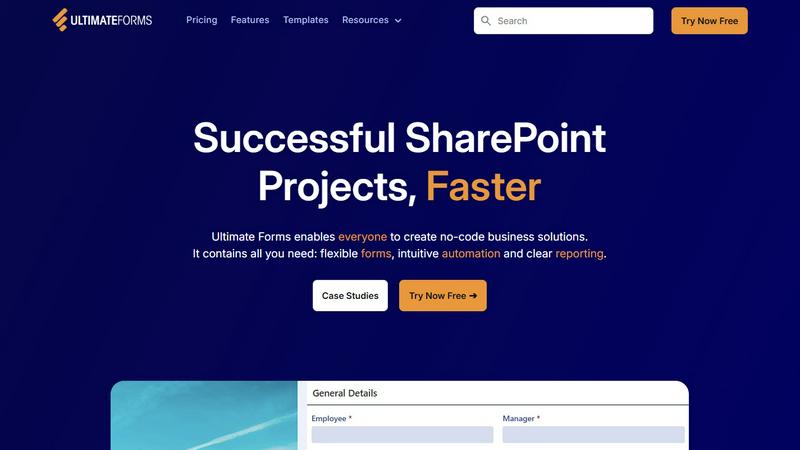
About Ultimate Forms
Ultimate Forms by Infowise is a powerful, no-code platform built specifically for Microsoft SharePoint and Microsoft 365. It empowers teams across your organization to collaboratively build, manage, and automate sophisticated business forms and processes directly within the familiar SharePoint environment. Designed for users of all technical skill levels, from business unit leaders to SharePoint administrators, it removes traditional development bottlenecks and fosters synergy by enabling more people to contribute to solution creation. The platform's core value lies in bringing together three essential components: flexible, modern forms; intuitive, powerful automation; and clear, actionable reporting. By keeping all data securely inside SharePoint while seamlessly connecting to other applications like Exchange, Teams, and MS SQL, Ultimate Forms streamlines operations, improves data quality, and enhances cross-departmental collaboration. It accelerates successful SharePoint projects, allowing organizations to deploy common business solutions—from HR portals to project trackers—faster and more efficiently than ever before.
Features of Ultimate Forms
Flexible, Responsive Forms
Ultimate Forms provides a modern forms engine that creates responsive, user-friendly interfaces. Features like tabs, repeating sections, dynamic rules, column permissions, and electronic signatures allow teams to build forms that guide users and ensure high-quality data entry. This flexibility simplifies complex business processes and provides an exceptional experience, all while keeping your critical data safely stored and managed within your SharePoint lists and libraries.
Intuitive Automation with Actions
Replace complex, hard-to-maintain workflows with simple yet powerful Actions. This feature allows your team to automate processes like creating and updating records, sending notifications, and integrating with external systems such as Exchange, Teams, and SQL databases. By reducing the technical learning curve, it empowers more colleagues to design and manage automations, successfully removing bottlenecks and fostering a cooperative environment where process improvement is everyone's responsibility.
Clear Reporting and Dashboards
Transform raw SharePoint data into actionable insights with detailed, shareable reports, dashboards, KPIs, calendars, and charts. This feature enables everyone in the organization to visualize information in an accessible format, improving responsiveness and accountability. Teams can collaboratively monitor key metrics and process statuses, ensuring all members are aligned and can make data-driven decisions to move projects forward together.
Pre-built Solution Templates
Jumpstart your collaboration and development with a vast library of pre-built templates for common business scenarios like Project Management, HR Recruitment, and Leave Requests. Your team can easily replicate, customize, and deploy these solutions across multiple sites and tenants. This "build once, deploy anywhere" capability saves tremendous time and effort, allowing you to standardize best practices and scale successful solutions throughout the organization seamlessly.
Use Cases of Ultimate Forms
Streamlined Project Management
Teams can collaboratively manage and track customers, projects, tasks, and work hours all in one centralized SharePoint location. Ultimate Forms facilitates this by providing structured forms for task submission, automated status updates, and integrated dashboards for real-time project visibility. This synergy ensures all stakeholders, from team members to managers, are informed and can contribute to keeping projects on track and within scope.
HR Recruitment Portal
Create a multi-stage candidate processing portal that streamlines hiring across departments. Recruitment teams, hiring managers, and interviewers can work together through automated stages for application collection, evaluation, interview scheduling, and feedback. This coordinated approach ensures a consistent candidate experience, improves communication between all parties involved, and significantly speeds up the time-to-hire metric.
Employee Leave Request Management
Simplify the process of managing employee time-off requests and approvals. Employees can submit requests through intuitive forms, which then automatically route for managerial approval based on configurable rules. This automated workflow fosters transparency, reduces administrative overhead for HR, and allows managers and their teams to plan coverage collaboratively, maintaining operational continuity.
Integrated Asset Tracking
Teams can efficiently track company assets, equipment, or inventory. Using forms for check-in/check-out, automated alerts for maintenance schedules or overdue items, and clear reporting dashboards, departments like IT, Facilities, and Operations can work in unison. This shared system ensures accountability, reduces loss, and provides a single source of truth for asset status, promoting cooperative resource management.
Frequently Asked Questions
Is Ultimate Forms a standalone product or does it require SharePoint?
Ultimate Forms is a dedicated platform designed specifically for Microsoft SharePoint and Microsoft 365. It is not a standalone product; it integrates directly into your SharePoint environment, extending its native capabilities with advanced forms, automation, and reporting. All data collected and managed through Ultimate Forms resides securely within your SharePoint lists and libraries.
Can non-technical users really build solutions without code?
Absolutely. Ultimate Forms is built as a true no-code platform. Its user-friendly interface, drag-and-drop form designer, configurable Automation Actions, and pre-built templates are designed to empower business users, process owners, and SharePoint administrators to create powerful solutions without writing a single line of code, fostering widespread team contribution.
How does Ultimate Forms integrate with other applications?
The platform connects with a variety of data sources and applications through its intuitive Automation Actions. You can easily create workflows that interact with Microsoft 365 services like Exchange (Email), Teams, and Azure services, as well as external systems like MS SQL databases. This enables teams to build cohesive solutions that connect data and processes across your entire digital ecosystem.
Can we deploy a solution built in one site to other sites?
Yes, this is a key strength of the platform. Using the Pre-built Solution Templates feature, you can create a solution in one location and then easily package, replicate, and deploy it to multiple other sites, site collections, or even across tenants. This promotes consistency, saves massive development time, and allows best-practice solutions to be shared and scaled cooperatively across the organization.
Pricing of Ultimate Forms
For detailed and current pricing information, including available plans and tiers, it is recommended to visit the official Infowise website or use the "Try Now Free" or "Book a Demo" options provided on their site. These actions will connect you with their team to discuss specific licensing models tailored to your organization's size and needs.