
Image3D AI
Effortlessly transform any 2D image into precise 3D models for printing and gaming with Image3D AI.
Visit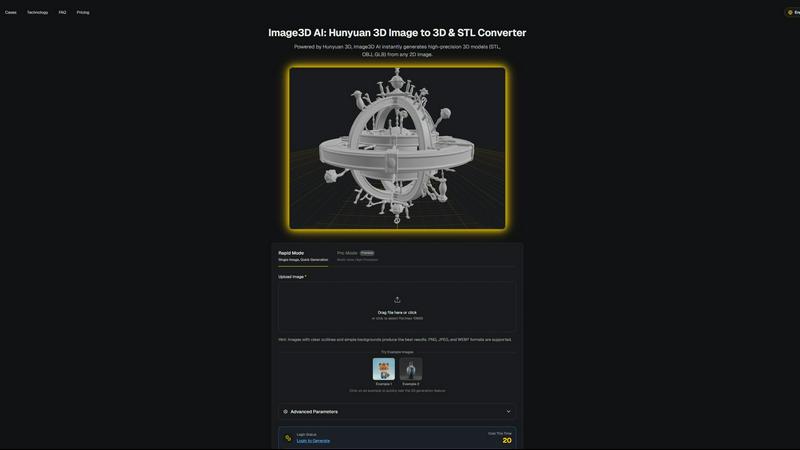
About Image3D AI
Image3D AI is a cutting-edge, AI-powered software tool that transforms the way users create 3D models from static 2D images. Leveraging Tencent's advanced Hunyuan 3D engine, this platform enables anyone—from hobbyists to seasoned professionals—to effortlessly convert single photos or multi-view images into production-ready 3D models within seconds. The primary value proposition of Image3D AI is its ability to simplify the 3D modeling process, making it accessible for designers, game developers, and 3D printing enthusiasts. Whether you need high-fidelity assets for game design, precise meshes for 3D printing, or interactive 3D models for e-commerce, Image3D AI's user-friendly interface and powerful capabilities cater to diverse needs. With features like rapid and pro modes, users can generate quality models quickly, ensuring efficiency and ease of use. By democratizing access to advanced 3D modeling technology, Image3D AI empowers creators to bring their ideas to life like never before.
Features of Image3D AI
Rapid Mode
With Rapid Mode, users can generate 3D models quickly from a single image, making it an ideal choice for those needing a fast turnaround. This mode is perfect for simple designs or when time is of the essence, allowing users to create models in just a few clicks.
Pro Mode
Pro Mode offers premium capabilities for users requiring high precision in their models. By utilizing multi-view images, this mode can create intricate and detailed 3D models, making it suitable for professionals who demand top-quality results in their workflows.
Advanced Parameters
Image3D AI provides advanced parameters that allow users to fine-tune their generation process. These settings enable greater control over model quality and output, ensuring that users can customize their 3D models to fit specific needs and applications.
Multi-view Generation
The multi-view generation feature enables users to upload multiple images of an object from different angles. This functionality enhances the accuracy of the 3D model, as the AI can construct a more realistic representation by analyzing the different perspectives provided.
Use Cases of Image3D AI
Game Development
Game developers can leverage Image3D AI to rapidly create 3D assets from concept art or sketches. This tool enables them to produce game-ready models that are compatible with major game engines, significantly speeding up the development process.
E-commerce Applications
For e-commerce businesses, Image3D AI allows for the transformation of product images into interactive 3D models. This capability enhances online shopping experiences by enabling customers to visualize products in three dimensions, increasing engagement and conversion rates.
3D Printing Projects
Those involved in 3D printing can benefit from Image3D AI's ability to generate STL files. By converting 2D images into precise, print-ready 3D models, users can ensure high-quality outputs for their printing needs, saving time in the modeling stage.
Architectural Visualization
Architects and designers can utilize Image3D AI to quickly create architectural models. By converting sketches or images of buildings into 3D representations, professionals can visualize their designs more effectively, improving collaboration and client presentations.
Frequently Asked Questions
How does Image3D AI convert 2D images into 3D models?
Image3D AI uses advanced algorithms powered by the Hunyuan 3D engine to analyze 2D images and reconstruct them into 3D models. This process involves interpreting the shapes, contours, and details within the images to create accurate representations.
What types of images work best with Image3D AI?
Images with clear outlines, high contrast, and simple backgrounds yield the best results. Avoid using blurry images or those with complex backgrounds, as these can hinder the AI's ability to generate an accurate 3D model.
Can I use Image3D AI for commercial purposes?
Yes, Image3D AI is suitable for commercial use, allowing designers, developers, and businesses to create 3D models for various applications, including product visualization, game development, and 3D printing.
What file formats does Image3D AI support for output?
Image3D AI supports several popular file formats, such as STL for 3D printing, OBJ for traditional 3D editing, and GLB for web and AR applications. Users can choose the format that best fits their needs.
Similar to Image3D AI
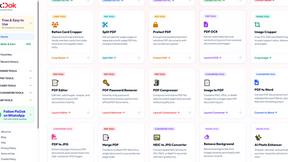
Pixdok
PixDok is your all-in-one free online toolkit for PDF editing, image conversion, background removal, passport photos, and QR codes.
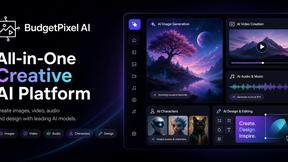
Budgetpixel AI
Create AI images, videos, music, and designs in one workspace with multiple models, powerful editing tools, and API access.
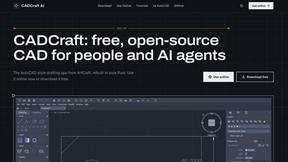
CADCraft
Free open-source 2D CAD for precise drafting, technical documentation, and AI-assisted automation.
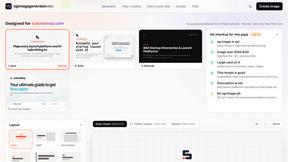
OG Image Generator
Paste a URL and AI designs on-brand Open Graph images from your page's colours, fonts and logo. Free, no sign-up.
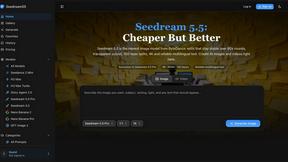
Seedream 5.5
Seedream 5.5 by ByteDance: 80+ rounds of stable image editing, native RGBA transparency, 100-layer splits, 4K output and reliable multilingual text.
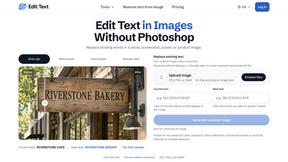
Reword Image
Replace the text already inside a photo or screenshot and keep the original layout, colors and perspective. No design file needed.
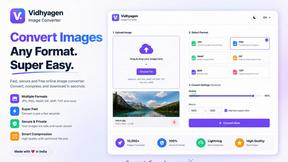
VidhyaGen - Image Converter
All-in-one digital toolkit for effortless image conversion, compression, resizing, and everyday file utilities in a single place.
AFFLIGO
AFFLIGO makes everyday file tasks easier with free online tools to compress, convert, edit, and manage PDFs and images.