Fill PDF from Excel vs Tickari
Side-by-side comparison to help you choose the right product.

Fill PDF from Excel
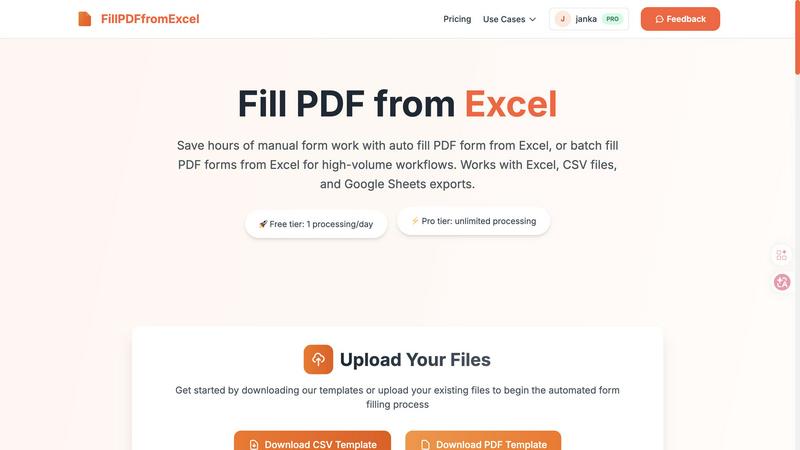
Fill PDF from Excel automates your team's high-volume form workflows, saving hours of manual data entry.
Last updated: March 19, 2026

The no-nonsense task manager that actually helps you get things done. No clutter. No complexity. Just you and your tasks.
Visual Comparison
Fill PDF from Excel
Tickari

Overview
About Fill PDF from Excel
Fill PDF from Excel is a collaborative automation platform designed to transform how teams handle document workflows. It seamlessly bridges the gap between your data and your forms, enabling you to auto-fill and batch-fill PDF forms directly from data stored in Excel, CSV files, or Google Sheets. This tool is built for professionals and teams across HR, finance, legal, education, and business services who are burdened by repetitive, high-volume form processing. The core value proposition is synergy: by automating the tedious task of manual data entry, teams can reclaim countless hours, significantly reduce human error, and redirect their collective energy toward more strategic, high-value work. Instead of one person painstakingly copying data, the entire team benefits from a configured, repeatable process that delivers consistent, reliable results. It fosters a cooperative environment where technology handles the repetition, allowing human talent to focus on analysis, client service, and innovation. Whether you're processing 10 forms or 10,000, Fill PDF from Excel provides a unified solution that scales with your team's needs, promoting efficiency and accuracy through smart automation.
About Tickari
Tickari is a deliberately minimal, no-nonsense task manager designed for people who are tired of overcomplicated productivity tools and just want to get things done. Instead of overwhelming you with features like complex boards, AI-generated suggestions, or endless customization, Tickari focuses on a simple, frictionless workflow: write a task, tick it off, and move on.
The product embraces a “less but better” philosophy—eliminating clutter, reducing cognitive overhead, and removing the need for onboarding tutorials or setup processes. There are no distractions, no unnecessary decisions, and no feature bloat—just a clean interface that works instantly the moment you open it. This makes it particularly effective for users who feel stuck organizing tasks instead of actually completing them.