SVG to 3D vs UNI-1
Side-by-side comparison to help you choose the right product.
SVG to 3D
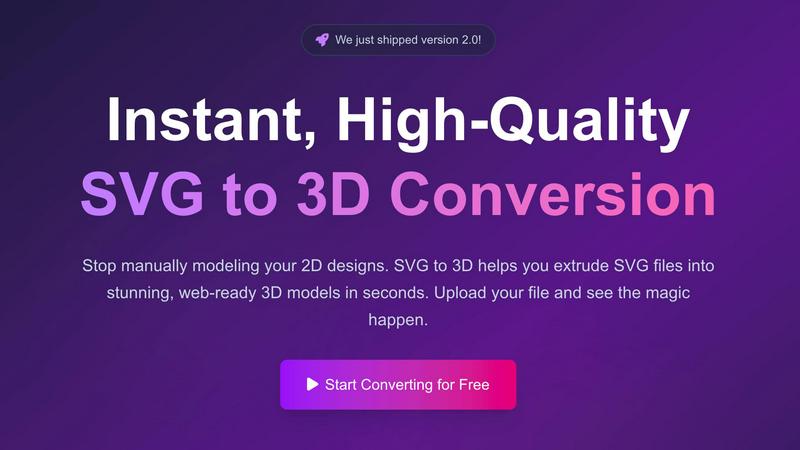
Easily transform your SVG designs into stunning, professional 3D models in seconds with SVG to 3D.
Last updated: February 28, 2026

UNI-1
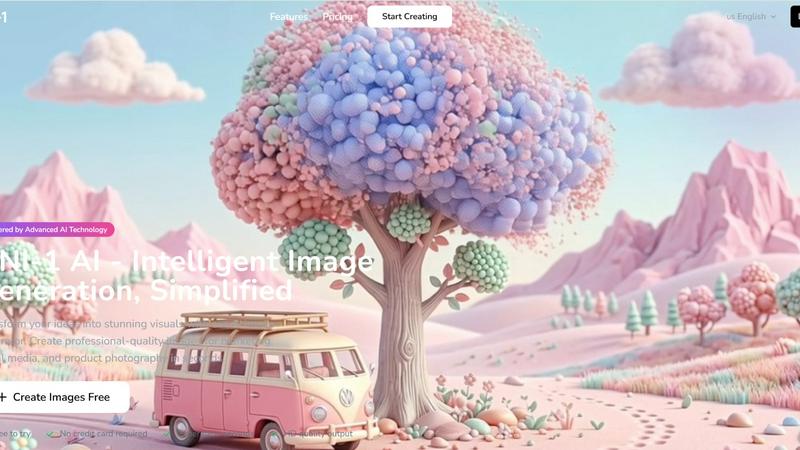
UNI-1 is an AI platform that effortlessly transforms your ideas into stunning, professional-quality images in seconds.
Last updated: April 4, 2026
Visual Comparison
SVG to 3D
UNI-1
Feature Comparison
SVG to 3D
One-Click to GLB for the Web
This feature enables users to export their 3D models in GLB format with just a single click. The GLB files generated are optimized for web use, making them perfect for integration into Three.js or React Three Fiber projects. This functionality ensures that developers can effortlessly add interactive 3D elements to their websites without complicated processes.
3D-Print Ready
SVG to 3D supports clean STL exports, allowing users to prepare their 3D models for 3D printing directly. This feature is especially beneficial for those who wish to take their 2D designs into the physical realm, providing a straightforward way to go from digital artwork to tangible products without needing complex CAD software.
Fine-Tune Every Detail
With advanced controls, users can go beyond simple extrusion and fine-tune every aspect of their 3D model. Adjusting thickness, adding bevels, and applying realistic PBR materials are all possible, along with a real-time preview that allows for immediate feedback. This level of customization ensures that the final output meets professional standards.
Advanced Material System
SVG to 3D includes an advanced material system that allows users to apply realistic PBR materials, custom textures, and professional lighting effects to their models. This feature enhances the visual appeal of the 3D creations, helping them stand out in various applications, from web use to presentations.
UNI-1
Text to Image
UNI-1's Text to Image feature allows users to describe their creative vision in natural language. The AI comprehensively understands the input and transforms it into a stunning image, ensuring that the visuals align perfectly with the user's description.
Image to Image
The Image to Image functionality enables users to enhance and transform existing images through AI-powered editing. By simply uploading an image and providing text prompts, users can modify the original artwork in innovative ways, expanding their creative possibilities.
Style Control
With Style Control, UNI-1 offers a diverse array of artistic styles to choose from. Users can select from photorealistic to abstract styles, and fine-tune colors, moods, and compositions to achieve their desired artistic expression with precision.
Fast Generation Speed
UNI-1 is designed for speed, generating high-resolution images in less than ten seconds. This rapid generation capability allows creators to iterate quickly and efficiently, making it an ideal tool for those working under tight deadlines or in fast-paced environments.
Use Cases
SVG to 3D
Create Interactive 3D Logos and Icons for Web
Web developers can easily convert SVG icons into interactive 3D models, enhancing their web projects with visual depth and engagement. This use case is particularly valuable for creating unique user interfaces that capture attention and elevate the user experience.
From Digital Design to Physical Object
Artists and designers can utilize SVG to 3D to transform their 2D designs into physical objects through 3D printing. This use case allows for the creation of custom parts, art pieces, and prototypes without the need for extensive modeling skills or software, making it accessible for all.
Enhance Your Website with Depth
By integrating 3D models into UI/UX designs, designers can present their concepts with greater depth and realism. This approach not only impresses clients but also allows stakeholders to visualize the final product more effectively, fostering better collaboration and decision-making.
Developer-Friendly Exports
SVG to 3D serves as an invaluable tool for developers looking to streamline their workflow. With the ability to export models in various formats like GLB, GLTF, OBJ, and STL, this tool ensures compatibility with popular 3D frameworks and engines, making it versatile for different project needs.
UNI-1
Marketing Campaigns
For marketing professionals, UNI-1 serves as an invaluable tool for creating eye-catching visuals that enhance branding and promotional efforts. Users can generate striking images tailored for advertisements, social media posts, and website content, all while saving valuable time.
Concept Art Creation
Artists and designers can utilize UNI-1 to generate concept art based on simple prompts. This feature enables rapid visualization of ideas, allowing creators to explore various concepts and styles without the need for extensive artistic skills.
Product Photography
E-commerce businesses can benefit from UNI-1’s ability to generate professional-quality product images. By describing the product and its desired presentation, users can quickly create high-quality visuals that enhance product listings and attract customers.
Visual Storytelling
Writers and storytellers can leverage UNI-1 to create visuals that complement their narratives. By generating images that reflect key scenes or themes, users can enrich their storytelling and engage their audience more effectively.
Overview
About SVG to 3D
SVG to 3D is a revolutionary web-based tool designed to seamlessly transform 2D SVG vector graphics into stunning, high-quality 3D models. This innovative solution addresses a common challenge faced by designers, developers, and 3D printing enthusiasts: the cumbersome and time-consuming process of using heavyweight software like Blender or C4D for simple tasks such as extruding logos or icons. By providing a streamlined platform where users can upload their SVG files and witness instantaneous conversion into 3D models, SVG to 3D simplifies workflows and enhances productivity. Its main value proposition lies in its user-friendly interface, advanced customization options, and the ability to export in multiple formats, catering to professionals who demand quality without sacrificing speed.
About UNI-1
UNI-1 is an advanced AI-powered content creation platform that revolutionizes the way we generate visuals by seamlessly merging reasoning and generation into a unified workflow. Unlike traditional tools that focus solely on output, UNI-1 prioritizes understanding user intent through logical reasoning. This approach allows it to produce visually coherent and context-aware results that cater to the specific needs of creators, designers, and innovators. With UNI-1, users can effortlessly generate high-quality images from simple text prompts while ensuring strong consistency and cultural awareness. The platform's intelligent architecture enables it to outperform standard text-to-image tools, producing more intelligent and meaningful outputs. With fast generation speeds and intuitive workflows, UNI-1 is perfect for rapid prototyping, visual storytelling, marketing assets, and creative exploration. Whether you are crafting concept art, visual content, or design assets, UNI-1 equips you with the powerful tools needed to turn your ideas into polished visuals efficiently and effectively.
Frequently Asked Questions
SVG to 3D FAQ
How do I get started with SVG to 3D?
To begin converting your designs, simply upload your SVG file through the intuitive interface. You can drag and drop your file or paste the SVG code directly into the editor.
What file formats can I export my 3D model in?
SVG to 3D allows you to export your 3D models in several formats, including GLB, GLTF, OBJ, and STL, catering to various applications, from web integration to 3D printing.
Is there a limit on the size of SVG files I can upload?
Yes, the maximum file size for SVG uploads is 5 MB. This limit ensures that the processing remains fast and efficient while still accommodating a wide range of designs.
Is my design secure when using SVG to 3D?
Absolutely. Your files are processed locally in your browser whenever possible, ensuring that your designs remain private and secure without being uploaded to external servers.
UNI-1 FAQ
What type of content can I create with UNI-1?
With UNI-1, you can create a wide range of visual content, including marketing materials, concept art, product images, and social media graphics. The platform's versatility allows for creative exploration across various domains.
Is there a learning curve to using UNI-1?
No, UNI-1 is designed to be user-friendly and accessible to anyone, regardless of their design skills. The intuitive interface allows users to create stunning visuals in just a few simple steps.
Can I modify images after they are generated?
Yes, UNI-1 provides an Image to Image feature that enables users to modify existing images. You can upload an image and apply various transformations based on your text prompts.
Is there a trial version available for UNI-1?
Yes, UNI-1 offers a free trial that allows users to create images without needing to provide a credit card. This gives you the opportunity to explore the platform and see its capabilities firsthand before making a commitment.
Alternatives
SVG to 3D Alternatives
SVG to 3D is a specialized tool designed to convert 2D SVG vector graphics into high-quality 3D models, making it an invaluable asset for developers, designers, and 3D printing enthusiasts. As part of the AI Assistants category, it offers a streamlined approach that eliminates the need for heavyweight software, allowing users to quickly transform their designs with ease. However, users often find themselves seeking alternatives for various reasons, including pricing concerns, specific feature requirements, or compatibility with different platforms. When exploring alternatives, it’s essential to consider factors such as the ease of use, export formats supported, real-time editing capabilities, and overall integration with existing workflows to ensure that the chosen solution meets their unique needs.
UNI-1 Alternatives
UNI-1 is a unified AI platform that seamlessly integrates reasoning and generation to produce high-quality content. Positioned within the AI Assistants category, it is designed for creators, designers, and innovators who seek to transform their ideas into visuals efficiently. Users commonly look for alternatives due to varying needs, such as pricing considerations, feature sets, or specific platform requirements that better align with their creative processes. When choosing an alternative, it is essential to evaluate the platform's capabilities in understanding user intent, the speed of generation, and the overall user experience. Assessing how well an alternative maintains consistency, cultural awareness, and contextual accuracy can also significantly enhance the creative output.