Amovera vs SupaSidebar
Side-by-side comparison to help you choose the right product.

Amovera
All-in-one wedding planner. No hidden fees.

SupaSidebar
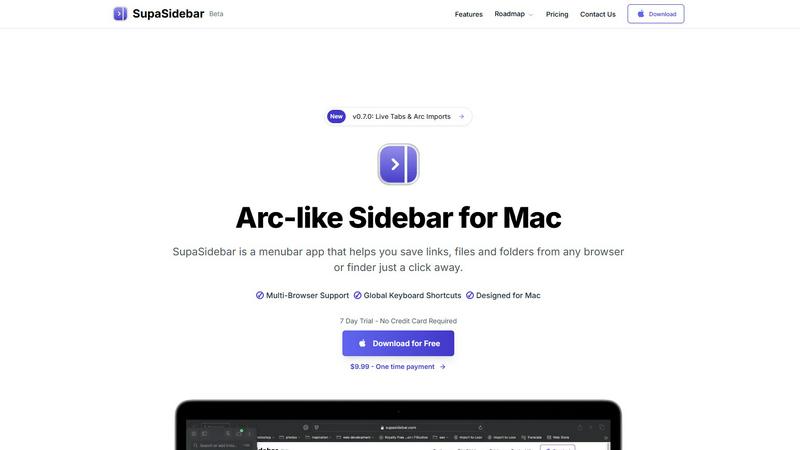
SupaSidebar is your team's universal Mac sidebar for instantly saving and opening any link, file, or folder.
Last updated: February 28, 2026
Visual Comparison
Amovera

SupaSidebar
Overview
About Amovera
Amovera is a wedding planning tool that keeps everything in one place. Guest list and RSVP management, seating chart builder, budget tracker, moodboard, vendor contacts and task lists, all without switching between apps or spreadsheets.
It works for two people at the same time, so both partners can plan together without stepping on each other's toes.
Most free wedding tools make money by selling your data to vendors. Amovera does not. You pay once and get lifetime access with no subscriptions, no upsells and no spam from caterers.
Available in English and German, building more languages soon.
One payment. Lifetime access. 60-day money-back guarantee.
About SupaSidebar
SupaSidebar is your collaborative partner for macOS productivity, designed to create a synergistic relationship between you and your digital workspace. It's a beautifully crafted, Arc-inspired sidebar application that acts as a universal command center, seamlessly integrating with your workflow to keep your essential digital assets—links, files, folders, and apps—instantly accessible. Built for professionals, researchers, creators, and anyone who multitasks across browsers and applications, SupaSidebar solves the common pain points of digital disorganization and constant context-switching. Its core mission is to keep you in a state of flow. By placing a powerful, searchable hub just a keyboard shortcut away, it ensures that everything you need, from a recently viewed article to a critical project folder, is available without breaking your concentration. Your data remains private and secure on your Mac, fostering a trustworthy partnership. It works quietly in the background until you call upon it, then delivers exactly what you need to move forward efficiently, transforming how you interact with your Mac by reducing clutter and amplifying focus.