Remove Shadow From Photo vs UNI1 AI
Side-by-side comparison to help you choose the right product.

Remove Shadow From Photo
Easily eliminate unwanted shadows from your photos with our AI tool for stunning, professional-quality results.
Last updated: February 28, 2026

Uni-1 AI is your collaborative image partner that thinks through prompts and references to render polished visuals for your team.
Last updated: April 4, 2026
Visual Comparison
Remove Shadow From Photo

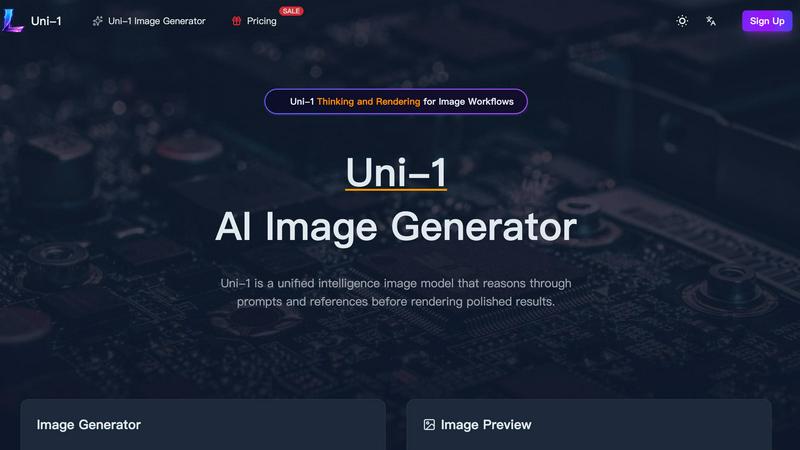
UNI1 AI
Feature Comparison
Remove Shadow From Photo
Advanced AI Technology
Remove Shadow From Photo utilizes sophisticated machine learning algorithms trained on millions of professional images. This feature ensures that unwanted shadows are automatically detected and removed, resulting in studio-quality images without the need for manual editing.
Multi-Format Support
The tool supports a variety of image formats, including JPG, PNG, and WEBP, allowing users to upload and process images up to 5MB in size. This flexibility makes it accessible for different types of photography and graphic design needs.
Quick and Premium Modes
Users can choose between Quick Mode for instant processing of simple shadows and Premium Mode for a more advanced AI analysis of complex shadows. This dual-mode functionality ensures that users can select the processing speed and quality that best suits their specific needs.
User-Friendly Interface
The intuitive design of the platform allows users to upload images and remove shadows in just a few clicks. The straightforward workflow supports users of all skill levels, making it easy to achieve professional results without a steep learning curve.
UNI1 AI
Uni-1 Thinking and Rendering
This foundational feature sets UNI1 AI apart by employing a two-stage process. First, the model deeply reasons through your prompt, interpreting scene logic, style intent, and the relationships between subjects. Only after this comprehensive understanding does it commit to rendering the final image. This results in fewer compositional errors and images that more accurately reflect the team's shared creative vision, reducing the need for tedious prompt hacking and manual corrections.
Reference-Guided Image Editing
UNI1 AI supercharges collaboration by allowing teams to upload a reference photo. The model then uses this visual guide to inform identity, composition, color grading, and stylistic elements during the editing process. This ensures that iterative changes and new concepts can be developed while preserving the core visual DNA that the team has already approved, making asset evolution consistent and efficient.
Culture-Aware Style Control
Understanding that visual language varies by context, this feature enables the AI to grasp aesthetic nuances across fashion, editorial, product photography, anime, and internet-native styles. This allows geographically diverse or niche-focused teams to generate imagery that resonates with specific audiences without requiring extensive cultural briefing or post-generation adjustments, fostering more authentic and effective campaigns.
Multi-Turn Creative Refinement
Built for the iterative nature of team projects, this feature allows for ongoing dialogue with the AI. Teams can refine framing, adjust typography, shift mood, or enhance details through follow-up prompts without starting from scratch. This mirrors a natural creative review process, enabling seamless collaboration where each iteration builds intelligently on the last, saving significant time and preserving creative momentum.
Use Cases
Remove Shadow From Photo
Enhancing Portraits
Photographers can use Remove Shadow From Photo to enhance portraits by eliminating facial shadows that may detract from the subject's features. This capability is essential for achieving flawless results in selfies and professional headshots.
Improving E-commerce Images
E-commerce sellers can benefit from this tool by creating clean and attractive product images. Removing shadows can highlight product details and make images more appealing to potential customers, ultimately boosting sales.
Refining Landscape Photography
Landscape photographers often face challenges with natural shadows caused by trees and mountains. This tool allows them to refine their images by removing unwanted shadows, resulting in more vibrant and inviting landscapes.
Streamlining Real Estate Photography
Real estate agents can utilize Remove Shadow From Photo to enhance property listings. By eliminating shadows from interior and exterior shots, they can present homes in the best light, attracting more buyers and renters.
UNI1 AI
Brand Campaign Asset Creation
Marketing and creative teams can use UNI1 AI to rapidly generate a cohesive suite of visual assets for multi-channel campaigns. From hero portraits and social media graphics to landing page visuals, the platform's strength in maintaining character consistency and understanding art direction ensures all assets feel intentionally designed and aligned, streamlining the entire production pipeline from concept to launch.
E-commerce and Product Visualization
E-commerce teams and product designers can generate high-fidelity, premium product scenes and lifestyle shots for catalogs, ads, and seasonal launches. The AI's ability to handle object relationships and render clean text makes it ideal for creating convincing mockups, packaging concepts, and commercial imagery that elevates brand perception and drives sales.
Concept Art and Rapid Prototyping
Design and development teams can accelerate their workflow by using UNI1 AI to visualize UI/UX concepts, game assets, or storyboard frames. The model's visual reasoning turns detailed textual descriptions into usable concept art, allowing teams to explore more ideas faster and align on a creative direction before committing resources to final production.
Editorial and Content Marketing
Content creators and editorial teams can produce custom illustrations, blog graphics, and engaging thumbnails that match specific cultural or stylistic tones. The culture-aware control allows for the generation of imagery that fits niche publications or specific audience demographics, enhancing storytelling without the need for costly custom photoshoots or extensive stock photo searches.
Overview
About Remove Shadow From Photo
Remove Shadow From Photo is a cutting-edge online tool that leverages advanced AI technology to help users eliminate unwanted shadows from their images with ease. Designed with versatility in mind, this platform caters to a wide range of users, including photographers, graphic designers, e-commerce sellers, and hobbyists who wish to refine their images for a more professional touch. The main value proposition lies in its ability to deliver high-quality, shadow-free photos quickly and efficiently. Users can upload various image formats and receive instant results, making it a practical solution for anyone looking to enhance their visual content. Whether you are editing portraits, product images, or breathtaking landscapes, Remove Shadow From Photo provides a seamless experience that empowers users to create stunning visuals without the need for advanced technical skills.
About UNI1 AI
UNI1 AI is a collaborative platform designed to unify and amplify team creativity through advanced artificial intelligence. At its core is Uni-1, a groundbreaking unified intelligence model that redefines image generation by blending deep reasoning with visual rendering. Unlike standard AI tools, UNI1 AI is built for synergy, enabling marketing teams, designers, content creators, and product developers to work together seamlessly. It transforms complex prompts and visual references into polished, production-ready assets, ensuring that every team member—from the art director to the social media manager—is aligned on vision and execution. The platform’s intuitive interface and powerful suite of tools foster a cooperative workflow where ideas can be iteratively refined, cultural context is understood, and brand consistency is maintained effortlessly. By connecting understanding with generation in one fluid workflow, UNI1 AI empowers teams to produce higher-quality visual content faster, turning collaborative concepts into compelling commercial reality.
Frequently Asked Questions
Remove Shadow From Photo FAQ
How does Remove Shadow From Photo work?
The tool uses advanced AI algorithms to analyze images and automatically detect and remove unwanted shadows. Users simply upload their photos, and the AI processes them for high-quality results.
Is there a limit on the size of images I can upload?
Yes, Remove Shadow From Photo supports images up to 5MB in size and accepts various formats including JPG, PNG, and WEBP, providing flexibility for users.
Can I preview the results before downloading?
Yes, the platform allows users to view the created image results directly on the website, enabling them to assess the quality of shadow removal before downloading the final version.
Do I need any special skills to use this tool?
No, Remove Shadow From Photo is designed to be user-friendly, requiring no advanced technical skills. The intuitive interface allows anyone to achieve professional-quality results with ease.
UNI1 AI FAQ
What makes Uni-1 different from other AI image generators?
Uni-1 is a unified intelligence model that uniquely separates the thinking and rendering phases. It first reasons through the prompt's logic, style, and subject relationships before generating the image. This leads to a deeper understanding of your intent, resulting in more coherent, contextually accurate, and polished images with fewer unexpected errors, making it particularly powerful for collaborative professional work.
How does UNI1 AI help maintain consistency across a batch of images?
The platform excels at character consistency and reference-guided editing. By using a source image as a visual anchor for key attributes like faces, styling, or color palette, Uni-1 can generate new images or variations that preserve those core elements. This is invaluable for teams working on campaigns or character series, as it ensures visual alignment across all assets.
Can I use UNI1 AI for commercial purposes?
Absolutely. UNI1 AI is designed to deliver commercial-grade output. The images generated are suitable for direct use in e-commerce, advertising, pitch decks, product launches, and marketing materials. The model's focus on polish, detail, and cultural context ensures the visuals meet professional standards for public-facing content.
What is the credit system and how does it work?
UNI1 AI operates on a credit-based system for image generation. Each image generation costs a certain number of credits (e.g., 44 credits for a 2K quality image), which is deducted from your account balance. Credits can be purchased in packs, and the platform often offers promotional discounts, such as the current 50% off sale on Uni-1 credits, allowing teams to test and use the platform more affordably.
Alternatives
Remove Shadow From Photo Alternatives
Remove Shadow From Photo is an innovative AI-powered online tool that specializes in eliminating unwanted shadows from images, making it an invaluable resource for photographers, graphic designers, and e-commerce sellers. As a category of image editing software, it streamlines the process of achieving professional-quality visuals without the hassle of manual editing. Users often seek alternatives to Remove Shadow From Photo for various reasons, including pricing, specific feature sets tailored to their needs, or compatibility with different platforms. When evaluating alternatives, it's essential to consider factors such as the ease of use, the effectiveness of the shadow removal technology, and the range of image formats supported to ensure the chosen tool aligns with individual or project requirements.
UNI1 AI Alternatives
UNI1 AI is a powerful AI assistant platform designed to enhance productivity through a suite of tools like chat, writing, and analysis. It falls within the broader categories of AI productivity platforms and image generation tools, offering users a centralized hub to leverage artificial intelligence. Teams and individuals often explore alternatives to find a solution that aligns more closely with their specific needs. This search can be driven by factors like budget constraints, the need for different collaborative features, integration with existing workflows, or a desire for specialized capabilities that a generalist platform may not prioritize. When evaluating other options, it's wise to consider how well a platform fosters team synergy. Look for tools that enable seamless cooperation, such as shared workspaces, real-time collaboration features, and administrative controls that support a unified team effort. The goal is to find a partner that amplifies your collective productivity.