Grok Imagine AI vs QuickImg
Side-by-side comparison to help you choose the right product.

Grok Imagine AI
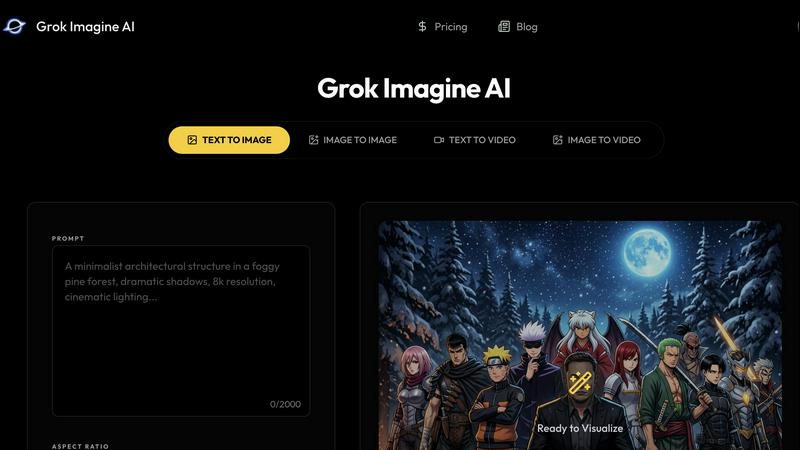
Grok Imagine AI helps teams collaborate to generate images and video concepts faster in one seamless workflow.
Last updated: April 4, 2026
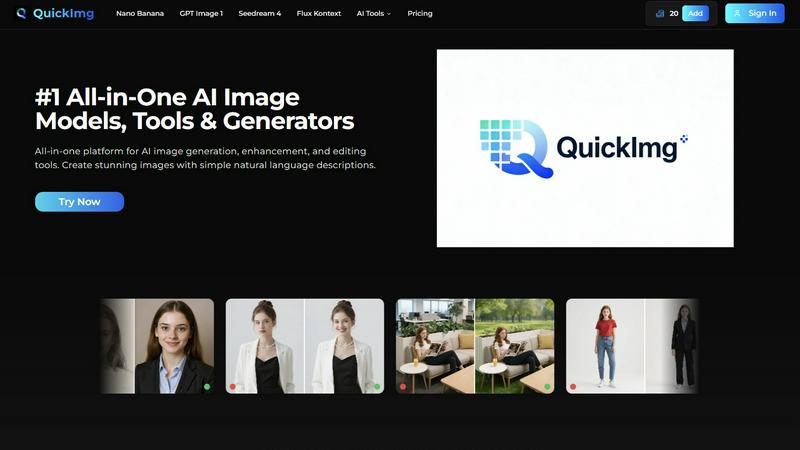
QuickImg simplifies image generation, enhancement, and editing with powerful AI tools for stunning visuals in minutes.
Last updated: February 28, 2026
Visual Comparison
Grok Imagine AI
QuickImg
Feature Comparison
Grok Imagine AI
Unified Image & Video Workflow
Grok Imagine AI breaks down the traditional barriers between image and video creation by housing both generators in one intuitive platform. This seamless integration allows teams to start with a static visual concept and effortlessly expand it into a motion sequence, or vice versa, maintaining creative continuity and saving valuable time switching between disparate tools. It fosters a more cohesive and efficient collaborative process from the initial brainstorm to the final asset.
Advanced Prompt Exploration & Iteration
The platform is built around a sophisticated prompt engineering system that encourages collaborative refinement. Teams can start with a core concept and systematically explore variations in style, composition, lighting, and mood. This structured approach to iteration means you can test multiple visual languages in parallel, learn what resonates with your audience, and quickly converge on the strongest creative direction as a unified team.
Rapid Concept Validation & Approval
Grok Imagine AI dramatically speeds up internal and client approvals by making abstract ideas concrete. Instead of debating written concepts or rough sketches, teams can generate multiple high-quality visual options in minutes. This allows stakeholders to provide focused, actionable feedback on actual visuals, leading to faster consensus and a clearer path forward for everyone involved in the project.
Brand-Consistent Visual Control
Understanding the need for on-brand assets, Grok Imagine AI provides tools to guide the AI's output toward your specific campaign tone. Through careful prompt structuring and iterative refinement, teams can exercise control over key elements like color palette, compositional style, and overall mood, ensuring that generated concepts align with brand guidelines from the very first draft.
QuickImg
AI Image Generation
QuickImg utilizes advanced AI models like Nano Banana and GPT Image 1, enabling users to generate stunning images simply by describing their vision in natural language. This eliminates the need for technical expertise and allows for creative freedom.
Image Enhancement Tools
Users can enhance existing images with high-quality upscaling and precision editing capabilities. QuickImg’s AI image upscaler boosts resolution up to 4K, ensuring that every detail is preserved and enhanced for maximum impact.
Ready-to-Use Templates
QuickImg offers a wide array of professionally designed templates for various common scenarios, making it easy for users to jumpstart their projects. Whether for social media posts or product photos, these templates simplify the design process.
One-Click Editing Tools
With one-click tools, QuickImg streamlines complex editing tasks such as background removal and text elimination. This feature allows users to modify images quickly and efficiently, saving valuable time and effort in the creative process.
Use Cases
Grok Imagine AI
Collaborative Ad Campaign Concepting
Marketing and creative teams can use Grok Imagine AI to rapidly prototype visual concepts for advertising campaigns. By generating dozens of ad variations for different hooks, products, or target demographics, teams can collaboratively review and select the highest-performing directions before any expensive photo shoots or video production begins, ensuring resources are invested wisely.
Pre-Visualization for Video Production
Video producers and directors can leverage the text-to-video generator to create rough motion concepts and animatics. This allows the entire production team—from strategists to editors—to align on scene pacing, framing, and visual flow early in the process. It turns abstract shot lists into tangible references, streamlining communication and planning before the camera rolls.
Agile Social Media Content Creation
Content teams and solo creators can maintain a consistent and engaging social media presence by using Grok Imagine AI to batch-create visuals. From generating a series of cohesive post images to exploring short, catchy video clips for Reels or TikTok, the platform enables quick ideation and execution, allowing teams to adapt to trends and audience feedback in real time.
Product Storytelling & Mockups
E-commerce and product teams can quickly visualize products in various settings or use cases. By generating lifestyle images or short demo videos from text descriptions, teams can test different storytelling angles, package designs, or feature highlights with stakeholders and gather feedback to refine the product's market presentation collaboratively.
QuickImg
Social Media Content Creation
Content creators can leverage QuickImg to generate eye-catching visuals for their social media platforms. By simply describing their desired image, they can quickly create engaging posts that capture audience attention.
Marketing and Advertising
Businesses can use QuickImg to design promotional materials and advertisements. The platform's templates and editing tools make it easy to produce high-quality graphics that effectively communicate brand messages.
Personal Projects and Hobbies
Individuals pursuing creative hobbies can explore their artistic potential with QuickImg. Whether crafting unique art pieces or enhancing personal photos, the platform provides the tools needed for artistic expression.
Professional Design Work
Graphic designers can utilize QuickImg for client projects, benefiting from its advanced AI models and editing capabilities. This allows professionals to deliver high-quality results while streamlining their workflow and enhancing productivity.
Overview
About Grok Imagine AI
Grok Imagine AI is a unified creative platform designed to accelerate the visual concepting process for modern teams. It transforms the often-fragmented journey from idea to asset into a single, collaborative workflow. By integrating powerful text-to-image and text-to-video generation with robust prompt exploration tools, it allows creators, marketers, and strategists to work in synergy. The core value proposition is about moving faster and smarter together: shortening the feedback loop, aligning stakeholders with tangible visuals early, and empowering teams to iterate on a wide range of creative directions before committing significant production resources. Whether you're crafting social media ads, planning video scenes, testing campaign thumbnails, or exploring product story visuals, Grok Imagine AI provides a shared space to generate, compare, and refine both still and motion content. It's built for teams who believe that the best creative outcomes emerge from rapid, collaborative experimentation and seamless handoff between concept and execution.
About QuickImg
QuickImg is an innovative platform revolutionizing the way users generate, enhance, and edit images using advanced AI technology. Designed for a diverse user base that ranges from casual hobbyists to professional designers, QuickImg empowers creativity through simple natural language descriptions. By harnessing the power of state-of-the-art AI models such as Nano Banana, GPT Image 1, and Seedream 4, users can effortlessly create high-quality visuals tailored to their specific needs. The platform combines multiple functionalities, enabling users to enhance existing images, craft unique designs, and edit photos seamlessly. Its intuitive interface is user-friendly, making professional-grade image creation accessible to everyone, regardless of their technical expertise. QuickImg eliminates the complexity of traditional software, fostering collaboration and creativity among users. Additionally, with a limited-time offer that provides 50% off the first purchase using code QI50, users can experience the future of image creation at an unbeatable value.
Frequently Asked Questions
Grok Imagine AI FAQ
What is the main advantage of using Grok Imagine AI over separate AI tools?
The primary advantage is the integrated workflow. Keeping image generation, video ideation, and prompt exploration in one platform eliminates context-switching and asset management headaches. It allows a team to maintain a single source of truth for a creative concept, seamlessly evolving it from a static image to a motion storyboard while collaborating in a unified environment, which significantly boosts synergy and efficiency.
How does Grok Imagine AI help teams get faster approvals?
It replaces abstract discussions with concrete visual options. By generating multiple high-quality directions from a single prompt in minutes, teams can present stakeholders with tangible choices. This visual alignment reduces ambiguity, focuses feedback on specific aesthetics, and accelerates decision-making, as it's easier to approve or refine something you can actually see.
Can I use Grok Imagine AI to maintain a consistent brand style?
Yes, through iterative prompting and the platform's control features. While the AI generates novel content, your team can guide it by refining prompts to include specific color keywords, mood descriptors, and compositional terms that match your brand book. By saving and reusing successful prompt structures, you can develop a repeatable process for generating on-brand assets.
Is Grok Imagine AI suitable for complete beginners with AI?
Absolutely. The platform is designed for collaborative use across skill levels. Beginners can start with simple text prompts and use the built-in style and aspect ratio options. Meanwhile, more experienced team members can dive into advanced prompt structuring. This inclusivity allows everyone on a team—from strategists to designers—to contribute to the ideation phase effectively.
QuickImg FAQ
How does QuickImg work?
QuickImg operates by allowing users to input natural language descriptions or upload images for editing. Users then select an AI model and click generate to create stunning visuals effortlessly.
What types of images can I create with QuickImg?
Users can create a wide range of images, including marketing graphics, social media content, personal artwork, and professional designs. The platform's versatility caters to diverse creative needs.
Is QuickImg suitable for beginners?
Absolutely! QuickImg is designed with an intuitive interface that makes it easy for users of all skill levels to generate and edit images without needing extensive technical knowledge.
What is the limited-time offer for new users?
New users can take advantage of a special promotion that offers 50% off their first purchase by using the code QI50. This is a great opportunity to explore the capabilities of QuickImg at a reduced price.
Alternatives
Grok Imagine AI Alternatives
Grok Imagine AI is a creative AI assistant designed to streamline the process of generating images and conceptualizing videos. It operates within the broader category of AI-powered creative tools, helping teams bring visual ideas to life quickly by exploring prompts, styles, and motion concepts in a unified workflow. Teams often explore alternatives to find a solution that better aligns with their specific project requirements, budget constraints, or preferred platform integrations. The search for a different tool is a natural part of building a collaborative tech stack that empowers every team member to contribute effectively. When evaluating other options, it's wise to consider the synergy between image generation and video ideation capabilities, the intuitiveness of the collaborative workflow, and how well the tool integrates with your team's existing creative processes. The goal is to find a partner that enhances your collective creativity without creating friction.
QuickImg Alternatives
QuickImg is an innovative AI platform designed for generating, enhancing, and editing images seamlessly. As part of the AI Assistants category, it caters to a diverse audience, from amateur creators to seasoned professionals. Users often seek alternatives to QuickImg for various reasons, including pricing considerations, specific feature sets, or compatibility with their preferred platforms. Finding the right alternative involves looking for similar functionalities, ease of use, and the ability to meet unique creative needs without sacrificing quality. When searching for alternatives, it’s essential to evaluate the user interface and the range of tools available. Assess whether the platform supports natural language descriptions for image generation, as this feature significantly enhances creativity. Additionally, consider the level of customer support and community engagement, as these factors can greatly influence your overall experience and satisfaction.