
LuxSign vs PDF Compiler
Side-by-side comparison to help you choose the right product.

LuxSign simplifies document signing with secure, legally compliant electronic signatures, all hosted in Luxembourg.
Last updated: February 28, 2026

PDF Compiler
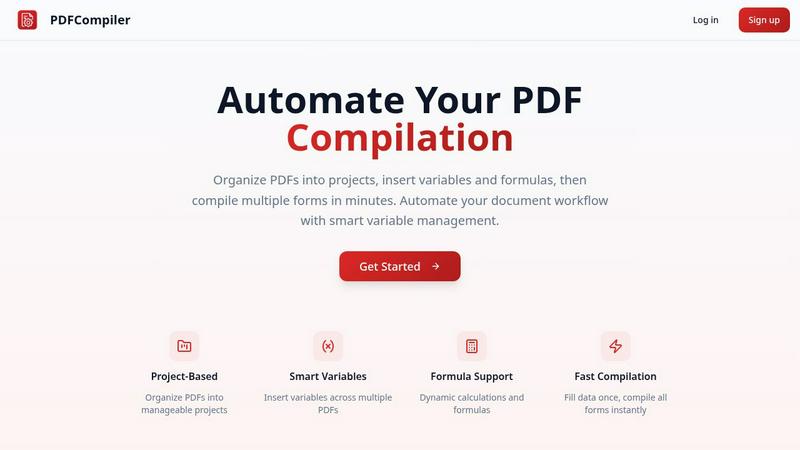
Effortlessly automate your PDF workflow by entering data once to generate multiple documents in seconds.
Last updated: February 28, 2026
Visual Comparison
LuxSign

PDF Compiler
Feature Comparison
LuxSign
Multiple Signature Methods
LuxSign offers various signature methods to accommodate the preferences of all users. You can draw your signature using a mouse, type your name, or even upload an image of your signature. This flexibility makes it easy to customize the signing experience, including the option to add custom initials for quick document signing.
Advanced Security
Security is paramount with LuxSign. The platform utilizes industry-standard encryption to protect your documents during upload, storage, and transmission. In addition, all documents are stored on secure servers in Luxembourg, complying with EU data protection regulations and ensuring your data remains safe from unauthorized access.
Collaboration Workspaces
LuxSign provides collaboration workspaces that allow teams to work together seamlessly. You can create shared spaces for organizing documents, managing member access, and collaborating on signing workflows. This feature enhances team cooperation and ensures everyone is on the same page throughout the signing process.
Complete Audit Trail
With LuxSign, every action taken on a document is logged with detailed timestamps, IP addresses, and signer information. This comprehensive audit trail is essential for compliance and verification, giving you peace of mind that every transaction is transparent and accountable.
PDF Compiler
Configurable Fields
With PDF Compiler, users can define various field types such as dates, variables, and selections, as well as incorporate Excel-style formulas and account data references. This flexibility allows for tailored document creation that meets specific project needs, enhancing overall accuracy and efficiency.
Minimal Input
The software is designed for efficiency; users only need to enter core data once, and PDF Compiler automatically populates all linked documents. This feature minimizes the chances of errors and ensures that all documents maintain consistency in data entry.
Data Linking
Changes made to any input field are instantly reflected across all PDFs within a project. This data linking capability ensures that all documents are always up-to-date and reduces the risk of discrepancies, making it easier to manage and share documents effectively.
Automated Workflows
PDF Compiler enables users to generate complete document sets in just minutes. With its dynamic calculations and formatting, it transforms the way teams compile forms, allowing for rapid document generation that meets tight deadlines without sacrificing quality.
Use Cases
LuxSign
Contract Management
Businesses can streamline their contract management process using LuxSign. By enabling multiple signers and flexible signing workflows, teams can quickly get contracts signed and returned, reducing delays and improving efficiency in business operations.
Human Resources Onboarding
HR departments can utilize LuxSign for onboarding new employees by securely sending offer letters, contracts, and policy documents for signature. This approach simplifies the onboarding process, allowing HR teams to focus on more strategic tasks rather than paperwork.
Real Estate Transactions
Real estate professionals can benefit from LuxSign by facilitating the signing of purchase agreements, lease contracts, and disclosure forms. The platform’s ease of use and compliance with legal standards streamline transactions, enhancing the overall customer experience.
Financial Services Documentation
Financial service providers can use LuxSign to manage client agreements, loan documents, and investment contracts securely. By ensuring that all documents are encrypted and stored in compliance with regulations, these businesses can maintain trust and reliability with their clients.
PDF Compiler
Tender and Proposal Documentation
Organizations frequently require precise and consistent documentation for tenders and proposals. PDF Compiler simplifies this process by enabling teams to create comprehensive documentation quickly, ensuring that all necessary data is accurately represented across multiple documents.
Financial and Administrative Reports
Finance and administration departments often handle various reports that require repetitive data entry. PDF Compiler automates this process, allowing users to generate detailed reports efficiently, reducing time spent on manual input and increasing data accuracy.
Client Contracts
Creating and managing client contracts often involves multiple documents with shared data. PDF Compiler streamlines the contract creation process, ensuring that essential information is consistently applied across all related documents, thereby enhancing the professionalism of client interactions.
Invoice Generation
For businesses that deal with a high volume of invoices, PDF Compiler automates the repetitive entry of client information and transaction details. This leads to faster invoice processing times and fewer errors, ultimately improving cash flow management and client satisfaction.
Overview
About LuxSign
LuxSign is a cutting-edge electronic signature platform designed to meet the stringent compliance needs of businesses in the digital age. Based in Luxembourg, this secure, cloud-based solution ensures that all documents are end-to-end encrypted and stored exclusively within the country, guaranteeing full adherence to GDPR regulations. With support for eIDAS SES standards, LuxSign provides legally valid signatures for contracts throughout the European Union, making it an ideal choice for companies operating across borders. The platform caters to a wide range of users, from independent professionals to large enterprises, by offering features that enhance productivity and collaboration. Key value propositions include fast setup, user-friendly drag-and-drop functionality for signature placement, and automated notifications, which streamline the signing process. LuxSign empowers businesses to manage their documents digitally and securely, ultimately saving time and resources while ensuring compliance with legal standards.
About PDF Compiler
PDF Compiler is a revolutionary tool designed to streamline the tedious process of completing PDF forms across multiple documents. By automating form completion, it significantly reduces the need for manual data entry, ensuring that your submissions are consistent and free from errors. This product is ideal for professionals in various fields such as finance, administration, and project management who regularly deal with multi-document workflows. With PDF Compiler, users enter essential information just once, and the software takes care of populating all linked documents automatically. This not only saves time but also enhances productivity by allowing teams to focus on more strategic tasks rather than repetitive data entry. The main value proposition of PDF Compiler lies in its ability to handle complex data propagation, formulas, and field references seamlessly across an entire set of documents, making it an essential tool for anyone looking to optimize their PDF workflow.
Frequently Asked Questions
LuxSign FAQ
How does LuxSign ensure document security?
LuxSign ensures document security through end-to-end encryption, which protects your files during upload, storage, and transmission. All documents are hosted on secure servers in Luxembourg, complying with GDPR and local data protection laws.
Is LuxSign compliant with EU regulations?
Yes, LuxSign is fully compliant with eIDAS SES standards, making it legally valid for business transactions across all EU member states. This compliance provides businesses with confidence in the legality of their digital signatures.
Can I customize my signature?
Absolutely! LuxSign allows you to customize your signature by drawing it, typing your name, or uploading an image. Additionally, you can add custom initials for a quicker signing process.
What support options are available for LuxSign users?
LuxSign offers various support options, including email support for users across all plans. Premium users can also access priority support to resolve any issues more swiftly, ensuring a smooth user experience.
PDF Compiler FAQ
What types of documents can I compile with PDF Compiler?
PDF Compiler supports a wide range of documents, including proposals, contracts, reports, and invoices. Its flexibility makes it suitable for any multi-document workflow requiring accurate data entry.
Is there a limit to the number of PDFs I can compile at once?
No, PDF Compiler is designed to handle multiple PDFs within a single project. You can upload and compile as many documents as needed, streamlining your workflow without restrictions.
Do I need technical skills to use PDF Compiler?
Not at all. PDF Compiler is user-friendly and designed for individuals without technical expertise. Its intuitive interface allows users to configure fields and generate documents with ease.
Can I test PDF Compiler before committing to a subscription?
Yes, PDF Compiler offers a demo with sample documents that allows users to experience the automated compilation process at no cost. This enables you to assess its features and capabilities before signing up for a full account.
Alternatives
LuxSign Alternatives
LuxSign is a secure electronic signature platform from Luxembourg, designed to meet the needs of businesses that prioritize compliance and data protection. It falls within the productivity and management category, focusing on streamlining the signing process while ensuring legal validity across the European Union, thanks to its adherence to eIDAS SES standards. Users often seek alternatives to LuxSign for various reasons, including pricing structures, specific feature sets, or compatibility with existing workflows and platforms. When choosing an alternative, it's essential to consider factors such as compliance with local regulations, security measures, ease of use, and the availability of advanced features that can enhance collaboration and efficiency within teams.
PDF Compiler Alternatives
PDF Compiler is an innovative tool designed for automating PDF form completion, making it a standout solution within the productivity and management category. It allows users to enter data once and have it populate multiple PDFs instantly, streamlining workflows and reducing manual errors. Given its unique capabilities, users often seek alternatives due to factors such as pricing, feature sets, compatibility with existing platforms, or specific functional needs that may not be fully met by PDF Compiler. When searching for an alternative, it's essential to consider the specific features that align with your workflow requirements. Look for solutions that offer robust data linking, customizable fields, and efficient automation to ensure you maintain accuracy and save time. Additionally, assessing user experience, customer support, and integration with other tools can significantly impact your decision-making process.