
Never Drop vs SupaSidebar
Side-by-side comparison to help you choose the right product.

Never Drop
NeverDrop helps your team instantly capture event leads and send AI-drafted follow-ups together.
Last updated: February 28, 2026

SupaSidebar
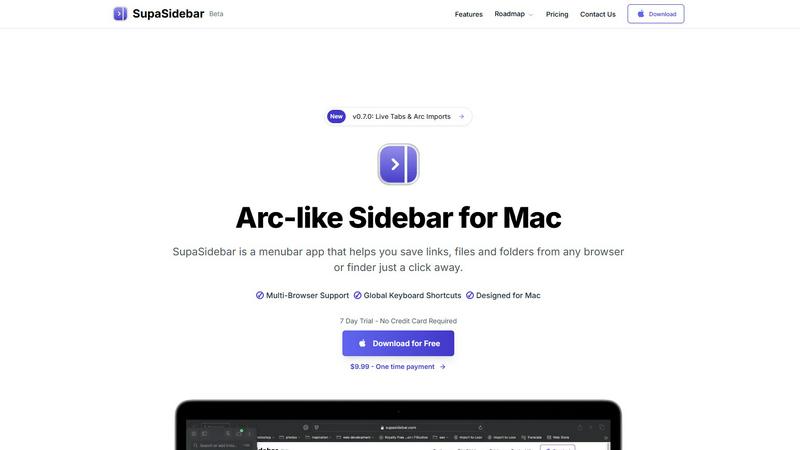
SupaSidebar is your team's universal Mac sidebar for instantly saving and opening any link, file, or folder.
Last updated: February 28, 2026
Visual Comparison
Never Drop

SupaSidebar
Feature Comparison
Never Drop
Instant AI-Powered Card Scanning
Never Drop streamlines the initial contact capture by allowing your team to simply snap a photo of any business card. Our advanced AI-powered Optical Character Recognition (OCR) instantly and accurately extracts every critical detail—name, company, title, phone number, and email—eliminating manual data entry. This shared starting point ensures clean, consistent data for the entire team to build upon, saving valuable time and preventing errors from the very first interaction.
Intelligent Contact Enrichment & Verification
Business cards often lack direct contact information. Never Drop strengthens your team's collective intelligence by automatically finding and verifying professional work emails using just the contact's name and company. This eliminates guesswork and manual LinkedIn searches, providing every team member with a complete, enriched contact profile that’s ready for immediate action and seamless integration into your shared CRM pipeline.
Context-Aware AI Follow-Up Drafting
Based on the unique voice notes or text context recorded by your team member after a conversation, Never Drop’s AI generates a personalized follow-up email draft. It moves beyond generic templates by incorporating the specific discussion points and tone from the interaction. This collaborative feature ensures follow-ups feel genuinely personal and relevant, reflecting a unified team approach to engagement that significantly increases conversion potential.
Unified Team Workspace & CRM Sync
Never Drop provides a central dashboard where your entire team can organize scans by event, reassign leads between reps, and track collective activity. This fosters alignment and ensures nothing falls through the cracks between team members. With seamless integration into popular CRMs like HubSpot, every enriched lead and its context is automatically synced, keeping your entire sales pipeline clean, organized, and ready for collaborative follow-through.
SupaSidebar
Universal Save & Copy Shortcuts
Working in harmony with your actions, SupaSidebar provides global keyboard shortcuts that work across any browser. With a simple press of CMD+CTRL+S, you can instantly save the current website link directly to your sidebar. Similarly, CMD+CTRL+C copies the URL, allowing for seamless integration into your workflow without ever needing to reach for your mouse or break your train of thought.
Intelligent Recents Tracking
SupaSidebar acts as a cooperative memory aid for your digital activity. It automatically tracks every website you visit across all major browsers—including Safari, Chrome, Firefox, and Arc—for the last 48 hours. This feature ensures you can instantly rediscover that crucial article or reference page you viewed earlier, eliminating the frustration of lost tabs and creating a smooth, continuous workflow.
Fast, Unified Search
Summon the full power of your organized workspace with the CMD+CTRL+K shortcut. This command brings up a lightning-fast search bar that scours through all your saved items, recent history, pinned favorites, files, folders, and applications. It’s designed for synergy, delivering exactly what you’re looking for in an instant, so you can maintain your momentum and stay deeply focused on your task.
Pinned Favorites & Spaces
Build a personalized command center tailored to your collaborative projects. SupaSidebar allows you to pin your most important links, files, and apps to the top of your sidebar for one-click access. With the Pro plan, you gain access to unlimited Spaces, enabling you to organize resources into distinct categories or projects, fostering a clean and efficient partnership between you and your digital tools.
Use Cases
Never Drop
High-Volume Trade Show Lead Management
For sales teams navigating bustling trade show floors, Never Drop is indispensable. It allows reps to quickly scan dozens of cards, add quick voice memos about each conversation, and have personalized follow-ups drafted before they even leave the booth. This coordinated speed ensures your entire team capitalizes on the warmest leads first, dramatically increasing your show's return on investment.
Conference Networking and Follow-Up
During multi-day conferences, it’s easy to forget key details from early meetings. With Never Drop, your team can capture leads and context on the go. Organizing contacts by session or day helps maintain clarity, and sending tailored follow-ups while the discussion is fresh ensures your company stands out in a crowded post-event inbox.
Streamlining Team-Based Sales Dinners
After a group business dinner or networking event, recalling who spoke to which prospect can be chaotic. Never Drop allows each team member to capture their own conversations. The shared workspace then lets a manager review all captured leads and context, ensuring appropriate follow-up assignments and a cohesive strategy from the entire team.
Accelerating Partner and Referral Intake
When meeting potential partners or gathering referrals at events, swift and professional follow-up is key to building trust. Never Drop enables your team to not only capture their details but also immediately send a personalized email referencing your mutual connection or discussion point, demonstrating professionalism and a commitment to collaborative synergy from the very first touchpoint.
SupaSidebar
The Multitasking Researcher
For academics and researchers juggling dozens of browser tabs with papers, articles, and data sources, SupaSidebar is a game-changer. It allows for the quick saving of references with a single shortcut and uses the Recents feature to effortlessly backtrack through a day's browsing. This synergy between collection and retrieval streamlines the research process, keeping all critical materials a quick search away.
The Creative Professional
Designers, writers, and developers can use SupaSidebar to create a fluid workspace. They can pin inspiration mood boards, project briefs, and asset folders for instant access. The universal search function lets them jump between design tools, documentation, and communication apps without losing focus, fostering a creative flow state by minimizing disruptive app switching.
The Project Manager
Managing multiple projects requires quick access to shared documents, trackers, and communication hubs. SupaSidebar’s Spaces feature (available in Pro) lets a project manager organize links by client or initiative. The global shortcuts enable rapid saving of meeting notes or task updates, creating a synergistic hub that keeps the entire project ecosystem organized and immediately accessible.
The Student
Students benefit from SupaSidebar’s ability to corral lecture notes, research links, and assignment briefs in one place. Using the save shortcut during online study sessions builds a personalized knowledge base. The fast search then acts as a study partner, helping them quickly find materials for essay writing or exam revision, making their study sessions more efficient and organized.
Overview
About Never Drop
In the high-energy, fast-paced world of sales events, the synergy between capturing a lead and acting on it is critical. Never Drop is the collaborative platform designed to unite your sales team around this single mission: transforming every handshake into a closed deal. Built specifically for sales professionals at trade shows, conferences, and networking events, Never Drop eliminates the friction and follow-up fatigue that cause valuable leads to go cold. The platform empowers your team to work together seamlessly, scanning a business card, enriching the contact with immediate voice or text context about the conversation, and generating a personalized, AI-drafted follow-up email—all within two minutes. By ensuring that every team member can contribute context and act swiftly, Never Drop keeps your entire pipeline organized, synchronized with your CRM, and primed for collective action. It’s more than a tool; it’s a shared system that amplifies your team's efforts, ensuring no lead is ever dropped and every opportunity is pursued with coordinated precision.
About SupaSidebar
SupaSidebar is your collaborative partner for macOS productivity, designed to create a synergistic relationship between you and your digital workspace. It's a beautifully crafted, Arc-inspired sidebar application that acts as a universal command center, seamlessly integrating with your workflow to keep your essential digital assets—links, files, folders, and apps—instantly accessible. Built for professionals, researchers, creators, and anyone who multitasks across browsers and applications, SupaSidebar solves the common pain points of digital disorganization and constant context-switching. Its core mission is to keep you in a state of flow. By placing a powerful, searchable hub just a keyboard shortcut away, it ensures that everything you need, from a recently viewed article to a critical project folder, is available without breaking your concentration. Your data remains private and secure on your Mac, fostering a trustworthy partnership. It works quietly in the background until you call upon it, then delivers exactly what you need to move forward efficiently, transforming how you interact with your Mac by reducing clutter and amplifying focus.
Frequently Asked Questions
Never Drop FAQ
How does Never Drop ensure follow-up emails sound personal?
Never Drop’s AI drafts emails based on the specific voice notes or text context you provide about your conversation. It uses this unique information—like discussed topics, pain points, or next steps—to generate a draft that reflects the actual interaction, not a generic template. You can then review and tweak it to perfectly match your tone, ensuring every email feels authentically personal.
What happens to the business card images after scanning?
Your data security is a priority. Never Drop is built by SCOPEO, a French company. Business card images are used solely by our AI for the purpose of contact extraction. They are not shared with third parties. All data is hosted in the EU in compliance with GDPR regulations and is encrypted both in transit and at rest.
Can multiple team members use one Never Drop account?
Yes, Never Drop is built for team collaboration. The platform includes a unified workspace dashboard where you can organize scans by event, view team activity, and reassign leads between different sales representatives. This ensures everyone is aligned and no lead is missed due to handoff friction.
Which CRM systems does Never Drop integrate with?
Never Drop currently offers direct integration with HubSpot for pushing enriched contact profiles and conversation context directly into your sales pipeline. It also integrates with Gmail, allowing you to send your AI-drafted follow-up emails directly from your own email address. Additional CRM integrations are planned for future development.
SupaSidebar FAQ
Is SupaSidebar a browser extension?
No, SupaSidebar is not a browser extension. It is a standalone macOS menubar application designed to work in synergy with your entire system. It integrates with all major browsers (like Safari, Chrome, Firefox, and Arc) through system-level accessibility, allowing it to capture and save your current tab's URL from any browser using its global keyboard shortcuts.
Which browsers does SupaSidebar work with?
SupaSidebar is built for seamless cooperation with all major browsers on macOS. This includes Safari, Google Chrome, Mozilla Firefox, Arc, and others. Its universal shortcuts and Recents tracking are designed to work across your entire browsing environment, ensuring a consistent and integrated experience no matter which browser you are using at the moment.
What macOS version do I need?
To ensure a smooth and synergistic experience, SupaSidebar requires macOS 13 (Ventura) or a later version. This requirement allows the app to utilize the latest macOS technologies and security features, providing the stable and powerful performance needed to act as your reliable productivity partner.
Where is my data stored?
Your privacy and trust are paramount in our partnership. All data saved in SupaSidebar—including your links, pins, and spaces—is stored locally on your Mac. Nothing is sent to external servers. This approach guarantees your information remains private, secure, and instantly accessible, true to the app's philosophy of being a personal command center.
Alternatives
Never Drop Alternatives
Never Drop is a powerful lead-capture and follow-up automation tool in the productivity and management category. It's designed to help sales teams work together more effectively by instantly digitizing contacts and generating personalized outreach, ensuring no promising conversation is forgotten after a networking event or conference. Teams often explore alternatives for various strategic reasons. This could be due to specific budget constraints, the need for different feature sets like deeper analytics or unique integrations, or platform compatibility requirements that better align with their existing tech stack. It's a natural part of finding the perfect collaborative fit for your team's workflow. When evaluating other options, focus on how a tool enhances your team's synergy. Key considerations include the accuracy of data capture, the quality and customization of automated follow-ups, and how seamlessly a new solution integrates with your team's current CRM and communication platforms to maintain a unified pipeline.
SupaSidebar Alternatives
SupaSidebar is a universal Mac sidebar application in the productivity and management category, designed to be a collaborative partner in your workflow. Users often explore alternatives for various reasons, such as budget considerations, a need for different feature sets, or compatibility with other operating systems beyond macOS. It's a natural part of finding the right tool for your unique team dynamic and project requirements. When evaluating an alternative, consider how it fosters synergy with your existing habits. Look for a solution that minimizes disruptive context-switching and keeps your resources—links, files, and apps—readily accessible. The ideal tool should feel like a seamless extension of your process, promoting flow rather than adding friction, and should align with your specific collaboration and organizational needs.