
kling 3 vs Pictro.ai
Side-by-side comparison to help you choose the right product.

kling 3
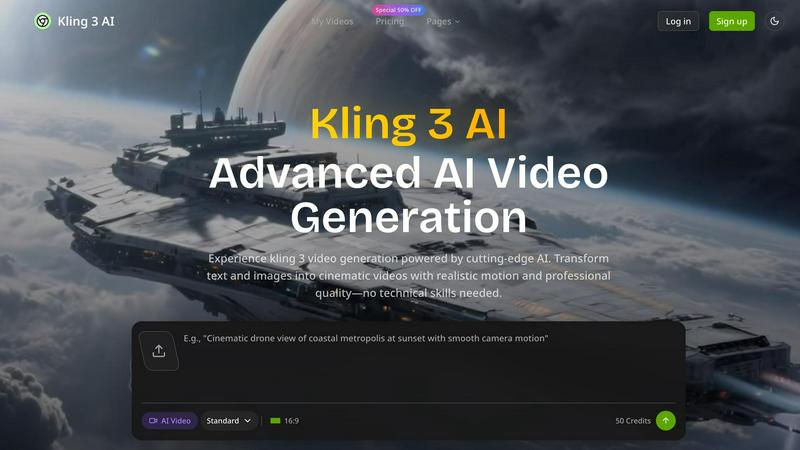
Kling 3 AI effortlessly transforms text and images into stunning 4K videos, empowering creators to produce professional.
Last updated: February 28, 2026

Pictro.ai
Pictro.ai empowers you to effortlessly create stunning 4K images and professional videos with advanced AI technology.
Last updated: February 28, 2026
Visual Comparison
kling 3
Pictro.ai

Feature Comparison
kling 3
Advanced AI Motion Control
Kling 3 utilizes sophisticated AI algorithms to manage motion control, enabling users to create dynamic videos with fluid transitions and lifelike movements. This feature enhances visual storytelling by allowing for precise camera trajectories and angles.
Natural Audio Integration
The platform includes advanced audio capabilities that ensure voiceovers and background sounds are seamlessly integrated into videos. This feature enriches the viewer's experience, making the content more engaging and relatable.
Multi-Format Export Options
Kling 3 offers the ability to export videos in various formats optimized for different platforms. Whether for social media, websites, or presentations, users can create content that meets the specific requirements of various channels.
User-Friendly Interface
The intuitive interface of Kling 3 makes it accessible for creators of all skill levels. With easy navigation and straightforward tools, users can focus on crafting their narratives without getting bogged down by complicated software.
Pictro.ai
Advanced AI Image Generation
Pictro.ai employs the cutting-edge Nano Banana Pro engine to create stunning, photorealistic 4K images. This feature allows users to generate visuals quickly and efficiently, making it ideal for projects that demand high-quality graphics within tight deadlines.
Professional Video Creation
With Sora 2 and Seedance 2.0, Pictro.ai provides robust video generation capabilities. Users can create professional-grade videos that adhere to their prompts, ensuring that the final product aligns closely with their vision and requirements.
Multi-language Text Rendering
Pictro.ai supports high-fidelity text generation in multiple languages, allowing users to create visually appealing graphics with perfect typography. This feature is particularly beneficial for global teams looking to maintain consistency across diverse markets.
Studio-Quality Control
Users have fine control over various aspects of their creations, including composition, lighting, and color grading. This ensures that every image and video produced meets studio-quality standards, enabling users to achieve their artistic vision without compromise.
Use Cases
kling 3
Marketing Campaigns
Marketing teams can leverage Kling 3 to generate diverse ad variations quickly, allowing for effective A/B testing. This capability enables brands to optimize their campaigns based on real-time feedback and engagement metrics.
Educational Content Creation
Educators and trainers can transform their scripts into engaging visual narratives using Kling 3. By incorporating AI-generated scenes with traditional footage, they can create captivating lessons that enhance learning experiences.
Product Launches
Startup founders can utilize Kling 3 to develop comprehensive launch materials without extensive creative resources. The platform allows for the rapid creation of investor presentations, product demos, and promotional videos, ensuring a polished first impression.
Social Media Content
Content creators can produce high-quality, platform-optimized videos that capture attention on social media. With Kling 3, they can generate engaging content that resonates with their audience, driving higher engagement and shares.
Pictro.ai
Photo Enhancement
Pictro.ai simplifies the photo enhancement process with one-click retouching features. Users can rescue low-quality images and optimize compositions, ensuring that their visuals are always top-notch and ready for publication.
Fashion Try-On
For fashion designers and e-commerce platforms, Pictro.ai allows users to create outfits of the day (OOTD) flat lays and perform outfit transfers between subjects. This functionality maintains consistency across images, making it easier to showcase fashion collections effectively.
E-commerce Editing
E-commerce sellers can utilize Pictro.ai to replace products in images while preserving accurate proportions and materials. This feature helps optimize main product images, enhancing their appeal to potential customers.
AR Info Cards
Pictro.ai is also capable of generating augmented reality (AR) information cards. These cards can be used for educational purposes or to provide local life insights, leveraging real-world knowledge for enhanced user engagement.
Overview
About kling 3
Kling 3 is an advanced AI video generation tool designed to transform text and images into high-quality, professional videos effortlessly. With its cutting-edge technology, Kling 3 caters to a diverse range of users, including marketing professionals, content creators, and startup founders. The platform eliminates the need for technical skills, empowering users to produce cinematic videos that feature realistic motion, natural audio, and stunning 4K resolution. By streamlining the video creation process, Kling 3 enhances productivity and creativity, allowing teams to focus on storytelling and engagement rather than the complexities of video production. Whether for marketing campaigns, educational content, or product launches, Kling 3 is the ultimate solution for anyone looking to elevate their video content to the next level.
About Pictro.ai
Pictro.ai is an innovative collaborative platform that merges advanced AI technology with creative freedom, allowing users to transform their visual ideas into breathtaking images and videos. Designed for a diverse range of creators, from individual designers and photographers to marketing teams and e-commerce sellers, Pictro.ai provides a unified workspace that streamlines complex workflows. Its core functionality revolves around an advanced AI image generator, Nano Banana Pro, and powerful video generators, Sora 2 and Seedance 2.0. Users can begin by turning their textual descriptions into high-quality visuals or enhance existing images with professional editing tools. Features like background removal, photo quality enhancement, and memory restoration allow for meticulous detail refinement, ensuring every project meets professional standards. By integrating all necessary tools into a single platform, Pictro.ai fosters a cooperative environment that enhances creativity while making high-quality visual creation accessible to all.
Frequently Asked Questions
kling 3 FAQ
What types of videos can I create with Kling 3?
Kling 3 allows users to create a wide range of videos, including marketing ads, educational content, product demos, and social media posts, all tailored to specific audience needs.
Do I need technical skills to use Kling 3?
No, Kling 3 is designed to be user-friendly and accessible to everyone, regardless of technical expertise. Its intuitive interface simplifies the video creation process for all users.
Can I integrate my own audio and images?
Yes, Kling 3 supports the integration of custom audio tracks and images, allowing you to personalize your videos and maintain brand consistency across your content.
Is there a limit to the number of videos I can generate?
The platform operates on a credit-based system, where users can generate videos based on the credits they purchase. More credits mean more videos, allowing flexibility in production needs.
Pictro.ai FAQ
What kind of images can I create with Pictro.ai?
With Pictro.ai, users can create a wide variety of images, including photorealistic visuals, infographics, and artistic representations. The platform's AI capabilities allow for diverse styles and compositions tailored to your specific needs.
Can I edit existing images with Pictro.ai?
Yes, Pictro.ai offers comprehensive editing tools that enable users to upload existing images and apply transformations. This includes enhancing quality, removing backgrounds, and making detailed adjustments to suit your creative vision.
What are the advantages of using Pictro.ai for video creation?
Pictro.ai integrates powerful video generators like Sora 2 and Seedance 2.0, allowing users to create professional videos quickly. The platform adheres to user prompts, ensuring high-quality output that meets specific project requirements.
Is Pictro.ai suitable for teams?
Absolutely! Pictro.ai is designed for collaboration, making it an excellent choice for teams of creators. The unified workspace allows for seamless communication and project management, enhancing overall productivity and creativity.
Alternatives
kling 3 Alternatives
Kling 3 is an innovative AI-driven tool that enables users to create stunning professional videos from text, placing it firmly within the design tools category. With its advanced motion control and natural audio capabilities, Kling 3 stands out by delivering high-quality videos in 4K resolution. This technology represents a significant leap forward in video generation, making it accessible to a broader audience. Users often seek alternatives to Kling 3 for various reasons, including pricing considerations, specific feature sets, and compatibility with different platforms. When exploring alternatives, it is essential to evaluate factors such as the ease of use, quality of output, and the range of functionalities offered. Additionally, considering customer support and community engagement can enhance the overall experience when choosing the right tool for video creation.
Pictro.ai Alternatives
Pictro.ai is an innovative platform that harnesses the power of artificial intelligence to assist users in generating, editing, and refining images. As a comprehensive design tool, it caters to a wide range of creators, including solo designers, photographers, and marketing teams, providing a collaborative workspace that simplifies the creative process. Users often seek alternatives to Pictro.ai for various reasons, such as pricing, specific feature needs, or compatibility with other platforms they are using. When searching for an alternative, it's important to consider factors like the range of tools offered, ease of use, and the ability to integrate with existing workflows to ensure a seamless transition. Finding the right alternative can make a significant difference in your creative projects. Look for platforms that offer robust text-to-image and image-to-image capabilities, along with professional editing tools that align with your specific requirements. Additionally, consider the platform's support resources, pricing structures, and user community to help you make an informed decision that enhances your creative output.