
Hush Touch | Voice-to-Text for MacOS vs Quitar Fondo
Side-by-side comparison to help you choose the right product.

Hush Touch | Voice-to-Text for MacOS
Hush Touch offers offline voice-to-text for Mac, learning your vocabulary and improving accuracy with every use.
Last updated: February 28, 2026

Quitar Fondo
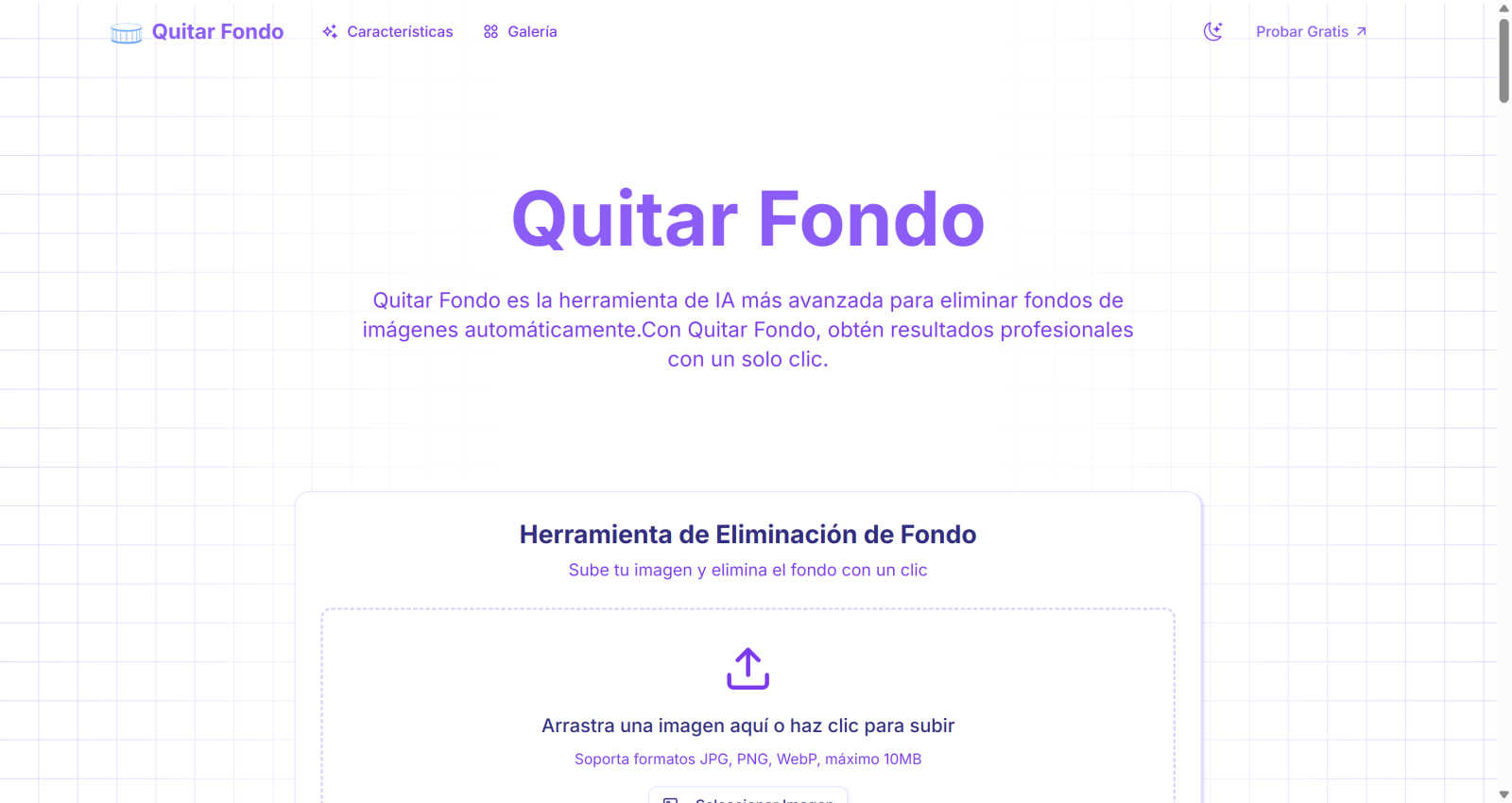
Quitar Fondo automatically removes image backgrounds in seconds, delivering stunning, professional results with ease.
Last updated: March 1, 2026
Visual Comparison
Hush Touch | Voice-to-Text for MacOS

Quitar Fondo
Feature Comparison
Hush Touch | Voice-to-Text for MacOS
Dual-Engine Recognition
Hush Touch utilizes a dual-engine system that combines DictationTranscriber for natural flow and punctuation with SFSpeechRecognizer to enhance custom vocabulary recognition. This powerful blend ensures that your voice is accurately transcribed, accommodating various speaking styles and terminologies.
Custom Vocabulary
With the ability to store up to 500 specialized terms, Hush Touch adapts to your unique language needs. It intelligently learns from corrections you make, ensuring that industry-specific jargon, brand names, and other specialized vocabulary are recognized accurately in future dictations.
Smart Text Processing
This feature streamlines your dictation experience by automatically removing filler words, correcting common errors in real-time, and formatting lists. Hush Touch processes your speech locally, providing a polished output that enhances clarity and professionalism in your written content.
Context Modes & Hands-Free Functionality
Hush Touch offers four distinct context modes—General, Email, Code, and Notes—allowing users to switch modes based on their specific needs. Additionally, the hands-free capability lets you dictate effortlessly by using Siri or a hotkey, with automatic text insertion after brief pauses.
Quitar Fondo
Advanced AI Algorithms
Quitar Fondo employs state-of-the-art deep learning technology that allows the tool to detect and eliminate backgrounds with remarkable precision. This advanced capability ensures that even the most intricate details, such as hair and complex edges, are managed flawlessly.
Instant Processing
With Quitar Fondo, users can expect lightning-fast results. The processing happens in seconds, allowing you to focus on your creative projects without the need for complex software or long waiting times.
Multiple Format Support
Quitar Fondo accommodates various image formats, including JPG, PNG, and WEBP, ensuring that users have maximum flexibility when working with their images. This feature makes it easy to integrate the tool into various workflows and projects.
User-Friendly Interface
The design of Quitar Fondo is intuitive and sleek, making it easy for anyone to use, regardless of their technical background. The straightforward drag-and-drop functionality simplifies the uploading process, making image editing accessible for all.
Use Cases
Hush Touch | Voice-to-Text for MacOS
Professional Communication
Whether you are drafting emails or writing reports, Hush Touch enhances your professional communication by allowing you to dictate messages quickly and accurately. With its advanced vocabulary learning, you can ensure that industry terms are transcribed correctly, enhancing your credibility.
Academic Writing
Students and educators can benefit from Hush Touch by using it for lectures, notes, and research papers. The app's ability to handle complex terminology and references makes it a valuable tool for anyone in academia, facilitating a smoother writing process.
Creative Content Creation
Writers and content creators can leverage Hush Touch to produce articles, blog posts, and social media content hands-free. This tool allows for a natural flow of ideas, enabling creators to focus on their narratives without the distraction of typing.
Medical Documentation
Healthcare professionals can utilize Hush Touch to dictate patient notes, prescriptions, and reports efficiently. The app's ability to learn medical vocabulary ensures that dictations are accurate, saving time and improving record-keeping practices.
Quitar Fondo
Photography Enhancement
Professional photographers can significantly reduce their editing time by using Quitar Fondo to remove backgrounds from images swiftly, allowing them to present their work more efficiently to clients and stakeholders.
Graphic Design Projects
Graphic designers can use Quitar Fondo to streamline their workflow, enabling them to focus on creative aspects while the tool handles the labor-intensive task of background removal. This enhances productivity and allows for quicker project completion.
E-commerce Product Listings
E-commerce managers can enhance product images by removing distracting backgrounds, making their listings more appealing to potential customers. This tool ensures that products stand out, ultimately driving sales and engagement.
Social Media Content Creation
Social media managers can create eye-catching posts by quickly removing backgrounds from images of products or events. This capability allows for the rapid generation of visually appealing content that captures audience attention and increases engagement.
Overview
About Hush Touch | Voice-to-Text for MacOS
Hush Touch is an innovative voice-to-text application designed specifically for macOS, revolutionizing the way users approach dictation. It combines advanced on-device processing with two powerful Apple transcription engines to deliver a dictation experience that feels fast, natural, and private. Ideal for professionals across various fields, Hush Touch allows users to draft emails, messages, documents, and notes hands-free, seamlessly integrating into their daily workflows. The app operates entirely offline, ensuring that sensitive information remains secure while providing accurate transcription. Hush Touch learns from user interactions, adapting to individual vocabulary and improving accuracy over time. With a simple setup and a lightweight design, Hush Touch empowers users to communicate effectively without relying on cloud services, offering a $20 lifetime license that breaks the mold of subscription-based dictation tools.
About Quitar Fondo
Quitar Fondo is an advanced AI-powered tool that simplifies the process of removing backgrounds from images with exceptional accuracy. Designed for a diverse range of users, including photographers, graphic designers, e-commerce managers, and social media specialists, Quitar Fondo leverages cutting-edge deep learning algorithms to achieve professional-quality results effortlessly. The primary value proposition of Quitar Fondo lies in its ability to save time and reduce the complexity of image editing. Users can quickly upload images in various formats, and experience the magic of automated background removal. The user-friendly interface makes it accessible even for those with minimal technical expertise. With Quitar Fondo, high-quality image processing transforms from a daunting task into a seamless experience, empowering users to enhance their creativity and productivity while achieving stunning visual results.
Frequently Asked Questions
Hush Touch | Voice-to-Text for MacOS FAQ
How does Hush Touch ensure my privacy?
Hush Touch processes all voice data entirely on your Mac, eliminating any dependence on cloud services. There is no data collection, ensuring that your dictations remain confidential and secure.
Can I use Hush Touch offline?
Yes, Hush Touch is designed to work fully offline. All voice-to-text processing occurs on-device, allowing you to dictate anywhere without an internet connection.
What is the pricing model for Hush Touch?
Hush Touch offers a one-time payment of $20 for a lifetime license. This model eliminates recurring subscription fees, providing excellent value for users.
How does the vocabulary learning feature work?
Hush Touch adapts to your specific vocabulary by learning from corrections you make during dictation. It can recognize specialized terms and jargon over time, improving its accuracy and efficiency with each use.
Quitar Fondo FAQ
How does Quitar Fondo work?
Quitar Fondo uses advanced AI algorithms to analyze images and automatically detects the background, removing it with precision. The process is designed to be quick and user-friendly.
What image formats does Quitar Fondo support?
Quitar Fondo supports a variety of popular image formats, including JPG, PNG, and WEBP, allowing users to work with their preferred file types seamlessly.
Is there a limit to how many images I can process?
No, Quitar Fondo does not impose limits on the number of images you can process. Users can remove backgrounds from as many images as needed without any hidden restrictions.
How quickly can I expect results from Quitar Fondo?
The processing time for background removal is typically around three seconds, allowing users to receive high-quality images almost instantly, thus enhancing workflow efficiency.
Alternatives
Hush Touch | Voice-to-Text for MacOS Alternatives
Hush Touch | Voice-to-Text for MacOS is an innovative application designed for users who seek efficient, offline dictation capabilities on their Mac devices. As part of the AI Assistants category, it utilizes advanced Apple transcription engines to deliver accurate and fast voice-to-text conversion while maintaining user privacy through on-device processing. Many users explore alternatives to Hush Touch for various reasons, such as pricing, specific features, or compatibility with other platforms. When seeking an alternative, it’s essential to consider factors like ease of use, customization options, transcription accuracy, and the ability to function without an internet connection. Additionally, users should evaluate how well the alternative integrates into their existing workflows and whether it meets their unique dictation needs.
Quitar Fondo Alternatives
Quitar Fondo is an innovative AI-powered tool that specializes in removing image backgrounds with remarkable accuracy. As part of the AI Assistants and Image & Photo categories, it caters to a diverse audience, including photographers, graphic designers, and e-commerce managers. Users often seek alternatives to Quitar Fondo for various reasons, including pricing, additional features, or specific platform compatibility. When exploring alternatives, it is essential to consider factors such as ease of use, processing speed, supported image formats, and the level of accuracy in background removal. A user-friendly interface and the ability to handle various file types can also significantly enhance the overall experience, allowing users to select a tool that best fits their creative needs.