
GoViralTrend - Al TikTok Trend Finder & Script Generator vs SVG to 3D
Side-by-side comparison to help you choose the right product.

GoViralTrend - Al TikTok Trend Finder & Script Generator
GoViralTrend helps you find TikTok trends early and create engaging videos to maximize your reach and influence.
Last updated: February 28, 2026
SVG to 3D
Easily transform your SVG designs into stunning, professional 3D models in seconds with SVG to 3D.
Last updated: February 28, 2026
Visual Comparison
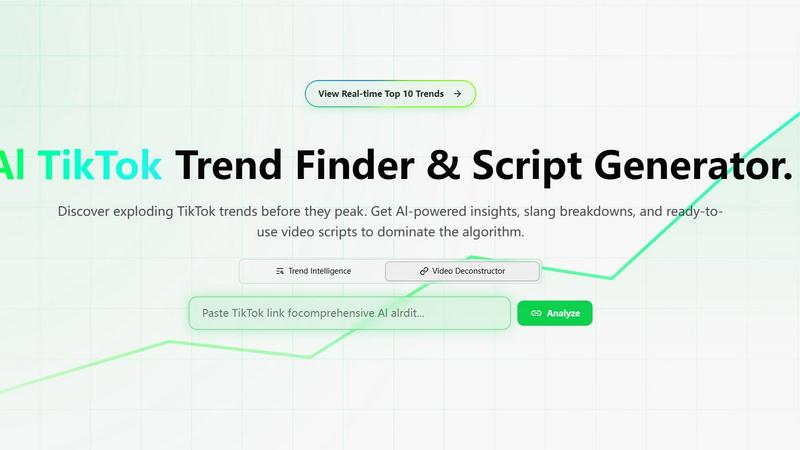
GoViralTrend - Al TikTok Trend Finder & Script Generator
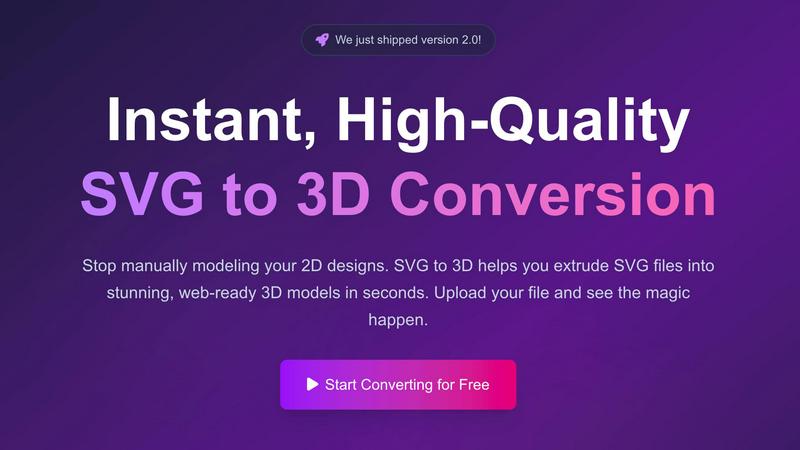
SVG to 3D
Feature Comparison
GoViralTrend - Al TikTok Trend Finder & Script Generator
Real-time Top 10 Trends
Stay updated with the latest viral trends on TikTok through our real-time tracking feature. This allows users to identify and engage with the most relevant content quickly, ensuring your videos align with what is currently captivating audiences.
Trend Intelligence
Leverage advanced analytics to understand not only what is trending but also why. This feature provides insights into audience engagement, sentiment analysis, and the lifecycle of trends, helping creators make informed content decisions.
URL Video Deconstructor
Transform existing TikTok videos into fresh content by utilizing our URL Video Deconstructor. This tool analyzes any TikTok video, breaking down its elements to inspire new scripts, hooks, and creative angles for your own videos.
AI-Generated Video Scripts
Harness the power of artificial intelligence to create compelling video scripts effortlessly. The AI script generator tailors content based on the latest trends, ensuring that your videos are not only relevant but also engaging and optimized for virality.
SVG to 3D
One-Click to GLB for the Web
This feature enables users to export their 3D models in GLB format with just a single click. The GLB files generated are optimized for web use, making them perfect for integration into Three.js or React Three Fiber projects. This functionality ensures that developers can effortlessly add interactive 3D elements to their websites without complicated processes.
3D-Print Ready
SVG to 3D supports clean STL exports, allowing users to prepare their 3D models for 3D printing directly. This feature is especially beneficial for those who wish to take their 2D designs into the physical realm, providing a straightforward way to go from digital artwork to tangible products without needing complex CAD software.
Fine-Tune Every Detail
With advanced controls, users can go beyond simple extrusion and fine-tune every aspect of their 3D model. Adjusting thickness, adding bevels, and applying realistic PBR materials are all possible, along with a real-time preview that allows for immediate feedback. This level of customization ensures that the final output meets professional standards.
Advanced Material System
SVG to 3D includes an advanced material system that allows users to apply realistic PBR materials, custom textures, and professional lighting effects to their models. This feature enhances the visual appeal of the 3D creations, helping them stand out in various applications, from web use to presentations.
Use Cases
GoViralTrend - Al TikTok Trend Finder & Script Generator
Content Creation for Influencers
Influencers can utilize GoViralTrend to discover trending topics and create timely, relevant content that resonates with their audience, boosting engagement and follower growth.
Marketing Campaign Optimization
Brands can leverage trend insights to tailor their marketing strategies, ensuring that their campaigns are in sync with current TikTok trends, maximizing reach and impact.
Educational Content Development
Educators and trainers can employ GoViralTrend to identify trending educational topics, creating content that is not only informative but also engaging for students and followers.
Trend Analysis for Researchers
Researchers and analysts can use the platform to study trend dynamics on TikTok, gathering data that informs studies on social media behavior and digital marketing strategies.
SVG to 3D
Create Interactive 3D Logos and Icons for Web
Web developers can easily convert SVG icons into interactive 3D models, enhancing their web projects with visual depth and engagement. This use case is particularly valuable for creating unique user interfaces that capture attention and elevate the user experience.
From Digital Design to Physical Object
Artists and designers can utilize SVG to 3D to transform their 2D designs into physical objects through 3D printing. This use case allows for the creation of custom parts, art pieces, and prototypes without the need for extensive modeling skills or software, making it accessible for all.
Enhance Your Website with Depth
By integrating 3D models into UI/UX designs, designers can present their concepts with greater depth and realism. This approach not only impresses clients but also allows stakeholders to visualize the final product more effectively, fostering better collaboration and decision-making.
Developer-Friendly Exports
SVG to 3D serves as an invaluable tool for developers looking to streamline their workflow. With the ability to export models in various formats like GLB, GLTF, OBJ, and STL, this tool ensures compatibility with popular 3D frameworks and engines, making it versatile for different project needs.
Overview
About GoViralTrend - Al TikTok Trend Finder & Script Generator
GoViralTrend is a cutting-edge AI tool designed to empower content creators, marketers, and brands in maximizing their visibility on TikTok. As the digital landscape evolves, staying ahead of trends is crucial, and GoViralTrend serves as an all-in-one growth suite that simplifies this process. By providing real-time insights into the top trending topics on TikTok, users can quickly adapt their content strategies to leverage virality. The platform not only tracks trending hashtags and themes but also features an AI-driven script generator that crafts engaging video hooks, scripts, and filming prompts tailored to the latest trends. Whether you are an aspiring creator or a seasoned marketer, GoViralTrend offers the tools you need to create impactful content that resonates with your audience and drives traffic to your brand.
About SVG to 3D
SVG to 3D is a revolutionary web-based tool designed to seamlessly transform 2D SVG vector graphics into stunning, high-quality 3D models. This innovative solution addresses a common challenge faced by designers, developers, and 3D printing enthusiasts: the cumbersome and time-consuming process of using heavyweight software like Blender or C4D for simple tasks such as extruding logos or icons. By providing a streamlined platform where users can upload their SVG files and witness instantaneous conversion into 3D models, SVG to 3D simplifies workflows and enhances productivity. Its main value proposition lies in its user-friendly interface, advanced customization options, and the ability to export in multiple formats, catering to professionals who demand quality without sacrificing speed.
Frequently Asked Questions
GoViralTrend - Al TikTok Trend Finder & Script Generator FAQ
How does GoViralTrend track trends?
GoViralTrend utilizes advanced algorithms to monitor TikTok continuously, analyzing hashtag performance, video engagement, and user interactions to provide real-time trend updates.
Can I use GoViralTrend for other social media platforms?
Currently, GoViralTrend is specifically designed for TikTok. However, insights gained can be beneficial for understanding trends applicable across multiple platforms.
Is there a limit to the number of trends I can view?
Users have access to a variety of trending topics within the real-time Top 10 Trends feature, enabling them to explore multiple trends without limitation.
How does the AI script generator work?
The AI script generator analyzes trending content and utilizes natural language processing to create engaging scripts and prompts tailored to your style and the current trends on TikTok.
SVG to 3D FAQ
How do I get started with SVG to 3D?
To begin converting your designs, simply upload your SVG file through the intuitive interface. You can drag and drop your file or paste the SVG code directly into the editor.
What file formats can I export my 3D model in?
SVG to 3D allows you to export your 3D models in several formats, including GLB, GLTF, OBJ, and STL, catering to various applications, from web integration to 3D printing.
Is there a limit on the size of SVG files I can upload?
Yes, the maximum file size for SVG uploads is 5 MB. This limit ensures that the processing remains fast and efficient while still accommodating a wide range of designs.
Is my design secure when using SVG to 3D?
Absolutely. Your files are processed locally in your browser whenever possible, ensuring that your designs remain private and secure without being uploaded to external servers.
Alternatives
GoViralTrend - Al TikTok Trend Finder & Script Generator Alternatives
GoViralTrend - Al TikTok Trend Finder & Script Generator is an innovative tool designed to help users discover trending TikTok content before it becomes mainstream. This product falls under the categories of AI Assistants, Analytics & Data, Content Creation, and SEO, making it a versatile option for creators and marketers looking to enhance their TikTok presence. Users often seek alternatives for various reasons, including pricing structures, specific feature sets, or compatibility with other platforms. When selecting an alternative, it's essential to consider factors such as the tool's ease of use, the quality of trend insights, and additional functionalities that can support content creation and engagement strategies. A well-rounded alternative should align with the specific needs and goals of the user.
SVG to 3D Alternatives
SVG to 3D is a specialized tool designed to convert 2D SVG vector graphics into high-quality 3D models, making it an invaluable asset for developers, designers, and 3D printing enthusiasts. As part of the AI Assistants category, it offers a streamlined approach that eliminates the need for heavyweight software, allowing users to quickly transform their designs with ease. However, users often find themselves seeking alternatives for various reasons, including pricing concerns, specific feature requirements, or compatibility with different platforms. When exploring alternatives, it’s essential to consider factors such as the ease of use, export formats supported, real-time editing capabilities, and overall integration with existing workflows to ensure that the chosen solution meets their unique needs.