Gaffa vs Playwriter
Side-by-side comparison to help you choose the right product.

Gaffa empowers teams to effortlessly automate web scraping and browser tasks with a simple, powerful API.
Last updated: March 1, 2026

Playwriter
Playwriter empowers your team to control Chrome seamlessly with AI, leveraging your existing sessions for enhanced collaboration and efficiency.
Last updated: March 18, 2026
Visual Comparison
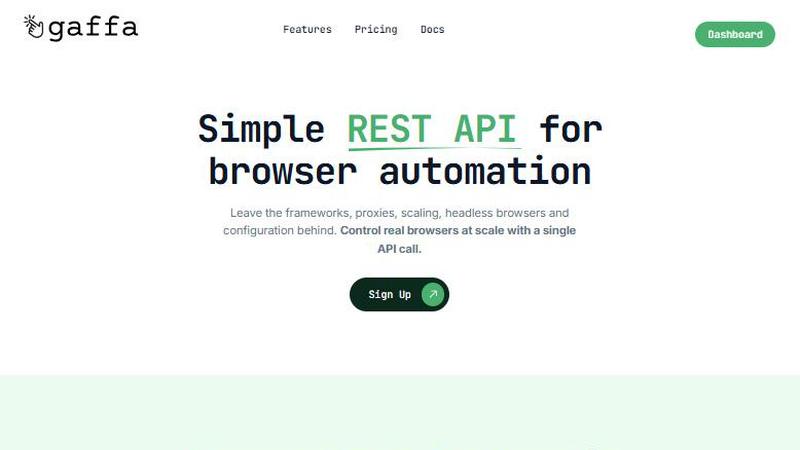
Gaffa
Playwriter

Feature Comparison
Gaffa
Simple REST API
Gaffa offers a straightforward REST API that allows users to automate real browsers effortlessly. This eliminates the need for extensive knowledge about frameworks, headless browsers, and complex configurations. With a single API call, users can manage browser automation at scale, making it a user-friendly choice for developers and businesses alike.
Automate Real Browsers in Minutes
With Gaffa, users can start automating tasks such as web scraping, printing web pages, and converting content to LLM-ready markdown in just a few minutes. This rapid deployment feature ensures that users can quickly harness the power of web data without extensive setup time or technical expertise.
Ready to Scale
Gaffa is designed to handle large-scale web data projects without the user needing to worry about the underlying complexities of scaling. This feature allows users to focus on their data needs while Gaffa manages the heavy lifting, ensuring smooth operations regardless of the volume of requests.
Data Processing
Beyond just providing web pages, Gaffa excels in processing page data into formats like simplified HTML or LLM-ready markdown. Users can even save self-contained offline versions of pages, enhancing the utility of the data collected and ensuring it is readily accessible for further analysis or presentation.
Playwriter
Real Browser Session Access
Playwriter allows AI agents to access your existing Chrome session, including all extensions, logins, and cookies. This eliminates the issues of bot detection and memory overhead associated with headless browsers, making your automation efforts more effective and efficient.
Comprehensive Automation API
With Playwriter, you gain access to the full Playwright API through a single execute tool. This means that agents can run any Playwright code without the need for wrappers or multiple tool definitions, streamlining your automation workflow.
Collaboration in Real Time
The unique collaboration feature of Playwriter allows you to see everything the agent does in real time. When challenges arise, such as captchas or consent walls, you can intervene directly, ensuring seamless cooperation and effective problem-solving.
Debugging and Live Editing
Playwriter includes a powerful debugger with breakpoints and live code editing capabilities. This feature enables developers to test and adjust their automation scripts on the fly, optimizing performance and enhancing the overall user experience.
Use Cases
Gaffa
Market Research
Businesses leveraging Gaffa can conduct extensive market research by scraping competitor websites, gathering pricing information, and analyzing product offerings. This capability enables informed decision-making and strategic planning based on accurate and timely data insights.
Competitive Analysis
Gaffa empowers companies to perform in-depth competitive analysis by automating the collection of data from various sources. This allows businesses to stay ahead of market trends, understand competitor strategies, and adjust their own approaches accordingly.
Content Aggregation
Content creators and marketers can utilize Gaffa for aggregating relevant information from multiple websites. This enables them to compile comprehensive reports or curate content efficiently, saving time and effort while ensuring they have access to the latest information.
Web Testing and Monitoring
Developers can use Gaffa to automate testing of web applications by simulating user interactions. This includes scrolling, clicking, and form submissions, allowing for comprehensive monitoring and testing of web functionalities in real-time, ensuring a seamless user experience.
Playwriter
Web Testing
Playwriter is ideal for web developers and testers who need to automate the testing of web applications. By leveraging the full browser session, they can ensure that tests are run in a realistic environment, leading to more accurate results.
Data Scraping
Data analysts can utilize Playwriter to automate data collection from websites. With access to real browser sessions, they can navigate websites that require logins and avoid common scraping pitfalls like bot detection.
User Experience Research
Researchers can use Playwriter to simulate user interactions on their websites. By collaborating in real time with AI agents, they can gather insights into user behavior and identify areas for improvement.
Content Management
Content managers can automate repetitive tasks, such as posting updates or managing content on various platforms. With Playwriter, they can ensure that automation is done in an authenticated session, preserving the integrity of content management processes.
Overview
About Gaffa
Gaffa is a robust API meticulously crafted to streamline the acquisition of reliable web data at scale. As businesses increasingly demand data, the complexities associated with web scraping can be overwhelming. Gaffa addresses this challenge by offering an intuitive solution that removes technical barriers, making data extraction accessible for everyone. It is particularly advantageous for developers, businesses, and data analysts seeking an efficient way to automate web interactions. Whether the goal is market research, competitive analysis, or content aggregation, Gaffa empowers users to harness data effectively without the need to focus on the nuances of scraping technology. With capabilities that mimic natural human behavior through scrolling, clicking, and data extraction, Gaffa ensures that even the most intricate websites can be navigated with ease. By using Gaffa, users can concentrate on leveraging insights from data to drive informed business decisions, rather than getting entangled in technical intricacies.
About Playwriter
Playwriter is a groundbreaking tool that empowers AI agents to operate within your actual browser environment. Unlike traditional solutions that rely on fresh browser instances or limited toolsets, Playwriter connects directly to your existing Chrome session, complete with your logins, cookies, and extensions. This innovative Chrome extension and CLI allow agents to execute Playwright scripts seamlessly, enabling real-time collaboration between human users and AI. It is particularly valuable for developers, testers, and anyone who requires automated web interactions without the hassle of bot detection or session restrictions. By providing a robust API and eliminating unnecessary memory overhead, Playwriter enhances productivity and fosters synergy between human oversight and automated processes.
Frequently Asked Questions
Gaffa FAQ
What is a credit worth?
Credits in Gaffa are utilized to measure browser requests based on two factors: request length and proxy bandwidth usage. Each request is charged one credit per 30 seconds of runtime, doubling if screen recording is enabled. Additionally, requests using residential proxies incur charges based on bandwidth usage.
Does this app offer a free trial period?
Yes, Gaffa offers a free trial that allows users to experiment with key features on their demo site (demo.gaffa.dev). This provides an opportunity to explore and test the API's capabilities before committing to a paid plan for live site automation.
What's the refund policy?
Gaffa is committed to customer satisfaction and offers a refund policy upon request before any credits are utilized in the current month. Users can feel secure in their investment, knowing they have options if their needs change.
Do credits rollover?
No, Gaffa's policy states that any unused credits do not roll over into the next month. It encourages users to make the most of their credits within the designated billing cycle, optimizing their usage for maximum benefit.
Playwriter FAQ
How does Playwriter enhance browser automation?
Playwriter enhances browser automation by allowing agents to operate within your actual Chrome session. This includes access to all your logged-in accounts and extensions, which reduces bot detection and improves automation reliability.
Is Playwriter suitable for team collaboration?
Yes, Playwriter is designed for real-time collaboration. You can see what the agent is doing as it works, allowing you to intervene when necessary, such as solving captchas or addressing any issues that arise during automation.
What platforms does Playwriter support?
Playwriter supports various MCP clients, including Cursor, Claude, VS Code, and more. This versatility allows users to integrate Playwriter into their existing workflows with ease.
Is Playwriter open source?
Yes, Playwriter is open source and is licensed under the MIT license. This allows developers to contribute to its development and customize it according to their needs.
Alternatives
Gaffa Alternatives
Gaffa is a robust API that streamlines web scraping and browser automation, catering to businesses, developers, and data analysts seeking to extract reliable web data efficiently. As the demand for sophisticated data solutions rises, users often find themselves exploring alternatives to address specific needs, such as pricing, feature sets, or compatibility with existing platforms. When searching for an alternative, it's essential to consider factors such as ease of use, scalability, data processing capabilities, and the ability to handle real browser automation without getting caught up in technical complexities. Many users look for alternatives that can meet their unique requirements, whether those are driven by budget constraints, the need for specific features, or compatibility with other tools in their tech stack. It's crucial to evaluate how well an alternative aligns with your project goals and whether it can provide a seamless experience that enables your team to focus on leveraging data effectively.
Playwriter Alternatives
Playwriter is an innovative tool that allows users to control Chrome through AI via command line interface (CLI) or multi-channel protocol (MCP). It falls under the automation category, providing a seamless experience by granting AI agents access to the user's actual browser session, complete with existing logins and extensions. This capability sets Playwriter apart from other solutions that often struggle with web browsing due to restrictions in access or functionality. Users often seek alternatives to Playwriter for various reasons, including pricing considerations, specific feature requirements, or compatibility with different platforms. When evaluating alternatives, it is essential to look for features that enhance usability, such as automation capabilities, ease of integration, performance efficiency, and the level of support offered. Ensuring that the alternative aligns with team collaboration and project goals is crucial for achieving optimal results.