Founder Toolkit vs Tickari
Side-by-side comparison to help you choose the right product.
Founder Toolkit
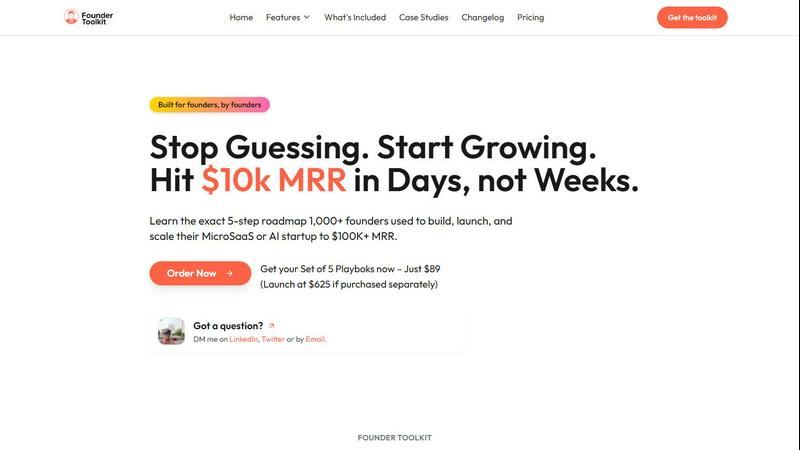
Empower your startup with essential tools and playbooks to effortlessly achieve $100K+ MRR in record time.
Last updated: March 1, 2026

The no-nonsense task manager that actually helps you get things done. No clutter. No complexity. Just you and your tasks.
Visual Comparison
Founder Toolkit
Tickari

Overview
About Founder Toolkit
Founder Toolkit is an all-encompassing resource designed specifically for startup founders who aspire to reach $100K+ Monthly Recurring Revenue (MRR) efficiently. With contributions from seasoned entrepreneurs, this toolkit equips founders with a wealth of resources that streamline the startup journey. It includes five expertly crafted playbooks that guide users through critical stages of building their businesses, a ready-to-use Next.js boilerplate for seamless product development, and access to over 1,000 launch directories to help you gain traction. Additionally, the toolkit features a valuable database of more than 1,000 founder success stories, providing insights into real-world challenges and solutions. Available for just $89, Founder Toolkit offers lifetime access to proven strategies, tools, and templates that can significantly boost a startup's growth trajectory. Whether you are venturing into MicroSaaS, AI, or any other sector, the Founder Toolkit is your partner in eliminating guesswork and empowering you to achieve your business goals swiftly and effectively.
About Tickari
Tickari is a deliberately minimal, no-nonsense task manager designed for people who are tired of overcomplicated productivity tools and just want to get things done. Instead of overwhelming you with features like complex boards, AI-generated suggestions, or endless customization, Tickari focuses on a simple, frictionless workflow: write a task, tick it off, and move on.
The product embraces a “less but better” philosophy—eliminating clutter, reducing cognitive overhead, and removing the need for onboarding tutorials or setup processes. There are no distractions, no unnecessary decisions, and no feature bloat—just a clean interface that works instantly the moment you open it. This makes it particularly effective for users who feel stuck organizing tasks instead of actually completing them.