File Studio vs Fill PDF from Excel
Side-by-side comparison to help you choose the right product.

File Studio
File Studio empowers you to convert, edit, and manage files and PDFs securely offline on your computer.
Last updated: February 28, 2026

Fill PDF from Excel
Fill PDF from Excel data saves professionals and teams hours of manual data entry, streamlining high-volume form workflows with intelligent mapping.
Visual Comparison
File Studio

Fill PDF from Excel
Overview
About File Studio
File Studio is a powerful desktop application tailored for users who need efficient file management for PDFs and images, all while maintaining complete privacy and security. Designed specifically for offline use, it allows photographers, freelancers, and remote workers to handle sensitive documents such as passports, IDs, and contracts without the worry of cloud storage vulnerabilities. File Studio offers a comprehensive suite of tools, enabling users to merge, split, reorder, rotate, and password-protect PDFs, alongside converting files between over 20 different formats, including HEIC, WebP, AVIF, and various RAW types. With its one-time purchase model, users gain access to reliable, high-performance file management tools minus the complications of subscriptions. Compatible with both Mac and Windows, File Studio promises a seamless and secure experience for anyone looking to simplify their document handling workflow.
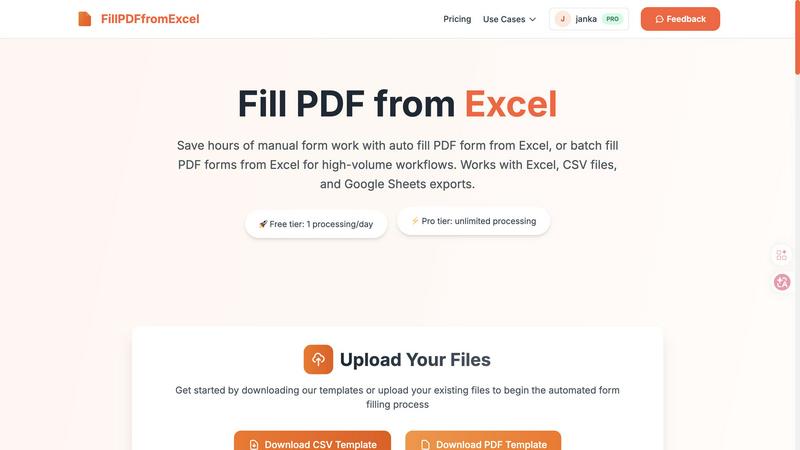
About Fill PDF from Excel
Fill PDF from Excel data is a smart automation tool designed to quickly auto-fill and batch-fill PDF forms using data from Excel, CSV, or Google Sheets. It saves professionals and teams hours of manual data entry, streamlining high-volume form workflows with intelligent mapping.