Dreamflow vs TemplateFox
Side-by-side comparison to help you choose the right product.

Dreamflow
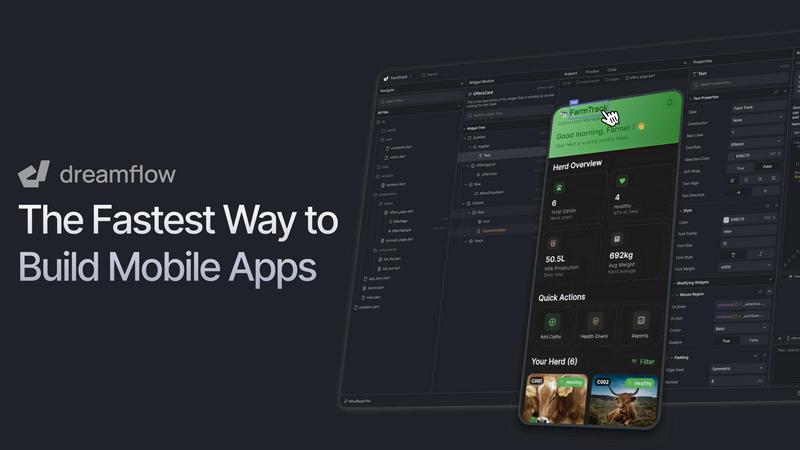
Dreamflow is a collaborative AI platform where teams visually build and ship apps together.
Last updated: March 1, 2026

TemplateFox
Effortlessly create and automate dynamic PDF documents with TemplateFox's intuitive no-code platform for every business.
Last updated: February 28, 2026
Visual Comparison
Dreamflow
TemplateFox

Feature Comparison
Dreamflow
Tri-Surface Editing
Dreamflow's core innovation is its synchronized tri-surface environment. Teams can fluidly switch between an AI agent for prompting, a visual canvas for drag-and-drop design, and a full Flutter code editor. Every change made in one surface—whether an AI-generated feature, a visual layout adjustment, or a custom code function—is instantly reflected across the others. This eliminates the traditional friction between prototyping and development, ensuring seamless collaboration and maintaining a single source of truth throughout the entire build process.
AI-Powered Development
The platform features a context-aware AI agent that understands app development patterns and best practices. It goes beyond simple code generation to intelligently scaffold entire features, suggest improvements, and implement changes based on natural language prompts. This AI acts as a collaborative partner, accelerating the initial build and iterative refinement, allowing the team to focus on high-level logic and user experience while the AI handles the repetitive scaffolding and boilerplate code.
Build for Any Screen
Powered by Flutter, Dreamflow enables teams to build truly responsive and robust applications that automatically adapt to every device size. From a single collaborative project, you can deploy native-quality applications to both the iOS App Store and Google Play Store, as well as to the web, all with just a few clicks. This ensures your entire team's effort results in a cohesive product experience across all user platforms without managing separate codebases.
Integrated Backend Solutions
Dreamflow comes with managed backend integrations for Firebase and Supabase out of the box. This allows product teams to effortlessly build full-stack applications with authentication, databases, and cloud functions. By handling complex backend infrastructure, Dreamflow lets developers, designers, and founders collaborate on the app logic and user experience from day one, ensuring the project is built on a scalable foundation ready for production growth.
TemplateFox
Headers & Footers
TemplateFox allows users to define headers and footers that automatically repeat on every page. This feature is ideal for incorporating logos, page numbers, and legal mentions seamlessly across documents, ensuring consistency and professionalism.
Dynamic Data Binding
With TemplateFox, users can easily inject dynamic data into their templates. This means that essential information such as names, addresses, and prices can be automatically updated, making it simple to keep documents current without manual intervention.
Adaptive Tables
The platform offers tables that dynamically grow based on the data provided. Whether users need to display three items or 300, the tables adapt accordingly and can even span multiple pages if necessary, ensuring comprehensive data presentation.
Built-in QR Codes & Barcodes
TemplateFox simplifies the inclusion of QR codes and barcodes, which are generated on the fly from user data. Supporting various formats like Code128, EAN-13, and QR codes, this feature ensures that all codes are scanner-ready for enhanced functionality.
Use Cases
Dreamflow
Cross-Functional Product Teams
Product managers, UI/UX designers, and developers can collaborate in real-time on a single platform. The product manager can articulate features to the AI, the designer can visually polish the interface on the canvas, and the developer can simultaneously wire up complex business logic in code. This synergy drastically reduces miscommunication and iteration cycles, speeding up the entire product development lifecycle from concept to launch.
Startup Founders & Solo Entrepreneurs
Founders with a vision but limited coding expertise can use Dreamflow to translate their ideas into a working application rapidly. By describing their app concept to the AI agent and using the visual canvas to adjust the flow, they can create a professional MVP. They can then bring in a developer for advanced customizations or export the full Flutter code, providing a flexible path from prototype to a market-ready product without vendor lock-in.
Agency Development Workflows
Development agencies can use Dreamflow to streamline client projects and improve internal collaboration. Teams can quickly scaffold client-approved prototypes using AI and visual tools, then have senior developers dive into the synchronized codebase to implement custom, client-specific features and integrations. This improves project transparency, allows for faster client feedback cycles, and increases overall agency throughput and efficiency.
Educational & Prototyping Projects
Educators teaching app development and students working on projects can benefit from Dreamflow's integrated approach. Learners can see the direct connection between visual design choices, AI-assisted generation, and the resulting Flutter code, providing a holistic understanding of modern app development. It's an ideal tool for rapidly prototyping concepts in hackathons or academic settings where collaboration and speed are essential.
TemplateFox
Invoice Generation
Businesses can utilize TemplateFox to create professional invoices quickly and efficiently. By designing a custom template that incorporates dynamic data binding, users can automate their billing process, saving time and reducing errors.
Certificate Creation
Educational institutions and organizations can leverage TemplateFox to design and generate certificates of achievement. The platform's intuitive editor allows for personalized templates that can be easily adapted for different events and recipients.
Packing Slips for E-commerce
E-commerce businesses can automate their order fulfillment process by generating packing slips with TemplateFox. The ability to create professional packing slips that include dynamic data ensures accuracy and enhances customer satisfaction.
Asset Tracking with QR Codes
TemplateFox can be employed for asset tracking by generating QR code sheets that link to specific assets. This use case is particularly beneficial for logistics and inventory management, allowing for efficient tracking and easy access to information.
Overview
About Dreamflow
Dreamflow is a revolutionary visual AI builder that redefines collaboration in mobile app development. It is designed for developers, founders, and product teams who want to build production-ready applications by seamlessly blending the unique strengths of each team member. The platform synchronizes three powerful, interconnected surfaces: an AI agent you can prompt in natural language, a visual drag-and-drop canvas for design, and direct Flutter code editing for precision. This tri-surface approach means a founder can describe an idea, a designer can visually refine the UI/UX, and a developer can implement custom logic—all working on the same project in perfect sync without being locked into rigid prototypes or limiting no-code abstractions. Built by the creators of FlutterFlow and trusted by over 2 million builders, Dreamflow empowers teams to ship robust, scalable apps to the App Store, Google Play, and the web with unparalleled efficiency and confidence, turning collaborative vision into reality faster than ever before.
About TemplateFox
TemplateFox is an innovative Software as a Service (SaaS) platform designed to simplify the process of generating professional-quality PDFs from visually appealing templates. Through its user-friendly API, TemplateFox caters to a diverse range of users, including indie hackers, developers, and businesses seeking to enhance their document workflows. The platform enables users to create various documents, such as invoices, certificates, and reports, without requiring any prior knowledge of HTML or CSS. The intuitive drag-and-drop editor empowers users to design templates effortlessly, making it accessible even for those without technical expertise. With the ability to generate thousands of PDFs in mere seconds, along with options for signed URLs or direct binary downloads, TemplateFox stands out as an efficient solution for anyone in need of rapid document generation. Its generous free tier of 100 PDFs per month, coupled with affordable paid plans, makes it an attractive choice for individuals and businesses alike aiming to streamline their documentation processes.
Frequently Asked Questions
Dreamflow FAQ
How does Dreamflow handle collaboration between different team roles?
Dreamflow is built for collaborative synergy. Its tri-surface architecture provides a dedicated interface for each role—prompting for ideators, a visual canvas for designers, and a code editor for developers—all synchronized in real-time. Changes by one team member are instantly visible to others, ensuring everyone is always aligned on the latest version, which dramatically reduces feedback loops and integration conflicts.
Can I export the code from Dreamflow, or am I locked into the platform?
Yes, you maintain full code control and ownership. Dreamflow allows you to export your entire project as a clean, standard Flutter codebase at any time. This means teams can start building rapidly with AI and visual tools but are never locked in; you can continue development in your preferred IDE, integrate with any CI/CD pipeline, and deploy independently, giving you complete long-term flexibility.
What backend services does Dreamflow support?
Dreamflow offers managed, out-of-the-box integrations with two leading backend-as-a-service platforms: Firebase and Supabase. This provides teams with instant access to authentication, real-time databases, cloud functions, and storage. These integrated solutions allow your team to focus on building the app experience while Dreamflow handles the backend infrastructure and scalability concerns.
Is Dreamflow suitable for building complex, production-grade applications?
Absolutely. Dreamflow is designed specifically for production-ready applications. It generates clean, maintainable Flutter code, integrates with professional backend services, and supports deployment to official stores (App Store and Play Store). The ability for developers to directly edit and extend the code ensures that even the most complex custom business logic, state management, and native integrations can be implemented.
TemplateFox FAQ
What types of documents can I create with TemplateFox?
TemplateFox allows you to create a wide range of documents, including invoices, certificates, reports, packing slips, and more. The platform is versatile and can cater to various business needs.
Do I need to know how to code to use TemplateFox?
No, you do not need any coding skills to use TemplateFox. The platform features a user-friendly drag-and-drop editor that simplifies template design, making it accessible to everyone.
Is there a limit to how many PDFs I can generate?
TemplateFox offers a free tier that allows you to generate up to 100 PDFs per month. For users needing more, there are affordable paid plans available that provide access to higher limits.
Can I integrate TemplateFox with other applications?
Yes, TemplateFox supports no-code integrations with popular platforms like Zapier and Airtable, allowing you to automate your PDF generation workflows without writing code.
Alternatives
Dreamflow Alternatives
Dreamflow is a collaborative AI platform in the app development category, designed for teams to visually build and ship production-ready applications. It uniquely synchronizes AI prompting, visual design, and direct code editing into one seamless workflow, fostering synergy between developers, designers, and product managers. Teams often explore alternatives for various reasons, such as specific budget constraints, a need for different technology stacks, or workflows that prioritize individual contribution over team collaboration. The search for the right tool is a common step in finding the perfect fit for a project's unique requirements and team dynamics. When evaluating options, it's crucial to consider how well a platform supports true collaboration across different skill sets. Look for a balance between the speed of visual or AI-assisted building and the precision of full code control, ensuring the tool can grow with your project from prototype to public launch without creating silos or limiting your team's creative and technical potential.
TemplateFox Alternatives
TemplateFox is an innovative Software as a Service (SaaS) platform that specializes in designing and automating the generation of professional PDF documents. It caters to a wide range of users, including indie hackers, developers, and businesses seeking to enhance their document workflows. Despite its robust offerings, users may seek alternatives to TemplateFox for various reasons, such as pricing structures, feature sets, or specific platform needs that may not align with their goals. When selecting an alternative to TemplateFox, it is essential to consider factors like ease of use, the flexibility of template design, integration capabilities, and the quality of customer support. Evaluating these aspects can help ensure that the chosen solution meets both current and future document generation requirements effectively.