DigitalMagicWand vs SVG to 3D
Side-by-side comparison to help you choose the right product.

DigitalMagicWand
DigitalMagicWand is your collaborative AI suite for creating and refining visuals, audio, video, and text together.
Last updated: March 18, 2026
SVG to 3D
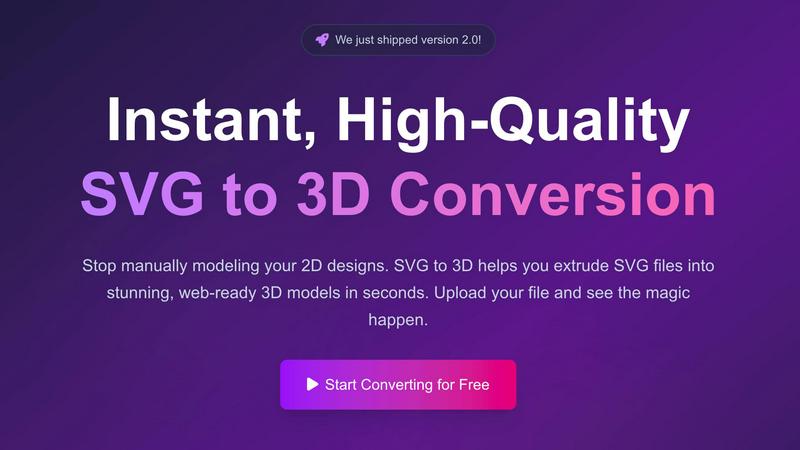
Easily transform your SVG designs into stunning, professional 3D models in seconds with SVG to 3D.
Last updated: February 28, 2026
Visual Comparison
DigitalMagicWand

SVG to 3D
Feature Comparison
DigitalMagicWand
Unified AI Content Suite
DigitalMagicWand brings together a powerful collection of specialized AI tools under one roof, fostering a collaborative workflow. Instead of juggling disparate software for text, image, and audio, teams can work synergistically within a single platform. This integration allows for seamless transitions between tasks, such as generating text for a video script, creating accompanying visuals, and then editing the audio track, all while maintaining a consistent and efficient team-oriented process.
Advanced AI Text Analysis & Humanization
This feature set provides a powerful one-two punch for written content. The Accurate AI Detector offers clear, confidence-based analysis to identify machine-generated text, enabling teams to ensure content authenticity collaboratively. Its counterpart, the Undetectable AI Text Humanizer, then allows for the refinement of AI-assisted drafts into natural, human-sounding writing. This synergy helps writing teams maintain a genuine voice and meet editorial standards with confidence.
Professional-Grade Audio Processing Tools
From the legendary precision of Digital Ear™ for converting piano audio to editable MIDI, to the studio-quality stem separation of UnMixIt™ Pro, this suite empowers musicians and audio professionals. These tools are built for collaboration, allowing producers, DJs, and musicians to isolate vocals, drums, or bass tracks for remixing, sampling, or creating karaoke versions, thus streamlining group projects and creative experimentation.
Intuitive AI-Powered Image Generation & Editing
This feature set turns descriptive text into stunning visual assets and enables effortless photo manipulation. Teams can generate custom vector art or photorealistic images from simple prompts, and then collaboratively edit them using the AI Image Editor. The ability to remove backgrounds, swap elements, or restore photos through simple text commands democratizes high-end visual creation, allowing all team members to contribute to the design process.
SVG to 3D
One-Click to GLB for the Web
This feature enables users to export their 3D models in GLB format with just a single click. The GLB files generated are optimized for web use, making them perfect for integration into Three.js or React Three Fiber projects. This functionality ensures that developers can effortlessly add interactive 3D elements to their websites without complicated processes.
3D-Print Ready
SVG to 3D supports clean STL exports, allowing users to prepare their 3D models for 3D printing directly. This feature is especially beneficial for those who wish to take their 2D designs into the physical realm, providing a straightforward way to go from digital artwork to tangible products without needing complex CAD software.
Fine-Tune Every Detail
With advanced controls, users can go beyond simple extrusion and fine-tune every aspect of their 3D model. Adjusting thickness, adding bevels, and applying realistic PBR materials are all possible, along with a real-time preview that allows for immediate feedback. This level of customization ensures that the final output meets professional standards.
Advanced Material System
SVG to 3D includes an advanced material system that allows users to apply realistic PBR materials, custom textures, and professional lighting effects to their models. This feature enhances the visual appeal of the 3D creations, helping them stand out in various applications, from web use to presentations.
Use Cases
DigitalMagicWand
Content Creation & Marketing Teams
Marketing agencies and in-house content teams can leverage the platform's synergy to produce cohesive campaigns. Writers can generate and humanize blog copy, designers can instantly create matching social media graphics and vectors from text descriptions, and editors can produce promotional videos using cleaned audio stems and AI-edited visuals, all within a collaborative ecosystem that accelerates project timelines.
Academic & Research Integrity
Educational institutions and research departments can work together to uphold academic standards. The AI Text Detector allows educators and peer reviewers to collaboratively verify the originality of student submissions or research papers. Furthermore, the tool can be used as a learning aid to help students understand the difference between AI-generated and authentic human writing, fostering a cooperative educational environment.
Music Production & Audio Engineering
Music production teams, from solo artists to full bands, can use the audio tools for collaborative creation and post-production. A pianist can convert a live recording to MIDI for easy sharing and arrangement with bandmates. Producers and DJs can isolate acapellas or instrumental tracks for remixes and mashups, facilitating a synergistic creative process where individual parts can be freely manipulated and shared.
E-commerce & Product Photography
E-commerce teams and product photographers can streamline their visual asset production. The background removal tool allows for quick, consistent creation of product cutouts on white backgrounds. Meanwhile, the AI Image Editor enables teams to collaboratively place products into different scenes or onto models without organizing costly photoshoots, allowing for rapid iteration and A/B testing of marketing imagery.
SVG to 3D
Create Interactive 3D Logos and Icons for Web
Web developers can easily convert SVG icons into interactive 3D models, enhancing their web projects with visual depth and engagement. This use case is particularly valuable for creating unique user interfaces that capture attention and elevate the user experience.
From Digital Design to Physical Object
Artists and designers can utilize SVG to 3D to transform their 2D designs into physical objects through 3D printing. This use case allows for the creation of custom parts, art pieces, and prototypes without the need for extensive modeling skills or software, making it accessible for all.
Enhance Your Website with Depth
By integrating 3D models into UI/UX designs, designers can present their concepts with greater depth and realism. This approach not only impresses clients but also allows stakeholders to visualize the final product more effectively, fostering better collaboration and decision-making.
Developer-Friendly Exports
SVG to 3D serves as an invaluable tool for developers looking to streamline their workflow. With the ability to export models in various formats like GLB, GLTF, OBJ, and STL, this tool ensures compatibility with popular 3D frameworks and engines, making it versatile for different project needs.
Overview
About DigitalMagicWand
DigitalMagicWand is a comprehensive and collaborative online platform designed to empower creators, professionals, and teams by simplifying complex digital workflows. It offers a unified suite of AI-powered tools for processing image, audio, video, and text content. The platform's core value proposition lies in transforming individual creative tasks into seamless, synergistic processes, enabling users to enhance, transform, and generate professional-grade content without requiring deep technical expertise. Whether you are a marketer needing compelling visuals, a musician extracting stems, a writer ensuring authenticity, or a content team managing multiple media types, DigitalMagicWand provides a cooperative ecosystem where different tools work in harmony to bring your ideas to life. By leveraging cutting-edge artificial intelligence, it acts as a force multiplier for creativity and productivity, ensuring that every team member can contribute their best work efficiently and effectively.
About SVG to 3D
SVG to 3D is a revolutionary web-based tool designed to seamlessly transform 2D SVG vector graphics into stunning, high-quality 3D models. This innovative solution addresses a common challenge faced by designers, developers, and 3D printing enthusiasts: the cumbersome and time-consuming process of using heavyweight software like Blender or C4D for simple tasks such as extruding logos or icons. By providing a streamlined platform where users can upload their SVG files and witness instantaneous conversion into 3D models, SVG to 3D simplifies workflows and enhances productivity. Its main value proposition lies in its user-friendly interface, advanced customization options, and the ability to export in multiple formats, catering to professionals who demand quality without sacrificing speed.
Frequently Asked Questions
DigitalMagicWand FAQ
What types of files can I process with DigitalMagicWand?
DigitalMagicWand supports a wide range of file formats to facilitate team collaboration. For images, you can upload common formats like JPG, PNG, and output SVG vectors. Audio tools support MP3, WAV, and other standard audio files, with MIDI output for the Digital Ear™ tool. The text tools work with direct input or document uploads. This versatility ensures team members can work with the files they already have.
How accurate is the AI Text Detector?
The Accurate AI Detector is built to provide clear, confidence-based scores to help teams make informed decisions collaboratively. It analyzes text for statistical patterns indicative of AI models like ChatGPT and Gemini. While highly effective, no detector is 100% infallible. We recommend using its results as a collaborative tool for review and discussion within your team, rather than as a sole, definitive verdict.
Can I use the generated images or audio stems commercially?
Yes, the assets you create using DigitalMagicWand's AI tools are intended for your personal and commercial use, allowing your team to integrate them into projects, campaigns, and products. This empowers collaborative commercial ventures. However, it is always the responsibility of the user and their team to ensure that the final use complies with all applicable laws and does not infringe on any third-party rights, such as trademarks or copyrights on original input content.
Do I need technical skills or software to use these tools?
A core philosophy of DigitalMagicWand is democratizing advanced tools for team-wide use. No specialized technical skills or installed software is required. The platform is web-based and designed with an intuitive interface. Features are often driven by simple text prompts or one-click actions, making it easy for every member of a collaborative team—from writers to marketers to musicians—to contribute effectively.
SVG to 3D FAQ
How do I get started with SVG to 3D?
To begin converting your designs, simply upload your SVG file through the intuitive interface. You can drag and drop your file or paste the SVG code directly into the editor.
What file formats can I export my 3D model in?
SVG to 3D allows you to export your 3D models in several formats, including GLB, GLTF, OBJ, and STL, catering to various applications, from web integration to 3D printing.
Is there a limit on the size of SVG files I can upload?
Yes, the maximum file size for SVG uploads is 5 MB. This limit ensures that the processing remains fast and efficient while still accommodating a wide range of designs.
Is my design secure when using SVG to 3D?
Absolutely. Your files are processed locally in your browser whenever possible, ensuring that your designs remain private and secure without being uploaded to external servers.
Alternatives
DigitalMagicWand Alternatives
DigitalMagicWand is a comprehensive AI assistant platform designed for creative and professional teams. It provides a unified suite of tools for processing images, audio, video, and text, all powered by artificial intelligence. This all-in-one approach helps teams streamline their content creation workflows in a single collaborative environment. Teams often explore other options to find the perfect fit for their unique project needs and budget. Common reasons include seeking more specialized tools for a single media type, different pricing or subscription models, or a platform that integrates more seamlessly with their existing team software stack. The goal is to enhance team synergy without disrupting established workflows. When evaluating different platforms, it's wise for a team to consider the scope of AI tools offered, the ease of collaboration among members, and the overall value for their specific use cases. The ideal solution should empower every team member, from designers to marketers, to work together more efficiently and unlock new creative possibilities through AI.
SVG to 3D Alternatives
SVG to 3D is a specialized tool designed to convert 2D SVG vector graphics into high-quality 3D models, making it an invaluable asset for developers, designers, and 3D printing enthusiasts. As part of the AI Assistants category, it offers a streamlined approach that eliminates the need for heavyweight software, allowing users to quickly transform their designs with ease. However, users often find themselves seeking alternatives for various reasons, including pricing concerns, specific feature requirements, or compatibility with different platforms. When exploring alternatives, it’s essential to consider factors such as the ease of use, export formats supported, real-time editing capabilities, and overall integration with existing workflows to ensure that the chosen solution meets their unique needs.