
Decode This Text vs SupaSidebar
Side-by-side comparison to help you choose the right product.

Decode This Text
Decode This Text delivers quick, human-like analyses of confusing conversations in just 30 seconds for clear.
Last updated: February 28, 2026

SupaSidebar
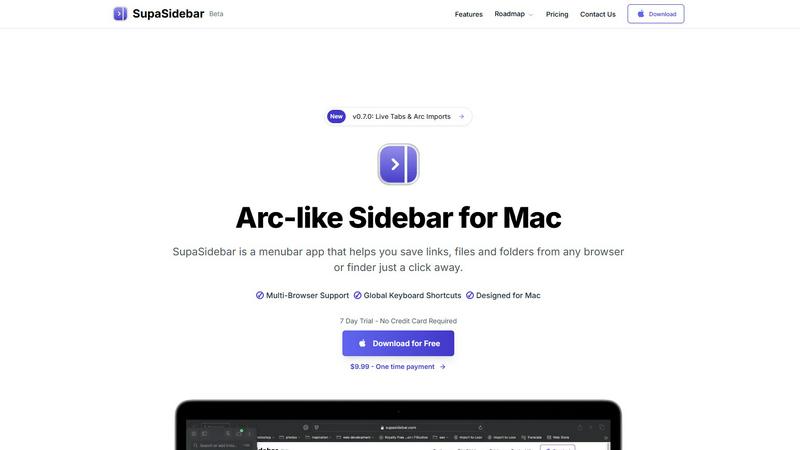
SupaSidebar is your team's universal Mac sidebar for instantly saving and opening any link, file, or folder.
Last updated: February 28, 2026
Visual Comparison
Decode This Text

SupaSidebar
Feature Comparison
Decode This Text
The Vault
The Vault is a secure feature that allows users to store their analyzed conversations. It ensures that your sensitive communications are protected while providing easy access for future reference, helping you track how your communication evolves over time.
Tone Analysis
This feature evaluates the emotional tone of your messages, identifying whether the sender is being friendly, sarcastic, or cold. By measuring the emotional temperature, users can avoid misinterpretations and respond appropriately to the context of the conversation.
Response Suggestions
When facing uncertainty about how to reply, Decode This Text provides three tailored response options—calm, direct, or firm. This feature empowers users to choose a response that aligns with their communication style while addressing the situation effectively.
Pattern Detection
Decode This Text can detect patterns in messaging behavior, such as whether someone consistently replies late or gives short answers. By identifying these patterns, users gain insights into the dynamics of their interactions, allowing them to adapt their communication strategies.
SupaSidebar
Universal Save & Copy Shortcuts
Working in harmony with your actions, SupaSidebar provides global keyboard shortcuts that work across any browser. With a simple press of CMD+CTRL+S, you can instantly save the current website link directly to your sidebar. Similarly, CMD+CTRL+C copies the URL, allowing for seamless integration into your workflow without ever needing to reach for your mouse or break your train of thought.
Intelligent Recents Tracking
SupaSidebar acts as a cooperative memory aid for your digital activity. It automatically tracks every website you visit across all major browsers—including Safari, Chrome, Firefox, and Arc—for the last 48 hours. This feature ensures you can instantly rediscover that crucial article or reference page you viewed earlier, eliminating the frustration of lost tabs and creating a smooth, continuous workflow.
Fast, Unified Search
Summon the full power of your organized workspace with the CMD+CTRL+K shortcut. This command brings up a lightning-fast search bar that scours through all your saved items, recent history, pinned favorites, files, folders, and applications. It’s designed for synergy, delivering exactly what you’re looking for in an instant, so you can maintain your momentum and stay deeply focused on your task.
Pinned Favorites & Spaces
Build a personalized command center tailored to your collaborative projects. SupaSidebar allows you to pin your most important links, files, and apps to the top of your sidebar for one-click access. With the Pro plan, you gain access to unlimited Spaces, enabling you to organize resources into distinct categories or projects, fostering a clean and efficient partnership between you and your digital tools.
Use Cases
Decode This Text
Clarifying Confusing Friendships
When a friend sends mixed signals or goes silent after a conversation, users can paste the messages into Decode This Text to understand what might be happening. This can help clarify whether their friend is simply busy or losing interest.
Navigating Professional Communications
In a work environment, receiving a one-word email can be stressful. Decode This Text helps users analyze such messages to determine if their boss is upset or just busy. This insight aids in crafting an appropriate response.
Enhancing Family Interactions
Family dynamics can be tricky. By analyzing text exchanges with family members, users can decode emotional undertones and better navigate sensitive discussions, leading to healthier family relationships.
Improving Romantic Relationships
Deciphering text messages from a partner can often be challenging. Decode This Text provides clarity on their intentions and emotional tone, allowing users to respond in a way that fosters understanding and connection.
SupaSidebar
The Multitasking Researcher
For academics and researchers juggling dozens of browser tabs with papers, articles, and data sources, SupaSidebar is a game-changer. It allows for the quick saving of references with a single shortcut and uses the Recents feature to effortlessly backtrack through a day's browsing. This synergy between collection and retrieval streamlines the research process, keeping all critical materials a quick search away.
The Creative Professional
Designers, writers, and developers can use SupaSidebar to create a fluid workspace. They can pin inspiration mood boards, project briefs, and asset folders for instant access. The universal search function lets them jump between design tools, documentation, and communication apps without losing focus, fostering a creative flow state by minimizing disruptive app switching.
The Project Manager
Managing multiple projects requires quick access to shared documents, trackers, and communication hubs. SupaSidebar’s Spaces feature (available in Pro) lets a project manager organize links by client or initiative. The global shortcuts enable rapid saving of meeting notes or task updates, creating a synergistic hub that keeps the entire project ecosystem organized and immediately accessible.
The Student
Students benefit from SupaSidebar’s ability to corral lecture notes, research links, and assignment briefs in one place. Using the save shortcut during online study sessions builds a personalized knowledge base. The fast search then acts as a study partner, helping them quickly find materials for essay writing or exam revision, making their study sessions more efficient and organized.
Overview
About Decode This Text
Decode This Text is a revolutionary tool aimed at demystifying complex or unclear messages that often leave individuals feeling puzzled. It serves as a guide to understanding the true intentions behind communications—be it a cryptic email from a boss, a vague text from a friend, or an ambiguous message from a client. With its user-friendly interface, Decode This Text allows users to easily paste their conversations or describe the context of their interactions. The tool then provides a human-like analysis of the underlying emotional tone, intentions, and suggestions for appropriate responses. This makes it an invaluable asset for anyone looking to improve their communication skills, foster better relationships, and minimize misunderstandings. By using Decode This Text, individuals can engage in their interactions with confidence, knowing they have a reliable ally to help clarify the nuances of their conversations.
About SupaSidebar
SupaSidebar is your collaborative partner for macOS productivity, designed to create a synergistic relationship between you and your digital workspace. It's a beautifully crafted, Arc-inspired sidebar application that acts as a universal command center, seamlessly integrating with your workflow to keep your essential digital assets—links, files, folders, and apps—instantly accessible. Built for professionals, researchers, creators, and anyone who multitasks across browsers and applications, SupaSidebar solves the common pain points of digital disorganization and constant context-switching. Its core mission is to keep you in a state of flow. By placing a powerful, searchable hub just a keyboard shortcut away, it ensures that everything you need, from a recently viewed article to a critical project folder, is available without breaking your concentration. Your data remains private and secure on your Mac, fostering a trustworthy partnership. It works quietly in the background until you call upon it, then delivers exactly what you need to move forward efficiently, transforming how you interact with your Mac by reducing clutter and amplifying focus.
Frequently Asked Questions
Decode This Text FAQ
How does Decode This Text maintain my privacy?
Decode This Text operates on a 100% anonymous basis. No human reads your texts, ensuring that your personal conversations remain private and secure.
Can I use Decode This Text for professional messages?
Absolutely! Decode This Text is designed for all types of communication, including professional emails and messages, helping you understand the nuances of workplace interactions.
What if I just want to upload a screenshot?
No problem! You can easily upload screenshots of your chats. Decode This Text will analyze the entire conversation for you, making it quick and convenient.
How long does it take to get an analysis?
The analysis is lightning-fast, typically providing you with a comprehensive understanding of the conversation in just 30 seconds, allowing you to respond with confidence.
SupaSidebar FAQ
Is SupaSidebar a browser extension?
No, SupaSidebar is not a browser extension. It is a standalone macOS menubar application designed to work in synergy with your entire system. It integrates with all major browsers (like Safari, Chrome, Firefox, and Arc) through system-level accessibility, allowing it to capture and save your current tab's URL from any browser using its global keyboard shortcuts.
Which browsers does SupaSidebar work with?
SupaSidebar is built for seamless cooperation with all major browsers on macOS. This includes Safari, Google Chrome, Mozilla Firefox, Arc, and others. Its universal shortcuts and Recents tracking are designed to work across your entire browsing environment, ensuring a consistent and integrated experience no matter which browser you are using at the moment.
What macOS version do I need?
To ensure a smooth and synergistic experience, SupaSidebar requires macOS 13 (Ventura) or a later version. This requirement allows the app to utilize the latest macOS technologies and security features, providing the stable and powerful performance needed to act as your reliable productivity partner.
Where is my data stored?
Your privacy and trust are paramount in our partnership. All data saved in SupaSidebar—including your links, pins, and spaces—is stored locally on your Mac. Nothing is sent to external servers. This approach guarantees your information remains private, secure, and instantly accessible, true to the app's philosophy of being a personal command center.
Alternatives
Decode This Text Alternatives
Decode This Text is an innovative tool designed to help users decipher the often perplexing nature of communication. Falling under the category of productivity and management, it provides quick, human-like analyses of messages, helping to clarify the underlying meanings and emotional tones. Users frequently seek alternatives to Decode This Text for various reasons, such as pricing concerns, specific feature requirements, or compatibility with different platforms. When looking for an alternative, it's essential to assess factors like user-friendliness, response time, and the comprehensiveness of analyses provided. Consider whether the alternative can cater to your unique communication needs and whether it enhances your ability to engage effectively with others.
SupaSidebar Alternatives
SupaSidebar is a universal Mac sidebar application in the productivity and management category, designed to be a collaborative partner in your workflow. Users often explore alternatives for various reasons, such as budget considerations, a need for different feature sets, or compatibility with other operating systems beyond macOS. It's a natural part of finding the right tool for your unique team dynamic and project requirements. When evaluating an alternative, consider how it fosters synergy with your existing habits. Look for a solution that minimizes disruptive context-switching and keeps your resources—links, files, and apps—readily accessible. The ideal tool should feel like a seamless extension of your process, promoting flow rather than adding friction, and should align with your specific collaboration and organizational needs.