Daily vs Tickari
Side-by-side comparison to help you choose the right product.

Daily is your collaborative planner to clear your mind, prioritize what matters, and achieve your goals with ease.

The no-nonsense task manager that actually helps you get things done. No clutter. No complexity. Just you and your tasks.
Visual Comparison
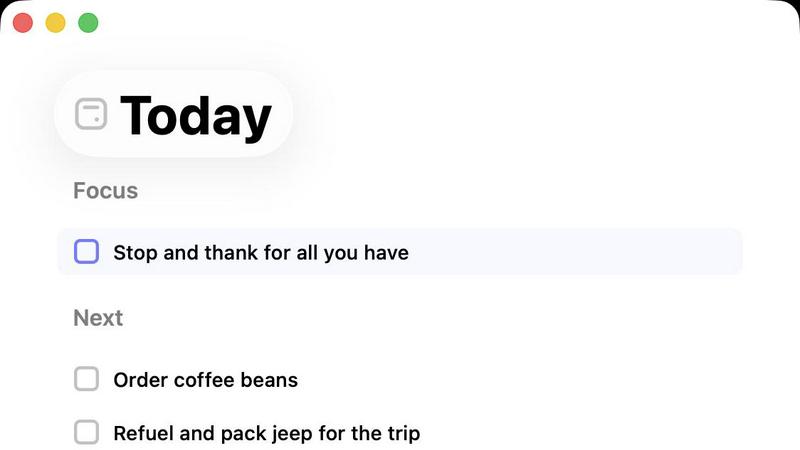
Daily
Tickari

Overview
About Daily
Daily is a thoughtfully designed to-do list and daily planner that aims to support individuals feeling overwhelmed by their daily tasks and responsibilities. In a world that often encourages doing more and more, Daily offers a serene and organized space for users to declutter their minds. It is specifically crafted for anyone who seeks clarity and focus amid the chaos of life, allowing users to jot down tasks, reminders, and thoughts as they come to mind without the pressure of immediate organization. This feature empowers users to return to their lists when they are ready, helping them to prioritize what truly matters that day. With Daily, individuals can experience a renewed sense of calm, as the Today view highlights only what requires immediate attention, paving the way for a more productive and intentional day. Importantly, the application remains simple, providing just the right amount of structure to facilitate productivity without overwhelming users.
About Tickari
Tickari is a deliberately minimal, no-nonsense task manager designed for people who are tired of overcomplicated productivity tools and just want to get things done. Instead of overwhelming you with features like complex boards, AI-generated suggestions, or endless customization, Tickari focuses on a simple, frictionless workflow: write a task, tick it off, and move on.
The product embraces a “less but better” philosophy—eliminating clutter, reducing cognitive overhead, and removing the need for onboarding tutorials or setup processes. There are no distractions, no unnecessary decisions, and no feature bloat—just a clean interface that works instantly the moment you open it. This makes it particularly effective for users who feel stuck organizing tasks instead of actually completing them.