Caller vs Tickari
Side-by-side comparison to help you choose the right product.

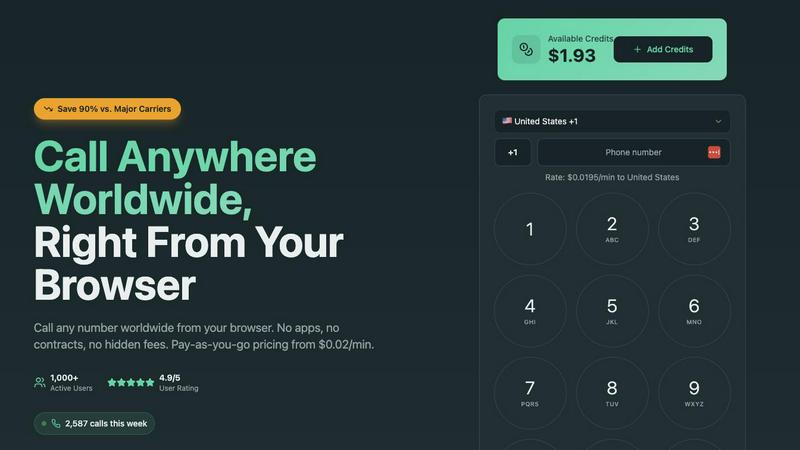
Make affordable international calls from your browser with no contracts, just pay as you go from $0.02 per minute.
Last updated: March 1, 2026

The no-nonsense task manager that actually helps you get things done. No clutter. No complexity. Just you and your tasks.
Visual Comparison
Caller
Tickari

Overview
About Caller
Caller is a groundbreaking, browser-based communication platform designed to transform the way professionals connect globally. It enables teams and individuals to make high-quality international phone calls instantly, without the hassle of downloads or complex setup processes. Tailored specifically for modern professionals, remote teams, and businesses seeking efficient global communication, Caller eliminates the need for expensive carrier contracts, physical SIM cards, or cumbersome VoIP software. The platform's core value proposition lies in its simplicity and transparency: with rates up to 90% cheaper than traditional carriers, users can enjoy crystal-clear HD voice calls to over 200 countries on a pay-as-you-go basis. By removing technical barriers and cost concerns, Caller fosters a collaborative environment, allowing users to focus on productive conversations and teamwork. Whether you are a sales team pursuing international prospects, a support team assisting global customers, or a distributed team striving for seamless coordination, Caller serves as your reliable and affordable communication backbone, driving collective success and enhancing professional relationships.
About Tickari
Tickari is a deliberately minimal, no-nonsense task manager designed for people who are tired of overcomplicated productivity tools and just want to get things done. Instead of overwhelming you with features like complex boards, AI-generated suggestions, or endless customization, Tickari focuses on a simple, frictionless workflow: write a task, tick it off, and move on.
The product embraces a “less but better” philosophy—eliminating clutter, reducing cognitive overhead, and removing the need for onboarding tutorials or setup processes. There are no distractions, no unnecessary decisions, and no feature bloat—just a clean interface that works instantly the moment you open it. This makes it particularly effective for users who feel stuck organizing tasks instead of actually completing them.